
BrowserScan vs IPhey vs MaxMind: Which Privacy Tool Fits You?
BrowserScan vs IPhey vs MaxMind: Choosing the Right Privacy and Security Tool
When you search for a privacy tool, you will quickly find three names that keep appearing: BrowserScan, IPhey, and MaxMind. They all touch on browser security, IP data, and online tracking, yet they solve different problems. One is a general-purpose privacy suite, one is a fingerprint risk auditor, and one is an enterprise-grade IP intelligence platform. This comparison breaks down what each tool does best, so you can pick the one that matches your work—whether you are a VPN user, a multi-account manager, a developer, or a security team.
Quick Overview of Each Tool
BrowserScan vs IPhey vs MaxMind: Which Privacy Tool Fits You? product interface and feature overview.
IPhey – Browser Fingerprint and Privacy Audit
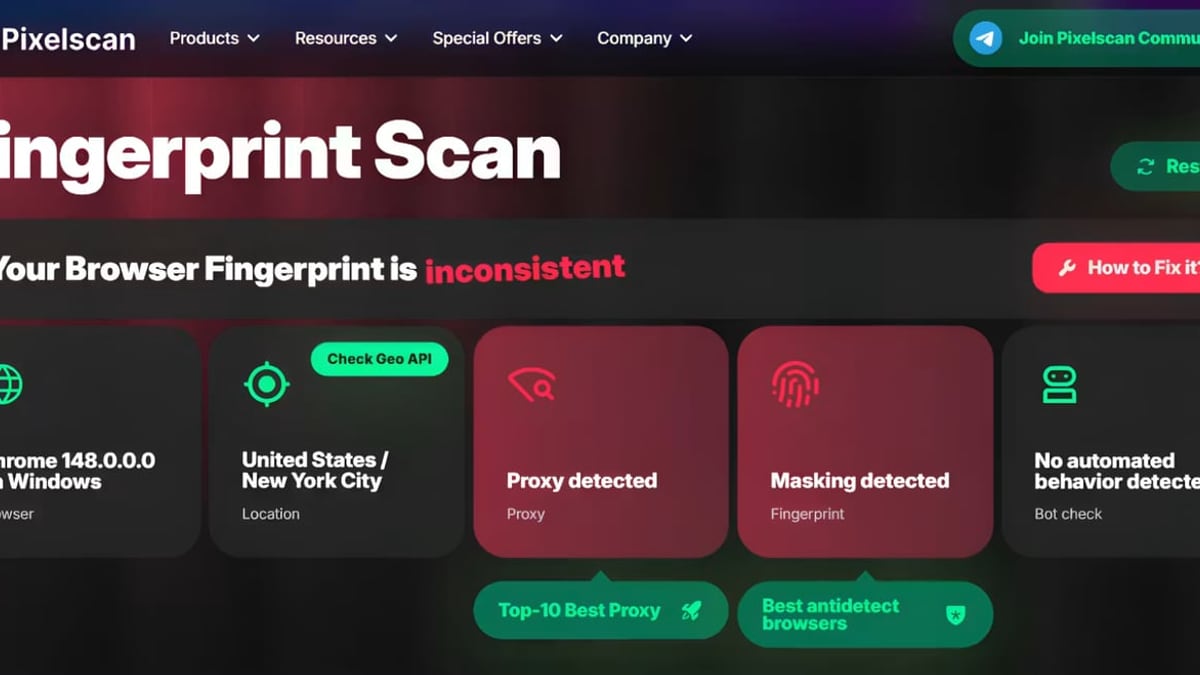
IPhey is a real-time fingerprinting test that reveals exactly what your browser exposes to the websites you visit. Unlike a simple IP check, IPhey digs into hardware and software signals like canvas, WebGL, fonts, language, and time zone. It then produces a risk score that tells you how easily a tracking system could link your current session to a real identity. Affiliate marketers, traffic arbitrage professionals, and anyone using antidetect browsers rely on IPhey to validate that their browser profiles look natural and consistent.
MaxMind – IP Geolocation and Online Fraud Prevention
MaxMind serves businesses and developers, not individual privacy testers. Its core products are the GeoIP database and the minFraud API. GeoIP covers 99.9999% of IP addresses with accurate location, ISP, and connection type data. The minFraud service uses machine learning to score transactions for risk, helping ecommerce sites stop chargebacks and credit card fraud. MaxMind also offers proxy and VPN detection, making it essential for content licensing, regulatory compliance, and cyber risk management.
BrowserScan – All-in-One Online Privacy Suite
BrowserScan is a free, no-plugin privacy toolkit that bundles more than a dozen utilities into one place. Its fingerprint checker gives you an authenticity score, but that is only the beginning. You can run DNS leak tests, WebRTC leak tests, an IP lookup with multiple data sources, a port scanner, a speed test, a user‑agent parser, and even small tools like a cookie converter and a 2FA code generator. The suite is designed for people who want to inspect their entire online exposure without jumping between multiple websites.
Deep Dive: IPhey’s Browser Fingerprint and Risk Analysis
BrowserScan vs IPhey vs MaxMind: Which Privacy Tool Fits You? product interface and feature overview.
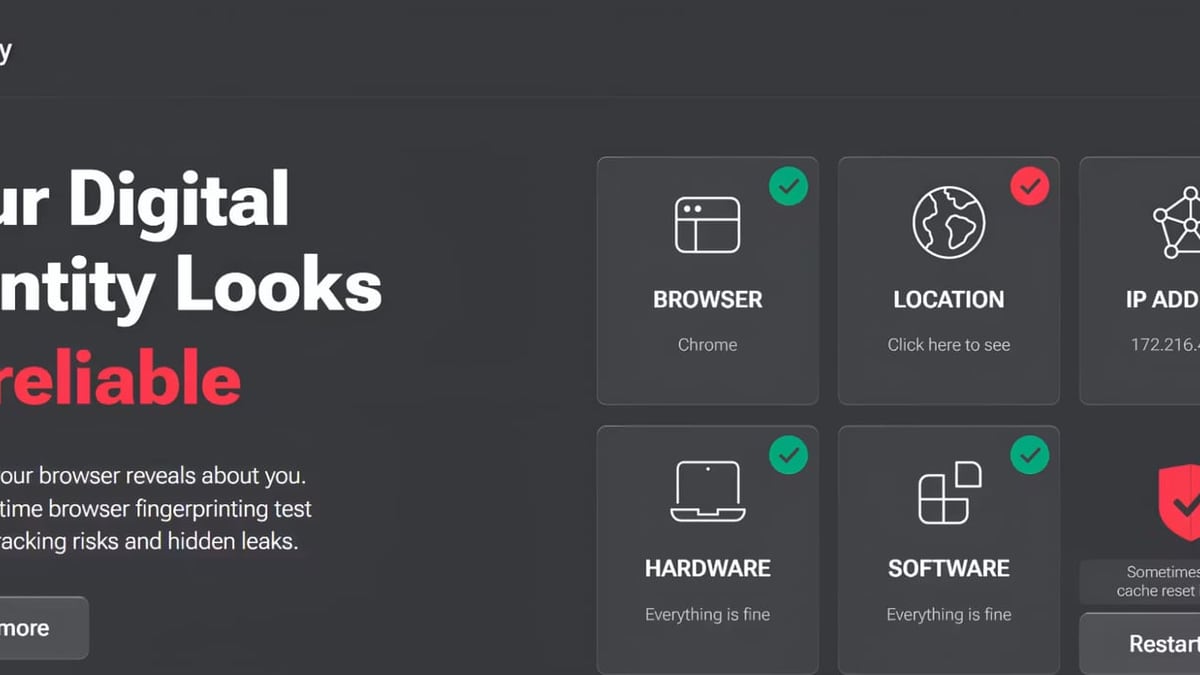
IPhey shines when the question is “does my browser look like a normal, untampered client?” It systematically checks hardware, software, location, and IP-related signals, then flags mismatches. For example, if your operating system says you are on Windows but your time zone is set to a city where Windows is rare, IPhey will lower your consistency score.
The tool also performs bot detection, an IP blacklist check, and a DNS leak test. All results are wrapped in a clear visual risk score that non‑technical users can understand immediately. In their own comparisons with other fingerprint checkers, IPhey came out ahead for bot detection and risk scoring, making it a strong pick for validating antidetect browser profiles—such as those used in multi‑accounting or ad‑verification workflows.
If you are actively trying to mimic a real user and need to know whether your fingerprint will pass a website’s fraud checks, IPhey gives you a focused, practical answer.
Deep Dive: MaxMind’s Enterprise‑Grade IP Intelligence and Fraud Prevention

BrowserScan vs IPhey vs MaxMind: Which Privacy Tool Fits You? product interface and feature overview.
MaxMind is not a browser‑fingerprint tester—you will not find canvas or WebGL checks here. Instead, it answers the questions businesses ask: “Where is this user really located? Are they using a VPN or a data center? How risky is this transaction?”
Its GeoIP2 Precision Services return country, city, postal code, ISP, domain, and connection type with industry‑leading accuracy. For a fraud team, knowing that an IP belongs to a hosting provider rather than a residential ISP can be the difference between approving an order and blocking a fraudulent charge. The minFraud API adds behavioral and transactional signals on top of IP data, assigning a risk score that adapts through machine learning.
MaxMind is also a compliance enabler. Streaming platforms, digital‑goods sellers, and financial services use GeoIP to enforce regional licensing rules and to meet data‑residency requirements. The product is built for integration—developers call a REST API and get JSON back, fitting directly into automated decision pipelines.
Deep Dive: BrowserScan’s All‑in‑One Privacy Suite
BrowserScan vs IPhey vs MaxMind: Which Privacy Tool Fits You? product interface and feature overview.
BrowserScan takes a different approach: it gives you a battery of tests and tools in a single, browser‑based dashboard. Here is where it holds a unique advantage over both IPhey and MaxMind.
- Comprehensive leak detection: DNS leak test, WebRTC leak test, and IP leak check all run from the same page. You can confirm that your VPN or proxy is not leaking your real IP address, your DNS queries, or your local network details.
- Browser fingerprint transparency: The fingerprint checker scores your browser’s authenticity and highlights high‑risk signals, similar to IPhey, but it also pulls in data from multiple STUN servers to thoroughly test WebRTC exposure.
- Network utilities beyond privacy: A built‑in port scanner (powered by nmap) helps you audit your own firewall. The internet speed test and user‑agent parser serve IT pros who need quick diagnostics without extra tools.
- Convenient extras: A cookie converter, a 2FA code generator, and a bot detection module sit alongside the main privacy checks. None of these exist in IPhey or MaxMind.
- Multi‑source IP lookup: BrowserScan aggregates IP data from ip‑api, IPinfo, IP2Location, db‑ip, and IPQuery. While it does not match MaxMind’s enterprise‑grade precision, it gives you a well‑rounded view of your public IP’s geolocation and blacklist status—all without an API key.
For individuals and small teams who want to scan their digital footprint end to end, BrowserScan consolidates what would otherwise require 5 or 6 different websites. If you have been using a separate site for DNS checks, another for WebRTC leaks, and yet another for a quick IP lookup, BrowserScan replaces all of them.
How to Choose the Right Tool for Your Needs
Because the three tools target different problems, the best choice depends on your primary task. Use the table below as a decision guide.
| Your Goal | Recommended Tool | Why |
|---|---|---|
| Run a full privacy audit (IP, DNS, WebRTC, fingerprint, network) on a single dashboard | BrowserScan | BrowserScan is the only tool that bundles a fingerprint check with DNS/WebRTC leak tests, a port scanner, and IP lookup from multiple sources. |
| Verify that your antidetect browser profile looks normal and earns a low risk score | IPhey | IPhey focuses on fingerprint consistency and risk scoring. It checks hardware‑software mismatches that matter most in multi‑accounting and ad‑arbitrage. |
| Integrate IP geolocation, proxy detection, or transaction risk scoring into your own app or fraud stack | MaxMind | MaxMind’s APIs are built for automation. Accuracy and reliability are proven at enterprise scale, and the data supports regulatory compliance. |
| Get a quick, free IP address check with basic geolocation and blacklist information | BrowserScan or IPhey | Both offer simple IP lookups, but BrowserScan’s multi‑source approach gives a broader snapshot. MaxMind is overkill for a one‑off manual check. |
| Detect browser leaks while you are already inside a full privacy toolkit | BrowserScan | The DNS and WebRTC leak tests are integrated with the fingerprint checker, so you don’t have to visit separate sites to confirm your VPN or proxy is tight. |
| Prevent payment fraud and chargebacks for an online store | MaxMind | minFraud combines IP intelligence with transactional signals to score orders in real time. Neither BrowserScan nor IPhey is designed for payment fraud prevention. |
For a wider look at how BrowserScan stacks up against another fingerprint‑focused checker, see our BrowserScan vs Pixelscan comparison. If you are evaluating IP intelligence APIs—including offerings similar to MaxMind—the Abstract API review can help you weigh different API providers.
Sources and further reading
- Browser Fingerprinting Showdown: Pixelscan vs Iphey vs Chameleon Mode | Real Browser Test - Enjoy the videos and music you love, upload original content, and share it all with friends, family, and the world on YouTube.
- IPhey com | Find Out Your IP Address & Browser-Fingerprint - Find out online – What personal information websites collect about your computer with the IPhey
Frequently Asked Questions
Can I use BrowserScan and IPhey together?
Absolutely. Many professionals run both: IPhey for a detailed fingerprint risk score, and BrowserScan for the DNS leak test, WebRTC leak test, and port scanning. The two tools complement each other without overlap that would be redundant.
Is MaxMind suitable for personal privacy checks?
MaxMind is designed for businesses. Its free demo and lite databases offer limited lookups, but a single user who only wants to check their own IP or browser fingerprint will find BrowserScan or IPhey far more practical and cost‑free.
Which tool has the most accurate IP geolocation?
MaxMind is the industry reference for IP geolocation accuracy, used by enterprises worldwide. BrowserScan offers a convenient multi‑source lookup that is good enough for everyday privacy checks, but it does not claim to match MaxMind’s precision for city‑level or ISP‑level data.
Does BrowserScan require a browser extension?
No. All checks run directly in your browser without any plugin or extension. The tool works on any modern browser and does not store personal information.
Is IPhey enough to detect all browser leaks?
IPhey covers DNS leaks and includes an IP blacklist check, but it does not offer a full WebRTC leak test or a port scanner. For a complete leak‑proof check, pairing IPhey with BrowserScan’s leak tests gives you thorough coverage.
Final Thoughts
BrowserScan, IPhey, and MaxMind each excel in clearly different domains. IPhey gives you a tight, risk‑scored fingerprint audit that antidetect browser users need. MaxMind delivers enterprise‑class IP intelligence and fraud prevention that businesses rely on. BrowserScan distinguishes itself as the all‑in‑one privacy suite, putting fingerprint detection, multiple leak tests, network utilities, and handy privacy tools on a single, free dashboard.
Choose the tool that matches your primary job. If you need width—leak tests, speed tests, IP lookups, and fingerprint transparency—BrowserScan consolidates everything. If you need depth in fingerprint risk scoring, go with IPhey. And if you are building a fraud or compliance system, MaxMind is the proven choice.