
Nmap: The Network Mapper – Free Security Scanner Review
Nmap: The Network Mapper – A Comprehensive Free Security Scanner Review
For over two decades, Nmap has been the de facto open-source tool for network discovery and security auditing. Used by system administrators, penetration testers, and cybersecurity professionals worldwide, it remains one of the most flexible, powerful, and well-documented free scanners available. This review breaks down exactly what Nmap can and cannot do, who should use it, and how it stacks up against other tools so you can decide if it belongs in your toolkit.
What Is Nmap?
Nmap: The Network Mapper – Free Security Scanner Review - supporting product research image 1.
Nmap (Network Mapper) is a free, open-source utility that sends specially crafted packets to target IP addresses and analyzes responses to map networks. Born in 1997 as a Phrack Magazine article by Gordon Lyon (Fyodor), it has grown into a cross-platform suite that runs on Linux, Windows, macOS, and many UNIX derivatives. It earned multiple “Security Product of the Year” awards and even became a cinematic favourite—appearing in films like The Matrix Reloaded and Die Hard 4.
The tool consists of several components:
- The Nmap command-line scanner itself
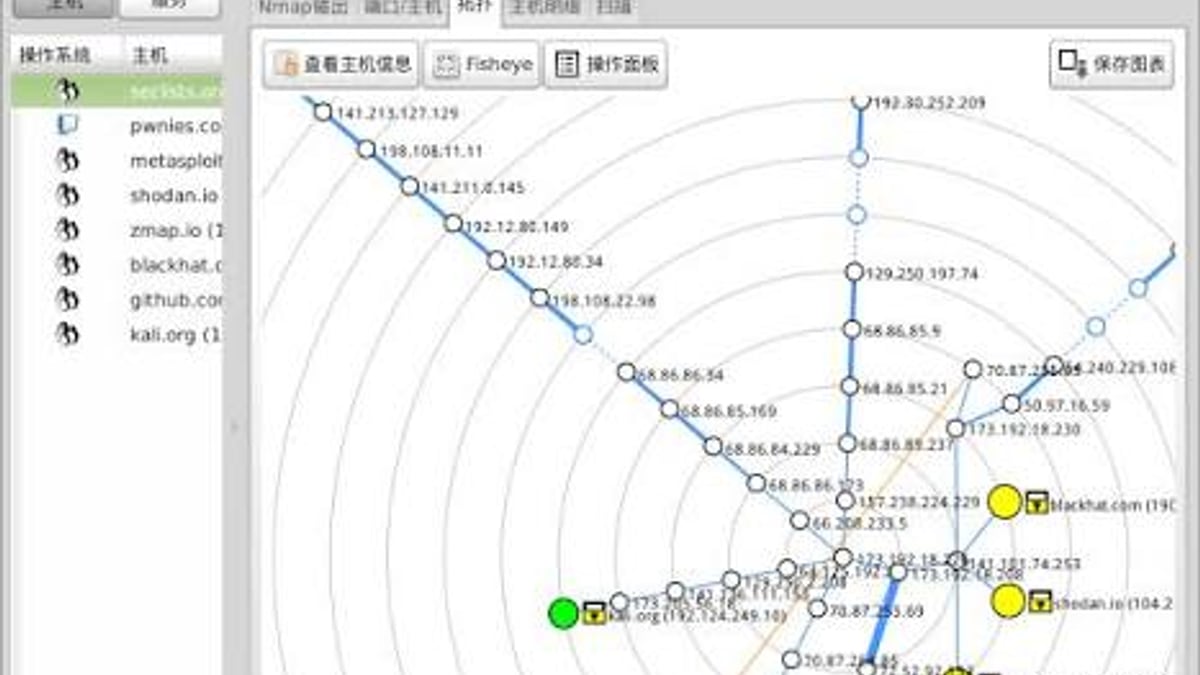
- Zenmap, an official graphical interface and results viewer
- Ncat, a flexible data transfer and debugging tool
- Ndiff, a utility for comparing scan results
- Nping, a packet generation and response analysis tool
Together, these form a complete network exploration toolkit. But at its core, Nmap’s job is host and service discovery.
Key Features and Capabilities
Nmap: The Network Mapper – Free Security Scanner Review - supporting product research image 2.
Host Discovery
Nmap can quickly identify which devices are alive on a network. It supports ICMP ping sweeps, TCP SYN/ACK probes, and ARP scans on local subnets. This foundation is essential for any further investigation.
Port Scanning
With dozens of scan types, Nmap enumerates which TCP and UDP ports are open, closed, or filtered. Techniques include SYN stealth scanning, connect scanning, UDP scanning, and even idle scanning for truly quiet reconnaissance.
Service and OS Fingerprinting
By matching responses to an extensive database of signatures, Nmap identifies not just open ports but the application name, version, and even the operating system and hardware architecture. This version detection is critical for spotting outdated or vulnerable software.
Nmap Scripting Engine (NSE)
NSE is what transforms Nmap from a simple scanner into a Swiss Army knife. Using Lua scripts, users can automate vulnerability detection, brute‑force testing, malware discovery, and more. Hundreds of scripts ship by default, and you can write your own.
Flexible Output Formats
Results can be saved as interactive text, XML, greppable lines, or normal output. XML output enables integration with reporting tools and security platforms, and can be converted into HTML reports via XSLT.
Who Should Use Nmap?
Nmap: The Network Mapper – Free Security Scanner Review - supporting product research image 3.
Nmap serves both blue teams and red teams. Ideal users include:
- Network and system administrators: Inventory devices, verify configuration, and detect unauthorized hosts.
- Security auditors and penetration testers: Map target environments, identify exposed services, and plan attacks.
- Compliance officers: Validate port closures and service configurations against regulatory standards.
- Students and educators: Learn the fundamentals of network reconnaissance in a safe, lab environment.
- Third‑party risk teams: Scan vendor‑facing infrastructure to uncover unknown assets—a use case highlighted by organizations like SecurityScorecard.
If you’re maintaining even a mid‑sized network, Nmap gives you the visibility you need without a price tag.
Real‑World Use Cases
Nmap: The Network Mapper – Free Security Scanner Review - supporting product research image 4.
Network Inventory and Lifecycle Management
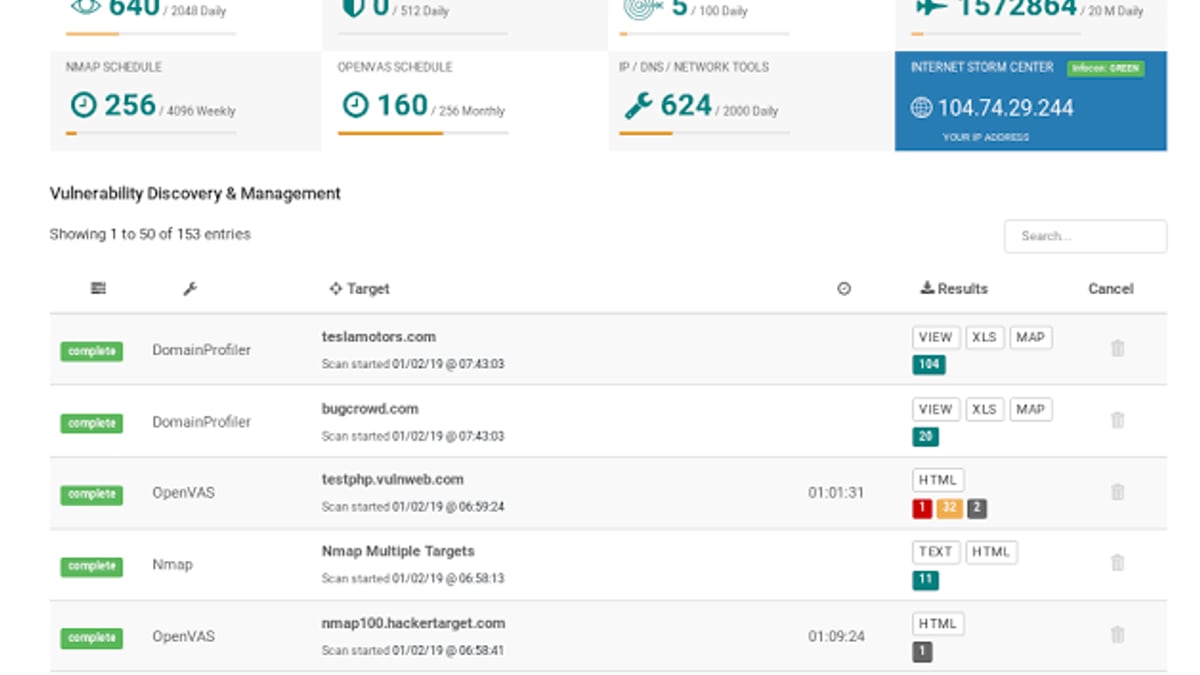
Automated Nmap sweeps provide an up‑to‑date picture of all connected devices. This helps during mergers, acquisitions, or routine audits to ensure nothing slips through the cracks. Combine scan results with asset management databases for better lifecycle tracking.
Vulnerability Identification and Compliance
NSE scripts can flag deprecated SSL/TLS versions, SMBv1 exposure, proxy services with default credentials, and other common misconfigurations. While Nmap isn’t a full vulnerability scanner, it surfaces the low‑hanging fruit that attackers often exploit. Pairing Nmap outputs with a SIEM or vulnerability management platform yields even deeper insights.
Firewall Rule Testing and Verification
A simple but powerful use is checking whether your firewall rules actually block the ports you think they do. Nmap lets you scan from both internal and external perspectives to validate that controls are effective.
Supply Chain Risk Monitoring
Third‑party breaches frequently start with misconfigured or invisible vendor systems. Nmap can probe vendor‑facing IP ranges to discover exposed services before attackers do. Services like those offered by SecurityScorecard combine Nmap‑like scanning with continuous monitoring across billions of IPs, turning point‑in‑time scans into ongoing intelligence.
Penetration Testing
Every penetration test begins with reconnaissance. Nmap’s host discovery and service fingerprinting provide the blueprint that ethical hackers need to simulate real attacks, making it an indispensable step in the kill chain.
Setup and Basic Usage
Installing Nmap is straightforward. On Linux, use your package manager:
sudo apt install nmap   # Debian/Ubuntu
sudo yum install nmap   # RHEL/CentOS
For Windows and macOS, you can download binary installers from the official Nmap download page. The installer includes Zenmap for those who prefer a GUI.
The simplest scan is:
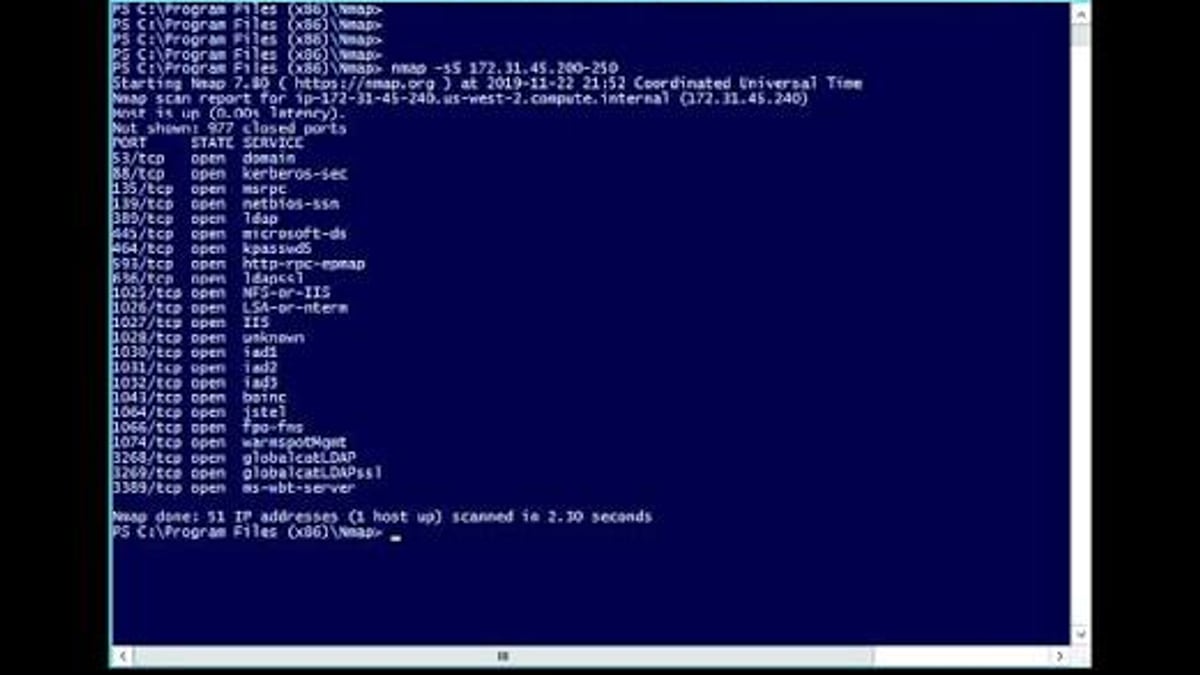
nmap -v -A targethost
This performs OS detection, version detection, script scanning, and traceroute in one command. For a basic port scan, use nmap -F targethost. As you get comfortable, explore flags like -sS (SYN stealth), -sU (UDP), or -O for OS detection alone.
Strengths: Why Nmap Remains a Top Free Scanner
- Flexible and modular: Supports dozens of scan techniques, custom timing templates, and scriptable automation.
- Massively scalable: Capable of scanning hundreds of thousands of hosts in one operation.
- Cross‑platform: Works on virtually every major operating system.
- Thriving community and documentation: From the official book to the active mailing lists and IRC channel, help is everywhere.
- Truly free: Distributed under the Nmap Public Source License (NPSL), which is broadly permissive and free for commercial and non‑commercial use, though some Linux distributions classify it as non‑free due to its custom terms. Dual‑licensing options exist for those who need a proprietary license.
- Extensible: The Nmap Scripting Engine lets you tailor the tool to your exact needs.
Limitations and What Nmap Doesn’t Do
No tool is perfect. Here’s where Nmap falls short:
- It does not exploit vulnerabilities: Nmap identifies exposures and version information, but it won’t actually compromise a system. That’s a job for Metasploit or similar tools.
- Aggressive scans can trigger alarms: Intrusion detection systems and some network equipment will react to scanning activity. You must tune scan speed and manners to avoid disruptions or being blocked.
- Stealth scanning requires expertise: Fragmented packets, decoys, and idle scans work, but they demand a solid understanding of network protocols.
- No built‑in patch management or continuous monitoring: Nmap is point‑in‑time. For ongoing visibility, you’ll want to integrate its output with other systems.
- Limited vulnerability depth: While NSE scripts check for known issues, a dedicated vulnerability scanner like Nessus or OpenVAS offers far deeper coverage and compliance checks.
For full‑spectrum security, treat Nmap as a powerful reconnaissance layer rather than a complete vulnerability management solution.
Nmap vs. Other Tools: A Quick Comparison
| Tool | Primary Strength | Scripting | Speed | License | Best For |
|---|---|---|---|---|---|
| Nmap | Flexible host and service discovery | NSE (Lua) | Moderate to fast | NPSL / modified GPLv2 | Tactical scans, automation, small to large networks |
| Nessus | Deep vulnerability assessment | Nessus Attack Scripting Language (NASL) | Slower, comprehensive | Proprietary (free for limited use) | Compliance auditing, patch verification |
| Masscan | Ultra‑fast port scanning (internet‑scale) | None | Extremely fast | AGPLv3 | Rapid surveys of huge IP ranges |
| Zmap | Internet‑wide single‑port surveys | None | Very fast | Apache 2.0 | Large‑scale academic or research scans |
Nmap shines where automation and rich feature sets are needed, while Masscan and Zmap trade detail for speed. Nessus provides the vulnerability depth that Nmap’s NSE only scratches.
Pricing and Licensing
Nmap is free to download and use. The source code is available under the Nmap Public Source License (starting from version 7.90), which incorporates the GPLv2 with additional restrictions and clarifications. Practically, this means you can run Nmap on any number of machines, integrate it into commercial products (subject to the license terms), and modify the code for internal use. Paid commercial licenses with alternative terms are also available for organizations that need them.
There’s no “enterprise” tier with hidden fees, no support contracts required, and no locked features. That said, professional support isn’t included—the community and official documentation fill that role.
Is Nmap the Right Tool for You? – Decision Criteria
Choose Nmap if:
- You need a free, scriptable network discovery tool for audits, inventory, or pen testing.
- You’re comfortable with the command line (or don’t mind using Zenmap) and want full control over scan parameters.
- You want to integrate network scanning into automated workflows using NSE or Ndiff.
- You require a lightweight, portable solution that runs on any OS.
Look elsewhere if:
- You need a turnkey vulnerability scanner with compliance templates—then Nessus or OpenVAS may be better.
- Your primary goal is ultra‑fast internet‑wide scanning—Masscan or Zmap excel there.
- You’re unwilling to learn scan tuning and risk triggering security alerts.
Nmap pairs exceptionally well with other tools. For example, you might use top IP geolocation APIs to map discovered hosts to physical locations, or consult a privacy tools directory to round out your security stack with complementary solutions. At BrowserScan, we’ve seen many teams combine Nmap with external intelligence feeds to build a layered defense.
Related reading
- Top 10 Privacy Tools Directories & Guides for 2026 - Discover the best privacy tools directories and guides for 2026. We rank and review 10 trusted resources to help you find private alternatives for browsers, VPNs, email, and more.
- How to Use BrowserScan with BigDataCloud for Enhanced Privacy Checks - Learn to combine BrowserScan's leak tests and fingerprint detection with BigDataCloud's precise IP geolocation. Step-by-step guide with practical examples for VPN verification, multi-accounting, and privacy audits.
- BrowserScan vs BrowserLeaks vs Pixelscan.dev: Which Privacy Tester Wins? - Compare BrowserScan, BrowserLeaks, and Pixelscan.dev for browser fingerprinting, IP leak tests, and bot detection. See strengths, differences, and best use cases.
Sources and further reading
- Nmap: the Network Mapper - Free Security Scanner - Nmap Free Security Scanner, Port Scanner, & Network Exploration Tool. Download open source software for Linux, Windows, UNIX, FreeBSD, etc.
- Nmap - From Wikipedia, the free encyclopedia
- What Is Nmap and How Can It Help Identify Network Vulnerabilities? - SecurityScorecard - Nmap is a powerful open-source tool for network scanning and vulnerability detection. Learn how security teams use Nmap to discover hosts, assess risks, and strengthen cybersecurity postures.
Frequently Asked Questions
Is Nmap really free?
Yes. You can download and use Nmap at no cost for any purpose, including commercial environments. The software is distributed under the Nmap Public Source License, which is free but not a standard OSI‑approved license. Some Linux distributions ship an older GPL‑licensed version.
Can I use Nmap legally?
Absolutely—scanning your own network or systems you have explicit permission to test is entirely legal. Unauthorized scanning of external networks, however, can violate laws and terms of service. Always obtain written authorization before scanning third‑party infrastructure.
How do I avoid getting blocked while scanning?
Adjust timing with -T2 or -T3, reduce the number of parallel probes, and consider using SYN stealth scans (-sS) instead of full TCP connects. For sensitive environments, schedule scans during maintenance windows and notify your security team in advance.
Can Nmap scan IPv6?
Yes, Nmap has full IPv6 support. You can use the -6 flag to enable IPv6 scanning. Most scan types work equally well on IPv6 targets.
What’s the difference between Nmap and Zenmap?
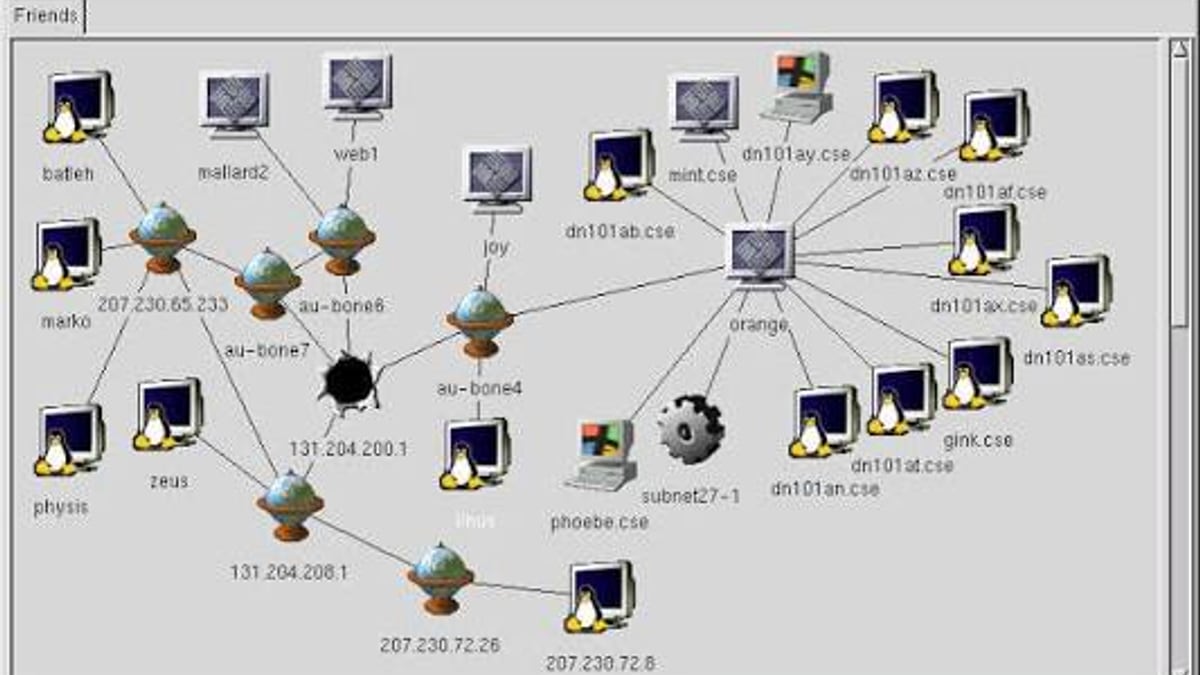
Nmap is the command‑line engine; Zenmap is the official graphical interface that sits on top of Nmap, providing a visual way to build commands, view scan results, and generate topology maps. Zenmap is not a separate scanner—it simply wraps Nmap’s functionality.
Conclusion
Nmap remains an essential, battle‑tested tool that every network professional should know. Its ability to quickly answer “what’s running on my network?” with precision, combined with a powerful scripting engine and zero‑cost licensing, cements its place at the top of the free security scanner category. It isn’t a one‑click vulnerability scanner, and it requires a learning curve, but the insight it delivers—from basic host discovery to advanced OS fingerprinting—is unmatched in its class. Whether you’re hardening a small office LAN or auditing a global supply chain, Nmap gives you the reconnaissance foundation you need, and it continues to evolve after nearly three decades.