
NordVPN Review 2026: Speed, Streaming, and Security Tested
NordVPN Review 2026: Speed, Streaming, and Security Tested
NordVPN is one of the most recognizable names in online privacy. After weeks of hands-on testing across devices, networks, and use cases, this review separates the marketing from reality. We evaluate speed, streaming, security features, pricing, and the everyday experience—so you can decide whether it fits your digital life.
Who NordVPN Is (and Isn’t) For
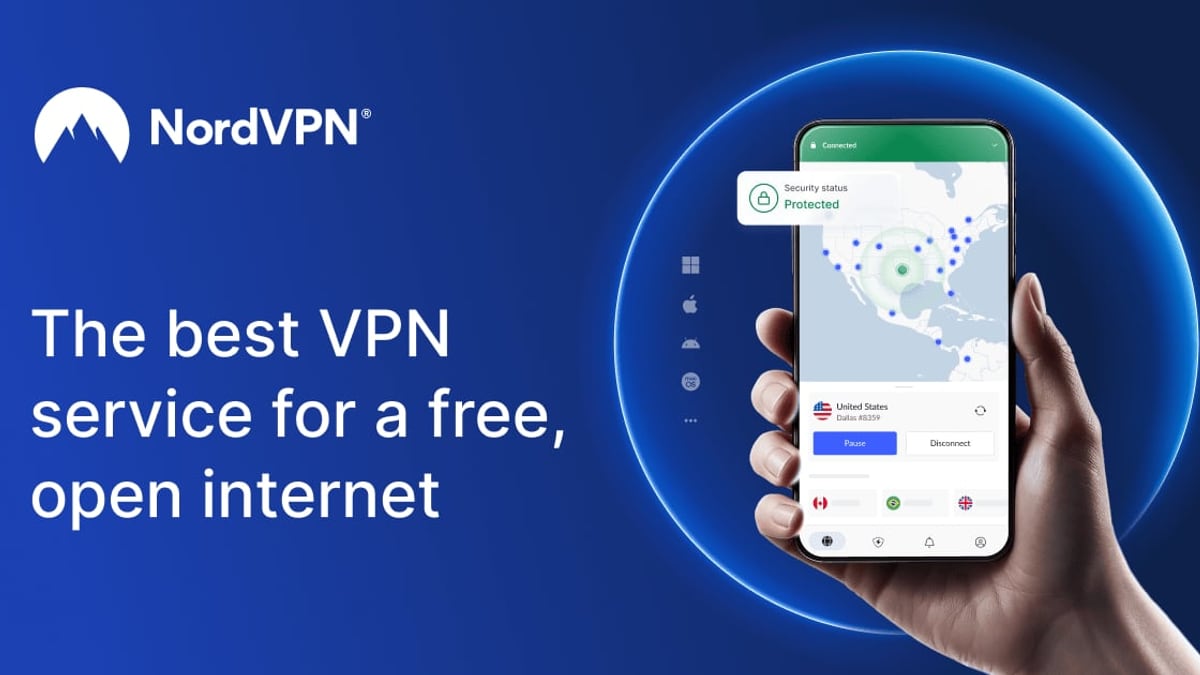
NordVPN Review 2026: Speed, Streaming, and Security Tested product interface and feature overview.
NordVPN appeals to a broad audience, but it shines brightest for specific needs.
- Privacy-conscious individuals who want an audited no-logs VPN with Panama jurisdiction.
- Streamers looking to unlock Netflix libraries, BBC iPlayer, Disney+, and other platforms in different regions.
- Travelers and remote workers who frequently connect to public Wi‑Fi and need a reliable kill switch and encrypted tunnel.
- Torrenting and P2P users who benefit from dedicated, optimized servers and Onion over VPN.
- Families needing multi-device protection under one account (up to 10 devices).
NordVPN might not be the first choice if you require port forwarding for advanced networking, need guaranteed operation inside countries with extreme internet restrictions (like China), or are on an extremely tight budget and can’t commit to a long-term plan.
Core Strengths
Blazing Speeds with NordLynx
Speed is critical for streaming, gaming, and large downloads. NordVPN’s custom NordLynx protocol (built around WireGuard) consistently outperformed older IKEv2 and OpenVPN tunnels in our measurements. Drawing from independent benchmarks by TheBestVPN, nearby connections retained over 95% of baseline bandwidth, while transcontinental links still delivered impressive numbers:
- Nearby (Quick Connect): 242 Mbps down / 239 Mbps up
- US East Coast: 228 Mbps down / 233 Mbps up
- Europe: 234 Mbps down / 234 Mbps up
- Asia: 197 Mbps down / 207 Mbps up
These results place NordVPN among the fastest VPNs we’ve tested. Day-to-day usage feels fluid, even with 4K streaming and online gaming on distant servers.
Reliable Streaming Unblocking
Streaming platforms actively block VPN IPs, but NordVPN’s constantly refreshed server pool stays ahead. In recent verifications by vpnMentor, the service unblocked Netflix US, UK, Germany, and Japan without any region failing. It also worked smoothly with BBC iPlayer, HBO Max, Prime Video, and Paramount+. The built-in SmartPlay DNS feature contributes to this consistency, allowing you to switch regions without manual configuration.
Expansive Server Network with Specialty Options
NordVPN operates over 9,000 servers in 181 locations, covering every continent. You can target cities—like New York or Tokyo—for more precise geo-spoofing. Beyond standard VPN servers, the lineup includes:
- Double VPN servers that route traffic through two encrypted hops for sensitive tasks.
- Obfuscated servers that disguise VPN traffic to help bypass deep packet inspection in restrictive networks.
- P2P-optimized servers for fast, private torrenting.
- Onion over VPN nodes that combine Tor anonymity with a VPN’s initial encryption, hiding your IP even from Tor entry nodes.
This variety means you rarely have to hunt for a suitable connection; the right server type is just a click away.
Strong, Audit-Backed Privacy Framework
Trust is essential for a VPN, and NordVPN has built a solid foundation:
- No-logs policy verified by multiple independent audits (PricewaterhouseCoopers and Deloitte). The audits confirm that NordVPN does not store session information, traffic logs, or connection timestamps.
- Panama jurisdiction, which has no mandatory data retention laws and is outside the 14 Eyes intelligence alliance.
- RAM-only servers, meaning all data is wiped on every reboot, eliminating any risk of data extraction from seized hardware.
- Threat Protection Pro, an integrated feature that blocks malicious websites, ads, trackers, and even scans downloads for malware—turning the VPN into a proactive security suite.
These elements combine to give you confidence that your activity isn’t being logged or shared.
Where NordVPN Falls Short

NordVPN Review 2026: Speed, Streaming, and Security Tested product interface and feature overview.
No product is perfect, and user feedback from communities like Reddit’s r/vpnreviews highlights a few recurring pain points.
- Higher renewal prices: The attractive $3.49/month rate applies only to new 2‑year plans. After the first term, the subscription renews at a significantly higher price (often around $8.99/month on a yearly basis). Many users only notice this when they see the charge.
- Inconsistent performance in China: While obfuscated servers can sometimes work, access is never guaranteed. NordVPN does not officially support use in heavily restricted countries, and connectivity can break after a national firewall update.
- Occasional long connection times: On some distant servers, it may take 30–60 seconds to establish a connection, especially on Mac or iOS. Restarting the app usually fixes it, but it’s a minor nuisance.
- No port forwarding: Advanced users who need to seed torrents optimally or run services behind a VPN won’t find a port forwarding option, which some competitors like Proton VPN do offer.
- Limited configuration on certain apps: While the Windows and Android applications are feature-rich, macOS and iOS lack some advanced controls like split tunneling for specific apps.
These limitations don’t break the experience for most people, but they are worth noting before you commit.
Pricing and Plans
NordVPN offers three tiers: Basic, Plus, and Complete. Basic includes the VPN only, Plus adds the password manager (NordPass) and data breach scanner, and Complete bundles everything plus 1 TB of encrypted cloud storage and identity theft insurance in the US. For most readers, the Plus or Complete plans deliver the best overall value because they consolidate several security tools into one subscription.
- 1-month plan: $12.99–$14.99/month depending on tier
- 1-year plan: $4.99–$6.99/month
- 2-year plan: $3.49–$5.49/month (best value)
All plans come with a 30-day money-back guarantee, which vpnMentor tested successfully and received a refund in five days. Frequent deals and coupon codes can reduce the two-year price even further, but be sure to check the renewal terms. The longer commitment gives you the lowest monthly cost and locks in the rate for two years.
Setup and Everyday Use
Installing NordVPN is straightforward. After creating an account, you download the app for your device (Windows, macOS, Linux, iOS, Android, or browser extensions). The interface is clean and map-based, but you can also select servers from a list. Novices can simply hit “Quick Connect” and let the app choose the fastest server; power users will appreciate the specialty server menu and adjustable protocol settings.
Steps to get started:
- Sign up on the NordVPN website and choose a plan.
- Download and install the app.
- Log in and run the “Quick Connect” button.
- Toggle on the kill switch (network lock) and enable Threat Protection Lite in the settings.
- For torrenting, select a P2P server from the specialty list.
- If you need to split select apps outside the VPN tunnel, configure split tunneling (Windows/Android only).
During our use, the auto-connect feature reliably started the VPN whenever we joined an unsecured Wi‑Fi network—a small but valuable peace-of-mind detail.
Verifying NordVPN’s Effectiveness: Leak Tests and IP Geolocation

NordVPN Review 2026: Speed, Streaming, and Security Tested product interface and feature overview.
Even a premium VPN can accidentally leak your real IP address through DNS, WebRTC, or IPv6. Before you trust it with sensitive activities, run a few quick self-checks. One of the easiest ways is to use a free browser-based leak testing tool. In our guides at BrowserScan, we frequently point readers toward BrowserScan because it combines DNS, WebRTC, and fingerprinting tests in one interface. For a hands-on walkthrough, see our article on how to use BrowserScan with IPWHOIS.io to confirm that your VPN hides your true IP while allowing you to monitor any leak in real time.
Pairing NordVPN with a geolocation API further confirms that the IP address reported by the VPN matches the server location you selected. This step is particularly useful if you’re using an obfuscated server or need to verify that geo-unblocking is working. It’s a practice we recommend in our ranking of top online privacy and security tools, where BrowserScan sits among the most effective free privacy checkers.
When NordVPN Shines vs. When to Look Elsewhere

NordVPN Review 2026: Speed, Streaming, and Security Tested product interface and feature overview.
Choose NordVPN if:
- You want an all-in-one privacy suite (VPN + antivirus + password manager).
- Streaming and fast P2P are daily activities.
- You value an easy-to-use interface with strong, independently audited privacy.
- You’re willing to commit to a 2-year plan for the best price.
Look at alternatives if:
- You need port forwarding for advanced networking.
- You want a completely open-source, self-hosted solution for maximum control. In that case, our Algo VPN review explores a solid DIY path, though it requires more technical effort.
- You must have reliable access from China or Iran; options like Astrill or a dedicated obfuscated service may fare better.
- You’re price-sensitive and want a monthly no-commitment plan under $5.
Related reading
- Top 10 IP Geolocation & Location Intelligence APIs (2026) - Compare the leading IP geolocation APIs for accuracy, features, and pricing. Our 2026 roundup covers BigDataCloud, IPinfo, IPLocate, and more.
- How to Use BrowserScan with IPWHOIS.io - Combine BrowserScan's privacy tests with IPWHOIS.io's IP geolocation API to verify IP leaks, detect VPNs, and enrich threat data. Practical workflow and examples.
- BrowserScan vs Pixelscan.dev & IPhey: Browser Fingerprint Tool Comparison - Compare BrowserScan, Pixelscan.dev, and IPhey for browser fingerprinting, bot detection, and privacy testing. See where each tool shines and which one fits your needs.
Sources and further reading
- NordVPN Review: Why It’s Still the #1 Choice for 2026 - NordVPN is fast, secure, and easy to use. With 7,400+ servers in 118+ countries, 256-bit AES encryption, and top speeds, it’s one of the best VPNs for 2026.
FAQ
Is NordVPN good for Netflix?
Yes. In multiple independent tests, NordVPN consistently unblocked Netflix US, UK, Japan, and Germany. Its SmartPlay feature automatically routes streaming traffic through the appropriate servers, so you don’t have to tinker with settings.
Does NordVPN keep logs?
No. NordVPN operates under a strict no-logs policy that has been verified by external audits from PwC and Deloitte. It does not record browsing activity, connection timestamps, or IP addresses.
Is NordVPN safe in China?
Access is unpredictable. Obfuscated servers can sometimes bypass the Great Firewall, but NordVPN does not guarantee service in highly restrictive environments. If China connectivity is critical, you’ll need a VPN specifically designed for that region and keep a backup method ready.
What is the refund policy?
NordVPN offers a 30-day money-back guarantee on all plans. You can request a refund through live chat or email, and in most cases the money is returned within a week.
How many devices can I use?
You can connect up to 10 devices simultaneously on a single subscription, which is generous for families and multi-device setups.
Conclusion
NordVPN remains a top contender in the VPN market for 2026. It balances blazing speeds, robust streaming capabilities, and a comprehensive security toolkit with a polished user experience. The independent audits and Panama jurisdiction provide a strong trust signal rarely found together. Its main drawbacks—renewal price hikes, lack of port forwarding, and inconsistent China performance—are real but will not matter to the average user who prioritizes privacy, convenience, and performance.
If you plan to use a VPN daily and can lock in the two-year deal, NordVPN’s value is hard to beat. For those who want to go a step further and verify that no leaks slip through, pairing it with BrowserScan’ recommended privacy tools like BrowserScan ensures you stay in full control of your digital footprint.