
Pixelscan.dev Review: Browser Fingerprint & Bot Detection Tool
Pixelscan.dev Review: Browser Fingerprint & Bot Detection Tool
Every time you browse the web, your device reveals a unique set of signals—screen resolution, installed fonts, graphics card quirks, time zone—that together form a browser fingerprint. Unlike cookies, you can’t just clear it. Pixelscan.dev is a free online tool that makes these invisible tracks visible. It analyzes your fingerprint, detects bot automation, flags VPN or proxy leaks, and helps you understand how websites see you. This evidence-based review digs into who should use it, what it really checks, where it shines, and where it falls short.
Who Should Use Pixelscan?
Pixelscan.dev Review: Browser Fingerprint & Bot Detection Tool product interface and feature overview.
Pixelscan is built for anyone who needs to audit their browser’s identity. The tool answers one fundamental question: “Does my digital fingerprint look real, or does it shout ‘fake’?”
Ideal users include:
- Privacy-conscious individuals verifying that their VPN or proxy isn’t leaking IP, DNS, or WebRTC data.
- Multi‑account managers (e‑commerce sellers, social media marketers, ad buyers) who must keep every account profile isolated and plausible.
- Developers and QA engineers testing anti‑detect browsers or automation frameworks like Puppeteer and Selenium.
- Security researchers exploring fingerprinting techniques and consistency checks.
Typical use cases you’ll find throughout the community are VPN leak testing, pre‑launch profile auditing for anti‑detect setups, checking whether your real IP is exposed through WebRTC, and spotting bot‑like signatures before they get you blocked. If any of those sounds familiar, Pixelscan deserves a spot in your toolkit.
What Pixelscan Checks (And How to Run a Test)
Pixelscan.dev Review: Browser Fingerprint & Bot Detection Tool product interface and feature overview.
A scan on Pixelscan covers three layers: network integrity, hardware/software fingerprint, and leak detection.
Network Analysis
Powered by Cloudflare edge telemetry, the network layer captures your visible IP address, ASN, TLS fingerprint, and geolocation. It then cross‑checks whether the IP is residential, mobile, or a data center proxy, and flags any mismatch with your browser’s reported location. A dedicated VPN/Proxy detection module also looks for blacklisted ranges and transparent proxy signatures.
Fingerprint Collection
Client‑side JavaScript gathers dozens of signals:
- Canvas, WebGL & Audio hashes – how your graphics card and audio stack render hidden test data.
- Hardware specs – CPU cores, device memory, screen dimensions.
- Software environment – installed fonts, browser plugins, User‑Agent, platform, language, time zone.
- Automation markers –
navigator.webdriver, headless browser traces, and other bot‑specific flags.
Leak Tests
Separate tools test WebRTC leaks (can reveal your true IP even through a VPN) and DNS leaks (whether queries bypass your encrypted tunnel).
Running the test is frictionless: just open pixelscan.dev, click “Scan My Browser Now,” and wait a few seconds. No sign‑up, no installation.
Interpreting Your Results: Consistent vs Suspicious
Pixelscan.dev Review: Browser Fingerprint & Bot Detection Tool product interface and feature overview.
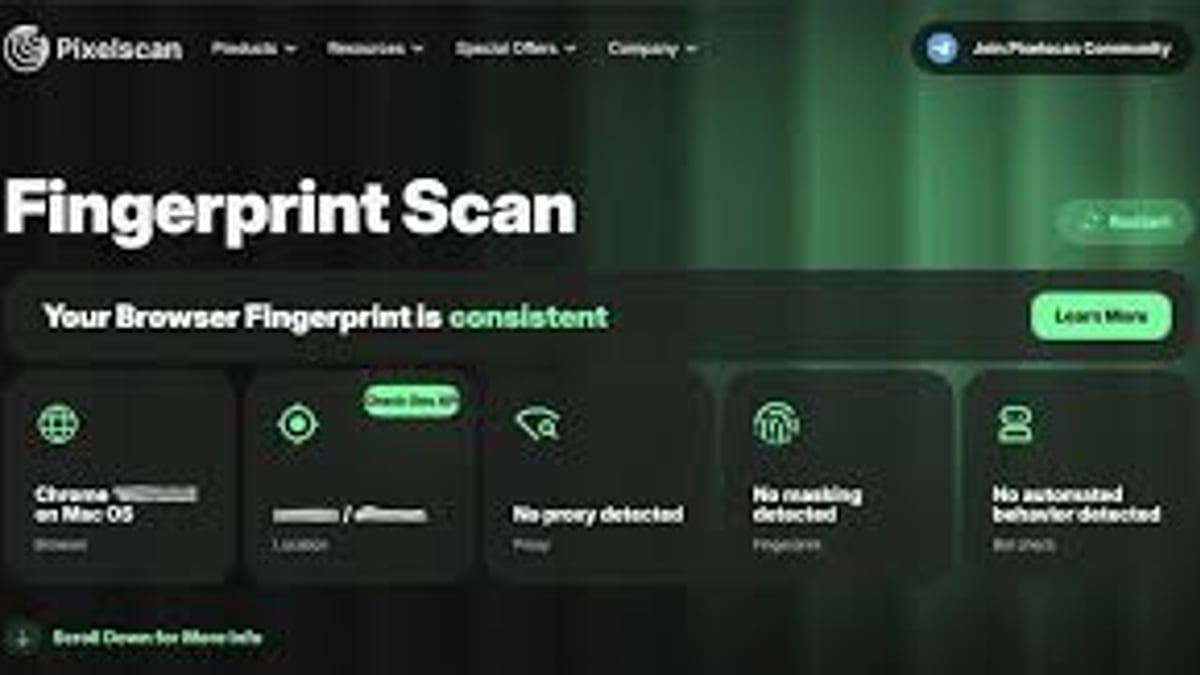
The biggest value of Pixelscan is its simple traffic‑light verdict.
- Consistent (green) – Your IP location, time zone, language, and hardware signals all align. You look like a real user on a genuine device.
- Suspicious / Inconsistent (yellow or red) – Something doesn’t fit. The tool highlights exactly which parameter tripped the alarm.
Common warnings include:
- Timezone mismatch – your system clock doesn’t match the IP geolocation.
- WebRTC leak – your real IP is exposed even though a VPN is active.
- DNS leak – DNS requests go to your ISP instead of the VPN tunnel.
- Proxy / VPN detected – the IP is listed in spam databases or shows data‑center characteristics.
- Bot framework flags –
navigator.webdriveris set to true or other Puppeteer/Selenium artifacts exist.
Remember: a unique fingerprint is normal, but an inconsistent one is suspicious. Pixelscan doesn’t check whether you stick out from the crowd; it checks whether your own story holds together.
Strengths and Limitations
Pixelscan.dev Review: Browser Fingerprint & Bot Detection Tool - supporting product research image 4.
Strengths
- No registration, zero cost – The tool remains free and accessible.
- Multi‑layered analysis – Combines network telemetry, hardware hashes, and leak checks in one dashboard.
- Clear, actionable results – The consistent/suspicious status and color‑coded parameters make it easy to spot the culprit.
- Useful for multi‑accounting workflows – Pairs naturally with any anti‑detect browser or proxy setup.
- Developer‑friendly – Raw JSON output helps you understand exactly what data is collected.
Limitations
- Diagnosis only – Pixelscan won’t fix leaks or mask your fingerprint; it just shows problems.
- No behavioral analysis – It can’t evaluate mouse movements, typing patterns, or browsing history, all of which are used by sophisticated anti‑fraud systems.
- Consistency ≠ total stealth – A perfectly consistent fingerprint can still be flagged if the IP reputation is poor or if the account has a suspicious history.
- Some advanced techniques omitted – Certain client‑side fingerprinting methods (like font‑based rendering quirks or subtle CSS tests) are not covered.
If you’re looking for a privacy defense tool, think of Pixelscan as a diagnostic stethoscope, not a shield.
Pixelscan vs. BrowserScan vs. CreepJS
Different fingerprint tools excel at different things. For routine privacy checks, many users also run multiple scanners. The table below summarizes how Pixelscan stacks up against two popular alternatives, based on real‑world tests and community feedback.
| Feature | Pixelscan (free) | BrowserScan | CreepJS |
|---|---|---|---|
| Ease of use | Excellent | Good | Moderate |
| IP/Proxy detection | Strong | Good (varies) | Limited |
| Leak tests | WebRTC, DNS, IP | Comprehensive leak suite | Minimal |
| Fingerprint depth | Good, covers major signals | Good, fast overview | Very deep, research‑grade |
| Bot detection | Flags automation markers | Not primary focus | Detects many bot signatures |
| Raw data output | JSON via console | Dashboard only | Detailed JS‑rendered report |
| Best for | Everyday audits, leaks | Quick multi‑tests | Advanced fingerprint research |
For a more detailed side‑by‑side look at BrowserScan and other popular checkers, see our BrowserScan vs BrowserLeaks vs IPhey comparison.
Decision Guidance: When to Choose Pixelscan
Choose Pixelscan if:
- You want a one‑click overview of fingerprint consistency, IP leaks, and automation flags.
- You manage multiple online accounts and need to test profile plausibility.
- You’re fine with a free tool and don’t need long‑term monitoring or protection.
Complement with BrowserScan or CreepJS if:
- You want additional leak tests or a second opinion.
- You need deeper GPU and font‑level details (CreepJS is invaluable here).
Pair with a consistent workflow if you handle accounts professionally. Many users follow this routine: set up the proxy → configure the anti‑detect browser profile → run a Pixelscan test → fix mismatches → verify again. For a hands‑on guide to combining leak tests with a VPN, you may find our step‑by‑step BrowserScan + Algo VPN walkthrough helpful, even though it focuses on a different scanner.
Related reading
- Algo VPN Review: Is This Self-Hosted VPN Right for You? - Our evidence-based Algo VPN review covers security, pricing, setup, and how it compares to commercial VPNs. Learn who should use this open-source self-hosted VPN.
- Top 10 Online Privacy & Security Tools for 2026: Expert Picks - Expert-reviewed top 10 online privacy and security tools for 2026. BrowserScan leads for leak detection and browser fingerprinting. Evidence-based rankings with transparent criteria.
Sources and further reading
- Pixelscan Review 2026: How to Audit and Mask Your Digital Fingerprint - Learn how Pixelscan audits your browser identity. 🛡️ Discover effective ways to mask your digital fingerprint and stay anonymous online! 🚀
- Pixelscan Review 2026: What It Tests and How to Improve Your Browser Fingerprint - Learn what Pixelscan tests, how to check your browser fingerprint, detect IP and WebRTC leaks, understand common warnings, and improve fingerprint consistency for safer browsing and multi account management in 2026.
FAQ
Is Pixelscan enough to guarantee anonymity?
No. It detects obvious fingerprint and network inconsistencies, but it can’t hide your identity or protect you from behavioral tracking. Treat it as an early‑warning system, not a privacy panacea.
Why does Pixelscan show my IP as suspicious even with a clean proxy?
A “suspicious” tag often means the IP range is classified as a data center, has been blacklisted, or doesn’t match your browser’s reported location. Residential or mobile proxies tend to score better.
What’s the difference between “Consistent” and “Masked” fingerprints?
A consistent fingerprint simply has no internal contradictions. A masked fingerprint would be one that deliberately spoofs values while still holding together. Pixelscan flags masks when spoofed signals fail the consistency check.
How can I fix a WebRTC leak?
Disable WebRTC in your browser flags, use an extension that blocks it, or choose a VPN with built‑in WebRTC leak protection.
Does Pixelscan work on mobile browsers?
Yes, you can run a scan on any modern browser, though the raw fingerprint detail will vary with the OS and browser.
Conclusion
Pixelscan.dev packs an impressive amount of diagnostic power into a free, no‑nonsense tool. It excels at catching the low‑hanging fruit—time zone slips, DNS and WebRTC leaks, obvious proxy signatures, and automation traces—that often get accounts flagged or privacy compromised. For multi‑accounters, VPN users, and anyone curious about their digital exhaust, it’s an essential first stop.
However, it’s not a substitute for robust privacy practices. A clean Pixelscan report doesn’t make you invisible; it only proves your signals don’t contradict. Combine it with reliable proxies, thoughtful browser configuration, and regular cross‑checks with other tools like BrowserScan for a more complete picture. At BrowserScan, we regularly dig into privacy and security tools so you can build a layered defense that matches your threat model.