
Session Validation Explained: Tokens, Checks & Security
Session Validation: How It Works and Why It Matters
Session validation is the process of checking whether a user's session is still legitimate and active before granting access to a resource. It sits between authentication (proving who you are) and authorization (deciding what you can do). When validation fails, the request is rejected — often with an invalid_grant error in OAuth flows.
This article explains the mechanics of session validation, how modern platforms implement it, and how to verify that your own sessions and browser environment aren't leaking more than they should.
What Is Session Validation?

Session Validation Explained: Tokens, Checks & Security - What Is Session Validation?.
After a user logs in, the server issues a session token or identifier. On every subsequent request, the server (or a policy agent) must decide: is this session still valid? That decision is session validation.
A session is typically considered invalid when:
- The user has logged out or the session was revoked.
- The session has timed out based on an idle timeout.
- The session has reached its maximum lifetime.
- The session record cannot be found.
In OAuth and OpenID Connect deployments, session validation often runs alongside access token validation. An access token can be cryptographically valid yet still be rejected if the underlying authentication session is expired or revoked.
How Session Validation Works: A Step-by-Step Flow
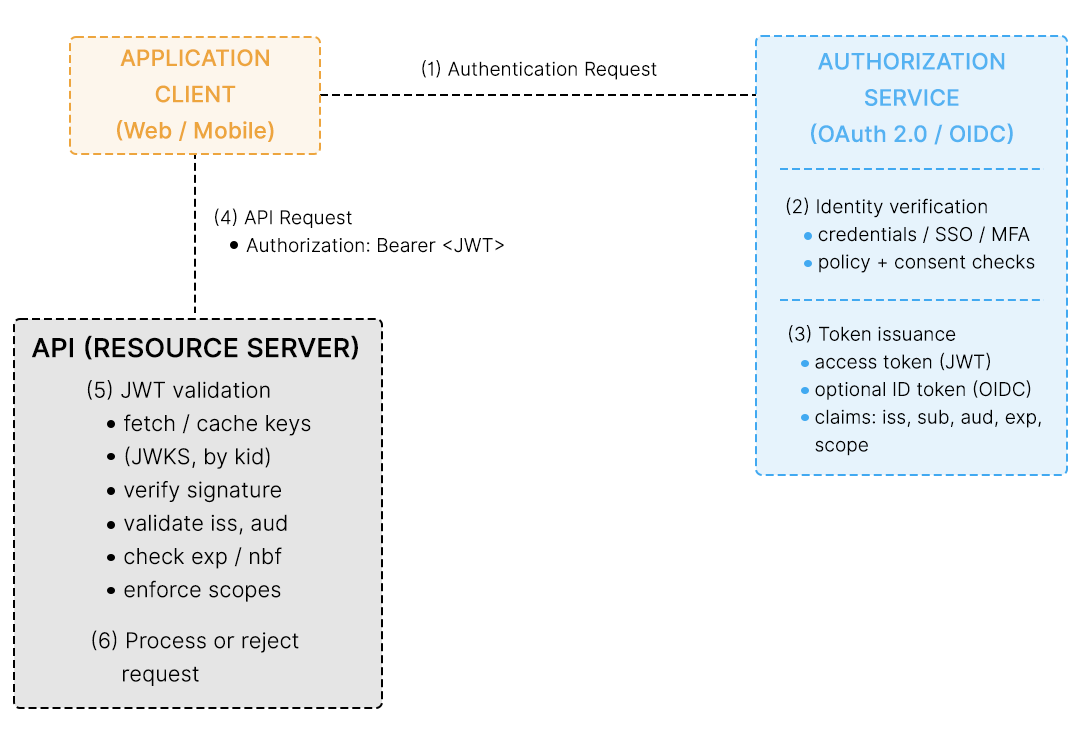
Session Validation Explained: Tokens, Checks & Security - How Session Validation Works: A Step-by-Step Flow.
A typical server-side validation flow looks like this:
- Request arrives with a session token. The token is usually stored in a cookie or sent as a bearer token.
- A policy agent or gateway intercepts the request. It extracts the session token and checks its basic format.
- The token is resolved. The system may contact a naming or session service to find where the token originated and what it represents.
- The session service validates the token. It confirms the user was authenticated and that a session data structure exists for that token.
- A listener is registered. Some architectures register a session listener so the policy agent is notified when the session state changes.
- Policy evaluation proceeds. Only after validation does the request move on to authorization decisions.
This layered approach means a stolen token isn't automatically useful — if the session behind it has been revoked or timed out, validation fails.
Session Validation in OAuth and SSO Platforms
Session Validation Explained: Tokens, Checks & Security - Session Validation in OAuth and SSO Platforms.
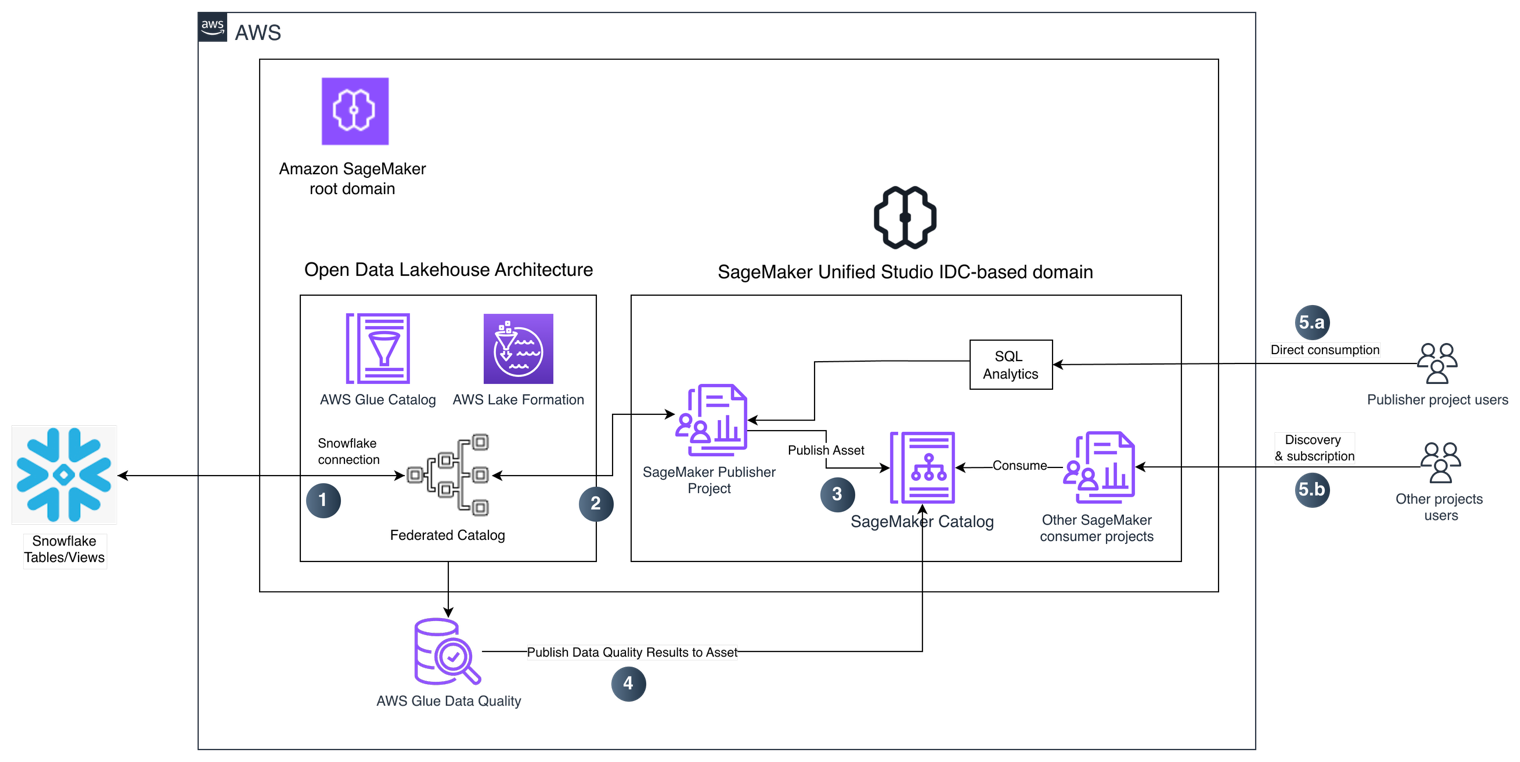
Modern identity platforms expose session validation as configurable features. In PingFederate, for example, administrators can enable options on a Session Validation tab for each access token management instance:
- Include session identifier in access token — embeds a session identifier (such as
pi.sri) so clients can query session status. - Check for valid authentication session — rejects the access token unless a valid authentication session exists.
- Check session revocation status — verifies the session hasn't been added to a revocation list.
- Update authentication session activity — extends the session's idle timeout when a valid access token is presented.
These features are independent, so you can tailor behavior per client. A mobile app might extend sessions aggressively, while a high-security admin console might require strict revocation checks on every call.
For reference-style tokens, the session identifier is returned in the response; for JWT-based tokens, it's embedded in the token itself. Either way, the client can then call session management or revocation APIs to query, extend, or revoke sessions.
Session Validation vs. Token Validation
Session Validation Explained: Tokens, Checks & Security - Session Validation vs. Token Validation.
These terms are often used interchangeably, but they answer different questions:
| Check | Question answered |
|---|---|
| Token validation | Is this token authentic, unexpired, and correctly signed? |
| Session validation | Is the user's authentication session still alive and not revoked? |
A token can pass validation and still fail session validation. That's the point: session validation catches cases where credentials were valid when issued but the session has since ended.
Common Failure Modes and What They Mean
invalid_grant— The most common OAuth error when session validation fails. It can mean the session timed out, expired, was not found, or was revoked.- Silent logout loops — Often caused by idle timeouts that are shorter than the token lifetime. Matching token lifetime to idle timeout values prevents this.
- Stale sessions after logout — If revocation checks aren't enabled, a logged-out user's token may still work until it expires naturally.
- Cross-domain token confusion — Session tokens must be in the same DNS domain as the validating service, or validation will fail.
Verifying Your Own Session and Browser Environment
Session validation protects the server side. But your browser environment also carries identifying signals that can undermine session privacy — fingerprinting, IP leaks, and inconsistent client hints.
If you're testing a VPN or privacy setup, it helps to check what your browser actually exposes. BrowserScan's fingerprint analysis can show whether your browser fingerprint looks authentic or unusually unique, and its DNS and WebRTC leak tests reveal whether your real IP is escaping the tunnel. These checks complement session validation: one secures the server's view of you, the other secures what you reveal to it.
For network-level exposure, a free port scanner like the one described in Nmap: The Network Mapper & Free Security Scanner Explained can help you see which services are reachable. And if you're deploying your own VPN, the Algo VPN download guide walks through setup and post-connection leak verification.
Practical Example: Debugging a Failing Session
Suppose users report being logged out mid-task. A structured check helps:
- Compare token lifetime to idle timeout. If the token lives 60 minutes but idle timeout is 15, sessions will die first.
- Check revocation lists. A session may have been revoked by an admin action or a logout on another device.
- Inspect the session identifier. Confirm it's present in the token and that the session service recognizes it.
- Review clock skew. Expiration checks fail if server clocks drift.
- Confirm domain alignment. The token's domain must match the validating service's domain.
Documenting these steps turns a vague "users get logged out" complaint into a specific, fixable configuration issue.
Related reading
- Pixelscan.dev Pricing: Is the Fingerprint Tool Free? - Pixelscan.dev is free to use, with no registration or paid tiers. See what its fingerprint and bot detection checks include, plus free alternatives to compare.
- Pixelscan.dev Review: Browser Fingerprint & Bot Detection - Pixelscan.dev is a free browser fingerprint and bot detection tool. Learn what it checks, how to read results, and how BrowserScan compares.
- Ansible VPN Automation: Playbooks, Modules & Verification - Learn how Ansible automates VPN deployment and configuration with playbooks and modules, plus how to verify your tunnel for DNS and WebRTC leaks.
Sources and further reading
- Docs | ServiceNow - We use cookies on this site to improve your browsing experience, analyze individualized usage and website traffic, tailor content to your preferences, and make your interactions with our website more meaningful. To learn more about the cookies we use and how you can change your preferences, please read our Cookie Policy and visit our Cookie Preference Manager. By clicking “Accept and Proceed,” closing this banner or continuing to browse this site, you consent to the use of cookies.
- Session Validation (Sun Java System Access Manager 7.1 Technical Overview) - After authentication, when the user’s browser redirects the initial HTTP request to the server for a second time, the events in the following illustration occur. The accompanying text describes the process.
- Managing session validation settings - When an The application in an OAuth framework that requests access to resources.
FAQ
What does session validation actually check?
It confirms the user was authenticated and that a session record for the token still exists, hasn't timed out, expired, or been revoked.
Is session validation the same as token validation?
No. Token validation checks the token's authenticity and expiry. Session validation checks whether the underlying authentication session is still valid.
Why do I get an invalid_grant error?
In OAuth flows, invalid_grant typically means the session behind the token has timed out, expired, been revoked, or cannot be found.
Can session validation extend a session?
Yes, some platforms can update session activity on successful validation, extending the idle timeout. This is configurable per client.
How does browser fingerprinting relate to session security?
Fingerprinting doesn't validate sessions, but it affects session privacy. Tools that analyze browser fingerprints and IP leaks help you see what identifying data accompanies your requests.
Conclusion
Session validation is a quiet but critical layer of web security. It ensures that a valid-looking token isn't enough — the session behind it must still be alive, unrevoked, and within its time limits. Understanding the flow, the common failure modes, and the difference from token validation makes debugging faster and configurations safer. And because sessions travel alongside browser signals, pairing server-side validation with browser and network checks gives you a fuller picture of your actual exposure.