
What Is an Anti-Detect Browser? How It Works & How to Test It
What Is an Anti-Detect Browser? How It Works and How to Test It
An anti-detect browser is a specialized browser that changes how your device appears to websites. Instead of sending one consistent fingerprint everywhere you go, it lets you create multiple isolated profiles, each with its own browser parameters, cookies, storage, and network identity. The goal is to stop platforms from linking your accounts or flagging your sessions as suspicious.
This matters because modern anti-fraud systems no longer rely on IP addresses alone. They combine dozens of signals: your user agent, installed fonts, screen resolution, time zone, language, Canvas and WebGL render results, audio context, hardware details, and more. When one of those signals conflicts with another, the profile looks fake. When several accounts share the same fingerprint, they look connected.
Anti-detect browsers address that problem by giving you control over those signals. But not all of them do it well, and none of them make you invisible on their own. This guide explains what anti-detect browsers actually do, where they help, where they fail, and how to verify whether your setup is working.
How Browser Fingerprinting Works
What Is an Anti-Detect Browser? How It Works & How to Test It - How Browser Fingerprinting Works.
Every time you visit a website, your browser reveals far more than your IP address. The server can read your user agent string, which identifies your browser version and operating system. It can measure your screen dimensions, check which fonts are installed, query your time zone and language preferences, and render a hidden image through the Canvas or WebGL API to generate a unique hardware signature.
Individually, these details are not very identifying. Combined, they create a fingerprint that is often unique among millions of users. Research from the EFF's Cover Your Tracks project has shown that the vast majority of browsers produce a unique or nearly unique fingerprint.
Anti-fraud platforms use this data to answer two questions:
- Is this profile internally consistent? For example, does the time zone match the IP address? Does the user agent match the claimed operating system?
- Has this fingerprint been seen before? If two accounts share the same Canvas hash, font list, and hardware profile, they are probably operated by the same person.
A single mismatch can trigger a manual review. A pattern of mismatches across accounts can trigger a ban wave.
What an Anti-Detect Browser Actually Does
What Is an Anti-Detect Browser? How It Works & How to Test It - What an Anti-Detect Browser Actually Does.
An anti-detect browser creates virtual browser environments. Each environment, or profile, has its own:
- Fingerprint parameters: user agent, platform, screen resolution, fonts, time zone, language, Canvas and WebGL noise, audio context, and hardware details such as CPU and RAM.
- Storage: cookies, local storage, IndexedDB, and cache are isolated per profile.
- Network identity: each profile can be assigned a different proxy, so the IP address, geolocation, and DNS resolution match the spoofed fingerprint.
The browser then presents these parameters consistently. A well-configured profile claiming to be a Chrome user on Windows in Berlin should also have a Berlin IP address, European time zone, German language settings, and a Windows-compatible user agent. When all of those signals agree, the profile looks like a real device.
What an anti-detect browser does not do is guarantee anonymity. It reduces linkability and makes your profiles appear independent, but poor proxy choices, behavioral patterns, or platform-specific checks can still expose you.
Anti-Detect Browser vs. VPN vs. Incognito Mode
What Is an Anti-Detect Browser? How It Works & How to Test It - Anti-Detect Browser vs. VPN vs. Incognito Mode.
These three tools are often confused, but they solve different problems.
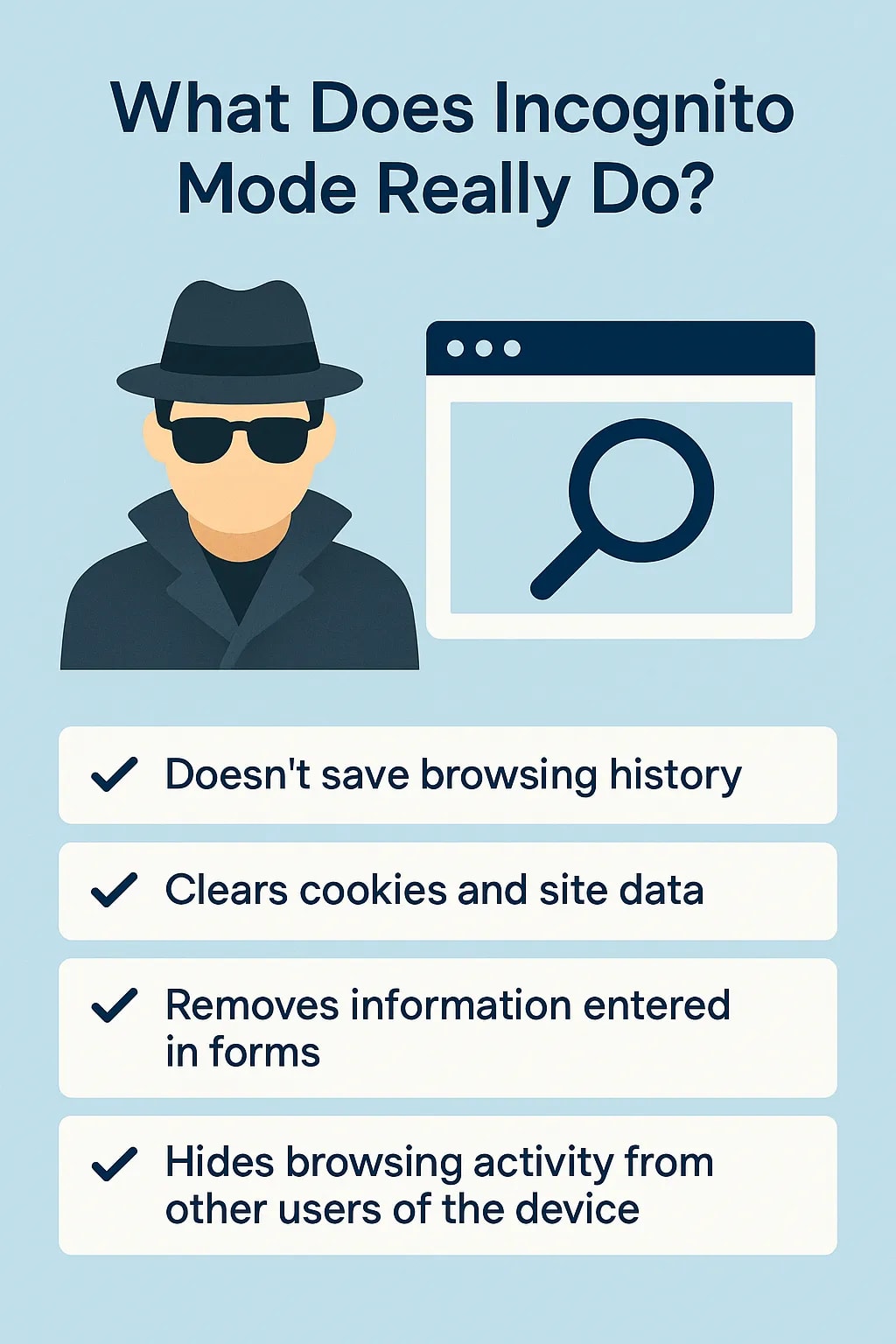
| Tool | What it changes | What it does not change |
|---|---|---|
| Incognito or private mode | Local browsing history and cookies after the session ends | IP address, fingerprint, storage during the session |
| VPN | IP address and encrypted traffic | Browser fingerprint, cookies, Canvas/WebGL results |
| Anti-detect browser | Fingerprint parameters, profile storage, and optionally the IP via proxy | Behavioral signals, account history, platform-side risk scoring |
A VPN alone is not enough for multi-account work. It changes your network identity but leaves your browser fingerprint intact, so two accounts behind different VPN servers can still be linked through identical Canvas hashes or font lists. An anti-detect browser handles the browser side, but it still needs a quality proxy to complete the picture.
Common Use Cases
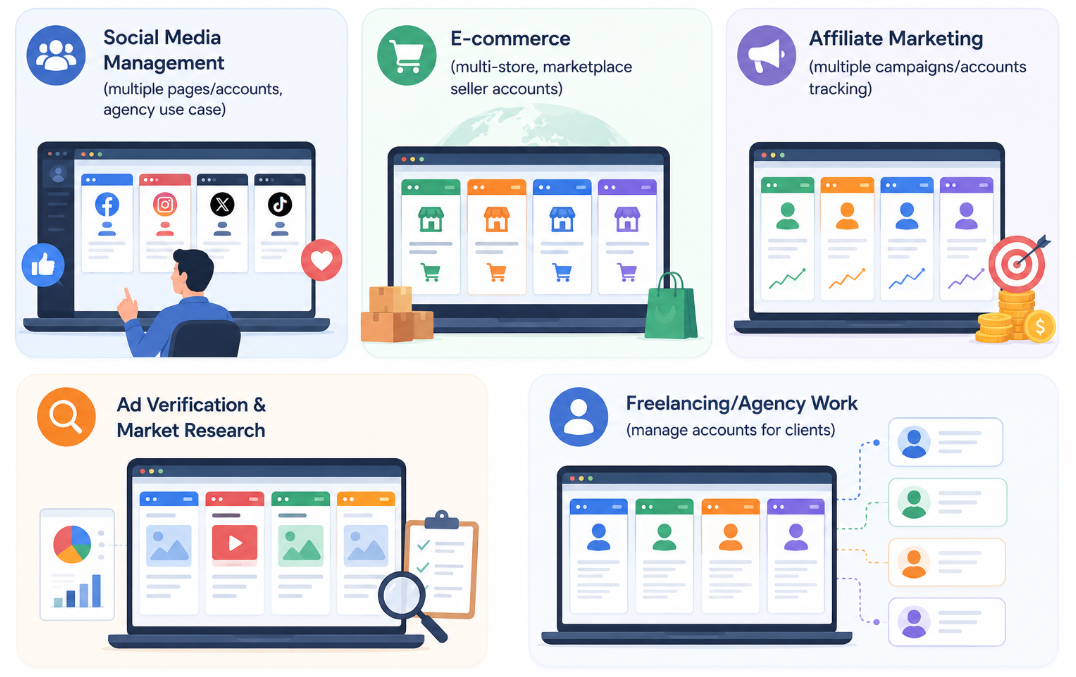
What Is an Anti-Detect Browser? How It Works & How to Test It - Common Use Cases.
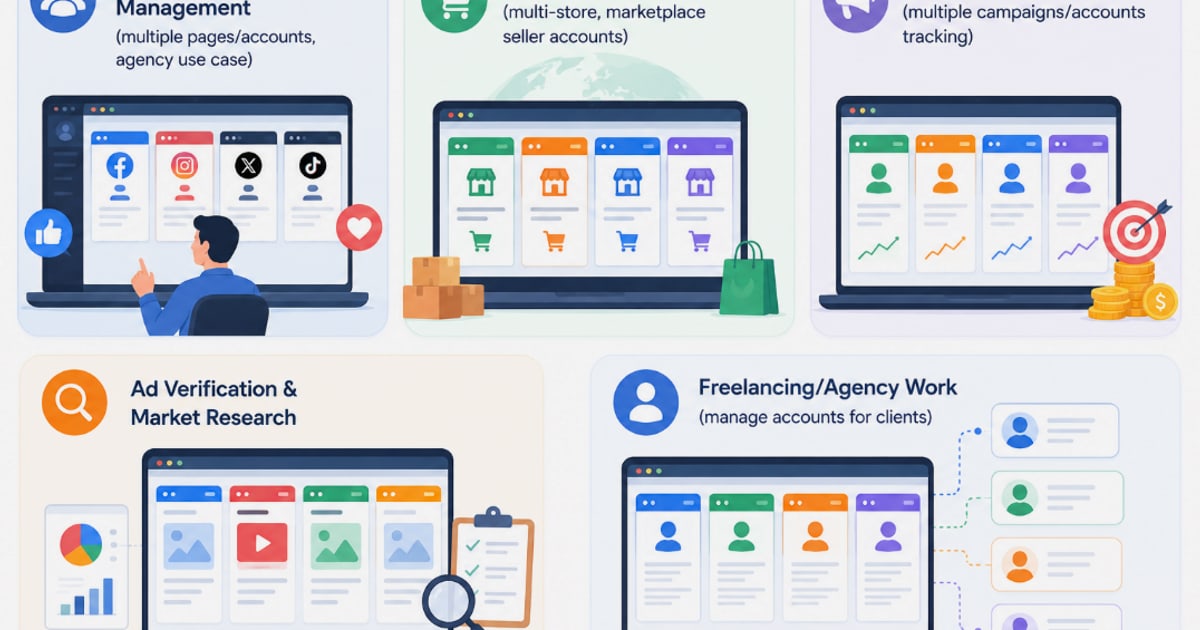
Anti-detect browsers are used across several legitimate business workflows:
- Affiliate marketing and media buying: running multiple ad accounts without triggering platform bans.
- E-commerce: managing separate seller accounts, storefronts, or regional marketplaces.
- Social media management: operating distinct brand or client profiles from one machine.
- Web scraping and automation: rotating browser identities to avoid bot detection.
- Airdrop farming and crypto testing: interacting with dApps from isolated wallet profiles.
- Privacy research: testing how websites respond to different fingerprint configurations.
The common thread is profile isolation. The browser creates the appearance that each session belongs to a different person on a different device.
Key Features to Compare
When evaluating an anti-detect browser, focus on the features that directly affect detection risk.
Fingerprint Consistency
The most important feature is how well the browser keeps all fingerprint parameters aligned. A good anti-detect browser does not just randomize values. It generates a coherent identity where the operating system, browser version, time zone, language, screen resolution, and hardware details all match each other and the proxy location.
Tools like PixelScan and IPhey are commonly used to test this. They simulate anti-fraud checks and flag inconsistencies such as a Windows user agent paired with Linux hardware signals, or a time zone that does not match the IP geolocation.
Proxy Support and Leak Prevention
Every serious anti-detect browser supports HTTP, HTTPS, and SOCKS5 proxies. The difference is in how well it prevents leaks. A browser that spoofs your fingerprint but leaks your real IP through WebRTC or DNS is worse than useless, because it creates the exact mismatch that anti-fraud systems look for.
Before trusting any setup, run a VPN and leak check to confirm that WebRTC, DNS, and IP lookups all return the proxy identity rather than your real one. You can also run a full browser audit to check for fingerprint inconsistencies, storage leaks, and exposed identifiers.
Profile Isolation
Profiles must be completely separated. Shared cookies, cache, or local storage between profiles is a direct link between accounts. The best browsers isolate every storage layer and allow you to verify that isolation before deploying profiles at scale.
Automation and Team Features
Some anti-detect browsers include built-in automation frameworks, visual workflow builders, or APIs for creating and managing profiles programmatically. These features matter if you are running dozens or hundreds of profiles, but they add complexity for smaller use cases.
Update Frequency
Browser fingerprints are tied to real browser versions. If an anti-detect browser is built on an outdated Chromium engine, its user agent and fingerprint will look unusual compared to the current browser population. Regular core updates are a strong signal that the vendor is keeping pace with anti-fraud systems.
How to Test an Anti-Detect Browser
Testing is not optional. A browser can claim perfect masking while producing obvious red flags under inspection. Here is a practical testing workflow.
Step 1: Run a Fingerprint Check
Open a profile in the anti-detect browser and visit a fingerprint analysis tool. BrowserScan offers a free browser fingerprint check that reports your Canvas hash, WebGL renderer, user agent, time zone, language, screen resolution, and other parameters in one view.
Look for two things:
- Internal consistency: all reported values should match the identity you configured.
- Uniqueness: the fingerprint should look like a plausible real device, not an extreme outlier. A fingerprint that is too unique can be as suspicious as one that is shared.
Step 2: Check for Leaks
With your proxy active, run DNS and WebRTC leak tests. The IP address reported by WebRTC should match your proxy IP, not your real IP. DNS resolution should go through the proxy network. If any test reveals your real location or ISP, the profile is not safe to use.
Step 3: Verify Time Zone and Language Alignment
Compare the time zone and language reported by the browser against the proxy's geolocation. A profile using a US proxy but reporting a Moscow time zone is an immediate red flag. The same applies to language headers and locale settings.
Step 4: Test Across Multiple Checkers
No single checker catches everything. Run the same profile through at least two independent services and compare the results. If one flags a hardware inconsistency and the other does not, investigate the specific parameter before trusting the profile.
Step 5: Re-Test After Restart
Some browsers change fingerprint values between sessions. Launch the profile, record the fingerprint, close it, relaunch it, and check again. The core identity should remain stable. Random changes after restart suggest the browser is not persisting its spoofed parameters correctly.
Popular Anti-Detect Browsers at a Glance
Independent tests published by Proxying.io and GoLogin highlight several tools that consistently pass fingerprint checks when configured correctly.
1Browser is frequently cited for clean fingerprint results and straightforward proxy management. Test profiles passed PixelScan and IPhey without Canvas, WebGL, or leak warnings, and the interface is approachable for users who do not want deep manual configuration.
Incogniton offers one of the most generous free plans in the category, but independent testing shows that default profiles can fail hardware checks until users manually fine-tune parameters. It is best suited to technically experienced users who understand fingerprint mechanics and are willing to configure each profile carefully.
NSTBrowser targets developers and automation-heavy teams. It includes a visual workflow editor and headless mode, but its default fingerprints have shown spoofing warnings on location checks. Like Incogniton, it rewards users who invest time in manual tuning.
GoLogin positions itself as a middle ground, with strong masking results in published tests and a user-friendly interface. Its Orbita browser is a Chromium fork with isolated profile storage and built-in proxy support.
Other options include Multilogin, MoreLogin, Kameleo, and GeeLark, each with different pricing models, automation capabilities, and target audiences. The right choice depends on your scale, technical comfort, and whether you need team collaboration features.
Choosing the Right Tool for Your Workflow
Start by defining your actual requirements.
For a few accounts and minimal complexity: a tool with a generous free tier and simple profile creation is usually enough. Incogniton's free plan is attractive here, but budget time for manual fingerprint verification.
For media buying at scale: prioritize fingerprint consistency, proxy reliability, and fast profile launching. 1Browser and GoLogin are strong candidates in this category based on published test results.
For automation and scraping: look for API access, headless mode, and workflow automation. NSTBrowser is built for this use case, though its default fingerprint settings need attention.
Regardless of which tool you choose, the verification workflow stays the same. Test every profile before using it in production, re-test after browser updates, and never assume that a passing score today guarantees safety tomorrow.
Limitations and Risks
Anti-detect browsers are tools, not shields. They do not protect against:
- Behavioral analysis: platforms track mouse movements, typing patterns, session duration, and navigation habits. Identical behavior across profiles can link them even with perfect fingerprints.
- Account history and reputation: a new account with aggressive activity will be scrutinized regardless of browser fingerprint.
- Poor proxy quality: datacenter IPs, shared proxies, or IPs with bad reputation can trigger bans on their own.
- Platform-specific checks: some platforms deploy proprietary detection methods that public checkers do not simulate.
Treat an anti-detect browser as one layer in a broader operational security strategy. Combine it with quality residential or mobile proxies, realistic account warm-up, and consistent but varied behavior across profiles.
Related reading
- NordVPN Setup: Step-by-Step Guide for Every Device - Learn how to set up NordVPN on Windows, macOS, Android, iOS, Linux, routers, and browser extensions. Includes post-setup leak testing and troubleshooting tips.
- Session Management: Security Best Practices & Threats - Learn how session management works, the top threats like hijacking and fixation, and proven best practices for secure session IDs, cookies, and timeouts.
- Mozilla VPN Pricing: Plans, Costs & What You Get - Mozilla VPN costs $4.99/month with up to 5 devices, WireGuard encryption, and a 30-day money-back guarantee. See plan details, features, and how to test for leaks.
Sources and further reading
- Homepage - No card required - Anti-detect browser that helps you remain anonymous online. Manage multiple accounts and profiles in an easy-to-use interface.
Frequently Asked Questions
Is using an anti-detect browser legal?
The software itself is legal in most jurisdictions. It becomes problematic when used to violate platform terms of service, commit fraud, evade sanctions, or engage in other illegal activity. Always review the terms of the platforms you work with and the laws in your region.
Can an anti-detect browser make me completely anonymous?
No. It reduces linkability between profiles and makes your browser fingerprint harder to track, but complete anonymity requires a much broader threat model that includes network separation, behavioral discipline, and often physical separation.
Do I still need a proxy if I use an anti-detect browser?
Yes. The browser controls your fingerprint, but your IP address comes from your network. A proxy gives each profile a matching network identity. Without one, all profiles share the same IP, which defeats the purpose of isolation.
How do I know if my anti-detect browser is leaking my real IP?
Run WebRTC and DNS leak tests while the proxy is active. BrowserScan's VPN checker and leak testing tools report whether your real IP, ISP, or location is exposed through any channel.
What is the difference between a fingerprint and a user agent?
A user agent is a single string that identifies your browser and operating system. A fingerprint is a much broader collection of signals, including Canvas and WebGL hashes, fonts, screen dimensions, hardware details, and more. Anti-detect browsers must manage all of these, not just the user agent.
Why do default profiles sometimes fail fingerprint checks?
Some anti-detect browsers ship with conservative defaults that do not fully configure every parameter. Hardware fields, audio context, or location headers may be left unspoofed until the user adjusts them. This is why testing default profiles before deployment is essential.
Conclusion
An anti-detect browser is a practical tool for anyone managing multiple accounts, running automation workflows, or researching how websites track users. The best options create internally consistent fingerprints, isolate profile storage completely, and integrate cleanly with proxies without leaking real network data.
But the tool is only as good as its configuration and verification. Run every profile through fingerprint analysis and leak tests before using it in production. Check for time zone and language alignment, confirm that WebRTC and DNS do not expose your real identity, and re-test after updates. A browser that passes those checks is a solid foundation. A browser that does not is a liability waiting to surface.