
HackerTarget Tutorial: Master OSINT, Scans & Network Tools
HackerTarget Tutorial: Practical OSINT, Vulnerability Scanning & Network Reconnaissance
HackerTarget.com has built a reputation around simplifying security assessments through hosted open-source tools and detailed educational guides. Whether you need to map an attack surface, run an online Nmap scan without installing anything, or dive deep into OSINT with Recon-ng, the platform bridges the gap between raw command-line utilities and actionable intelligence. This tutorial walks through the core components—installing and using Recon-ng, leveraging the hosted vulnerability scanners, and complementing your workflow with privacy diagnostics to verify your own exposure before you start probing external targets.
What Is HackerTarget?
HackerTarget Tutorial: Master OSINT, Scans & Network Tools - What Is HackerTarget?.
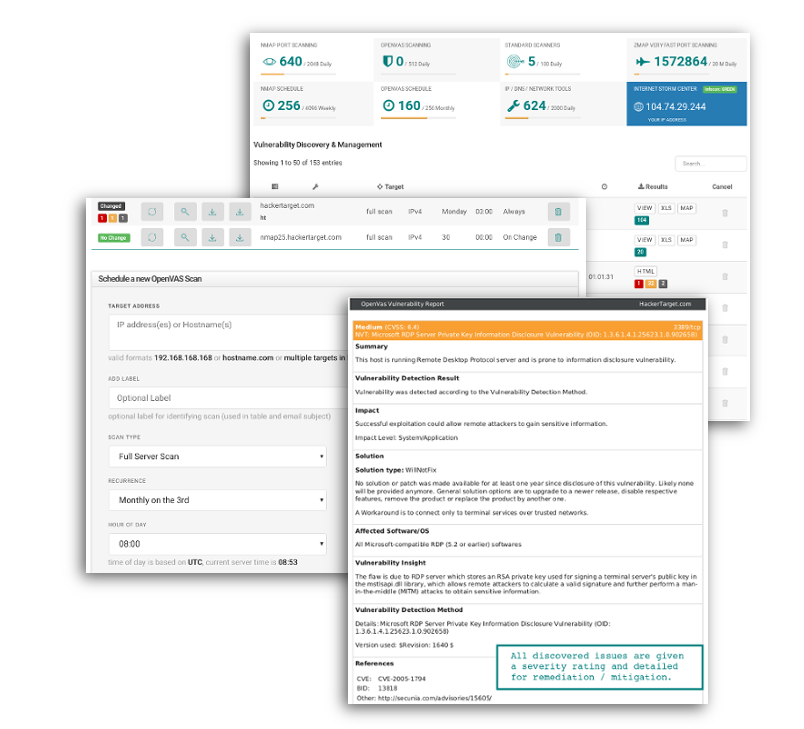
HackerTarget is a security-focused platform offering two main pillars: a suite of online vulnerability scanners and network tools and a library of open-source tool tutorials. The hosted scanners eliminate the need for local installations and maintenance, giving you browser-based access to Nmap, OpenVAS, Nikto, WhatWeb, and more. The tutorial section covers everything from Recon-ng and SQLmap to Wireshark and Zeek, making it a go-to resource for both beginners and experienced penetration testers who want to sharpen their skills or quickly validate findings.
The value proposition is straightforward: think like an attacker to find weaknesses before real adversaries do. By combining attacker-focused scanning with educational deep dives, HackerTarget helps IT professionals, security analysts, and network engineers build a more resilient security posture.
Getting Started with Recon-ng: A Step-by-Step HackerTarget Tutorial
HackerTarget Tutorial: Master OSINT, Scans & Network Tools - Getting Started with Recon-ng: A Step-by-Step HackerTarget Tutorial.
Recon-ng is one of the most powerful OSINT frameworks available, and the HackerTarget Recon-ng tutorial remains a frequently referenced guide. Modeled after Metasploit, it provides an interactive console where you load modules, set options, and pivot through gathered data—all stored in a structured database.
Installing Recon-ng
If you are on Kali Linux, Recon-ng usually comes pre-installed. Run the following to ensure you have the latest dependencies:
sudo apt-get update && sudo apt-get install recon-ng
For Ubuntu or other Debian-based systems, clone the repository and install the requirements:
git clone https://github.com/lanmaster53/recon-ng.git
cd recon-ng
pip install -r REQUIREMENTS
./recon-ng
Once launched, you land in an empty framework—no modules are loaded by default. This is where workspaces and the marketplace become essential.
Creating a Workspace
Workspaces keep your reconnaissance data organized. Each workspace holds its own database, so you can separate engagements cleanly.
[recon-ng][default] > workspaces create client_osint
[recon-ng][client_osint] >
To return to an existing workspace later, use recon-ng -w client_osint from the terminal.
Navigating the Marketplace and Installing Modules
The marketplace is where you discover and install modules grouped into categories like discovery, exploitation, import, recon, and reporting.
[recon-ng][client_osint] > marketplace search
This displays a table of available modules with their version, status, and key dependencies. To install a module, use:
[recon-ng][client_osint] > marketplace install recon/domains-hosts/bing_domain_web
Once installed, load the module and view its required options:
[recon-ng][client_osint] > modules load recon/domains-hosts/bing_domain_web
[recon-ng][client_osint][bing_domain_web] > info
Adding API Keys
Many reconnaissance modules require third-party API keys. You can add them directly within the framework:
[recon-ng][client_osint] > keys add shodan_api YOUR_SHODAN_KEY
Keys are stored in the .recon-ng configuration files and persist across sessions, so you only need to add them once.
Running a Practical Recon-ng Example
Here is a typical workflow for discovering hosts and resolving IPs for a target domain:
- Install and load the
recon/domains-hosts/bing_domain_webmodule. - Set the
SOURCEoption to your target domain. - Run the module to harvest hostnames from Bing search results.
- Load
recon/hosts-hosts/resolveto resolve each hostname to an IP address. - Use the
dashboardcommand to view a summary of discovered assets.
[recon-ng][client_osint] > modules load recon/domains-hosts/bing_domain_web
[recon-ng][client_osint][bing_domain_web] > options set SOURCE example.com
[recon-ng][client_osint][bing_domain_web] > run
[recon-ng][client_osint][bing_domain_web] > back
[recon-ng][client_osint] > modules load recon/hosts-hosts/resolve
[recon-ng][client_osint][resolve] > run
[recon-ng][client_osint][resolve] > dashboard
This modular approach lets you pivot from domains to hosts, hosts to IPs, and IPs to additional contacts or credentials—all while maintaining a clean audit trail.
Exploring HackerTarget's Hosted Vulnerability Scanners
HackerTarget Tutorial: Master OSINT, Scans & Network Tools - Exploring HackerTarget's Hosted Vulnerability Scanners.
Beyond tutorials, HackerTarget offers a collection of hosted scanners that remove the friction of setting up and maintaining your own infrastructure. These are particularly useful for quick assessments, firewall rule validation, and continuous monitoring.
Nmap Port Scanner
The online Nmap port scanner lets you scan individual IPs or entire netblocks for open ports. It supports common scan types and delivers results directly in the browser. This is ideal when you need a fast external perspective without installing Nmap locally.
OpenVAS Vulnerability Scanner
OpenVAS is a heavyweight vulnerability scanner that performs thousands of checks against a target. The hosted version schedules scans, manages reports, and handles the resource-intensive task of keeping vulnerability definitions up to date. It is a practical choice for organizations that want continuous vulnerability management without the operational overhead.
Other Notable Tools
- Nikto Web Scanner: Detects outdated web servers, vulnerable scripts, and configuration errors.
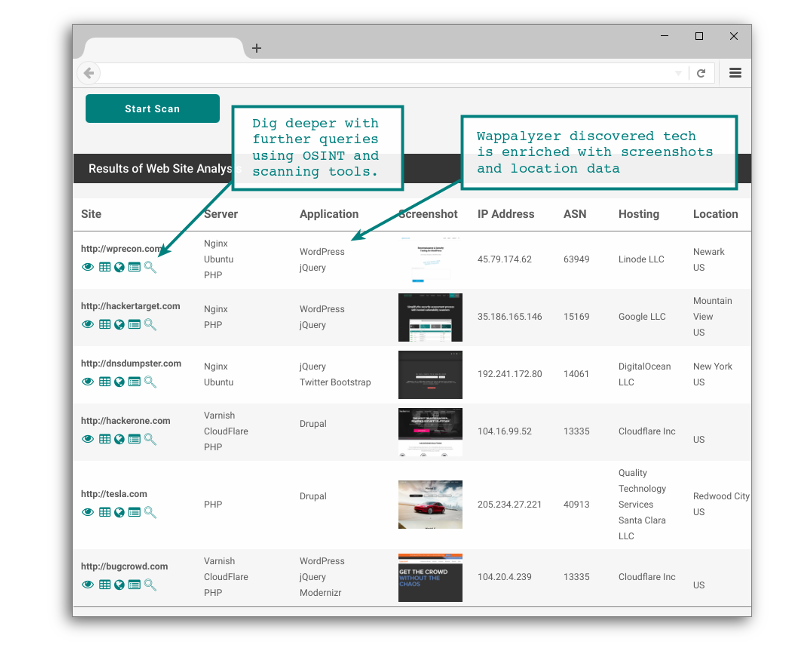
- WhatWeb / Wappalyzer: Identifies technologies, CMS platforms, and JavaScript libraries from HTTP headers and HTML source.
- SSL Scan: Analyzes TLS/SSL configurations, cipher strengths, and certificate details.
- Domain Profiler: Passively discovers IP addresses, subdomains, and listening services tied to a domain.
These tools form an attack surface discovery pipeline: start with a domain profiler to map assets, follow up with port scanning to find exposed services, then drill into web applications with Nikto or WhatWeb.
Verifying Your Own Security Posture Before Scanning
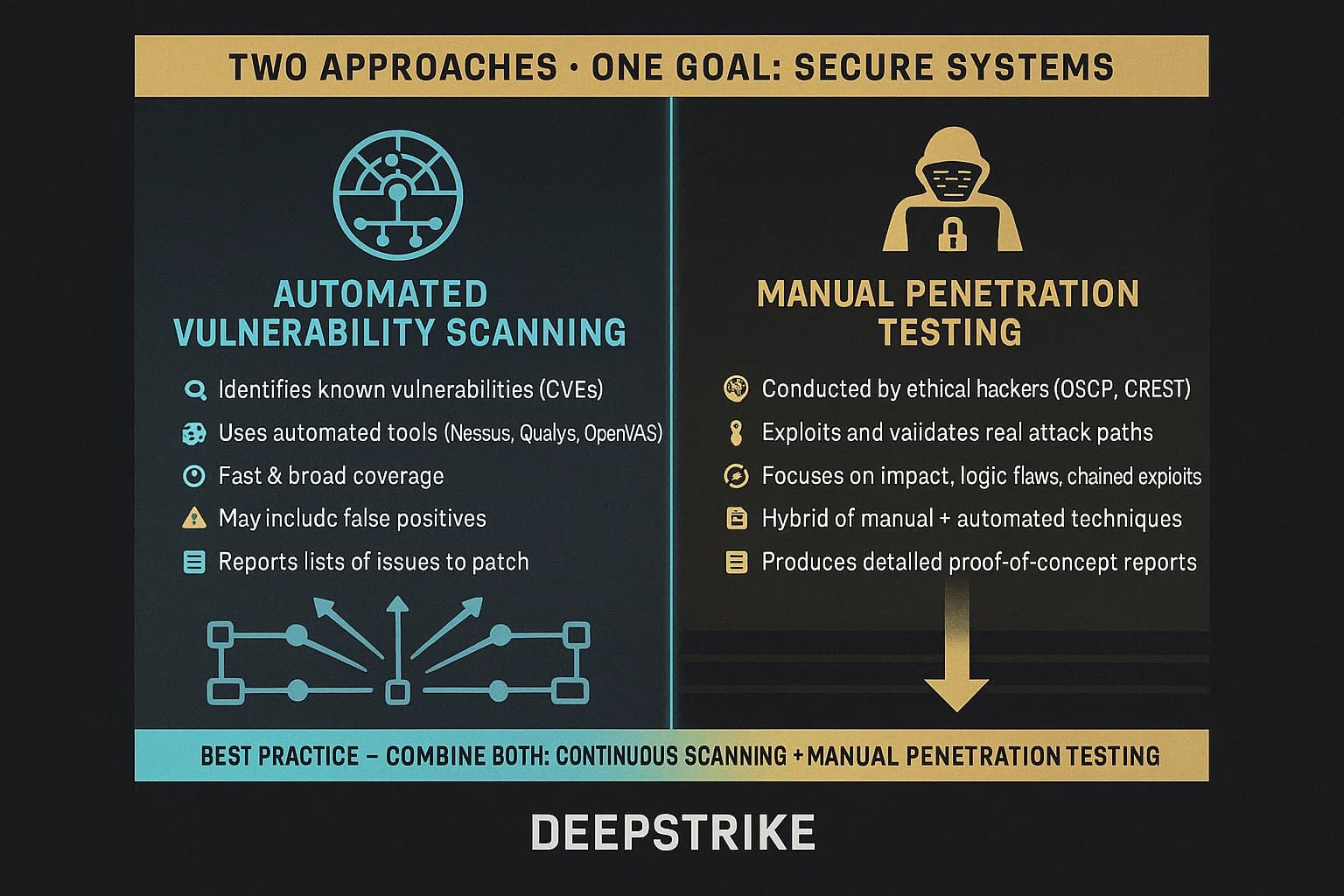
HackerTarget Tutorial: Master OSINT, Scans & Network Tools - Verifying Your Own Security Posture Before Scanning.
Before you launch scans against external targets—especially in a professional context—it is critical to ensure your own environment does not leak sensitive information. Misconfigured VPNs, WebRTC leaks, or inconsistent browser fingerprints can expose your real IP address or identity, undermining the anonymity you expect during reconnaissance.
This is where integrating privacy testing tools into your workflow adds a layer of operational security. For example, after connecting to a VPN, you can run a quick DNS leak test and WebRTC leak test to confirm that your actual IP is not being broadcast through background browser requests. These tests are browser-based, require no installation, and give you immediate feedback on whether your VPN or proxy is configured correctly.
Additionally, understanding how your browser appears to web servers is a form of passive reconnaissance on yourself. A browser fingerprint analysis checks properties like canvas hash, user agent, and client hints to determine if your setup looks authentic or stands out as suspicious. If you are using an uncommon browser configuration or a bot-like fingerprint, target systems may flag or block your requests during scanning. Running an IP address lookup alongside these checks reveals the geolocation, ISP, and whether your connection is flagged as a proxy—information that directly impacts how your scans are perceived by remote hosts.
Building a Complete Reconnaissance Workflow
Combining HackerTarget's educational resources, hosted scanners, and privacy validation creates a robust, repeatable process:
- Prepare Your Environment: Connect to a trusted VPN, then verify there are no DNS or WebRTC leaks. Check your browser fingerprint to ensure it does not appear automated or anomalous.
- Passive Discovery: Use the Domain Profiler or Recon-ng modules like
recon/companies-domains/viewdns_reverse_whoisto collect domain names, subdomains, and associated IPs without sending packets directly to the target. - Active Scanning: Feed discovered IP ranges into the hosted Nmap scanner to identify open ports and services. Schedule an OpenVAS scan for deeper vulnerability detection.
- Web Layer Analysis: Run WhatWeb against discovered web servers to fingerprint technologies, then follow up with Nikto to uncover misconfigurations and outdated components.
- Document and Pivot: Export Recon-ng data to reports, correlate findings, and pivot through relationships—for example, from an IP address to an ASN and then to other domains hosted in the same netblock. For a deeper dive into ASN lookups, see this ASN lookup guide.
Related reading
- How to Use PrivacyTools.io: A Practical Privacy Guide - Learn how to use PrivacyTools.io to find private software alternatives, understand the recommendations, and verify your setup with privacy testing tools.
- What Is IPWHOIS.io? The IP Geolocation API Explained - Learn what IPWHOIS.io is, how its free IP geolocation API works, and how to verify the data accuracy with privacy testing tools.
- What Is IP Geolocation? How It Works & Accuracy Limits - Learn how IP geolocation maps an IP address to country, city, and ISP. Understand accuracy, common use cases, and how to verify your own IP data.
Sources and further reading
- Research from the Lab | HackerTarget.com - A summary of the Internet security research projects we have been working on. Includes analysis of top websites, security visualization, tutorials & more.
Frequently Asked Questions
Do I need to install anything to use HackerTarget scanners?
No. The hosted vulnerability scanners run entirely on HackerTarget's infrastructure. You access them through a web browser, configure scan options, and receive results online. This is especially useful for quick checks or when you lack permission to install tools on your local machine.
Is Recon-ng better than other OSINT tools like theHarvester or Maltego?
Each tool has strengths. Recon-ng excels at modular, database-driven reconnaissance with a command-line interface familiar to Metasploit users. theHarvester is simpler and faster for quick email and subdomain gathering. Maltego offers a graphical link-analysis approach. Many professionals use Recon-ng alongside these tools to cross-validate findings.
Can I automate Recon-ng scans?
Yes. Recon-ng supports resource files (scripts) that execute a sequence of commands. You can also use the script command to record your actions and replay them later. Combined with cron jobs or CI/CD pipelines, this enables automated OSINT collection.
How do I know if my VPN is leaking my real IP during reconnaissance?
Run a WebRTC leak test and a DNS leak test immediately after connecting to your VPN. If either test shows your ISP-assigned IP address instead of the VPN's IP, your setup has a leak that could compromise your anonymity during scanning.
What should I do if my browser fingerprint looks suspicious?
If a fingerprint analysis flags your browser as a bot or shows inconsistencies, try disabling unnecessary extensions, resetting your user agent to a common value, or using a standard browser profile. Some privacy tools over-spoof and actually make you more identifiable.
Conclusion
HackerTarget bridges the gap between raw security tools and practical, accessible workflows. The Recon-ng tutorial gives you a structured entry point into OSINT, while the hosted Nmap and OpenVAS scanners handle the heavy lifting of vulnerability detection. By layering in privacy diagnostics—checking for DNS leaks, WebRTC exposure, and browser fingerprint authenticity—you ensure that your own operational security is solid before you assess anyone else's. Whether you are a security analyst mapping an attack surface, a network engineer validating firewall rules, or a privacy-conscious researcher, this combination of education, hosted tooling, and self-verification creates a complete and responsible reconnaissance practice.