
Virtual Browser Profiles: How They Work and When to Use Them

Virtual Browser Profiles: How They Work and When to Use Them
A virtual browser profile is a self-contained browsing environment that keeps cookies, history, local storage, extensions, and device fingerprints separate from your everyday browser. Instead of mixing work accounts, personal logins, and test sessions in one place, you get a clean, disposable identity that can be reset or discarded at any time.
For some users, that means running a browser inside a cloud virtual machine. For others, it means creating isolated profiles in an antidetect browser with unique fingerprints and proxy settings. Both approaches solve the same core problem: keeping one browsing identity from bleeding into another.
This guide explains what virtual browser profiles are, how they differ from regular profiles and VPNs, the main use cases, and how to verify that your setup actually works.
What Is a Virtual Browser Profile?

Virtual Browser Profiles: How They Work and When to Use Them - What Is a Virtual Browser Profile?.
A virtual browser profile is more than a bookmark folder or a separate Chrome user. It is a complete, isolated browsing context that includes:
- Cookies and site data
- Browsing history and cache
- Local storage and IndexedDB
- Installed extensions and their settings
- Browser fingerprints such as user agent, canvas hash, WebGL renderer, fonts, and timezone
- Network identity, often tied to a proxy or virtual machine IP
When the profile runs inside a virtual machine, the isolation is physical: nothing touches your real operating system. When it runs in an antidetect browser, the isolation is logical but still deep, with each profile carrying its own spoofed or modified fingerprint.
The key difference from a standard browser profile is intent. A normal Chrome profile separates bookmarks and passwords. A virtual browser profile separates identity, network location, and device characteristics so that websites cannot easily link one session to another.
Virtual Browser vs. Virtual Machine: What Is the Difference?
Virtual Browser Profiles: How They Work and When to Use Them - Virtual Browser vs. Virtual Machine: What Is the Difference?.
These terms are related but not interchangeable.
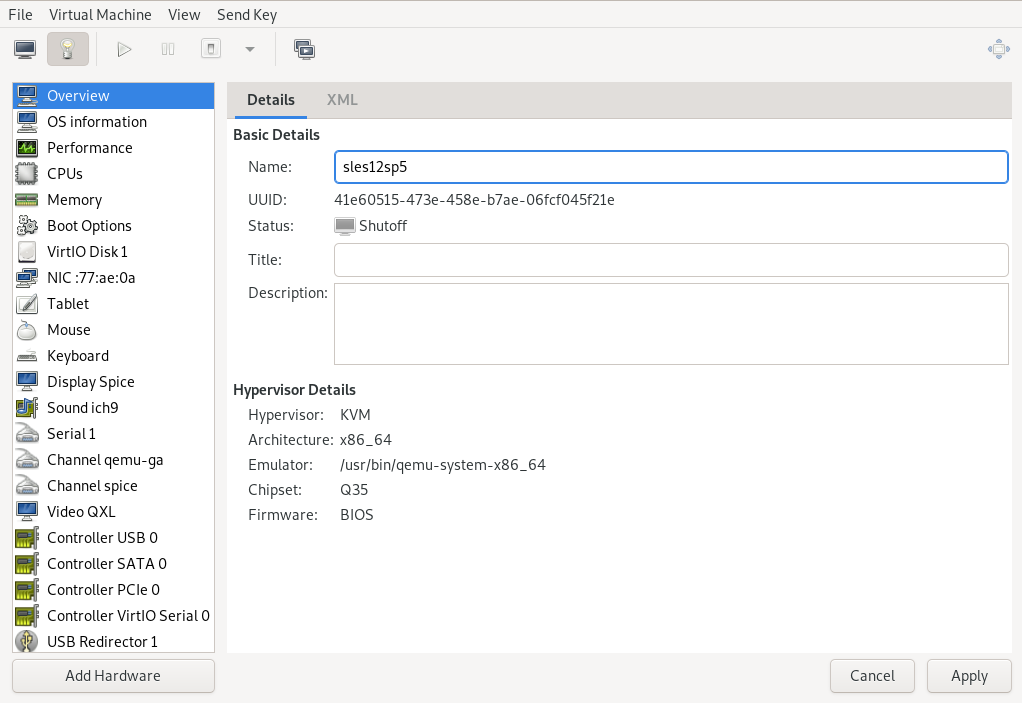
A virtual machine (VM) is a full emulated computer with its own operating system, file system, and network stack. A virtual browser is just the browser program running inside that VM. When you use a cloud-based virtual browser, you are technically using a browser inside a VM that streams its display to your device.
A virtual browser profile, meanwhile, can exist without a full VM. Antidetect browsers create isolated profiles on your local machine, each with its own fingerprint, cookies, and proxy. The profile is virtual even though the underlying OS is not.
| Feature | Standard browser profile | Virtual browser in a VM | Antidetect browser profile |
|---|---|---|---|
| Isolated cookies and history | Partial | Yes | Yes |
| Separate OS-level isolation | No | Yes | No |
| Custom browser fingerprint | No | Limited | Yes |
| Built-in proxy per profile | No | Depends on provider | Yes |
| Runs locally | Yes | No, cloud-based | Yes |
| Best for | Everyday browsing | Safe browsing, testing | Multi-account management |
Why People Use Virtual Browser Profiles
Virtual Browser Profiles: How They Work and When to Use Them - Why People Use Virtual Browser Profiles.
The use cases fall into three broad categories.
1. Privacy and Security
A virtual browser running in a VM protects your real system from browser-based attacks. If a malicious site exploits a browser vulnerability or tries to install malware, the damage stays inside the virtual environment. Once the session closes, everything is wiped.
This is also useful for opening suspicious links, downloading untrusted files, or visiting sites that may attempt drive-by downloads. The isolation works as a containment layer that a VPN cannot provide.
2. Cross-Browser and Compatibility Testing
Web developers need to see how a site behaves in different browser versions and operating systems. A site that works in the latest Chrome may break in an older release or in Safari on macOS. Virtual browsers let you spin up Chrome 110 on Windows 10, Safari on macOS Monterey, or Firefox on Android without installing anything locally.
Because each test runs in a clean profile, you avoid the false positives that come from cached assets, old cookies, or conflicting extensions.
3. Multi-Account Management
Marketers, e-commerce operators, affiliate managers, and social media teams often need to run many accounts on the same platform. Logging into ten accounts from one browser profile creates obvious links: the same fingerprint, the same IP, and the same behavioral patterns.
Antidetect browsers solve this by giving each account its own virtual profile with a unique fingerprint and proxy. The platform sees ten different devices in ten different locations, not one person with ten accounts.
Virtual Browser Profiles vs. VPNs
Virtual Browser Profiles: How They Work and When to Use Them - Virtual Browser Profiles vs. VPNs.
A common misconception is that a VPN and a virtual browser do the same job. They do not.
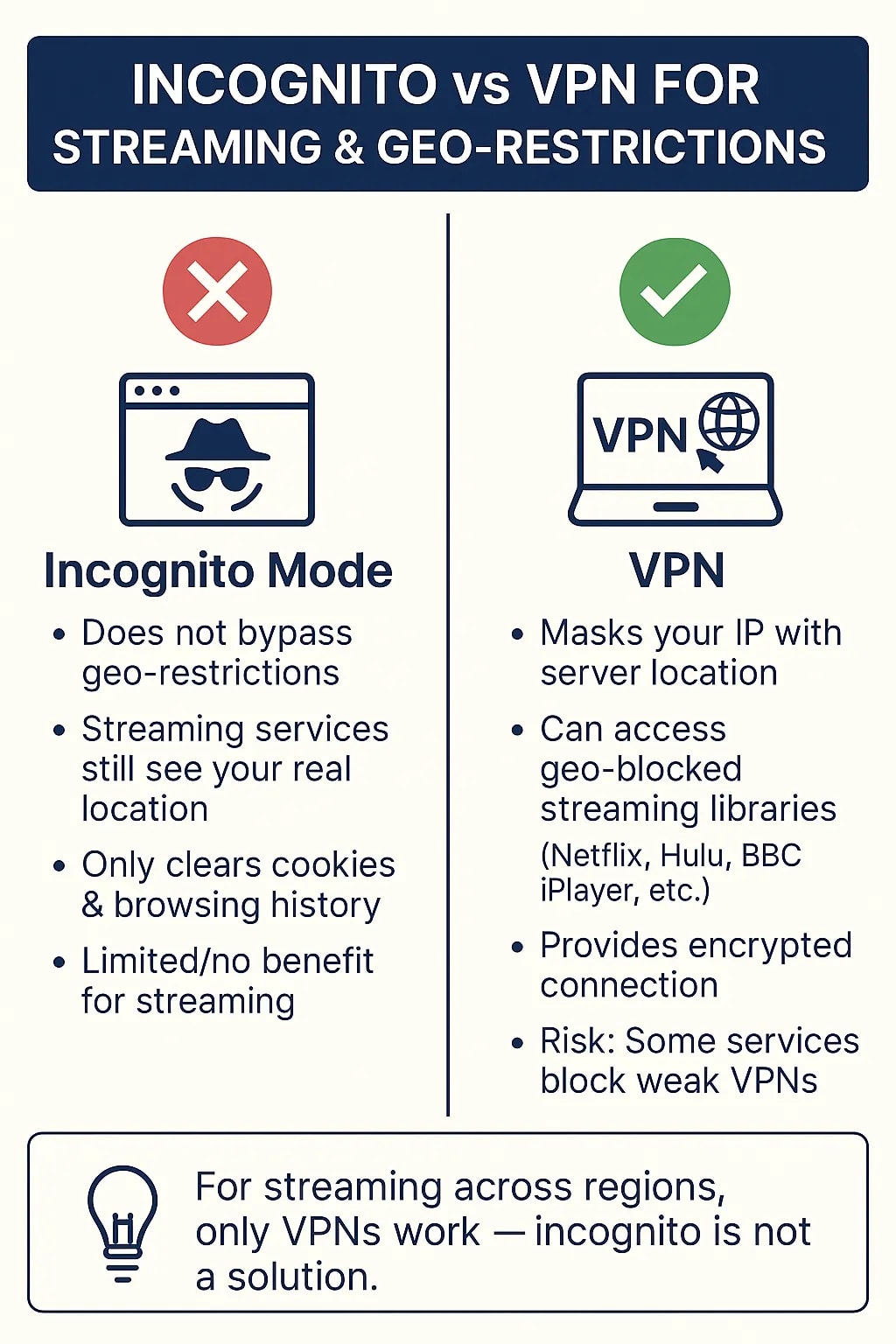
A VPN encrypts your traffic and changes your IP address, but you still use your regular browser. Your cookies, history, extensions, and fingerprint remain intact. If you log into two accounts through the same VPN server, websites can still link them through browser fingerprints and shared storage.
A virtual browser profile isolates the entire browsing context. The IP address may change through a proxy, but so does the fingerprint, the cookie jar, and every other identifying signal. A VPN hides where you are coming from; a virtual browser profile hides who the browser appears to be.
For the strongest setup, many people combine both: a unique virtual profile plus a dedicated proxy or VPN connection for each identity.
How to Verify Your Virtual Browser Profile Is Working
Creating a profile is only half the job. You also need to confirm that it does not leak identifying data. A misconfigured profile can expose your real IP through WebRTC, reveal your actual timezone, or produce a fingerprint that looks fake and triggers fraud checks.
Start with a browser fingerprint test. Tools like BrowserScan analyze your current profile and show what websites can detect: user agent, canvas hash, WebGL renderer, fonts, timezone, language settings, and more. Run the test inside your virtual profile and compare the result against your normal browser. If the two fingerprints match too closely, your isolation is failing.
Next, check for network leaks. A DNS leak test reveals whether your profile is sending requests through the intended DNS server or falling back to your ISP. A WebRTC leak test checks whether your real IP address is exposed even when a proxy is active. Both tests are available as free web-based tools, so you can verify a profile before using it for anything sensitive.
Finally, review the overall consistency of the profile. A fingerprint that says Chrome on Windows but reports a macOS timezone or mismatched screen resolution can look suspicious to anti-fraud systems. The goal is not just uniqueness but realism. For a deeper look at how these signals work, see this guide on browser fingerprinting and how to test yours.
Choosing the Right Virtual Browser Profile Setup
The best approach depends on what you are trying to accomplish.
For safe browsing and link isolation, a cloud virtual browser in a VM is the simplest option. You get a disposable session with no local footprint, and you do not need to install anything. The trade-off is that cloud sessions are usually temporary and not designed for long-term account management.
For cross-browser testing, a virtual browser service with access to many browser and OS combinations is the most efficient. You can switch between Chrome, Firefox, Safari, and Edge versions without maintaining a device lab.
For multi-account management, an antidetect browser with per-profile fingerprints and proxy support is the standard choice. These tools are built for persistent profiles that you return to repeatedly, with features like team sharing, bulk profile actions, and automation integrations.
Whatever option you choose, build verification into your workflow. Test each new profile before using it, and re-test periodically because browser updates and site-side fingerprinting methods change over time. A privacy plan that includes regular testing is more effective than a one-time setup. For a broader framework, see these practical privacy guides.
Limitations and Realistic Expectations
Virtual browser profiles are powerful, but they are not magic.
Cloud virtual browsers may be blocked by streaming services or sites that detect virtual environments. Performance depends on your connection because the browser runs remotely. Downloaded files usually stay inside the session and disappear when it closes.
Antidetect profiles can still be linked through behavioral signals: typing patterns, mouse movements, posting habits, and account recovery details. A unique fingerprint does not help if you reuse the same email format, phone number, or payment method across accounts.
No tool makes you invisible. A virtual browser profile reduces linkability and raises the cost of tracking, but it does not eliminate risk. Use it as one layer in a broader privacy and security strategy, not as a standalone solution.
Related reading
- Pixelscan Setup: How to Test and Harden Your Browser - Learn how to set up Pixelscan for browser fingerprint, proxy, DNS, and WebRTC testing. Step-by-step workflow, result interpretation, and hardening tips.
- What Is a Virtual Private Network (VPN)? How It Works & Types - Learn what a virtual private network (VPN) is, how encryption, tunneling, and authentication work, the main VPN types, and how to test your VPN for leaks.
Sources and further reading
- Virtual Browser by Browserling - Learn more about using Browserling's virtual browsers that run in virtual machines.
- Antidetect Browser for Managing Multiple Accounts Safely | Gologin - Create and run multiple accounts on any platform without bans. Gologin antidetect browser helps you manage unlimited profiles safely with unique digital fingerprints.⚡️7-Days Trial!
- Homepage - No card required - Anti-detect browser that helps you remain anonymous online. Manage multiple accounts and profiles in an easy-to-use interface.
Frequently Asked Questions
Is a virtual browser profile the same as incognito mode?
No. Incognito mode only prevents your local browser from saving history and cookies after the session. It does not change your IP address, fingerprint, or device characteristics, and websites can still track you during the session. A virtual browser profile isolates the entire browsing context.
Do virtual browser profiles save my browsing history?
Cloud virtual browsers typically erase everything when the session ends. Antidetect browser profiles, however, are designed to persist cookies and sessions so you can return to accounts without logging in again. The retention behavior depends on the tool and its purpose.
Can I use a virtual browser profile on mobile?
Yes, in two ways. Cloud virtual browsers stream a desktop browser to your phone or tablet. Some antidetect browsers also offer Android apps or mobile fingerprint emulation for managing mobile-oriented accounts.
Will a virtual browser profile protect me from malware?
A browser running in a virtual machine provides strong containment against malware because nothing can escape to your real OS. An antidetect profile on your local machine does not provide the same OS-level isolation, so it should not be treated as a malware sandbox.
How many virtual browser profiles do I need?
It depends on the use case. A developer testing compatibility may need dozens of temporary profiles. A marketer managing accounts often needs one persistent profile per account, plus a few spares for testing new configurations.
Can websites still detect that I am using a virtual profile?
Yes, in some cases. Cloud virtual environments can be detected through IP reputation, browser quirks, or missing hardware signals. Antidetect profiles can be flagged if the fingerprint is internally inconsistent. Regular testing with a fingerprint checker helps you spot problems before a platform does.
Conclusion
Virtual browser profiles solve a real problem: the modern web is built to link your activity across sessions, and a single browser identity makes that easy. By isolating cookies, fingerprints, and network identity, virtual profiles give you control over how much of your activity gets connected.
The right setup depends on your goal. Use a cloud virtual browser for safe, disposable sessions. Use an antidetect browser for persistent multi-account workflows. And in every case, verify the result with a fingerprint test and leak checks before relying on the profile for anything important.
Isolation is only as good as its weakest signal. Test it, fix the leaks, and treat virtual browser profiles as one layer in a deliberate privacy strategy rather than a complete solution on their own.