
Antivirus Explained: How It Works & What It Can't Do
Antivirus Explained: How It Works and What It Can't Do
Antivirus software is one of the most common security tools people install, yet it is also one of the most misunderstood. Many users assume that once antivirus is running, their entire digital life is protected. In reality, antivirus covers a specific layer of security: files, programs, and known malicious behavior on a device. It does not automatically hide your IP address, stop browser fingerprinting, or close an open network port.
This article explains what antivirus actually does, how detection works, how free and paid options differ, and where antivirus protection ends — so you can fill the remaining gaps with the right privacy and network checks.
What Antivirus Software Actually Does
Antivirus Explained: How It Works & What It Can't Do - What Antivirus Software Actually Does.
At its core, antivirus is a program that scans files, applications, and system activity for malicious code. When it finds something suspicious, it can block, quarantine, or delete it.
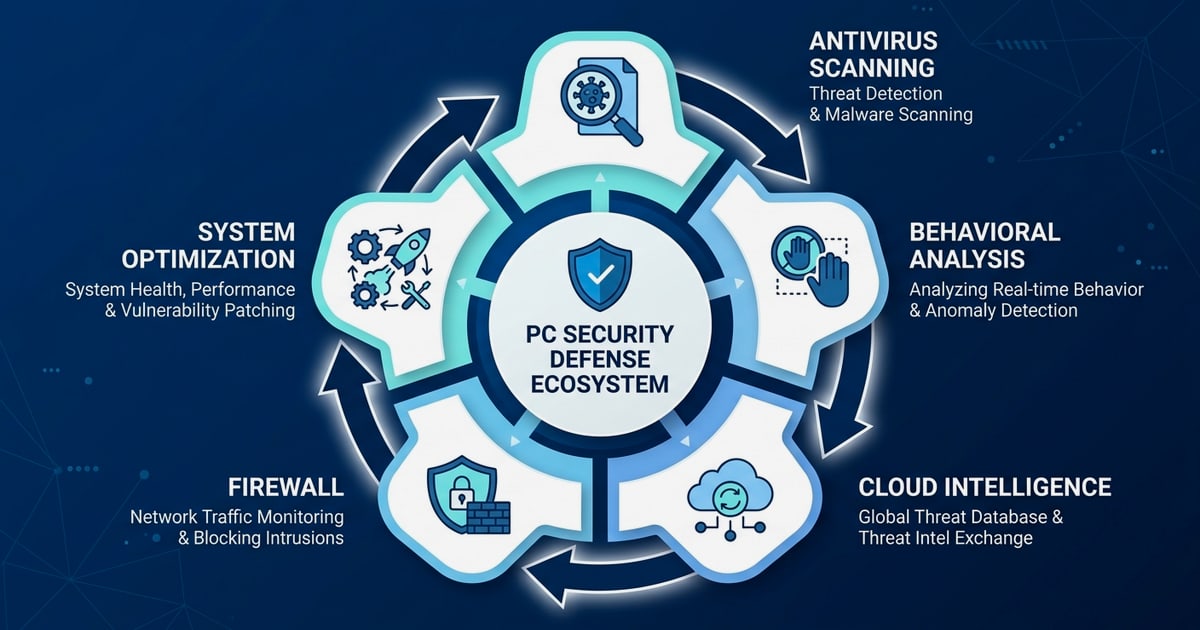
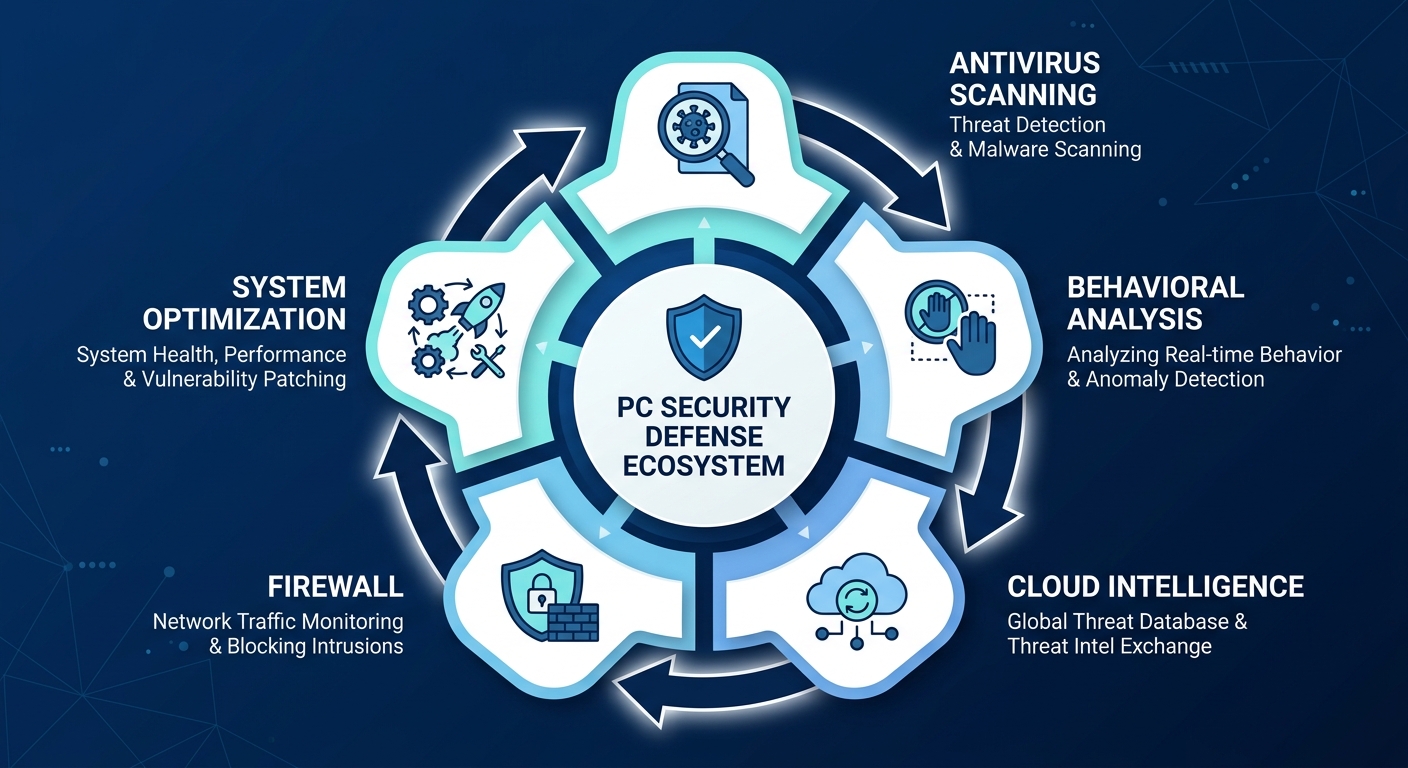
Modern antivirus tools usually combine several layers:
- Signature-based detection: Compares files against a database of known malware samples.
- Heuristic and behavioral analysis: Watches for suspicious actions, such as a program trying to encrypt many files at once.
- Real-time protection: Monitors files as they are opened, downloaded, or modified.
- Web and email filtering: Blocks known phishing links and malicious attachments.
- Quarantine and remediation: Isolates threats so they cannot run, and sometimes sends samples for further analysis.
This layered approach matters because malware changes constantly. A file that was clean yesterday can behave maliciously today if it has been updated or repurposed.
Free vs Paid Antivirus: What You Really Get
Antivirus Explained: How It Works & What It Can't Do - Free vs Paid Antivirus: What You Really Get.
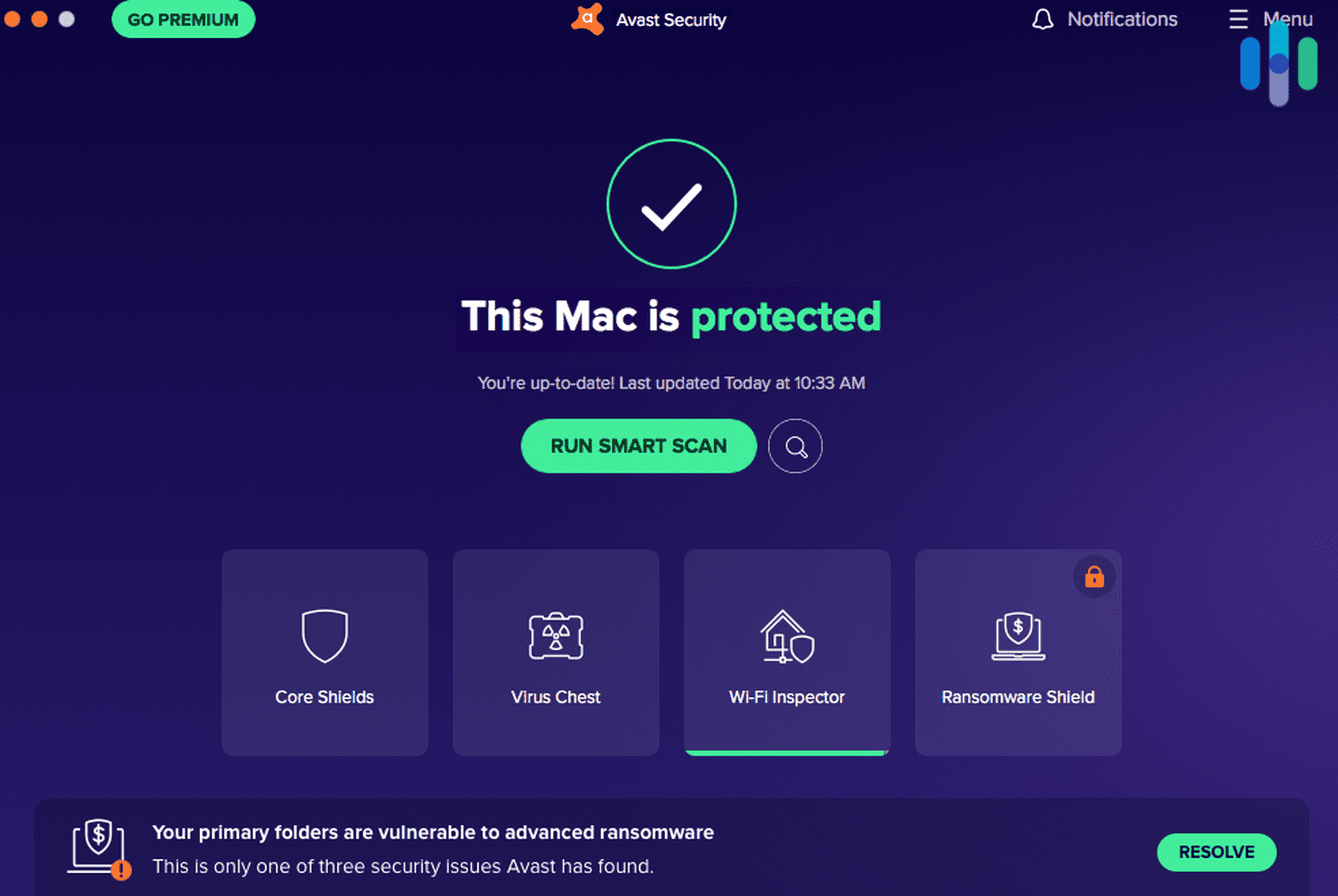
Free antivirus tools are not automatically weak. Many reputable vendors offer real-time malware detection, scheduled scans, and basic web protection at no cost. Paid versions typically add convenience and broader coverage rather than a completely different detection engine.
| Feature | Typical free antivirus | Typical paid antivirus |
|---|---|---|
| Malware scanning and removal | Yes | Yes |
| Real-time file protection | Often yes | Yes |
| Firewall or network monitoring | Rarely | Often |
| Ransomware-specific shields | Sometimes | Usually |
| VPN or privacy tools | Limited or trial | Often included |
| Multi-device management | Usually no | Yes |
| Priority support | No | Yes |
If you only need to protect a single Windows PC from common malware, a free tool may be enough. If you manage several devices, handle sensitive data, or want network-level monitoring, a paid suite can be more practical.
Do you need antivirus if your operating system already has one?
Windows, macOS, and many Linux distributions include built-in security features. Windows Defender, for example, provides solid baseline protection. However, built-in tools may not include advanced ransomware shields, network inspectors, or dark-web monitoring. Many users run a third-party antivirus alongside the built-in one, while others rely on the built-in tool plus safe browsing habits.
The right choice depends on your risk profile, not on brand loyalty.
What Antivirus Does Not Protect Against
Antivirus Explained: How It Works & What It Can't Do - What Antivirus Does Not Protect Against.
This is where expectations often break down. Antivirus is designed for malware on a device, not for every privacy or network risk.
1. Browser fingerprinting
Websites can identify you by collecting details about your browser, screen, fonts, time zone, and other attributes. This fingerprint can persist even if you clear cookies or use a VPN. Antivirus does not change these signals.
To see what your browser reveals, you can run a browser fingerprint test and review the attributes that make your setup unique.
2. DNS and WebRTC leaks
A VPN can hide your IP address, but misconfigured DNS or WebRTC settings can still expose your real IP to websites. Antivirus software generally does not inspect these browser-level leaks.
If you use a VPN, a DNS and WebRTC leak test is a practical follow-up step after installation.
3. Open ports and network exposure
Antivirus protects the device, but it does not always tell you which ports are open to the internet. An open port can expose services to scanning and exploitation.
A port scanner built on Nmap can help you identify unnecessary open ports on your own network so you can close them.
4. IP address and geolocation exposure
Your IP address can reveal your approximate location, ISP, and whether you are using a proxy or VPN. Antivirus does not mask this information. You can check what your IP exposes with a geolocation lookup.
How to Build a Layered Security Routine

Antivirus Explained: How It Works & What It Can't Do - How to Build a Layered Security Routine.
Antivirus is one layer. A more complete routine combines device protection with browser and network hygiene.
- Keep antivirus updated. Definitions and behavioral models change frequently.
- Run periodic full scans. Quick scans catch common threats; full scans catch dormant ones.
- Update your operating system and browser. Many exploits target known vulnerabilities.
- Check for DNS and WebRTC leaks after changing VPN settings.
- Review your browser fingerprint if you care about tracking resistance.
- Scan your own network for open ports before assuming it is locked down.
- Use unique passwords and two-factor authentication on important accounts.
A free 2FA code generator and other browser-based utilities can support this routine without installing extra software.
When to Choose Antivirus and When to Choose a Privacy Tool
Antivirus and privacy tools solve different problems. Antivirus answers the question: "Is there malicious software on my device?" Privacy tools answer: "What can websites and networks learn about me?"
If your main concern is ransomware, malicious downloads, or infected email attachments, antivirus is the right starting point. If your concern is tracking, VPN leaks, or network exposure, you need browser and network diagnostics instead.
Many users benefit from both. Antivirus handles the device layer, while free web-based tools handle the browser and network layer.
Related reading
- PrivacyTools.io Login: What It Is and How to Verify Privacy - PrivacyTools.io has no login. Learn what the site actually offers, why no account is needed, and how to verify your browser and network privacy for free.
Sources and further reading
- Antivirus Total Protection - Protection Across Devices - Start Your Free Trial of McAfee Total Protection For Multiple Devices. Sign Up Today. McAfee® Total Protection - It's More Than Just Antivirus Software, It's Peace of Mind.
- Antivirus - Free Antivirus for Windows - Protect your PC from viruses and malware. Download 360 Total Security. rusted by 919 million users. Get award-winning PC protection for free!
- Download Free Antivirus Software | Avast 2026 PC Protection - Download free virus protection for Windows PC. Avast offers modern antivirus for today’s complex threats. Fast, simple, and 100% free. Try it today!
FAQ
Is free antivirus enough protection?
For many home users, a reputable free antivirus combined with regular system updates and safe browsing habits provides solid baseline protection. Paid suites add features like firewalls, ransomware shields, and multi-device management.
Can antivirus stop phishing attacks?
Some antivirus tools include web filtering that blocks known phishing domains. However, phishing often relies on new domains and social engineering, so antivirus is not a complete defense. Always verify links and sender addresses.
Does antivirus hide my IP address?
No. Antivirus software does not change your IP address. Hiding your IP requires a VPN or proxy, and even then you should verify for DNS and WebRTC leaks.
Can antivirus detect browser fingerprinting?
Generally, no. Browser fingerprinting uses legitimate browser attributes, not malware. You need a dedicated fingerprint test to see what data your browser exposes.
Should I use antivirus and a VPN together?
Yes, they address different risks. Antivirus protects your device from malware, while a VPN can help protect your traffic and IP address. After setting up a VPN, run a leak test to confirm it is working as expected.
What is the difference between antivirus and a port scanner?
Antivirus scans files and processes for malicious code. A port scanner checks network services for open ports that could be exposed. They are complementary tools, not replacements for each other.
Conclusion
Antivirus remains a valuable part of a security setup, but it is not a complete privacy solution. It detects and removes malware on your device, yet it does not hide your IP, prevent browser fingerprinting, or close open network ports.
A more effective approach is layered: keep antivirus updated, patch your system, verify your VPN for leaks, review your browser fingerprint, and scan your network for unnecessary exposure. Free browser-based tools make these checks quick and accessible, so you can see your actual risk rather than assuming you are covered.