
ASN Lookup: Find IP Ranges, Owners & ISP Info Fast
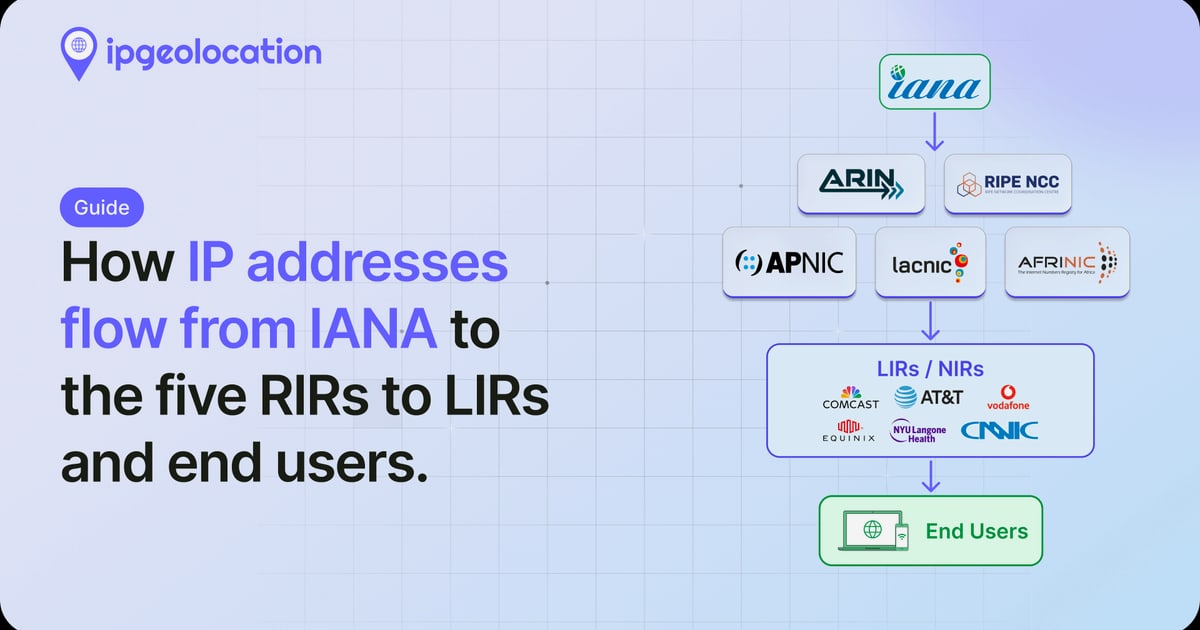
ASN Lookup: Find IP Ranges, Owners & ISP Info Fast
Every device connected to the internet sits inside a network block managed by a single organization—an internet provider, a cloud giant, or a large enterprise. That block has a unique identifier called an Autonomous System Number, or ASN. An ASN lookup lets you trace any IP address back to its controlling network, revealing who operates it, which IP prefixes it announces, and how it fits into the global routing table.
Network engineers use ASN lookups to troubleshoot BGP issues, security analysts use them to investigate suspicious traffic, and privacy-conscious users rely on them to verify whether a VPN or proxy is actually hiding their real provider. The good news: you don’t need a console full of router commands. Free web-based tools and simple APIs make ASN lookups accessible to anyone.
What Is an ASN and Why Does It Matter?

ASN Lookup: Find IP Ranges, Owners & ISP Info Fast - What Is an ASN and Why Does It Matter?.
An Autonomous System (AS) is a collection of IP routing prefixes under the control of one or more network operators that share a clearly defined routing policy. Think of it as a single administrative domain on the internet. Each AS is assigned a unique ASN—a numeric identifier that Border Gateway Protocol (BGP) uses to exchange routing information between networks.
Without ASNs, the internet’s decentralized routing system would collapse. BGP routers use AS_PATH attributes to prevent loops and choose the best path to a destination. When you run an ASN lookup, you’re essentially querying a registry that maps these numbers to real-world organizations and their advertised IP blocks.
ASN Formats: 16-bit vs. 32-bit
Originally, ASNs were 16-bit numbers ranging from 0 to 65535. As the internet grew, the pool exhausted, and 32-bit ASNs (up to 4.2 billion) were introduced in 2007. You’ll see both formats in the wild:
- 16-bit example: AS15169 (Google)
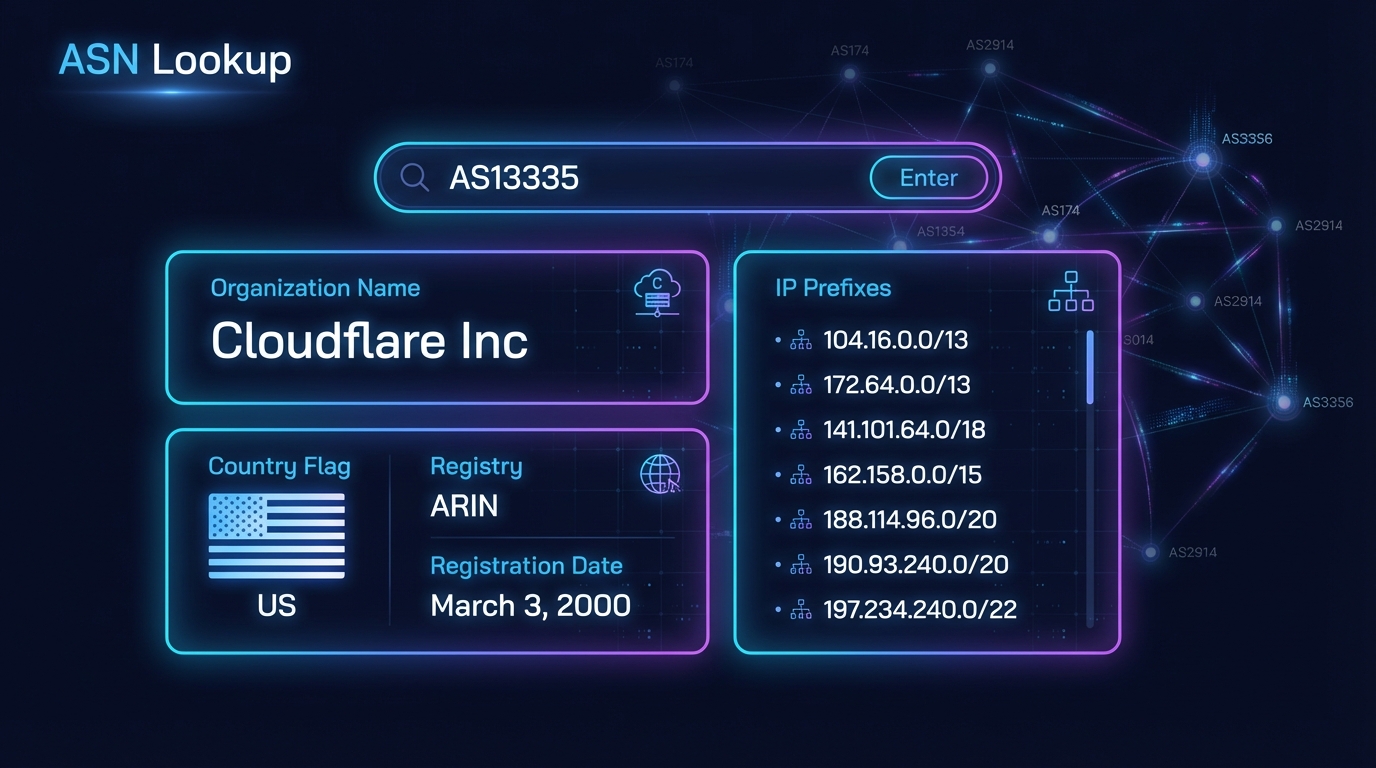
- 32-bit example: AS13335 (Cloudflare)
Private ASNs (64512–65534 and 4200000000–4294967294) exist for internal use and should never appear in public BGP tables. If you spot one during an external lookup, something is misconfigured.
How an ASN Lookup Works
ASN Lookup: Find IP Ranges, Owners & ISP Info Fast - How an ASN Lookup Works.
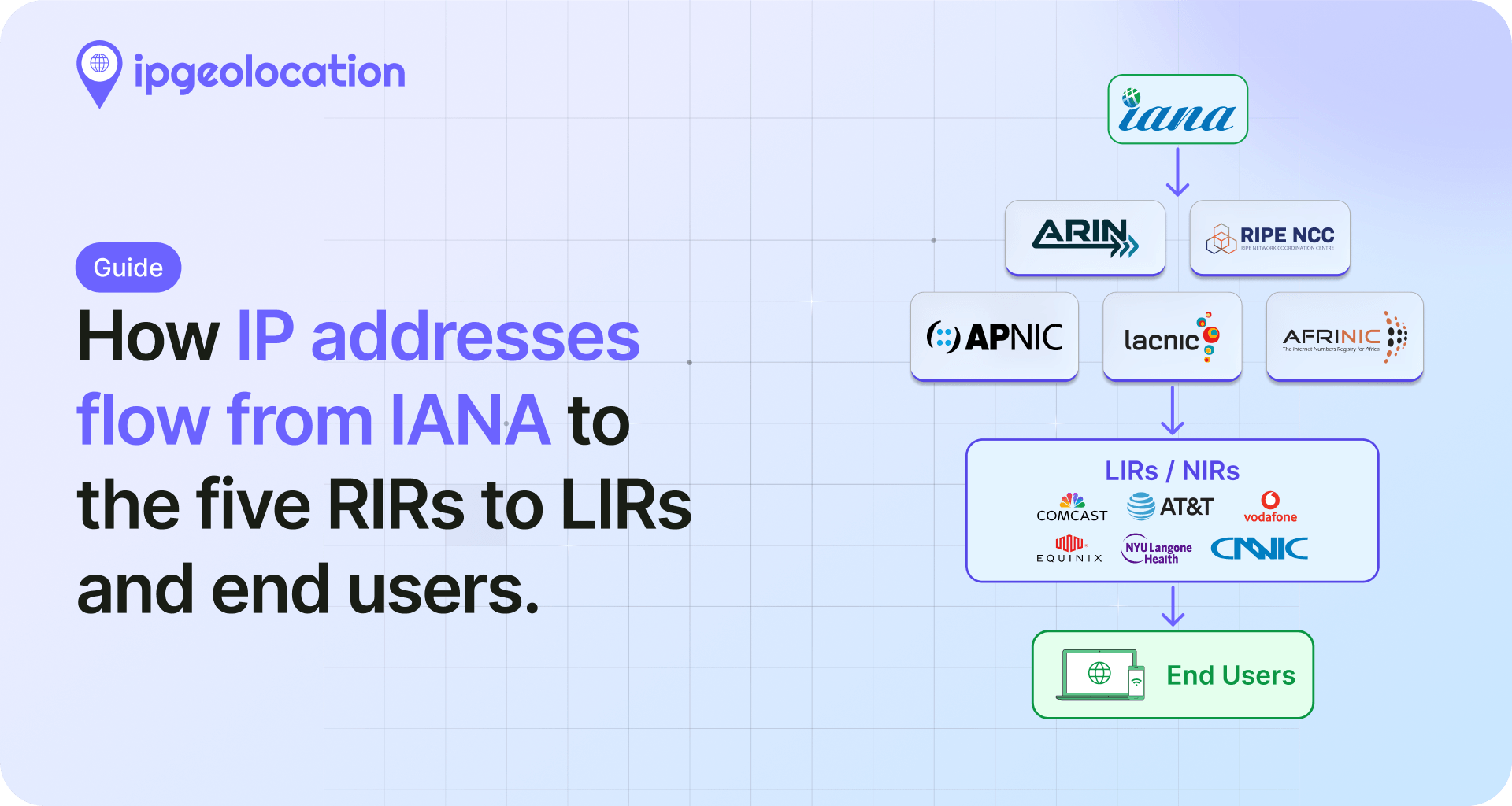
An ASN lookup tool queries public databases—mainly the Regional Internet Registries (RIRs) like ARIN, RIPE NCC, APNIC, LACNIC, and AFRINIC—and BGP routing data collected from global route collectors. When you enter an IP address, the tool checks which AS announces the prefix containing that IP. When you enter an AS number, it returns all IP prefixes (subnets) originated by that AS, plus the organization’s name, country, and sometimes additional WHOIS details.
IP to ASN vs. ASN to IP Range
The lookup works in both directions:
- IP to ASN: Enter
8.8.8.8and get back AS15169 (Google). This tells you which network controls that specific address. - ASN to IP ranges: Enter
AS15169and receive a list of all IPv4 and IPv6 prefixes Google announces. This is invaluable for firewall rule creation, threat intelligence, or competitive analysis.
What the Results Tell You
A typical ASN lookup returns:
- AS Number – The unique identifier.
- AS Name – The organization’s registered name (e.g., “GOOGLE, US”).
- IP Prefix – The specific subnet containing the queried IP (e.g.,
8.8.8.0/24). - Organization Details – WHOIS data including the legal entity name, primary domain, and description.
- BGP Routing Info – Upstream providers, peers, and announced prefixes.
Keep in mind that an ASN’s registration country doesn’t always match the physical location of an IP address. Large cloud providers operate ASes spanning multiple continents, so geolocation and ASN ownership are separate concepts.
Free ASN Lookup Tools and APIs
ASN Lookup: Find IP Ranges, Owners & ISP Info Fast - Free ASN Lookup Tools and APIs.
Several free services make ASN lookups trivial. Here are the most practical options, each with its own strengths.
HackerTarget ASN Lookup
HackerTarget offers a straightforward web interface and a free API for ASN queries. You can look up single IPs, multiple IPs (up to 25 in the web form), or search by AS name. The API supports both plain text and JSON responses, making it easy to integrate into scripts.
Example API call (plain text):
curl https://api.hackertarget.com/aslookup/?q=1.1.1.1
Response:
"1.1.1.1","13335","1.1.1.0/24","CLOUDFLARENET, US"
Add &details=true to get the organization name, domain, and description. The free tier limits you to 50 daily queries across all HackerTarget tools, which is enough for occasional use. For bulk lookups, you can script around the API with a simple bash loop.
MxToolBox ASN Lookup
MxToolBox takes a slightly different approach: it’s designed to find the missing piece. Enter an AS name (or partial name) and it returns all matching AS numbers. Enter an AS number and it returns the registered name. This is particularly useful when you know a company’s name but not its ASN, or vice versa. The interface is clean and requires no technical knowledge.
Traceroute-Online ASN Lookup
This tool provides a quick ASN information panel along with a handy reference table of the largest ASNs by IPv4 space. It’s a good educational resource if you want to understand the scale of major networks like Google, Cloudflare, and Amazon. The tool handles both IPv4 and IPv6 addresses and displays results in a readable format.
Combining ASN Data with Privacy Diagnostics
If you’re investigating your own network exposure, an ASN lookup is just one piece of the puzzle. After identifying which AS your traffic originates from, you might want to check whether your browser is leaking identifying information. A platform like BrowserScan complements ASN lookups by running browser fingerprint analysis, DNS and WebRTC leak tests, and IP address lookups that include ISP and proxy detection. Together, these checks reveal whether your VPN is truly hiding your real network identity or if your browser is exposing details that undermine your privacy setup.
Practical ASN Lookup Examples

ASN Lookup: Find IP Ranges, Owners & ISP Info Fast - Practical ASN Lookup Examples.
Investigating a Suspicious IP
Suppose your server logs show repeated connection attempts from 203.0.113.42. An ASN lookup reveals it belongs to AS12345, registered to “EXAMPLE-HOSTING, NL.” A quick search on that AS name shows it’s a budget VPS provider known for lax abuse handling. You now have context to decide whether to block the entire ASN’s prefixes or escalate the incident.
Verifying VPN or Proxy Effectiveness
You connect to a VPN server and want to confirm your traffic isn’t leaking your home ISP. Run an IP lookup to get your visible public address, then perform an ASN lookup on that IP. If the AS name matches your VPN provider (e.g., “MULLVAD, SE”) rather than your home ISP, the tunnel is working. For a more thorough check, combine this with a DNS leak test to ensure no queries are escaping to your default resolver.
Building Firewall Rules with ASN Data
Instead of maintaining IP blocklists that constantly change, you can allow or deny traffic based on ASN. For example, if you only want to accept connections from Cloudflare’s CDN, look up AS13335’s advertised prefixes and whitelist those subnets. Many cloud providers publish their IP ranges, but an ASN lookup gives you the authoritative list directly from BGP data.
ASN Lookup vs. IP Geolocation: Key Differences
It’s easy to confuse ASN ownership with physical location, but they serve different purposes:
| Feature | ASN Lookup | IP Geolocation |
|---|---|---|
| What it identifies | Network owner and routing policy | Approximate physical location |
| Data source | RIR WHOIS, BGP routing tables | Commercial geolocation databases |
| Accuracy | High for network ownership | Variable; often city-level at best |
| Use case | Routing, peering, abuse handling | Content localization, fraud detection |
An IP address in AS15169 (Google, US) could be physically located in a data center in Singapore. Always treat ASN data and geolocation as complementary, not interchangeable.
Understanding ASN Data for Network Diagnostics
For deeper network troubleshooting, ASN data feeds into traceroute and BGP looking-glass tools. When you run a traceroute, each hop’s IP can be mapped to an ASN, showing you the exact inter-network path your packets take. This helps identify routing inefficiencies, peering disputes, or transit providers that add unnecessary latency.
If you’re managing your own network, monitoring which ASes your traffic traverses can reveal dependencies on specific upstream providers. A sudden change in AS path might indicate a peering link failure or a BGP hijack attempt.
Related reading
- Pixelscan Login: How to Access & Use Your Privacy Scans - Learn how Pixelscan login works, why there is no traditional account, and how to save, interpret, and share your browser fingerprint and IP leak scan results securely.
- What Is an IP API? A Complete Guide to IP Geolocation Services - Learn how IP APIs work, compare free and paid geolocation services, and discover how to verify your IP data accuracy with privacy tools.
- What Is Cloud Security? A Complete 2025 Guide - Learn what cloud security really means, the core components, biggest challenges, and how to start assessing your own cloud and browser exposure with free tools.
Sources and further reading
- Autonomous System Lookup (AS / ASN / IP) | HackerTarget.com - Lookup IPv4 / IPv6 address to AS or ASN to IP ranges. Quickly find the Autonomous System owner using the online tool and the Free API.
- ASN Tool - MxToolBox - AS Number or Company Name
- ASN Lookup - Network Block Diagnostics - Free online ASN lookup tool. Find autonomous system information for any IP address or AS number.
FAQ: Common ASN Lookup Questions
What is the difference between an ASN and an IP address?
An IP address identifies a single device or endpoint on a network. An ASN identifies an entire network—a collection of IP prefixes controlled by one organization. Think of an ASN as the network’s ID card and an IP address as a specific apartment within that network’s building.
Can I find the physical location of an IP using an ASN lookup?
No. An ASN lookup tells you who owns the network, not where the IP is physically located. The AS registration country reflects the organization’s legal address, which may differ from the IP’s actual geolocation. Use a dedicated IP geolocation service for location estimates.
Are free ASN lookup tools reliable?
Yes, for most purposes. Free tools query the same RIR and BGP data sources as paid services. The main limitations are query rate limits and the absence of historical BGP data. For occasional diagnostics, research, or personal privacy checks, free tools are perfectly adequate.
How often does ASN data change?
ASN registrations change infrequently—when companies merge, rebrand, or transfer IP blocks. However, BGP routing announcements (which prefixes an AS originates) can change in real time. Most lookup tools cache BGP data and refresh it periodically, so results may lag actual routing changes by hours.
Can I perform an ASN lookup on an IPv6 address?
Yes. Modern ASN lookup tools fully support IPv6. An AS can announce both IPv4 and IPv6 prefixes, and querying an IPv6 address returns the same type of ASN information as an IPv4 query.
Conclusion
An ASN lookup is one of the most underutilized yet powerful tools in network diagnostics. It bridges the gap between a raw IP address and the real-world organization behind it, giving you actionable intelligence for security investigations, firewall configuration, and privacy verification. Whether you use a simple web interface or script against a free API, the ability to map IPs to autonomous systems belongs in every network professional’s toolkit.
For a complete picture of your online exposure, pair ASN lookups with broader privacy tests. Understanding your network’s routing identity is the first step—verifying that your browser isn’t leaking that identity through WebRTC, DNS, or fingerprinting vectors is the essential next move.