
BrowserScan vs NSLookup.io: Privacy Suite or DNS Tool?
BrowserScan vs NSLookup.io: Which Tool Actually Protects Your Online Privacy?
If you’ve landed on this comparison, you’re likely trying to decide between two tools that appear in conversations around online checks: BrowserScan and NSLookup.io. At first glance both offer web-based utilities, but they serve fundamentally different purposes. BrowserScan is an all-in-one privacy and security auditor—it detects browser fingerprinting, IP leaks, DNS leaks, WebRTC leaks, and more. NSLookup.io is a specialized DNS and network utility platform, excelling at querying domain records and monitoring website health. One guards your digital anonymity; the other keeps your domains running smoothly.
Understanding this distinction is crucial. This side-by-side analysis breaks down features, privacy capabilities, and practical use cases so you can see exactly where BrowserScan outperforms a pure DNS tool like NSLookup.io—and why that matters for anyone serious about staying invisible online.
Quick Overview

BrowserScan vs NSLookup.io: Privacy Suite or DNS Tool? product interface and feature overview.
BrowserScan positions itself as a comprehensive online privacy testing suite. You get a browser fingerprint detector, DNS leak test, WebRTC leak test, IP lookup with geolocation and blacklist checks, a port scanner powered by nmap, internet speed test, user agent parser, bot detection, and even utility tools like a cookie converter. It requires no plugins or downloads, making it instantly accessible to VPN users, security researchers, and IT professionals who need to verify their privacy posture in one place.
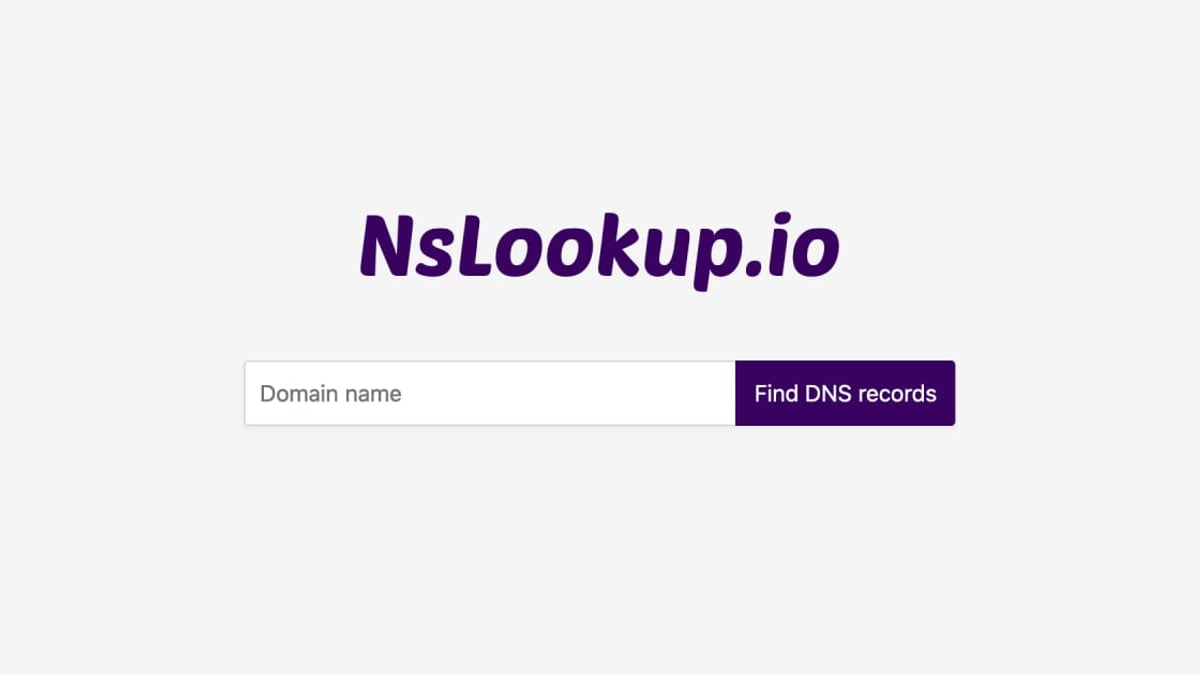
NSLookup.io is built for DNS troubleshooting and domain management. It queries over 20 DNS record types (A, AAAA, MX, TXT, SOA, etc.) from multiple global servers without caching results. The platform also provides email authentication checks (DKIM, DMARC, SPF), BIMI validation, SSL monitoring, uptime monitoring, and automated Lighthouse audits. System administrators, marketers, and website owners use it to verify DNS propagation, debug mail flows, and monitor site performance.
The overlap is minimal: both perform IP-related lookups, but while NSLookup.io resolves domain names to IPs, BrowserScan analyzes what your browser exposes to the web—fingerprints, real public IP, DNS requests, and WebRTC leaks.
Feature Comparison at a Glance

BrowserScan vs NSLookup.io: Privacy Suite or DNS Tool? product interface and feature overview.
| Capability | BrowserScan | NSLookup.io |
|---|---|---|
| Browser fingerprint detection | ✅ Detailed authenticity scoring | ❌ Not available |
| DNS leak test | ✅ Checks for VPN/tunnel leaks | ❌ No leak analysis; only DNS record lookups |
| WebRTC leak test | ✅ Multiple STUN servers | ❌ Not available |
| IP lookup & geolocation | ✅ Multi-source (ip-api, IPinfo, IP2Location, db-ip, IPQuery), blacklist check | ❌ IP resolution via DNS records only; no geolocation databases |
| Port scanner | ✅ nmap-powered scanning | ❌ Not available |
| Internet speed test | ✅ Built-in | ❌ Not available |
| User agent parser | ✅ Detailed breakdown | ❌ Not available |
| Bot detection | ✅ Analyzes browser fingerprints for automation signals | ❌ Not available |
| DNS record queries | ❌ Not a dedicated DNS tool | ✅ 20+ record types, global server selection |
| Email authentication checks | ❌ Not available | ✅ DKIM, DMARC, SPF, BIMI |
| Website monitoring | ❌ Not available | ✅ SSL, uptime, and DNS change monitoring, Lighthouse audits |
| API / automation | ❌ Not offered | ✅ MCP and REST APIs for programmatic use |
BrowserScan wins on privacy diagnostics; NSLookup.io wins on domain infrastructure. The critical gap is that NSLookup.io cannot tell you if your actual browser is leaking identifying information, while BrowserScan was built precisely for that.
Why BrowserScan Outperforms a Standard DNS Tool for Privacy
BrowserScan vs NSLookup.io: Privacy Suite or DNS Tool? product interface and feature overview.
1. Browser Fingerprint Detection: The Privacy Blind Spot of DNS Tools
Your browser leaves a digital fingerprint made up of dozens of attributes—screen resolution, installed fonts, WebGL parameters, canvas rendering, and more. NSLookup.io is blind to this because it only touches DNS and HTTP headers at the server level. BrowserScan, however, assigns a fingerprint authenticity score and shows exactly how trackable your setup is. If you’re using a VPN or anti-detect browser, only BrowserScan can verify that your fingerprint doesn’t give you away.
2. Real Leak Testing: DNS & WebRTC
A DNS lookup tool tells you what records exist for a domain—it doesn’t tell you if your own DNS queries are leaking outside your VPN tunnel. BrowserScan’s DNS leak test queries its own servers and reveals whether your ISP’s resolver is still being used. Similarly, the WebRTC leak test connects to multiple STUN servers to detect internal IP exposure that DNS alone won’t catch. NSLookup.io provides no comparable functionality; it cannot diagnose your device’s privacy leaks. According to research on open DNS resolver risks, unencrypted DNS queries can expose browsing habits and enable cache poisoning—a risk that emphasizes why you need a true leak test, not just a forward lookup.
3. Multi-Source IP Intelligence vs Basic DNS Resolution
NSLookup.io resolves a domain to its IP address using DNS, but it doesn’t enrich that IP with geolocation, ASN, or threat intelligence. BrowserScan’s IP lookup integrates five major data providers (ip-api, IPinfo, IP2Location, db-ip, IPQuery) and includes a blacklist check. When you check your own IP, you see not only your location but whether you’re flagged on spam or abuse databases—a critical insight for anyone managing VPN servers or scraping operations. For a deeper dive into IP intelligence ecosystems, see our Top 10 IP Intelligence & Network Lookup Tools for 2026.
4. Additional Utilities That Close the Privacy Loop
BrowserScan bundles a port scanner (nmap-based) to find open ports on your network, an internet speed test to verify VPN throughput, a user agent parser for debugging browser IDs, and even a two-factor authentication code generator. NSLookup.io stays in its lane with DNS, SSL, and uptime monitoring—valuable for webmasters, but of no help when you need to harden your device against tracking.
Where NSLookup.io Falls Short for Privacy-Focused Users
BrowserScan vs NSLookup.io: Privacy Suite or DNS Tool? product interface and feature overview.
No browser-side privacy analysis – The platform runs server-side DNS queries; it never interacts with your browser’s runtime environment. That means it cannot detect canvas fingerprinting, font enumeration, or any of the advanced tracking vectors that BrowserScan highlights.
No leak detection – DNS leaks and WebRTC leaks are silent vulnerabilities that a standard DNS record lookup will never reveal. If your VPN drops, NSLookup.io won’t notify you.
DNS query privacy concerns – Like many open DNS resolvers, using a web-based DNS query tool can expose your lookup history if encryption isn’t enforced. NSLookup.io’s documentation doesn’t mention DNS-over-HTTPS for client-side queries, which could mean your lookups are sent in cleartext. BrowserScan’s own tests run client-side, so your data isn’t routed through a third‑party DNS query log.
Limited IP context – NSLookup.io returns the resolved IP address but lacks geolocation databases, blacklist checks, and multi‑source enrichment that BrowserScan provides. When you’re evaluating a suspicious IP or testing a proxy, that missing context matters.
No fingerprint or automation detection – If you run an anti-detect browser or need to verify your setup against bot detection systems, BrowserScan’s fingerprint analysis and bot detection are indispensable. NSLookup.io offers none of this.
Practical Scenarios: When to Choose Which
Defend your anonymity and audit VPNs – BrowserScan is the clear choice. You can instantly run a full privacy check: fingerprint, DNS leaks, WebRTC leaks, and IP blacklist status, all without installing software. To integrate this into a broader privacy workflow, learn how to use BrowserScan with IP.ME for a layered audit.
Debug website DNS issues or verify email authentication – NSLookup.io excels here. Query specific record types from global servers, check SPF/DKIM/DMARC setup, and get real‑time propagation results. If you’re a system administrator migrating domains, its SSL and uptime monitoring are genuinely useful.
Compare multiple privacy & DNS tools side by side – For a broader perspective that includes enterprise DDoS protection and layered DNS tools, see our BrowserScan vs DNSChecker vs Radware comparison.
Need programmatic DNS queries – NSLookup.io’s REST API and MCP integration let you automate record lookups. BrowserScan doesn’t offer an API; it’s designed for interactive manual audits.
Related reading
- HUMAN Security Review: Bot Management & Fraud Prevention Tested - In-depth HUMAN Security review covering anti-bot protection, ad fraud prevention, account takeover defense, pricing signals, user feedback, and ideal enterprise use cases.
- Top 10 Internet Performance Measurement Platforms 2026 - Discover the 10 best internet performance measurement platforms for 2026. Compare speed tests, network diagnostics, and broadband monitoring tools with transparent criteria.
Sources and further reading
- Best NsLookup.io Alternatives & Competitors - Compare the best NsLookup.io alternatives in 2026. Explore user reviews, ratings, and pricing of alternatives and competitors to NsLookup.io.
- What are the risks of using an open DNS resolver? - Discover the critical security risks of open DNS resolvers including cache poisoning, privacy breaches, and network vulnerabilities plus proven protection strategies.
Frequently Asked Questions
Can NSLookup.io detect browser fingerprinting?
No. NSLookup.io only queries DNS records server-side. It cannot access your browser’s environment to capture canvas, WebGL, font, or other fingerprinting attributes. BrowserScan is built specifically to generate a detailed fingerprint authenticity report.
Does BrowserScan offer DNS record lookups like NSLookup.io?
No, BrowserScan is not a general-purpose DNS lookup tool. Its DNS leak test focuses on verifying whether your DNS queries are leaking outside your VPN, not on retrieving arbitrary domain records. For domain management, NSLookup.io remains the better fit.
Are there privacy risks when using NSLookup.io?
Web‑based DNS query tools may transmit your lookups in plaintext unless they enforce encrypted transport. Research on open DNS resolvers indicates unencrypted DNS can expose browsing history and is vulnerable to manipulation. BrowserScan’s tests run locally and do not route your traffic through a public DNS resolver, mitigating that risk.
Which tool should I use to test my VPN for leaks?
BrowserScan is the definitive option. Its DNS leak test and WebRTC leak test (with multiple STUN servers) are designed specifically to catch tunnel failures. NSLookup.io cannot perform leak checks.
Do both tools support IP geolocation?
BrowserScan enriches any IP lookup with geolocation data from multiple providers and includes a blacklist scan. NSLookup.io resolves domain names to IP addresses but does not provide geographic or threat intelligence.
Conclusion
BrowserScan and NSLookup.io are not direct competitors—they solve different problems. NSLookup.io is a powerful DNS utility that belongs in every webmaster’s toolkit, but it does nothing to protect your digital identity. BrowserScan fills the privacy audit niche completely: from fingerprint detection to real-time leak testing, it shows you exactly what websites and trackers can see about you.
If your primary need is checking DNS propagation or email authentication, NSLookup.io is a strong choice. If you want to verify that your VPN, proxy, or anti-detect browser actually works and that you’re not leaking sensitive data, BrowserScan is the tool you can’t afford to skip. For a thorough privacy check, start your scan at BrowserScan and see what your browser really reveals.