
Canvas Fingerprint: How It Works and How to Test Yours

Canvas Fingerprint: How It Works and How to Test Yours
Every time you load a page, a short script can ask your browser to draw an invisible image and read back the pixels. The result is a canvas fingerprint — a short code that often stays the same across visits, even after you clear cookies. This article explains how canvas fingerprinting works, what it can and cannot reveal, and how to check your own fingerprint with a privacy testing tool.
What Is a Canvas Fingerprint?
A canvas fingerprint is a digital identifier generated from the way your device renders graphics in the HTML5 <canvas> element. The same drawing commands produce slightly different pixels on different machines because of differences in the graphics card, graphics driver, operating system, browser version, font rendering, and anti-aliasing settings.
A script draws text or shapes on a hidden canvas, converts the result to a data URL, and hashes it. That hash becomes the fingerprint. Because the variation comes from your hardware and software stack rather than a file stored on your device, the identifier is often called cookieless or stateless tracking.
How Canvas Fingerprinting Works, Step by Step
First viewport screenshot of Client Hints.
The technique is simpler than it sounds. A typical script follows three steps:
- Draw. The script creates an off-screen canvas and draws text, shapes, and overlapping colors. Font rendering and color blending are deliberately chosen to amplify small differences between systems.
- Read. It calls
toDataURL()to export the pixel data as a Base64-encoded image, or reads the raw pixel buffer directly. - Hash. It computes a hash of that data — for example, an MD5 digest — and stores the result as the visitor's fingerprint.
Because the input is identical every time, the same browser on the same hardware usually produces the same hash. Change the GPU, the driver, the operating system, or some browser settings, and the hash can change too.
Why the Same Image Looks Different on Every Device
Rendering differences come from several layers:
- GPU and driver: Different hardware and driver versions rasterize shapes and gradients differently.
- Font rendering: Anti-aliasing, hinting, and subpixel rendering vary by operating system and settings.
- Browser engine: Each engine handles canvas compositing and color conversion in its own way.
- Installed fonts: Missing fonts trigger fallbacks that change text layout.
These differences are tiny to the eye but large enough for software to detect. Researchers have documented this variability for years, and public demos such as BrowserLeaks' canvas test show how the same code produces different signatures across machines.
Canvas Fingerprinting vs. Cookies
Cookies and canvas fingerprints serve similar tracking goals but behave very differently.
| Aspect | Cookies | Canvas fingerprint |
|---|---|---|
| Where data lives | On your device | Derived from your device |
| Survives clearing cookies | No | Usually yes |
| Works in private mode | Limited | Often yes |
| Easy to inspect | Yes | No, runs silently |
| Stability | Until expiry or deletion | Until hardware or software changes |
The practical takeaway: clearing cookies is not enough to reset a canvas fingerprint. The identifier is recomputed from your system each time, so it can persist across sessions.
What Canvas Fingerprinting Is Used For
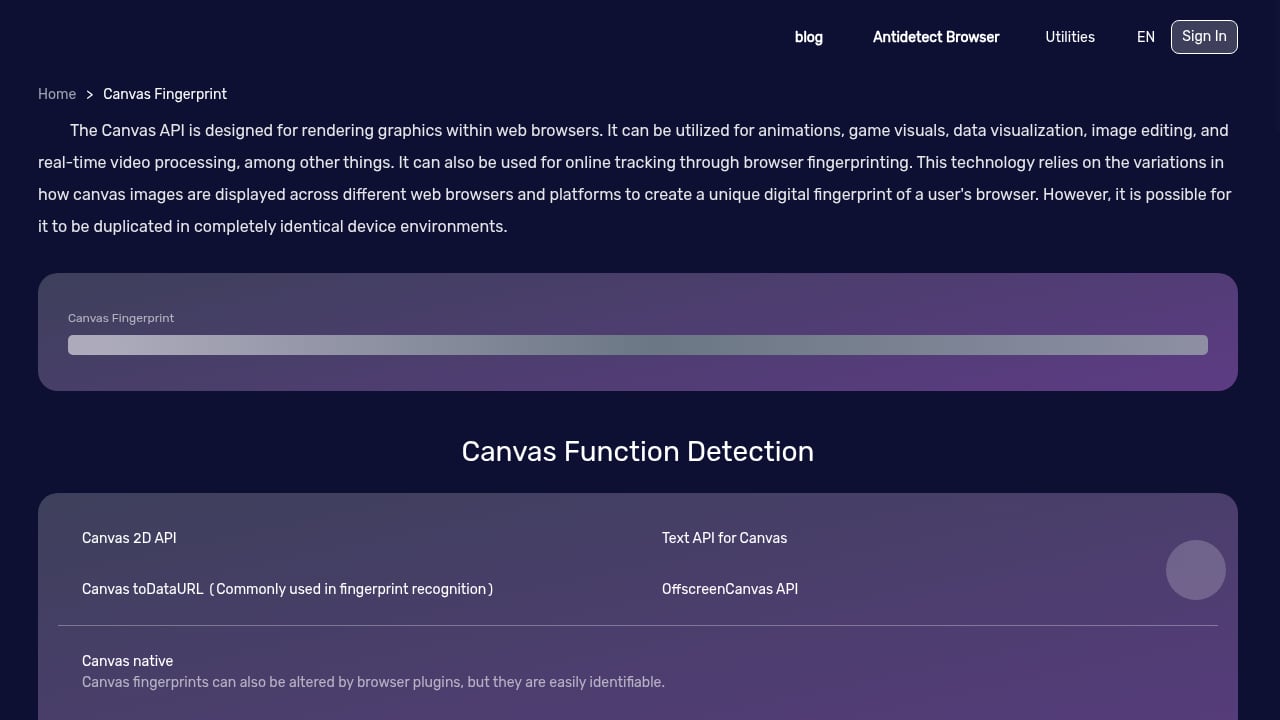
First viewport screenshot of Canvas Fingerprint.
Canvas signals appear in both defensive and commercial contexts:
- Fraud prevention: Banks and e-commerce platforms compare device signals to flag account takeovers or unusual login patterns.
- Bot detection: Security teams look for mismatches between claimed and actual rendering behavior.
- Analytics and personalization: Sites may recognize returning devices to adjust content or remember preferences.
- Advertising: Fingerprints can be shared with partners to build cross-site profiles, a practice documented in academic research such as "The Web never forgets".
The same technique can protect users or track them, depending on who runs it and why. That ambiguity is why privacy-focused browsers treat canvas access as sensitive.
How Unique Is a Canvas Fingerprint?
A canvas fingerprint alone is not a perfect identifier. Research cited on Wikipedia's canvas fingerprinting page found limited entropy in small studies, meaning many users can share the same canvas hash. Its real power comes from combination: canvas output plus screen resolution, time zone, user agent, installed fonts, WebGL data, and other signals can narrow a population down to a single device.
Newer techniques extend the idea further. DrawnApart, published in 2022, uses GPU performance characteristics to distinguish even identical GPU models, reportedly extending tracking duration significantly when combined with other methods. In short, canvas is one signal in a larger fingerprint, not a standalone tracker.
How to Check Your Own Canvas Fingerprint
First viewport screenshot of Browser Plug-in Detection - Browser Detection, Detect Browser Plug-ins, Detect Browser Enabled Plug-ins - BrowserScan.
You do not need to install anything to see what your browser exposes. Browser-based testing tools run the same drawing and hashing routines that trackers use, then show you the results.
A practical check should cover:
- Canvas and WebGL output: Your canvas signature and graphics-related signals.
- User agent and fonts: The browser and font data you broadcast.
- DNS and WebRTC leaks: Whether your real IP or DNS resolver is visible behind a VPN or proxy.
- Proxy detection: Whether your connection looks like a proxy or a normal residential session.
BrowserScan is a browser-based fingerprint detection tool that covers canvas and WebGL checks alongside DNS leak tests, WebRTC leak tests, IP checks, user agent parsing, proxy detection, port scanning, and speed testing. Because it runs in the page, there is nothing to download and no installer to verify — a useful property when fake "fingerprint tool" downloads are common. If you want to compare options before choosing, see our roundup of the top browser fingerprint detection tools for 2026, or read the BrowserScan vs BrowserCheck vs Whoer.net comparison for a feature-by-feature view.
Reading Your Results
When you run a canvas test, focus on three things:
- Signature stability. Reload the page a few times. If the hash changes on every load, your browser is randomizing canvas output — a strong privacy signal.
- Uniqueness. A signature shared by many users is less identifying than a rare one. Tools often show how common your result is.
- Consistency across contexts. Test in normal and private windows. If the fingerprint matches, clearing cookies will not reset it.
Reducing Your Canvas Exposure
If you want to shrink your fingerprint, these steps help:
- Use a browser with canvas protections. Firefox with
privacy.resistFingerprintingenabled, Brave's fingerprinting protections, and the Tor Browser all interfere with canvas reads. Tor Browser explicitly warns on canvas read attempts, as noted in its design documentation. - Install a canvas blocker. Extensions such as CanvasBlocker alter or block canvas API calls. Expect some site breakage, since legitimate graphics code uses the same API.
- Combine protections. Canvas randomization plus a reputable VPN plus DNS leak testing gives you a more consistent privacy posture than any single measure.
- Test after every change. Browser updates, new extensions, and driver updates can all shift your fingerprint. Re-run your checks to confirm the change you intended actually happened.
For multi-account and anti-detect workflows, fingerprint consistency matters as much as randomization. Our guide on using BrowserScan fingerprint detection with Nstbrowser walks through verifying that each profile presents a coherent, leak-free fingerprint.
Canvas Fingerprinting and Anti-Detect Browsers
First viewport screenshot of Browser kernel detection - Browser detection, kernel version detection, version detection, vulnerability detection - BrowserScan.
Anti-detect browsers take the opposite approach from privacy browsers: instead of hiding or randomizing fingerprints, they assign each profile a stable, plausible fingerprint. Canvas output is one of the signals they must manage, because an inconsistent canvas signature — say, one that changes every session — can itself look suspicious.
If you operate multiple profiles, test each one for:
- A canvas signature that stays stable within the profile.
- A canvas signature that differs from other profiles.
- No DNS, WebRTC, or proxy leaks that would link profiles together.
This is where a combined workflow pays off: use the anti-detect browser to shape the fingerprint, and use an independent detection tool to verify it from the outside.
Related reading
- BrowserScan vs WhatIsMyIP.com: Best Fingerprint Tool? - Compare BrowserScan and WhatIsMyIP.com for fingerprint detection, DNS and WebRTC leaks, and IP checks. See which tool fits your privacy testing needs.
Sources and further reading
- Canvas Fingerprinting: What It Is and How It Works - Learn how canvas fingerprinting works, its business applications, and how to generate unique identifiers using HTML5 Canvas.
FAQ
Is canvas fingerprinting illegal?
It depends on jurisdiction and context. In the EU, canvas fingerprinting generally requires consent under rules like the ePrivacy Directive and GDPR because it accesses information on a user's device. Enforcement varies, and many sites still deploy it without clear notice.
Can I delete a canvas fingerprint?
Not directly, because it is not stored as a file you can remove. You can change it by altering the underlying rendering stack — switching browsers, enabling canvas randomization, changing hardware or drivers — or you can prevent scripts from reading canvas data in the first place.
Does incognito mode stop canvas fingerprinting?
Usually not. Private browsing limits local storage and cookies but does not change how your GPU and fonts render graphics, so the canvas hash can remain identical.
Does a VPN hide my canvas fingerprint?
No. A VPN changes your IP address, not your rendering behavior. Canvas fingerprints are device-level signals, so you still need browser-level protections. A VPN does help with IP and DNS exposure, which is why leak testing belongs in the same workflow.
Why does my canvas fingerprint change sometimes?
Browser updates, driver updates, font changes, display scaling, and privacy extensions can all alter canvas output. Some browsers deliberately randomize it per session, which is why you should reload a test page several times before drawing conclusions.
Is canvas fingerprinting accurate enough to identify me alone?
Rarely on its own. It becomes identifying when combined with other signals such as screen size, time zone, language, and WebGL data. Treat it as one component of a broader browser fingerprint.
Conclusion
Canvas fingerprinting turns a harmless drawing API into a persistent identifier that survives cookie clearing and private browsing. You cannot delete it like a cookie, but you can measure it, change it, and reduce what it reveals. Start by running a canvas and leak test to see your current signature, then decide whether you need randomization, a blocker, or a managed anti-detect profile. Whichever path you choose, verify the result — a fingerprint you have not tested is a fingerprint you do not control.