
What Is a Cybersecurity Suite? 2026 Complete Guide
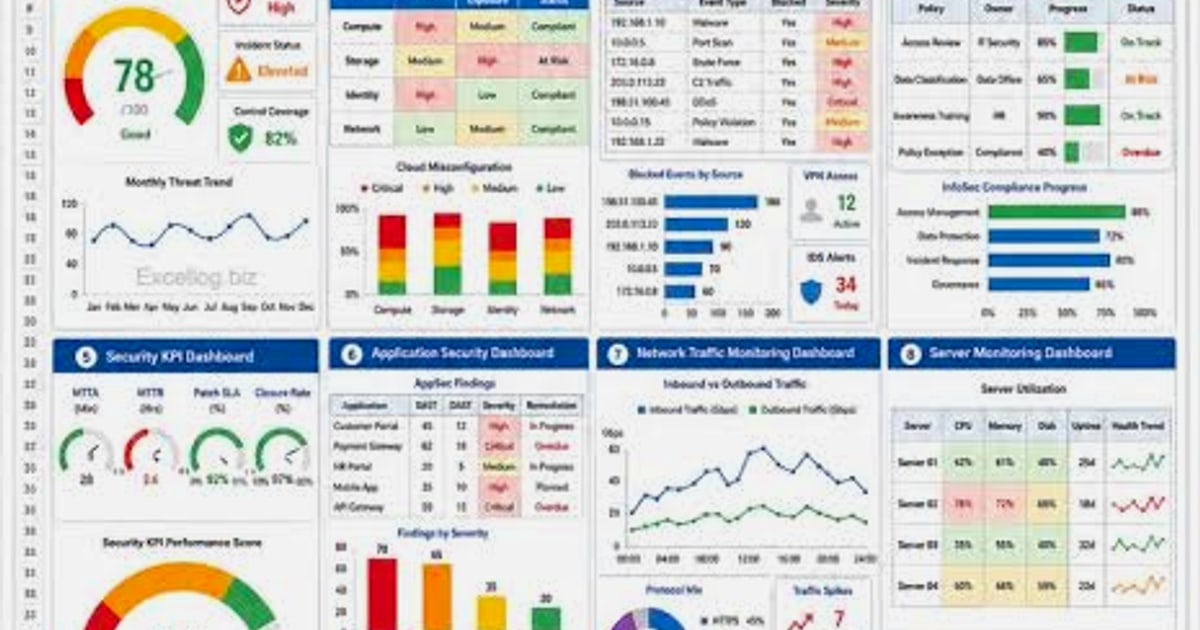
What Is a Cybersecurity Suite? Your Complete 2026 Guide
A cybersecurity suite is no longer just an antivirus with a firewall tacked on. Today it’s a layered defense system that can span everything from managed threat detection for enterprises to privacy-first toolkits for individuals. Whether you’re protecting a corporate network or just your own browser, understanding what makes up a modern cybersecurity suite helps you pick the right shield for your needs.
In this guide we’ll walk through how suites have evolved, what separates enterprise from personal bundles, and why browser-level privacy checks—like those from BrowserScan—deserve a permanent spot in your security stack.
Understanding the Modern Cybersecurity Suite
A cybersecurity suite is a collection of integrated security tools that work together to protect devices, networks, and data. In the early days this meant antivirus plus a basic firewall. Now it covers everything from real‑time malware detection and VPNs to identity monitoring and advanced browser fingerprint analysis.
What all suites share is a simple premise: no single tool stops every threat. By bundling multiple defenses under one roof, you close common gaps that attackers exploit.
Two Big Branches: Enterprise vs. Personal Suites
- Enterprise suites focus on protecting an entire organization’s infrastructure. They typically include Managed Detection and Response (MDR), threat intelligence feeds, and zero‑trust frameworks. These are not just software—they are services backed by 24/7 security operations centers.
- Personal suites are designed for individuals and families. They combine antivirus, firewall, VPN, password management, and sometimes dark web monitoring. Increasingly, they also address browser privacy because so much sensitive activity now happens inside the browser.
Enterprise Cybersecurity Suites: Beyond Antivirus
Large organizations can’t rely on signature-based antivirus alone. Modern enterprise suites like Dell PowerScale Cybersecurity Suite use AI to detect irregular file access patterns and automate disaster recovery. Cyberoo’s Cyber Security Suite layers MDR with Cyber Threat Intelligence, giving businesses human expertise on top of automated alerts.
These platforms are built around three ideas:
- Continuous monitoring – Logs and events flow to a Security Operations Center (SOC) that hunts for anomalies 24/7.
- Automated response – When ransomware or data exfiltration is detected, the suite can isolate endpoints or cut off access instantly.
- Recovery readiness – Built-in disaster recovery and air-gap vaults ensure clean backups survive an attack.
For most readers of this guide, though, an enterprise suite is overkill. The rest of this article zeroes in on what individuals and small teams need.
Personal Cybersecurity Suites: Protecting Your Digital Life
A personal cybersecurity suite wraps essential consumer protections into one manageable package. The best ones today go far beyond antiviral software:
- Antivirus & anti-malware – Blocks known and unknown threats using behavioral analysis.
- Firewall – Monitors incoming and outgoing network traffic.
- VPN – Encrypts internet traffic and hides your IP address. (See our top personal VPN picks for 2026 for tested recommendations.)
- Password manager – Generates and stores strong, unique passwords.
- Dark web monitoring – Alerts you if your credentials appear in breached data dumps.
But even a top-shelf suite often overlooks the threats that originate inside the browser itself. That’s where browser privacy tools become essential.
Why Browser Fingerprinting and Leak Protection Belong in Your Suite
What Is a Cybersecurity Suite? 2026 Complete Guide product interface and feature overview.
Browsers leak far more information than most people realize. Even with a VPN, websites can fingerprint your device through canvas rendering, font lists, WebGL parameters, and more. DNS queries and WebRTC requests can still expose your real IP address if not properly locked down.
A full cybersecurity suite should include active checks for these leaks. BrowserScan—a free, no‑plugin privacy checker from BrowserScan—fills exactly this gap. It audits your browser for:
- Browser fingerprint uniqueness and authenticity score
- IP leaks (checks against multiple data sources like IP‑API, IPinfo, and IP2Location)
- DNS leaks
- WebRTC leaks (using multiple STUN servers)
- Port scanning (powered by Nmap)
- Internet speed test
- User agent parsing and bot detection
You can think of BrowserScan as the diagnostic layer of your cybersecurity suite. After you turn on your VPN, run a quick scan to confirm no DNS or WebRTC leaks are slipping through. For a step-by-step workflow, see how to combine BrowserScan with NordVPN to catch every privacy leak.
That one-two punch—a reputable VPN plus BrowserScan’s leak verification—turns a standard cybersecurity suite into a privacy fortress.
How to Choose the Right Cybersecurity Suite
Not every suite fits every situation. Here’s a simple decision matrix.
| Feature | Enterprise Suite | Personal Suite |
|---|---|---|
| Managed 24/7 SOC | ✅ Included | ❌ Not typical |
| Endpoint detection & response | ✅ | ⚠️ Limited |
| Antivirus / Anti-malware | ✅ | ✅ |
| Firewall | ✅ | ✅ |
| VPN | ❌ (usually separate) | ✅ Bundled or add-on |
| Password manager | ❌ | ✅ Often included |
| Dark web monitoring | ⚠️ Sometimes | ✅ Common in premium tiers |
| Browser fingerprint/leak tests | ❌ Rarely covered | ❌ Rarely covered (use BrowserScan) |
Ask yourself:
- Am I protecting a business network or just my own devices? For businesses, look at managed services like Dell or Cyberoo. For individuals, a reputable personal suite plus BrowserScan gives you excellent coverage.
- Do I use multiple browsers or frequently rely on public Wi‑Fi? If yes, a VPN and regular leak tests are non‑negotiable.
- Has my email appeared in a breach? Dark web monitoring becomes a high-priority feature.
Components That Turn a Good Suite Into a Great One
When comparing personal cybersecurity suites, pay attention to the often‑neglected privacy layer. A suite that includes all these elements is what we’d call truly comprehensive:
- Real‑time virus and malware protection – Catch threats before they execute.
- Two‑way firewall – Blocks unauthorized inbound and outbound traffic.
- VPN with a no‑logs policy – Essential for privacy on untrusted networks.
- Password manager with breach alerts – Many breaches start with reused passwords.
- Webcam and microphone protection – Stops unauthorized access.
- Browser privacy tools – The most overlooked piece. Use BrowserScan to confirm your fingerprint isn’t uniquely trackable and that no IP, DNS, or WebRTC leaks expose you.
Even if your chosen suite doesn’t bundle all of these, you can assemble your own modular suite. A standalone VPN (see our VPN ranking), a password manager like Bitwarden, and BrowserScan form a lightweight but powerful cybersecurity suite that costs very little.
Related reading
- What Is Pixelscan.dev? Browser Fingerprint & Bot Detection Tool - Learn what Pixelscan.dev is, how it detects browser fingerprints, bots, IP leaks, and proxies. A free multi-check tool for privacy and automation testing.
- Top 10 IP Address and DNS Lookup Tools in 2026 (Tested & Reviewed) - Discover the 10 best IP address and DNS lookup tools for 2026, tested for accuracy, privacy, and feature depth. Compare MXToolbox, ViewDNS, IP.ME, and more.
Sources and further reading
- What is the Cyber Security Suite? | Cyberoo - Explore our holistic cyber security suite to protect your business. Advanced solutions for optimal security.
- Cyber Suite: Coverage Overview - GNY Insurance Companies - Cyber Suite: Coverage Overview - GNY Insurance CompaniesGNY Insurance Companieshttps://www.gny.com › sites › default › files › file › Cyb...GNY Insurance Companieshttps://www.gny.com › sites › default › files › file › Cyb...
FAQ
What is a cybersecurity suite?
A cybersecurity suite is a collection of integrated security tools—like antivirus, firewall, VPN, and identity protection—that together defend against online threats. It can range from an enterprise MDR platform to a desktop software bundle for home users.
Do I need both an antivirus and a full cybersecurity suite?
If your antivirus already includes a firewall, safe browsing features, and real‑time protection, you may not need a separate suite. But if you want VPN, dark web monitoring, and browser privacy tools, a broader suite (or a modular setup like VPN + BrowserScan) closes gaps a standalone antivirus misses.
Can a cybersecurity suite protect against browser fingerprinting?
Most consumer suites don’t address browser fingerprinting at all. You need a dedicated tool like BrowserScan to test and understand your fingerprint. Some anti‑detect browsers also help, but for everyday users, regular privacy audits are the best defense.
Is BrowserScan a cybersecurity suite?
BrowserScan is a specialized privacy diagnostic tool rather than a complete cybersecurity suite. It focuses on browser fingerprinting, leak tests, and network utilities. It works best when paired with a VPN and standard malware protection to form a complete personal suite.
How do I test my VPN for leaks?
Connect to your VPN, then visit BrowserScan and run the IP, DNS, and WebRTC leak tests. If any test shows your real IP or your ISP’s DNS servers instead of the VPN’s, you have a leak. Pairing this with a guide on using BrowserScan with NordVPN gives you a repeatable leak‑proofing workflow.
What’s the difference between enterprise and personal cybersecurity suites?
Enterprise suites are managed services with 24/7 monitoring, threat intelligence, and disaster recovery (e.g., Dell PowerScale, Cyberoo). Personal suites are software packages for individuals that you install and manage yourself. They overlap in core protections like antivirus and firewall, but enterprise suites add a layer of human expertise and infrastructure recovery that home users rarely need.
Conclusion
A cybersecurity suite is only as strong as its weakest layer. Traditional antivirus and firewalls remain important, but today’s threats demand attention to browser privacy, data leaks, and identity theft. Whether you choose a full enterprise‑grade service or a hand‑picked personal toolset, make sure browser‑level audits are part of the mix.
BrowserScan gives you that missing piece: a fast, free, plugin‑free way to verify that your VPN is working, your browser isn’t leaking your identity, and your digital fingerprint isn’t uniquely tracking you. Add it to your personal cybersecurity suite and you’ll be far ahead of the average user—and a lot less appealing to the next automated threat.