
Domain Lookup: How to Check WHOIS, IP & Ownership Data
Domain Lookup: How to Check WHOIS, IP & Ownership Data
A domain lookup is the process of querying public databases to find out who owns a domain name, when it was registered, when it expires, which registrar manages it, and what nameservers or IP addresses are associated with it. Whether you are investigating a suspicious website, preparing to buy an existing domain, troubleshooting a network issue, or auditing your own digital footprint, knowing how to run and interpret a domain lookup is a foundational internet skill.
This guide covers the main types of domain lookups, what each one reveals, how to protect your own registration data, and how to combine domain intelligence with broader privacy and network checks.
What Is a Domain Lookup?
Domain Lookup: How to Check WHOIS, IP & Ownership Data - What Is a Domain Lookup?.
A domain lookup is an umbrella term for several related queries:
- WHOIS lookup — retrieves registration and ownership records from the WHOIS database.
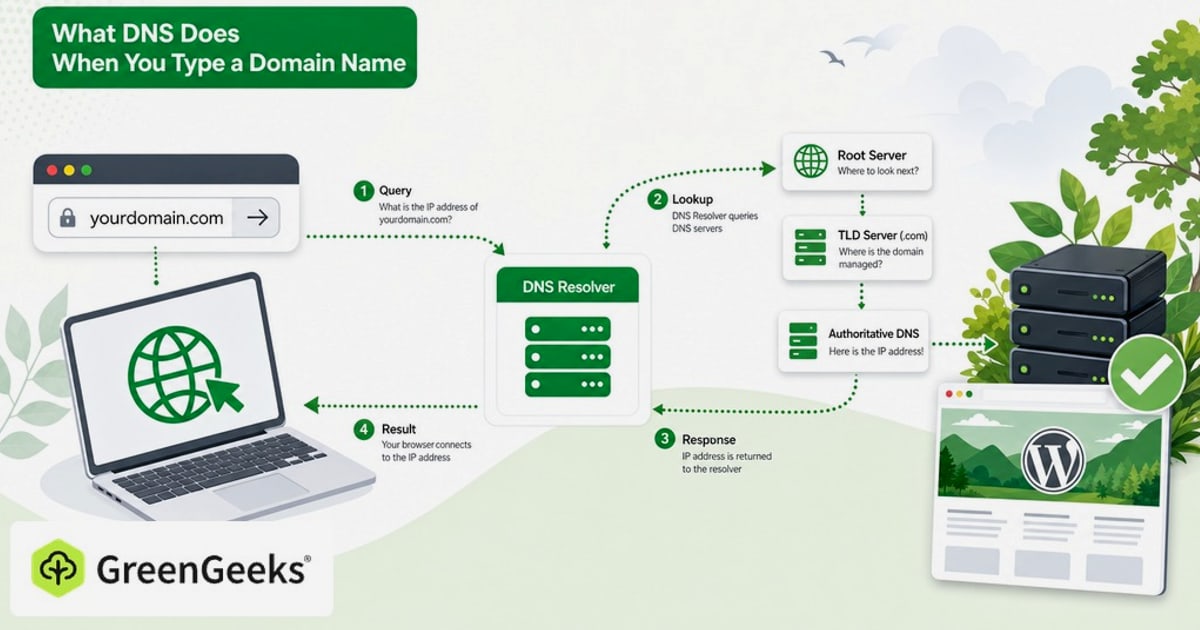
- DNS lookup — resolves a domain name to its IP address, mail servers, and other DNS records.
- IP lookup — identifies the geolocation, ISP, and network owner behind an IP address.
- Availability check — determines whether a domain name is registered or free to purchase.
Most people use "domain lookup" to mean a WHOIS search, but the broader meaning is useful because a single domain can be examined from multiple angles: who registered it, where it points, and what infrastructure sits behind it.
What a WHOIS Domain Lookup Reveals
Domain Lookup: How to Check WHOIS, IP & Ownership Data - What a WHOIS Domain Lookup Reveals.
A WHOIS lookup queries the registration database maintained by the Internet Corporation for Assigned Names and Numbers (ICANN) and individual top-level domain (TLD) registries. Depending on the TLD and privacy settings, a typical record may include:
- Registrant name and organization — the person or company that registered the domain.
- Contact details — email, phone number, and physical address, unless protected by privacy services.
- Registration dates — when the domain was created, last updated, and when it expires.
- Registrar — the company through which the domain was purchased, such as GoDaddy, Namecheap, or DNSimple.
- Nameservers — the servers responsible for resolving the domain.
- Domain status — flags such as
clientTransferProhibitedthat indicate transfer locks or pending actions.
For example, if you run a lookup on a domain that interests you, the expiration date tells you whether it may soon become available, while the registrar field tells you where the current owner manages it.
How to Run a Domain Lookup
Domain Lookup: How to Check WHOIS, IP & Ownership Data - How to Run a Domain Lookup.
You have several options for running a lookup:
1. ICANN Lookup
The ICANN Lookup tool is the authoritative starting point. It queries the registry directly and provides current registration data for domain names and internet number resources. Because it pulls from the official registry rather than a cached third-party database, it is often the most accurate source for registration status and registrar information.
2. Whois.com
Whois.com offers a free WHOIS search across hundreds of TLDs. It is a practical choice when you need a fast, readable summary of ownership, registration dates, and nameservers, especially for less common TLDs where registry-specific tools are harder to find.
3. Registrar-Specific Tools
Many registrars, such as DNSimple, provide their own WHOIS lookup pages. These tools often combine the lookup with availability checks and suggestions for similar available domains, which is helpful if your goal is to register a new name rather than investigate an existing one.
4. Command-Line WHOIS
On macOS and Linux, you can run whois example.com directly in the terminal. This queries the appropriate registry server and returns the raw record. It is fast, scriptable, and useful for bulk checks or automation.
Domain Lookup vs. IP Lookup: What Is the Difference?
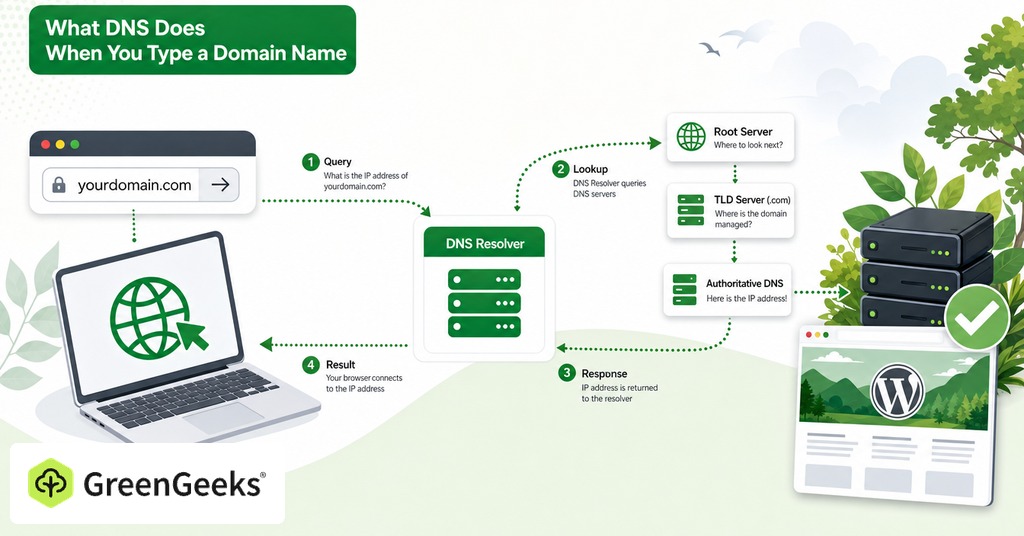
Domain Lookup: How to Check WHOIS, IP & Ownership Data - Domain Lookup vs. IP Lookup: What Is the Difference?.
A domain lookup tells you about the name. An IP lookup tells you about the machine behind it.
When you visit a website, your browser resolves the domain to an IP address through DNS. Running an IP lookup on that address can reveal:
- The hosting provider or ISP that owns the IP range.
- The approximate geographic location of the server.
- Whether the IP is flagged as a proxy, VPN, or datacenter address.
This distinction matters for security investigations. A domain may be registered anonymously, but its IP address can still expose the hosting provider or country of origin. Conversely, a domain may appear legitimate while its IP is associated with known malicious infrastructure.
For a practical walkthrough of interpreting geolocation, ISP, and proxy data, see our guide on how to use IP lookup tools effectively.
What Is WHOIS Privacy and Why Does It Matter?
When you register a domain, ICANN requires registrars to collect your name, email, phone number, and physical address. Historically, this data was published openly in the WHOIS database, which made domain owners vulnerable to spam, phishing, harassment, and identity theft.
WHOIS privacy — also called domain privacy — replaces your personal details with proxy information from a privacy provider. The domain still functions normally, but public lookups show the privacy service's contact information instead of yours.
Several factors have changed the privacy landscape:
- GDPR — Since 2018, the European Union's General Data Protection Regulation has forced many registrars and registries to redact personal data from public WHOIS records by default for individuals in the EEA.
- Registrar policies — Some registrars now include free WHOIS privacy on supported TLDs, while others charge an annual fee.
- Registry rules — Certain TLDs, such as
.usand.in, historically restricted or prohibited privacy services, though policies continue to evolve.
If you own domains, check whether privacy protection is enabled. If it is not, your home address and phone number may be one lookup away from anyone with an internet connection. For a broader view of how domain data fits into your online exposure, read our guide on understanding and reducing your digital footprint.
Why Some WHOIS Records Are Hidden
You will often run a lookup and see redacted fields such as "REDACTED FOR PRIVACY" or "Data protected by privacy service." This happens for several reasons:
- The registrant purchased privacy protection from their registrar.
- The registry redacts data to comply with GDPR or other local privacy laws.
- The TLD registry has a policy of limiting public access to certain fields.
A hidden record does not mean the domain is suspicious. Many legitimate businesses and individuals use privacy services. However, if a domain is also associated with phishing, malware, or other abuse, the combination of hidden ownership and malicious activity can be a useful signal during an investigation.
How to Check Domain Availability
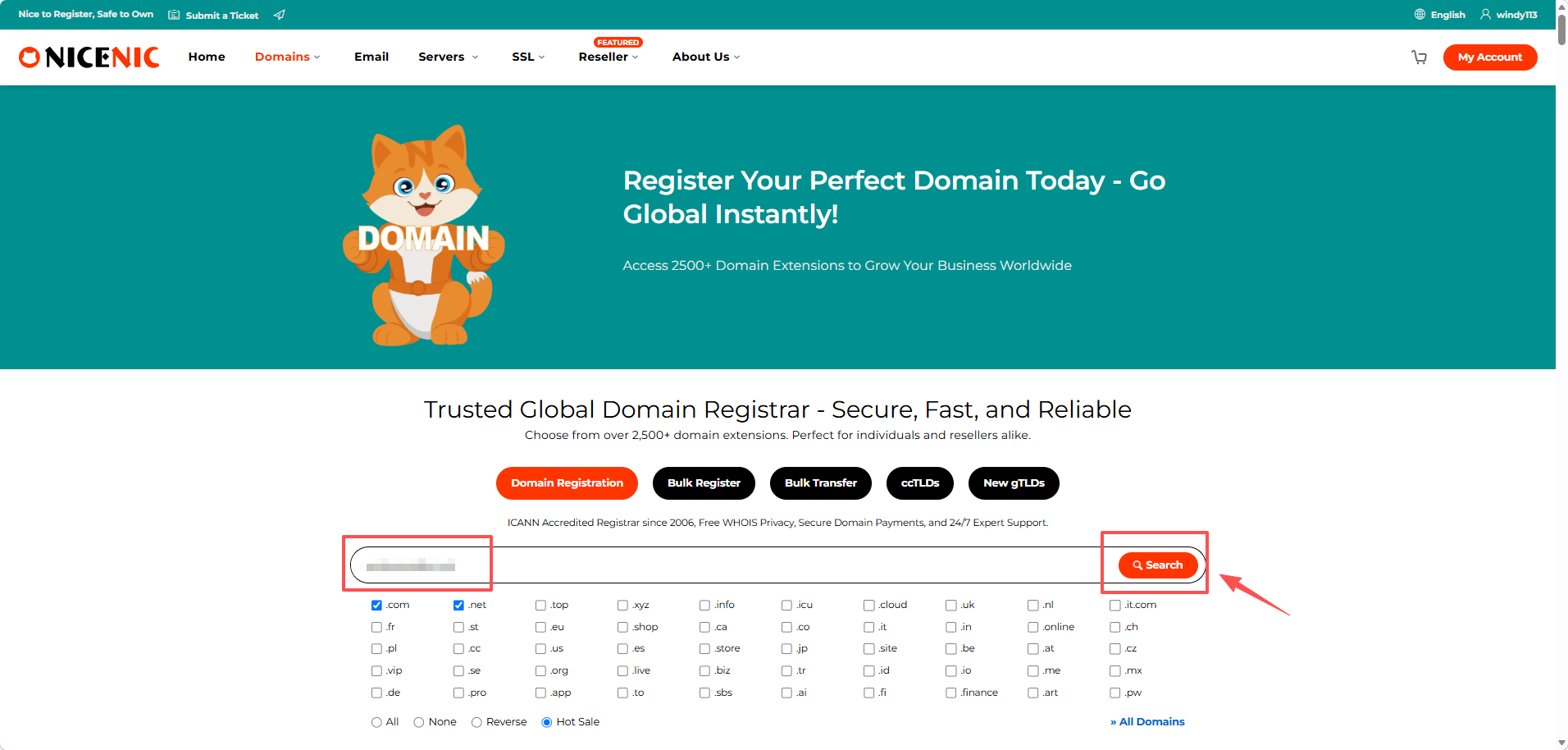
If your goal is to register a new domain, a lookup doubles as an availability check. When you query a name that is not registered, the WHOIS response typically returns a "No match" or "Domain not found" status. Most registrar tools then suggest similar available alternatives.
A few practical tips:
- Check multiple TLDs, not just
.com. A name may be taken in.combut free in.net,.io, or.co. - Use the ICANN lookup to confirm availability at the registry level before relying on a third-party suggestion tool.
- Be aware of "domain tasting" — some parties register domains temporarily to test traffic. A name that appears taken today may become available again within days.
Combining Domain Lookup with Network and Privacy Checks
A domain lookup is most useful when combined with other diagnostic tools. Here is a practical workflow for investigating a website you do not fully trust:
- Run a WHOIS lookup to see registration dates, registrar, and any visible ownership data. A domain registered days ago with hidden ownership is a common pattern in phishing campaigns.
- Run a DNS lookup to find the IP address and nameservers. Check whether the nameservers belong to a reputable DNS provider.
- Run an IP lookup to identify the hosting provider, country, and whether the IP is flagged as a proxy or VPN endpoint.
- Test your own exposure if you are concerned about how websites see you. Tools like BrowserScan let you run a DNS leak test and analyze your browser fingerprint to verify that your VPN or privacy setup is not leaking identifying information.
- Scan the target infrastructure if you have authorization. An Nmap-powered port scanner can reveal open services and potential vulnerabilities. Learn more in our guide to what Nmap is and how it works.
This layered approach turns a simple domain lookup into a meaningful security assessment.
Common Domain Lookup Mistakes to Avoid
- Assuming hidden WHOIS data means a scam — Privacy protection is legitimate and increasingly the default. Evaluate the domain in context.
- Trusting cached third-party data — Some lookup tools serve stale records. Cross-check important findings with the ICANN lookup.
- Ignoring the expiration date — A domain that expires soon may lapse and become available, but it may also auto-renew. Do not assume availability without monitoring.
- Using WHOIS contact data for unsolicited outreach — ICANN policies prohibit using WHOIS data for spam or harassment. If you want to buy a domain, use the registrar's contact form or a brokerage service where appropriate.
- Confusing domain lookup with website reputation — A clean WHOIS record does not mean the site is safe. Combine it with IP reputation, SSL certificate checks, and content review.
Related reading
- What Is Network Intelligence? A Practical Guide - Learn what network intelligence is, how it differs from DPI, key use cases, and practical ways to assess your own network security and privacy.
- What Is a Vulnerability Scanner? Types, Tools & How to Choose - Learn how vulnerability scanners work, compare network, web app, cloud, and container scanners, and find the right tool for your security needs.
Frequently Asked Questions
What is the difference between WHOIS and DNS lookup?
WHOIS reveals registration data — who owns the domain, which registrar manages it, and when it expires. DNS lookup resolves the domain to technical records such as its IP address, mail servers, and TXT records. They answer different questions: WHOIS is about ownership, DNS is about how the domain operates.
Can I find out who owns any domain?
Not always. Many registrants use privacy protection services, and GDPR has led to widespread redaction of personal data in public WHOIS records. You can often still see the registrar, registration dates, and nameservers, but personal contact details may be hidden.
Is domain lookup free?
Yes. ICANN, Whois.com, DNSimple, and most registrar tools offer free WHOIS lookups. Some commercial services charge for advanced features such as historical WHOIS records, bulk lookups, or monitoring, but a basic lookup costs nothing.
How do I hide my information from WHOIS?
Enable WHOIS privacy through your domain registrar. Many registrars include it for free on supported TLDs. Check your registrar's dashboard for a privacy or WHOIS protection setting and verify the change by running a lookup on your own domain afterward.
How long does it take for WHOIS changes to appear?
Most registrar updates propagate to the WHOIS database within 24 hours, though some registries update faster. If you change your contact details or enable privacy protection, wait a day and run a fresh lookup to confirm the change is visible.
Can a domain lookup tell me if a website is safe?
Not by itself. A domain lookup can reveal red flags such as very recent registration, hidden ownership, or suspicious nameservers, but it does not scan the site for malware or phishing content. Combine it with IP reputation checks, SSL certificate validation, and browser-based security tools for a more complete assessment.
Conclusion
A domain lookup is a simple query with surprisingly broad applications. It helps you verify ownership, check availability, investigate suspicious sites, troubleshoot DNS issues, and audit your own exposure. The key is knowing which tool to use for which question: ICANN for authoritative registration data, WHOIS services for readable summaries across TLDs, DNS lookups for technical records, and IP lookups for infrastructure intelligence.
For privacy-conscious users, the same principle applies in reverse. Just as you can look up any domain, websites and trackers can look up you — through your IP address, browser fingerprint, and DNS requests. Running regular checks on your own setup, including DNS leak tests and browser fingerprint analysis, helps you understand what your domain and network activity reveals to the outside world.