
Geolocation Service: How IP Location Lookup Works

Geolocation Service: How IP Location Lookup Works
A geolocation service answers a simple question: where is this connection coming from? Behind that simple question sits a stack of databases, network registries, and browser permissions that decide whether the answer is a city block or a country. This article explains how geolocation services work, where their accuracy comes from, and how to check what your own IP address reveals right now.
What a Geolocation Service Actually Does
Geolocation Service: How IP Location Lookup Works - What a Geolocation Service Actually Does.
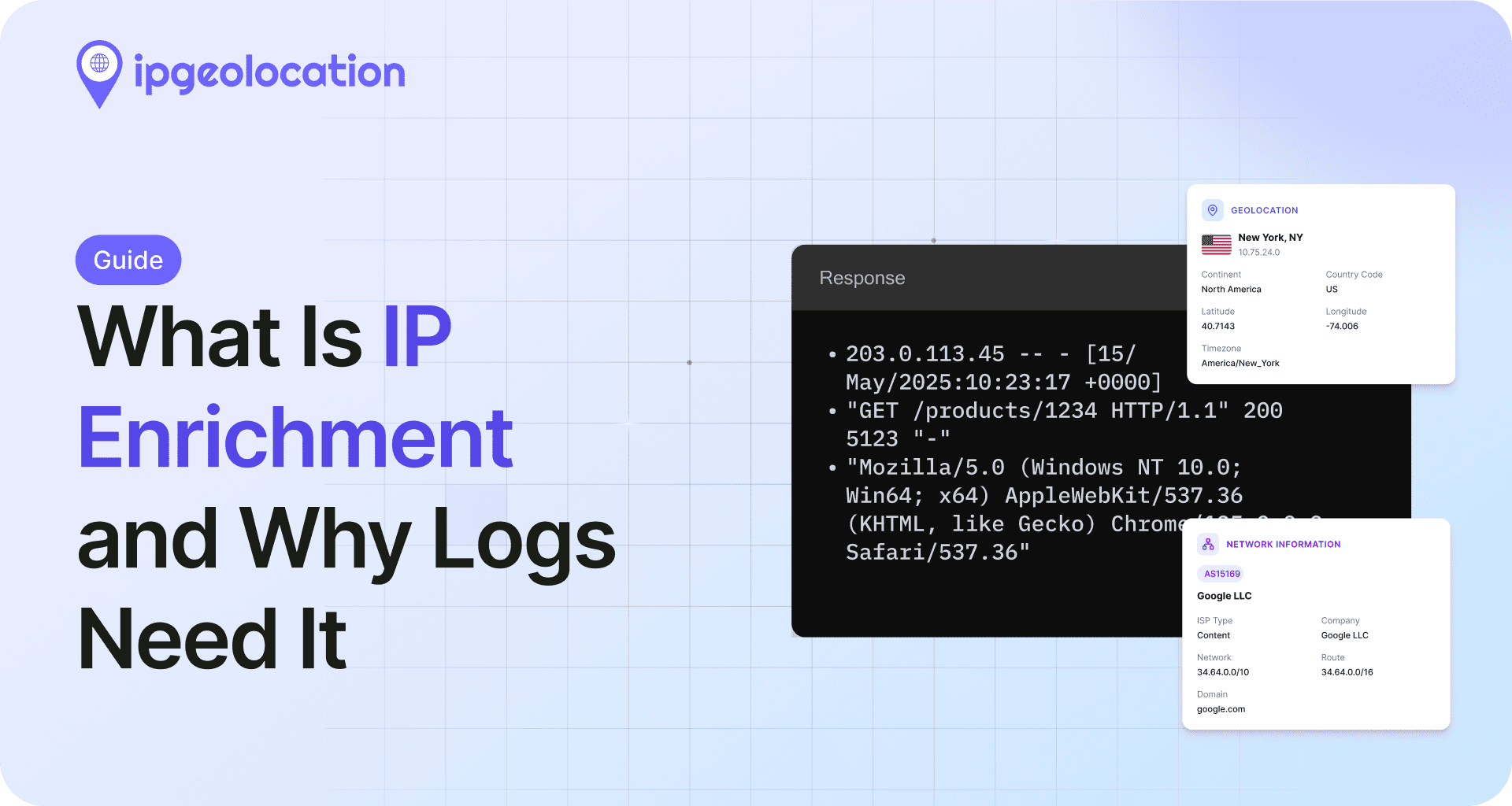
A geolocation service maps an identifier — usually an IP address — to geographic information. A typical response includes:
- Country, region, and city
- Latitude and longitude, often with an accuracy radius
- ISP or organization name and autonomous system number (ASN)
- Connection type, such as residential, hosting, or mobile
- Risk signals like proxy, VPN, Tor, or known-attacker flags
That last group matters more than most people expect. Two lookups can return the same city but very different risk profiles, which is why fraud teams treat geolocation as intelligence rather than a simple map pin.
IP Geolocation vs Browser Geolocation
These are different mechanisms that are often confused:
- IP geolocation infers location from the network address. It requires no permission and works for any visitor, but it is approximate.
- Browser geolocation uses the W3C Geolocation API, which can combine GPS, Wi-Fi, and cell data. It is far more precise, but only after the user grants explicit consent.
If you want to see the difference in practice, the Location API explained walkthrough covers browser geolocation versus IP-based lookup, including code examples and privacy limits.
Geolocation vs Geocoding
Geocoding converts an address into coordinates. Reverse geocoding converts coordinates back into a readable address. Geolocation is the broader process of determining where a device is. Map apps rely on geocoding; geolocation services rely on network data.
How an IP Address Becomes a Location
Geolocation Service: How IP Location Lookup Works - How an IP Address Becomes a Location.
No central authority publishes a live map of every device. Instead, providers assemble location data from several sources:
- Regional internet registries (RIRs). RIPE, ARIN, APNIC, LACNIC, and AFRINIC record which organization owns each IP block and in which country it is registered.
- Network routing data. BGP announcements show where blocks are actually routed, which can differ from registration records.
- ISP and user-submitted data. Providers refine city-level accuracy using information from ISPs and corrections submitted by users.
- Latency and triangulation. Some services estimate distance by measuring round-trip time to known servers.
- Wi-Fi and cell databases. Mobile devices contribute anonymized access-point locations that improve urban accuracy.
Because these sources update at different speeds, discrepancies are normal. A block registered in one country may be routed through another, and a data-center IP may appear in a city where the provider has no physical presence at all.
Why Accuracy Varies So Much

Geolocation Service: How IP Location Lookup Works - Why Accuracy Varies So Much.
Accuracy depends on the address type and the network behind it:
| Connection type | Typical accuracy | Why |
|---|---|---|
| Residential broadband | City or neighborhood | Stable blocks tied to a local ISP |
| Mobile carrier | Region or metro area | Traffic exits through centralized gateways |
| Hosting or cloud | Data-center city | Servers are registered where the facility sits |
| VPN or proxy | Exit server location | The visible IP belongs to the provider, not the user |
| Tor exit node | Country only | Exit nodes rotate and are intentionally opaque |
The accuracy radius field exists for exactly this reason. A result with a 5 km radius is a different claim than one with a 500 km radius, even if both name the same city.
For a deeper look at how address families affect results, see IPv4 vs IPv6 geolocation, which explains why the same device can appear in two different places depending on which protocol it uses.
What Your IP Reveals About You

Geolocation Service: How IP Location Lookup Works - What Your IP Reveals About You.
Run a lookup on your own connection and you will usually see your ISP, your approximate city, and your connection type. If you are behind a VPN, proxy, or hosting provider, that shows up too — sometimes with a confidence score.
This is where a privacy check becomes useful. BrowserScan's free IP address lookup returns geolocation, ISP, and proxy detection data for your current connection, so you can confirm whether your VPN is presenting the location you expect. Pair it with a DNS and WebRTC leak test to catch cases where the tunnel hides your IP but a secondary request still exposes it.
A quick verification routine:
- Look up your IP and note the country, city, and ISP.
- Check whether the result matches your VPN's advertised exit location.
- Run a DNS leak test and a WebRTC leak test.
- Compare results with the VPN connected and disconnected.
- If your real region appears while connected, treat the tunnel as misconfigured.
Choosing a Geolocation Service or API
If you are building something rather than checking your own connection, the decision usually comes down to data depth and update frequency.
Free databases such as the IP2Location LITE and IP2Proxy LITE sets are good for country-level logic, basic routing, and prototypes. They ship as downloadable files and require you to handle updates yourself.
Hosted APIs return JSON over HTTP and handle updates for you. A response typically includes location, network, currency, time zone, and security fields. The IPWHOIS.io review breaks down one free option, including endpoints, rate limits, and how to validate the data it returns.
Commercial intelligence platforms target fraud and compliance teams. MaxMind is a well-known example, combining GeoIP data with proxy detection and a fraud scoring API. IPGeolocation.io publishes sample responses that include threat scores, proxy provider names, and VPN confidence values — useful when you need to know not just where a visitor is, but how risky the connection looks.
Questions worth asking any provider:
- How often is the database refreshed?
- Does it expose an accuracy radius or confidence level?
- Are proxy, VPN, and hosting flags included?
- What is the correction process when data is wrong?
- What are the licensing terms for storing and redistributing results?
If you want to inspect a single address by hand before committing to an API, the IP-Lookup.net tutorial shows how to read geolocation, ISP, and proxy fields and where manual lookups tend to mislead.
Common Use Cases
- Content localization. Serving the right language, currency, and legal notices without asking the user anything.
- Fraud prevention. Flagging mismatches between billing address, IP location, and connection type.
- Compliance. Applying regional rules such as GDPR or digital rights restrictions.
- Security operations. Identifying traffic from hosting ranges, Tor exits, or known attackers.
- Ad verification. Confirming that impressions come from the intended market.
- Privacy testing. Checking whether a VPN, proxy, or browser configuration is leaking your real region.
Limitations Worth Knowing
Geolocation is probabilistic, not authoritative. It should never be the sole basis for a high-stakes decision such as denying an account or blocking a country outright. Mobile users legitimately appear in a different city than they live in. Corporate networks route traffic through headquarters. VPN users appear wherever their exit server sits.
Treat geolocation as one signal among several, and always record the confidence level alongside the result.
Related reading
- PrivacyTools.io Login: What It Is and How to Verify Privacy - PrivacyTools.io has no login. Learn what the site actually offers, why no account is needed, and how to verify your browser and network privacy for free.
- IPhey Login: Access Your Browser Fingerprint Test - IPhey login guide: sign in or run the IPhey browser fingerprint test instantly, understand your trust score, and verify leaks with BrowserScan.
- Cloud VPN Explained: How It Works & How to Verify It - Learn what a cloud VPN is, how it differs from traditional VPNs, and how to test your tunnel for DNS, WebRTC, and IP leaks with free tools.
Sources and further reading
- Geolocation: Geolocate the Location of an IP Address - Free service to geolocate a visitor\
FAQ
Is IP geolocation legal?
Yes, in most jurisdictions. An IP address is generally treated as personal data under privacy laws such as GDPR, so you should have a lawful basis for collecting and storing it, and you should disclose the practice in your privacy policy.
How accurate is IP geolocation?
Country-level accuracy is typically very high. City-level accuracy is good for residential connections and much weaker for mobile, hosting, and VPN traffic. Always check the accuracy radius or confidence field rather than assuming a precise location.
Can a website find my exact address?
Not from an IP address alone. Precise location requires browser geolocation with your explicit permission, and even then you can deny or revoke access at any time.
Why does my IP show a different city than where I live?
Your ISP may route traffic through a regional gateway, or your IP block may be registered in a nearby hub city. Mobile carriers and VPNs make this especially common.
Does a VPN change my geolocation?
It changes the IP address that sites see, so geolocation results reflect the VPN server's location. If DNS or WebRTC requests bypass the tunnel, your real region can still leak, which is why leak testing matters.
What is the difference between a geolocation service and a geolocation API?
A geolocation service is the underlying capability of mapping addresses to locations. An API is one way to access it programmatically, usually returning JSON over HTTP.
Conclusion
A geolocation service is only as good as its data sources and as honest as its confidence values. For everyday users, the practical takeaway is simple: look up your own IP, compare it against what you expect your VPN to show, and run leak tests to confirm nothing slips past the tunnel. For developers, the takeaway is to pick a provider based on update frequency, risk signals, and licensing — then validate the results against real traffic before trusting them in production.