
IP-Lookup.net Login: Do You Need an Account?

IP-Lookup.net Login: Do You Need an Account to Use It?
If you searched for "IP-Lookup.net login," you are probably trying to figure out whether the service requires an account, where to sign in, or how to access your lookup history. The short answer is that IP-Lookup.net is designed as a no-sign-up utility. You can run IP address lookups, check your current public IP, and review geolocation, ISP, ASN, and WHOIS data without creating an account or logging in.
This guide explains how the tool works, what you actually get without a login, when an account might still be useful, and how to verify that your VPN or proxy is not leaking your real IP.
Does IP-Lookup.net Require a Login?
No. The core tools on IP-Lookup.net work without registration. The site describes its IP lookup as "instant, no sign-up," and the What Is My IP page automatically detects your public IP address, country, region, city, ISP, organization, ASN, timezone, and approximate coordinates as soon as the page loads.
What this means in practice:
- No username or password is required for IP lookups.
- No email verification is needed to query an IPv4 or IPv6 address.
- No dashboard stores your past lookups by default.
- No billing or subscription gates the main lookup features.
The only browser-level choice the site mentions is optional analytics consent. That preference is stored locally in your browser, not in a user account.
What You Can Do Without an Account

IP-Lookup.net Login: Do You Need an Account? - What You Can Do Without an Account.
Because there is no login wall, you can immediately use the following features:
1. Look Up Any IPv4 or IPv6 Address
The main IP lookup tool accepts any public IPv4 or IPv6 address and returns:
- City-level location on a map
- Internet service provider
- Autonomous system number (ASN)
- Reverse DNS hostname
- WHOIS owner and abuse contact
- Proxy or VPN risk score
This is useful when you want to check where a suspicious connection originated, validate a server IP, or investigate an email header.
2. Check Your Current Public IP
The What Is My IP page shows the address your browser is currently exposing to the internet. It also displays the ISP, organization, ASN, timezone, and approximate coordinates associated with that address.
3. Compare IPv4 and IPv6 Behavior
IP-Lookup.net separates its main lookup from an IPv6-specific check. If your connection supports IPv6, you can verify whether your browser is actually using an IPv6 address or falling back to IPv4.
Why Some Users Look for a Login Anyway

IP-Lookup.net Login: Do You Need an Account? - Why Some Users Look for a Login Anyway.
Even though IP-Lookup.net does not require an account, people often search for a login for a few understandable reasons:
- They want to save lookup history for later review.
- They assume all online tools require registration.
- They confuse IP-Lookup.net with a different service that does have accounts.
- They are looking for API access, which typically does require a key or account on many platforms.
If you need saved history, team sharing, or API automation, a no-login web tool will feel limited. In that case, you may want to consider a dedicated IP intelligence API or a security platform that offers account-based features.
How to Use IP-Lookup.net Step by Step
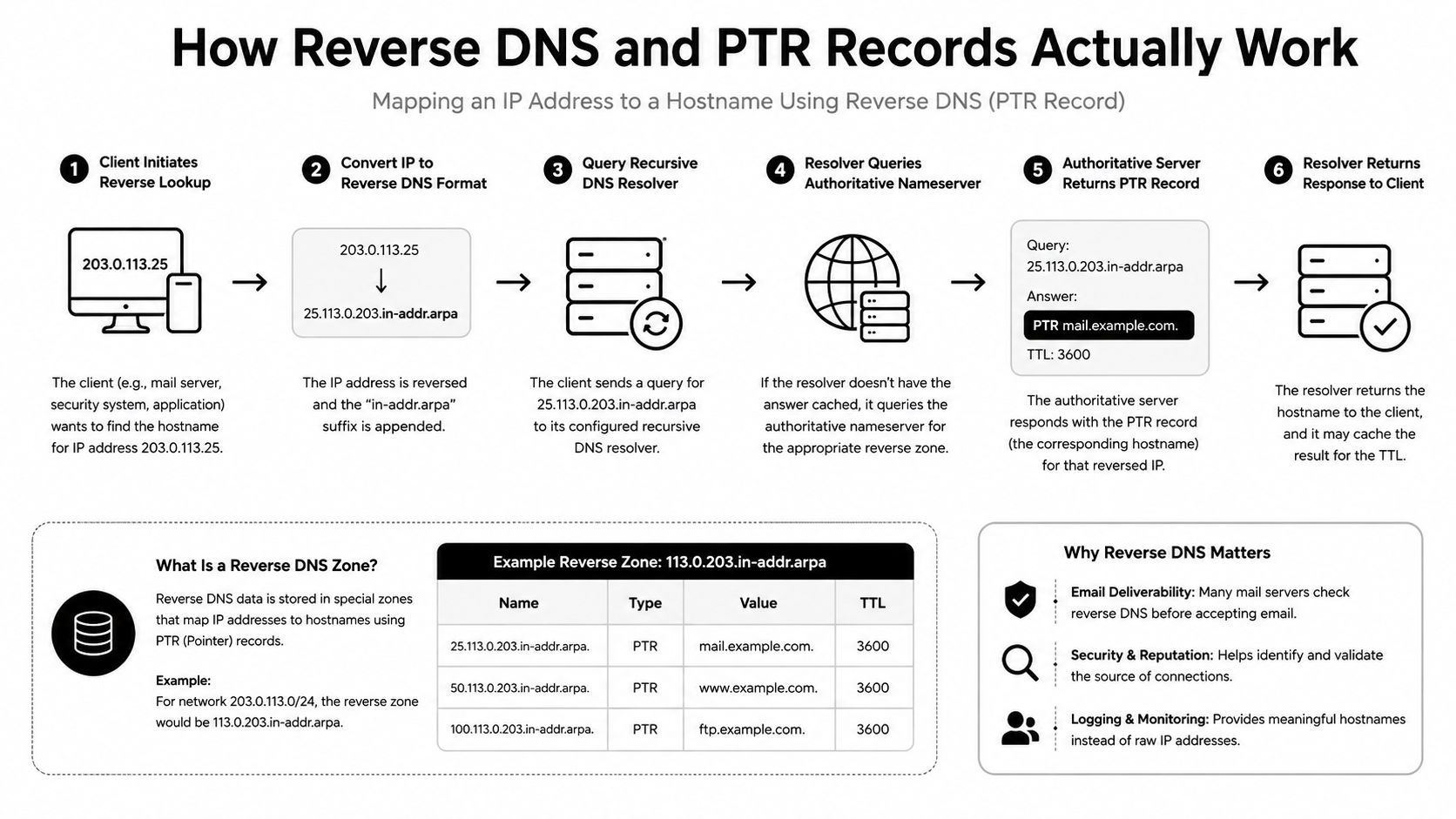
IP-Lookup.net Login: Do You Need an Account? - How to Use IP-Lookup.net Step by Step.
Here is the fastest workflow for a manual lookup:
- Open ip-lookup.net.
- Enter an IPv4 address, IPv6 address, domain, or URL into the lookup field.
- Review the location, ISP, ASN, reverse DNS, and WHOIS results.
- Note the proxy or VPN risk score if you are investigating a potentially masked connection.
- To check your own connection, open the What Is My IP page and compare the displayed address with the one your VPN app claims to assign.
No sign-in step is involved at any point.
How to Verify Your VPN Is Not Leaking Your Real IP
One of the most common reasons people look up their IP is to confirm that a VPN or proxy is working. A lookup alone is not enough, because it only shows the address your browser presents to that specific site. Leaks can happen through other channels.
A more reliable verification routine combines an IP lookup with leak tests:
- Check your public IP on IP-Lookup.net while your VPN is connected. It should show the VPN server's location, not your home city.
- Run a DNS leak test to confirm your DNS queries are not going to your ISP's resolver.
- Run a WebRTC leak test to make sure your browser is not exposing your real local or public IP through WebRTC.
- Check your browser fingerprint to see whether your browser configuration is still uniquely identifiable even when your IP is masked.
BrowserScan offers a free suite of browser-based tests for exactly this purpose. Its DNS and WebRTC leak tests help you confirm that your VPN is not silently exposing your real IP address, while its browser fingerprint analysis checks whether your browser profile still looks authentic or stands out to tracking scripts.
For a step-by-step walkthrough of how these checks fit together, see the BrowserScan tutorial on checking your browser fingerprint and leaks.
IP-Lookup.net vs. Account-Based IP Intelligence Tools
If you are evaluating whether to stick with a no-login tool or move to something with an account, here is a practical comparison.
| Feature | IP-Lookup.net | Account-based IP intelligence platforms |
|---|---|---|
| Login required | No | Usually yes |
| Manual IP lookup | Yes | Yes |
| Bulk lookup | Limited | Yes |
| API access | Not the main focus | Yes |
| Saved history | No | Yes |
| Risk scoring | Basic proxy/VPN signal | Often more detailed |
| Cost | Free | Free tier or paid plans |
For one-off checks, IP-Lookup.net is hard to beat because there is zero friction. For ongoing monitoring, automation, or team workflows, an account-based service or a security monitoring setup makes more sense. If your organization needs to track network exposure over time, review the practical guide to continuous security monitoring.
What the IP Lookup Data Actually Tells You
Understanding the results helps you avoid misinterpreting the data.
Geolocation Is Approximate
An IP address can indicate the approximate city or region registered to an ISP. It does not reveal a precise street address. Accuracy varies by ISP and region, and mobile connections can appear in a different city entirely.
ISP and ASN Identify the Network Owner
The ISP field shows which provider controls the address block. The ASN identifies the autonomous system that announces the route. This is useful for identifying hosting providers, VPN exit nodes, or corporate networks.
Proxy and VPN Risk Scores Are Signals, Not Proof
A risk score suggests that an address may belong to a datacenter, VPN provider, or proxy service. It is a heuristic, not a definitive judgment. Legitimate users can appear on datacenter IPs, and malicious actors can use residential IPs.
Related reading
- Mozilla VPN Review: Features, Privacy, and Setup Guide - Learn how Mozilla VPN works, its WireGuard-based privacy features, supported devices, pricing, and how to verify your connection with leak tests.
- Nmap: The Network Mapper Free Security Scanner Login & Setup - Learn whether Nmap requires a login, how to download and install the free security scanner on Windows, macOS, and Linux, and how to run your first scan.
Sources and further reading
- IP Lookup: Check IP Address Location, ISP & ASN - IP Location - Use IP Lookup as an IP checker to verify any IPv4 or IPv6 address, domain, or URL and review location, ISP, ASN, hostname, VPN/proxy signals, and provider ...
Frequently Asked Questions
Is there an IP-Lookup.net login page?
No. IP-Lookup.net does not have a login page because it does not require user accounts for its core IP lookup and What Is My IP tools.
Can I save my IP lookup history on IP-Lookup.net?
Not through a built-in account feature. The site does not offer a user dashboard. If you need saved history, you would need to record results manually or use an account-based alternative.
Does IP-Lookup.net offer an API?
The public site focuses on manual lookups. If you need programmatic access, look for a dedicated IP geolocation or threat intelligence API that provides an API key through an account.
Is IP-Lookup.net free?
Yes. The IP lookup and What Is My IP tools are free to use without registration.
Can IP-Lookup.net tell me my exact location?
No. It shows approximate city-level or region-level geolocation based on ISP data. It cannot identify your street address.
How do I hide my IP address?
Common methods include a VPN, a proxy server, or the Tor network. Each routes your traffic through an intermediary server so websites see the intermediary's IP instead of yours.
What is the difference between a static and dynamic IP?
A static IP stays the same and is typically assigned to servers or business connections. A dynamic IP is assigned by your ISP each time you connect and may change periodically. Most home broadband connections use dynamic IPs.
Conclusion
There is no IP-Lookup.net login to find because the service is intentionally account-free. You can look up any IPv4 or IPv6 address, check your current public IP, and review ISP, ASN, WHOIS, and risk data without signing up. That makes it a fast choice for one-off checks.
For deeper verification, pair an IP lookup with DNS and WebRTC leak tests and a browser fingerprint check. Tools like BrowserScan cover those additional layers without installation, helping you confirm that your VPN or proxy is actually protecting your real identity. If you need saved history, bulk lookups, or API access, an account-based IP intelligence platform will be a better fit.