
IP-Lookup.net Review: Free IP Lookup, WHOIS & Risk Detection
IP-Lookup.net Review: Free IP Lookup, WHOIS & Risk Detection
IP-Lookup.net promises instant, no‑sign‑up IP intelligence—geolocation, ISP, domain ownership, and a built‑in proxy‑or‑VPN risk score. At BrowserScan, we road‑test such tools for network admins, security analysts, and privacy‑conscious users. This review breaks down exactly what you get, where the tool shines, its limits, and who should keep it in their daily workflow.
What Is IP-Lookup.net?
IP-Lookup.net Review: Free IP Lookup, WHOIS & Risk Detection product interface and feature overview.
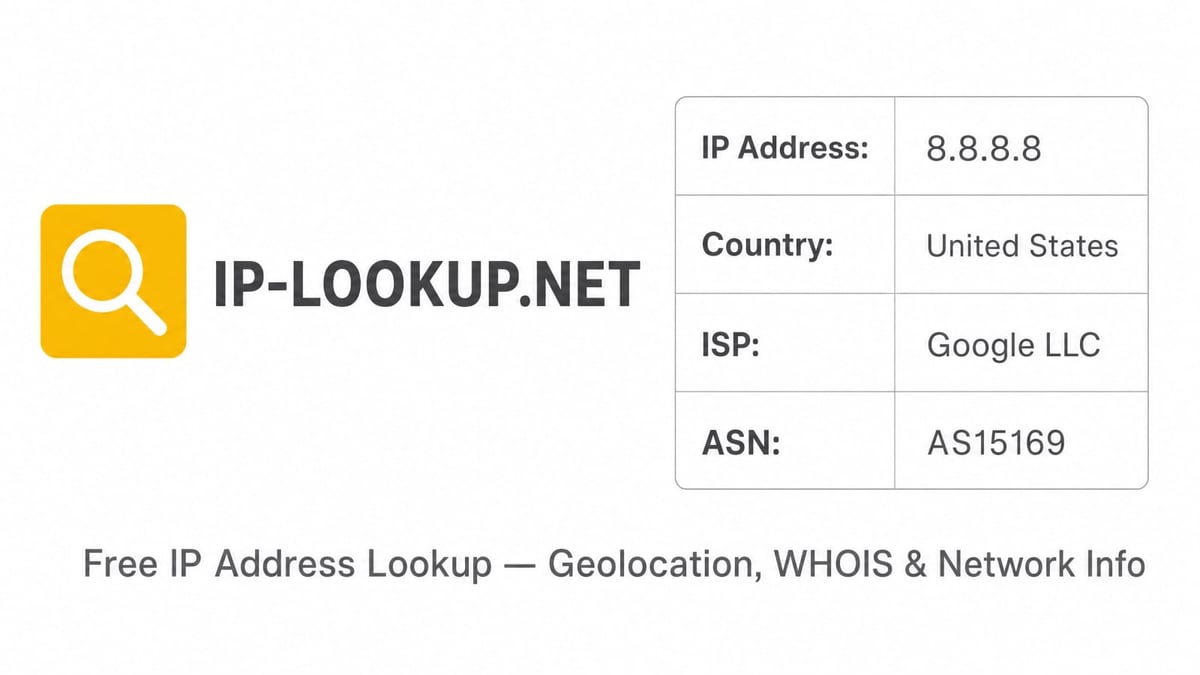
IP-Lookup.net is a free, web‑based platform that delivers on‑demand IPv4 and IPv6 intelligence. It pulls together multiple data points for any public IP: a city‑level map, the Internet service provider (ISP), autonomous system number (ASN), reverse DNS hostname, and the administrative and technical contacts from WHOIS/RDAP. A built‑in risk signal even flags addresses linked to proxies, VPNs, or hosting providers.
Beyond the core lookup, the site offers a small suite of companion tools: DNS leak test, CIDR subnet calculator, reverse IP lookup, domain lookup, and an ASN lookup. A public JSON API exists for developers who need to integrate IP data into their own apps, with free API keys that raise daily request limits.
The service is deliberately kept frictionless—no account creation, no credit card, and a multiple‑language interface (English, Spanish, Chinese). You just paste an IP and press enter.
Key Features at a Glance
- IPv4 & IPv6 Support – Works with both address families equally well.
- Geolocation Map – Shows an approximate city‑level position, along with coordinates, region, and country.
- ISP and ASN Details – Displays the organisation that manages the IP block and its autonomous system number.
- Reverse DNS & Hostname – Reveals the PTR record, helpful for identifying server infrastructure.
- WHOIS/RDAP Ownership – Surfaces owner and abuse contact information, including registration dates.
- Risk Score – A simple indicator that suggests whether the IP is likely a proxy, VPN, or server‑farm address.
- Developer API – Offers a free key system for programmatic access; returns JSON with the same dataset.
- Extra Tools – DNS leak test, CIDR calculator, reverse IP/domain lookup, and ASN lookup—all on the same domain.
Hands‑On: How to Use IP-Lookup.net
IP-Lookup.net Review: Free IP Lookup, WHOIS & Risk Detection - supporting product research image 2.
Using the tool takes seconds:
- Visit IP-Lookup.net.
- Paste any IPv4 or IPv6 address into the search bar (your own public IP is automatically displayed when the page loads).
- You instantly see the location map, ISP, ASN, reverse DNS, and the WHOIS snippet.
- Click through the tabs to inspect the full WHOIS record or run one of the companion tools.
No sign‑up is required for manual lookups. If you need the API, simply request a free key via the Developer API page, which lifts the default daily call limit and lets you query directly from a terminal or script.
Strengths: What IP-Lookup.net Does Well
IP-Lookup.net Review: Free IP Lookup, WHOIS & Risk Detection - supporting product research image 3.
Immediate, Frustration‑Free Results
Because there is no registration hurdle, IP-Lookup.net is perfect for one‑off checks. You can quickly verify that a VPN is working correctly—if you’re using a service like NordVPN that masks your address, the tool immediately shows the new location and ISP, letting you confirm no real IP leaks. The risk score also tells you whether the applied VPN address is being recognised as a proxy, which matters for sites that block such traffic.
Clean Data Presentation
The location map, ISP block, and WHOIS summary appear on a single page without clutter. Each data field is labelled plainly, making the tool accessible even to less technical users who only want the city and ISP of a suspicious email, log entry, or online connection.
Multi‑purpose Toolbox
The supplementary network tools prevent you from juggling five different bookmarks. A network engineer can look up the IP of a gateway, use the CIDR calculator to validate a subnet mask, run a reverse IP lookup to see which domains share the same server, and then quickly check whether the ISP’s DNS is leaking—all within the same interface.
Transparent About Limitations
The site openly states that geolocation is approximate (based on network allocation data), not GPS‑level. This honesty is valuable; many free IP tools oversell their precision.
Limitations and Accuracy Considerations
Geolocation Is City‑Level Only
IP-Lookup.net cannot pinpoint a street or neighbourhood. For most real‑world tasks—fraud screening, content geo‑blocking, rough traffic analysis—city‑level is enough, but anyone expecting precise device coordinates will be disappointed.
VPN/Proxy Detection Is Only a Signal
The risk score is a helpful first filter, but it isn’t a full‑fledged threat intelligence engine. Sophisticated VPNs or residential proxy networks can route through legitimate‑looking consumer IPs and may not trigger the warning. For truly rigorous proxy detection, you would need a dedicated browser fingerprint check (like the one covered in our Pixelscan.dev review) to spot audio context mismatches or WebRTC inconsistencies.
API Quotas and Lack of SLA
While the JSON API is free, the documentation doesn’t advertise a public service‑level agreement. Daily limits exist (though a key significantly increases them), and there are no guaranteed uptime commitments. Production applications that depend on latency‑sensitive IP intelligence should consider a commercial geolocation API—our ranking of the top IP geolocation APIs offers reliable alternatives with enterprise support.
No Bulk Lookups
The web interface processes one address at a time. The API can be called repeatedly, but there is no CSV upload or batch endpoint. This makes the tool less suited for SOC analysts who need to investigate hundreds of IPs from a daily threat feed.
WHOIS Data Completeness
WHOIS lookups depend on registrars’ databases. Some records may be redacted for privacy, and RDAP availability varies by region. In a few tests, the ownership fields were sparse for addresses from certain Asia‑Pacific RIRs, though the ISP and ASN were always present.
Developer API and Integration
Developers can request a free API key directly on IP-Lookup.net. Once issued, you append ?key=YOUR_KEY to requests:
curl https://api.ip-lookup.net/v1/8.8.8.8?key=YOUR_KEY
A JSON response returns location, ISP, ASN, reverse DNS, WHOIS summary, and the risk score. The structure mirrors the web interface, making integration into scripts or security orchestration tools straightforward. Keep in mind the daily quota—if you suddenly receive thousands of alerts, you might hit the ceiling and need a fallback. For high‑volume automation, the commercial APIs we evaluated in our IP geolocation roundup are better positioned.
IP-Lookup.net vs. Alternative IP Lookup Tools
IP-Lookup.net Review: Free IP Lookup, WHOIS & Risk Detection - supporting product research image 4.
| Feature | IP-Lookup.net | NordVPN IP Lookup | WhatIsMyIPAddress.com |
|---|---|---|---|
| Sign‑up required | No | No | No |
| IPv6 support | Yes | Yes | Yes |
| Risk/proxy scoring | Yes (built‑in) | No | Limited (blacklist check) |
| WHOIS ownership | Yes (full record) | Basic location + ISP only | Yes (detailed) |
| Additional tools | DNS leak test, CIDR, reverse IP, ASN lookup | None (standalone IP tool) | Several (traceroute, DNS tools) |
| API availability | Free JSON API with key | Not available on the free lookup page | Paid commercial API |
NordVPN’s IP lookup is a polished, no‑frills search that’s excellent for a quick glance at location and ISP, but it lacks the risk score and WHOIS depth that IP-Lookup.net provides. WhatIsMyIPAddress.com offers richer blacklist and abuse‑reporting integrations, though its free interface includes more ads and promotes a paid “IP Monitor.” IP-Lookup.net strikes a unique balance: a clean, single‑page result with a built‑in risk signal and an honest disclaimer about accuracy.
Ideal Users and Use Cases
- Home Users and Remote Workers – When you need to confirm that your VPN is working, check whether your ISP’s DNS is leaking, or look up a suspicious IP from an email header, IP-Lookup.net delivers instant, readable information without any learning curve.
- Network and System Administrators – The CIDR calculator, reverse IP lookup, and ASN search save time during routine troubleshooting. The risk flag can quickly highlight if a problematic connection originates from a known hosting or proxy range.
- Privacy‑Conscious Users – By pairing IP-Lookup.net with a browser fingerprint audit tool (see our BrowserScan vs. Pixelscan comparison), you can double‑check that no geographical or device fingerprint inconsistencies leak your real identity when using privacy tools.
- Developers Prototyping a Feature – The free, zero‑setup API is ideal for testing geolocation logic before committing to a paid service. Just don’t rely on it for production workloads that demand strict uptime.
Pricing: Is It Really Free?
The manual lookup interface and all companion tools are completely free, with no visible ads intruding on the result page in our tests. The API is also free, though a capped daily limit applies without a key. Obtaining a free API key increases the limit substantially; no paid tiers were advertised at the time of writing. If the project introduces a paid plan later, the value of a no‑strings‑attached manual lookup tool would remain intact for the majority of users.
Related reading
- How to Use BrowserScan with IPWHOIS.io - Combine BrowserScan's privacy tests with IPWHOIS.io's IP geolocation API to verify IP leaks, detect VPNs, and enrich threat data. Practical workflow and examples.
Sources and further reading
- Instant IP Address Lookup - Lookup details about an IP address including location, ISP, hostname, type, proxy, blacklist status and more. Trace, Track and Locate an IP address.
- Free IP address lookup tool: Find your IP address geolocation - NordVPN - Free IP address lookup tool: Find your IP address geolocation - NordVPNNordVPNhttps://nordvpn.com › ip-lookupNordVPNhttps://nordvpn.com › ip-lookup
Frequently Asked Questions
Does IP-Lookup.net store my queried IP addresses?
The platform’s privacy policy explains that visitor analytics are collected, but it does not publicly log or expose the IPs you search. As always, treat any third‑party service with caution if you’re handling highly sensitive addresses.
How accurate is the location?
City‑level accuracy is generally good—often within a few dozen kilometres of the real ISP access point. However, mobile networks, satellite links, and corporate VPNs can skew the result to a different city entirely. Use the location as an indicator, not a forensic fact.
Can IP-Lookup.net detect all VPNs?
No. The risk score can flag many public VPN server IPs, datacenter proxies, and hosting ranges, but residential proxy networks or enterprise VPNs that assign real consumer IPs are much harder to catch. For complete leak testing, combine an IP lookup with a browser fingerprint check that examines WebRTC, canvas hashes, and time‑zone consistency.
What’s the difference between IP-Lookup.net and a commercial geolocation API?
Commercial APIs (like the ones in our IP geolocation API guide) usually offer tighter SLAs, bulk endpoints, higher precision, and additional intelligence (carrier, domain, connection type). IP-Lookup.net’s free model works beautifully for ad‑hoc checks and low‑volume integration, but mission‑critical applications will outgrow it.
Conclusion: A Honest Free Tool That Packs a Punch
IP-Lookup.net doesn’t pretend to be an enterprise‑grade threat intelligence platform, and that candour is its strongest asset. It gives you exactly what it promises: a fast, clean IP lookup with WHOIS, geolocation, and a risk signal—all without sign‑up or cost. For everyday troubleshooting, privacy spot‑checks, and developer prototyping, IP-Lookup.net is one of the best free tools in the field.
Before making it a permanent part of your stack, just be realistic about its limits: city‑level accuracy, no batch processing, and no uptime guarantee. If those constraints align with your workload, head over to IP-Lookup.net and try it yourself. And if you need deeper VPN or proxy detection, our privacy tool roundup can point you toward browser fingerprinting solutions that complement IP-based lookups perfectly.