
IP to Location: How It Works, Accuracy, and Privacy
IP to Location: How It Works, Accuracy, and Privacy
An IP to location lookup turns a numeric network address into a rough geographic estimate: country, region, city, coordinates, ISP, and sometimes proxy or VPN signals. It is one of the most common ways websites personalize content, block fraud, and enforce regional rules. It is also one of the most misunderstood. This guide explains what an IP lookup can and cannot tell you, why accuracy varies by provider, and how to verify what your own connection reveals.
What "IP to Location" Actually Means
IP to Location: How It Works, Accuracy, and Privacy - What "IP to Location" Actually Means.
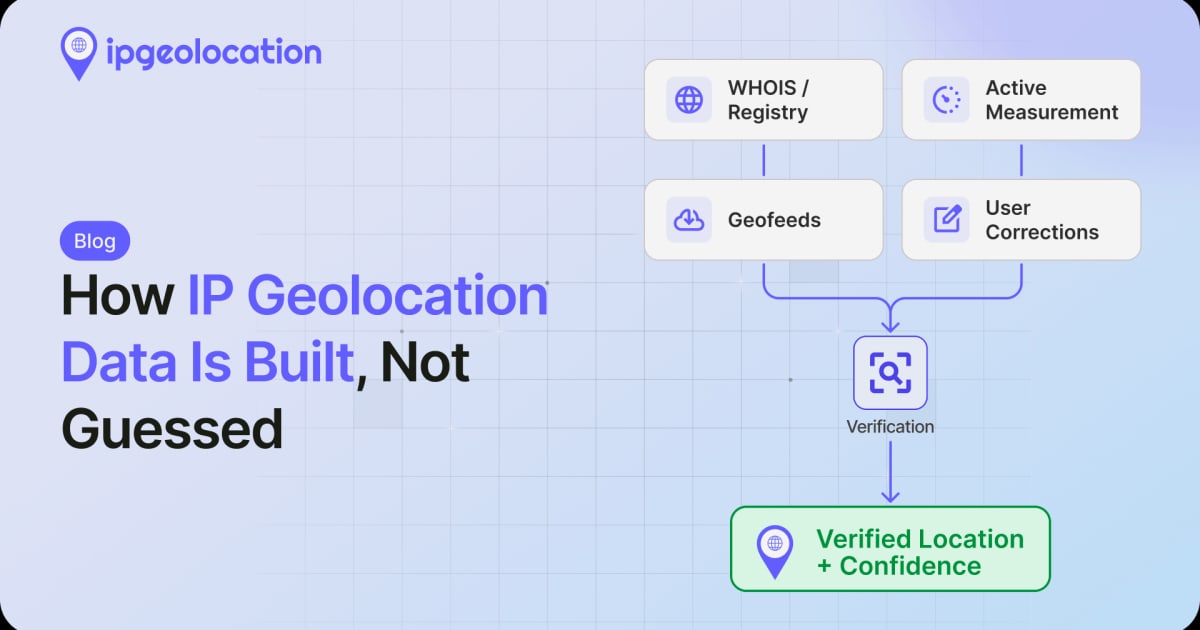
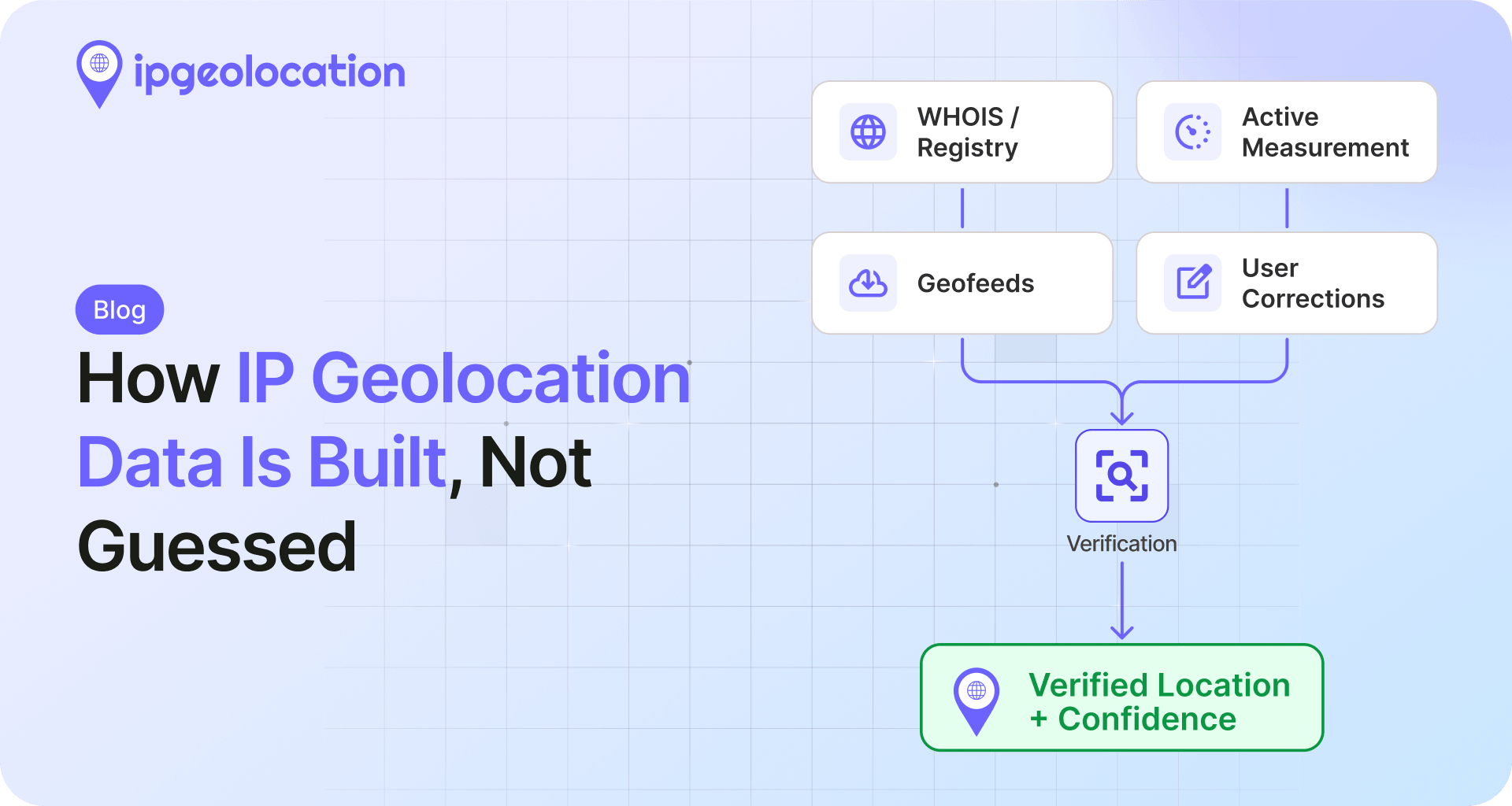
Every device that reaches the internet is identified by an IP address. When you request a page, the server sees that address, not your name or street. IP geolocation maps the address to an estimated place using several data sources:
- Registry records. Regional internet registries allocate address blocks to ISPs and organizations in specific countries.
- Routing data. Network paths and border gateway protocol announcements hint at where traffic physically enters the internet.
- Provider databases. Commercial vendors combine registry data, latency measurements, and user-submitted corrections into a lookup database.
- Proxy intelligence. Separate datasets flag addresses associated with VPNs, data centers, Tor, or residential proxies.
A typical result includes country, region, city, postal code, latitude and longitude, ISP, domain, ASN, and a usage type such as residential, mobile, or data center. Some services add fraud scores, proxy type, and threat level.
Why IP Location Is Not GPS
IP to Location: How It Works, Accuracy, and Privacy - Why IP Location Is Not GPS.
IP geolocation estimates a network endpoint, not a person. The address is usually assigned to an ISP's pool, and that pool may cover a whole metro area or an entire country. Key limits:
- City-level results can be wrong. A mobile carrier may route traffic through a gateway hundreds of kilometers from the device.
- Coordinates are approximate. Latitude and longitude often point to a city center, an ISP facility, or a population centroid.
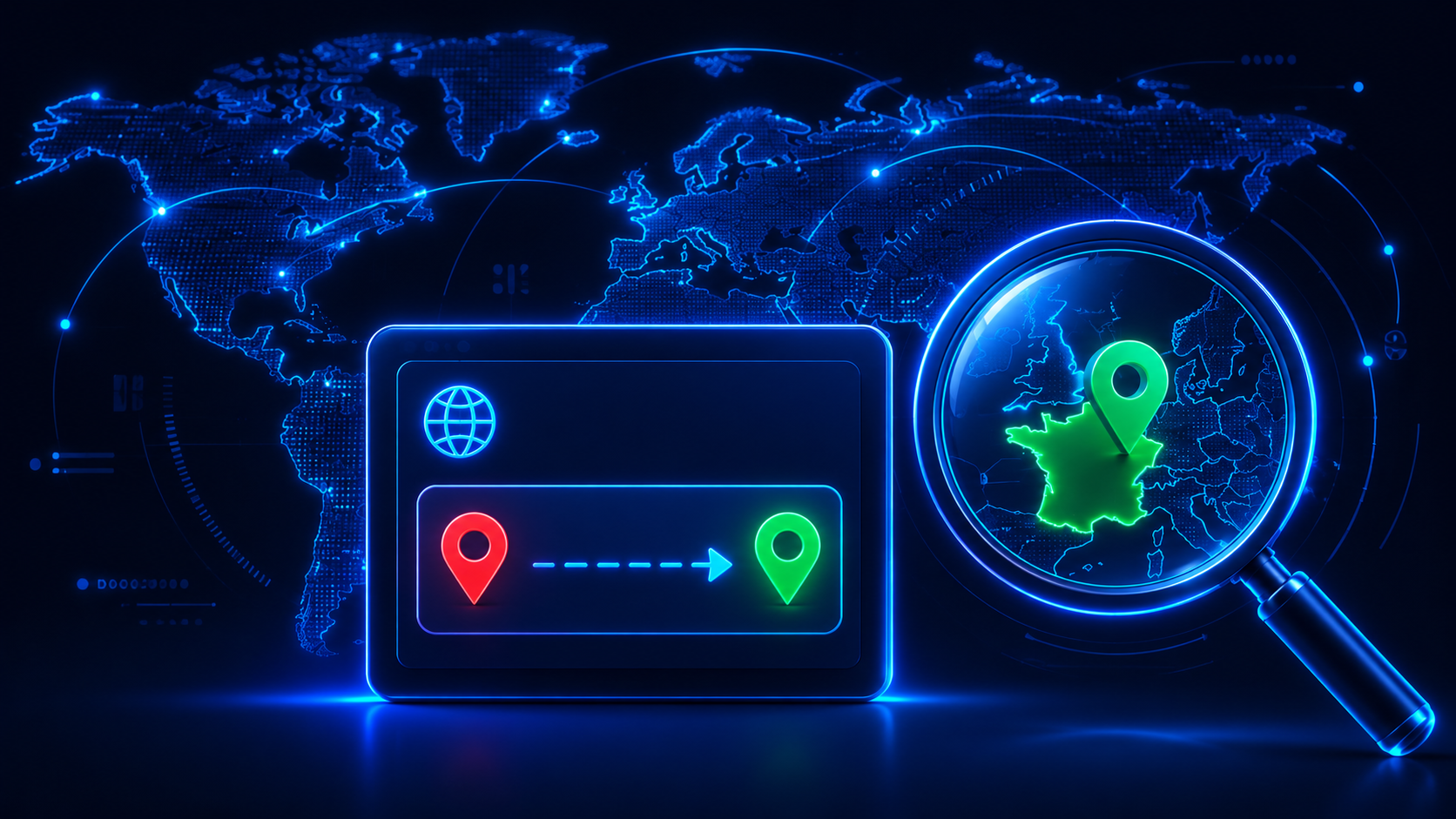
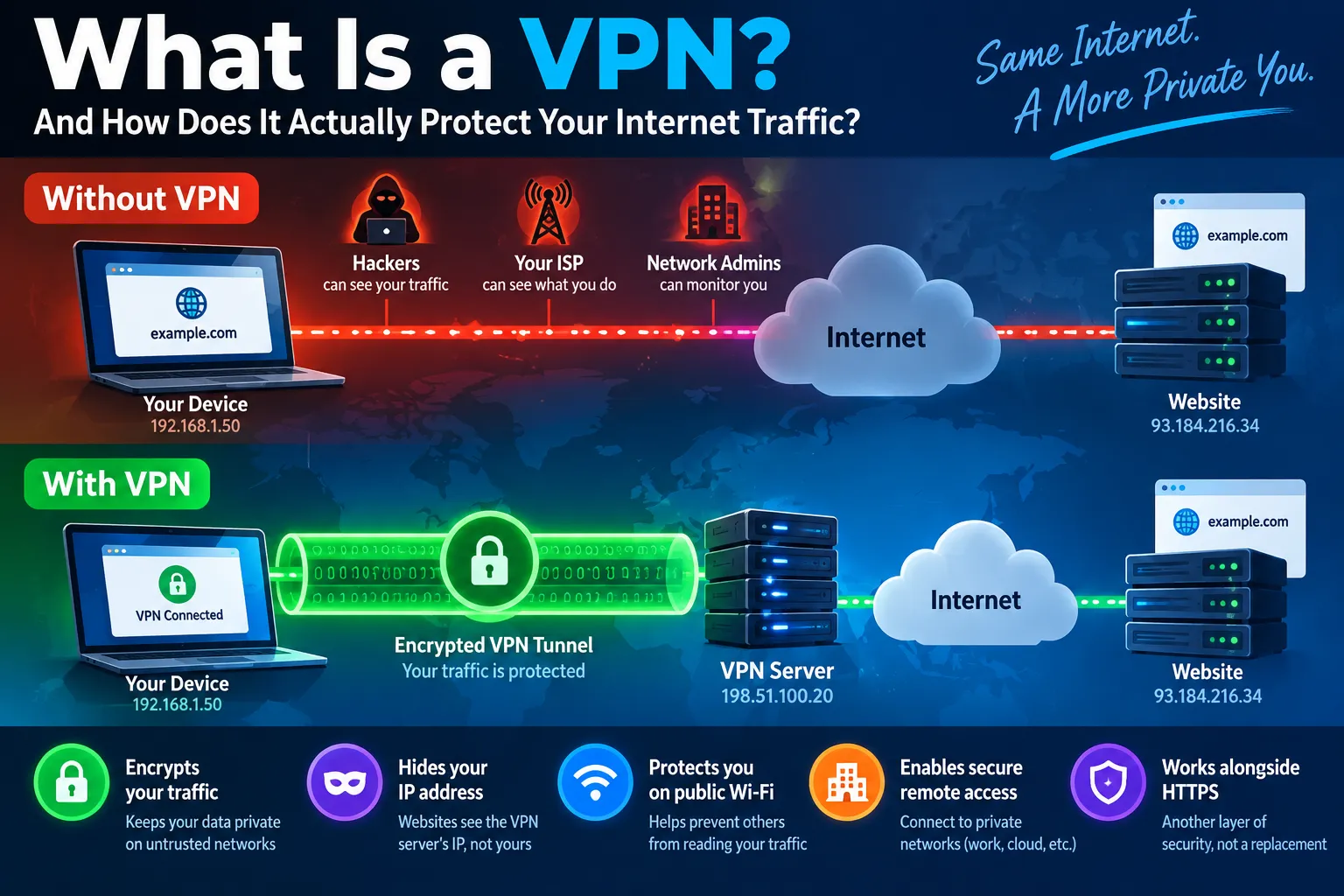
- VPNs and proxies shift the answer. If you connect through a server in another country, the lookup will usually show that server's location.
- Corporate networks aggregate users. Everyone behind one office connection may appear at the same address.
For precise positioning, devices use GPS, Wi-Fi, or cell-tower data through browser geolocation APIs, which require user consent. IP lookup is a different, server-side technique.
The Data You Can Get From an IP Lookup
IP to Location: How It Works, Accuracy, and Privacy - The Data You Can Get From an IP Lookup.
| Data field | What it tells you | Reliability |
|---|---|---|
| Country | Where the address block is registered | Very high |
| Region / state | Administrative area of the allocation | High |
| City | Estimated nearest city | Medium to low |
| Latitude / longitude | Approximate coordinates | Medium to low |
| ISP / organization | Network operator or owner | High |
| ASN | Autonomous system number | High |
| Usage type | Residential, mobile, hosting, business | Medium |
| Proxy / VPN flag | Whether the address is anonymized | Medium |
| Fraud score | Risk estimate from vendor models | Varies |
If you need to turn coordinates back into a readable address, that is a separate process called reverse geocoding, which has its own accuracy and privacy trade-offs.
How to Check Your Own IP Location
IP to Location: How It Works, Accuracy, and Privacy - How to Check Your Own IP Location.
You do not need an account or software to see what your connection exposes. A web-based lookup runs in your browser and shows the public address your requests come from.
- Disconnect any VPN or proxy if you want to see your real connection.
- Open a free IP address lookup tool that reports geolocation, ISP, and proxy detection.
- Compare the reported city and ISP with your actual location and provider.
- Reconnect your VPN and run the lookup again. The result should change to the VPN server's region.
- Run a DNS leak test and a WebRTC leak test to confirm your real IP is not escaping through other channels.
BrowserScan offers these checks in one place: an IP lookup with geolocation and proxy detection, plus DNS and WebRTC leak tests and a browser fingerprint analysis. That combination matters because a VPN can hide your IP in one layer while a misconfigured browser leaks it in another.
IP Geolocation vs. Browser Fingerprinting
IP lookup answers "where does this connection appear to come from?" Fingerprinting answers "which device and browser is this?" They are complementary:
- IP-based signals are easy to change with a VPN, but they are also easy for sites to check against other data.
- Fingerprint signals combine user agent, canvas rendering, fonts, screen size, time zone, and client hints. They persist even when your IP changes.
- Mismatches are the red flag. If your IP says Germany but your browser time zone and language say California, a fraud system may flag the session.
If you use a VPN for privacy, verifying that your IP, DNS, WebRTC, and fingerprint all tell a consistent story is more useful than checking the IP alone. A practical walkthrough of reading those results is available in this Pixelscan tutorial, and the same logic applies to any fingerprint test.
Common Use Cases for IP to Location
- Content localization. Showing the right currency, language, or regional catalog.
- Fraud prevention. Flagging logins from unexpected countries or known proxy ranges.
- License and compliance enforcement. Restricting streaming or software by region.
- Analytics. Understanding where traffic originates without collecting personal data.
- Security operations. Correlating suspicious logins with network metadata.
Each use case has a different tolerance for error. Country-level blocking is usually safe; city-level targeting should be treated as a hint, not a fact.
Accuracy: Why Providers Disagree
Two lookup services can return different cities for the same address. Reasons include:
- Different update cycles. Some databases refresh daily, others weekly or monthly.
- Different measurement methods. Latency-based inference, registry parsing, and partner feeds produce different estimates.
- Different handling of mobile and CGNAT. Carrier-grade NAT pools are notoriously hard to place.
- Different proxy lists. One vendor may flag an address as a VPN while another sees a normal ISP.
When accuracy matters, compare at least two sources and treat agreement as a stronger signal. For developers building this into an application, understanding how an IP data API handles geolocation, proxy detection, rate limits, and privacy is essential before trusting a single response.
Privacy: What Others Can Learn From Your IP
Your public IP can reveal your approximate region, ISP, connection type, and whether you are using anonymizing infrastructure. It does not reveal your name, exact address, or browsing history by itself. However, combined with cookies, login sessions, and browser fingerprints, it becomes a powerful identifier.
Practical steps to reduce exposure:
- Use a reputable VPN and verify it with leak tests rather than assuming it works.
- Check whether your DNS queries and WebRTC traffic bypass the tunnel.
- Keep browser fingerprint entropy low if you want to blend in, or accept that a unique fingerprint is itself identifying.
- Avoid logging into personal accounts while using a location you do not want associated with your identity.
A broader checklist of browsers, VPNs, DNS settings, and verification tests is covered in this guide to privacy tools.
Related reading
- API for IP Data: Geolocation, VPN & Threat Lookup Guide - Learn how an API for IP data works: geolocation, ISP, proxy and VPN detection, threat feeds, rate limits, privacy, and how to verify results.
- PrivacyTools.io Download Guide: Find & Install Private Apps - Learn how PrivacyTools.io download works: browse the catalog, pick open-source apps, install safely, and verify your privacy setup with free tests.
- Developer Tools: A Practical Guide for Modern Web Teams - Learn what developer tools are, how browser DevTools work, and how to debug, test, and verify privacy with practical examples and free web utilities.
Sources and further reading
- IP2Location: IP Address to IP Location and Proxy Information - Power global business decisions with IP2Location. Identify network metadata and proxy traffic to optimize localization, analytics, and fraud detection.
- IP Address Lookup - Check Location of Your Public IP - IPLocation.io provides a free IP lookup tool to check the location of your IP Address. Data is gathered through several GEO IP data providers. Just enter an IP and check the location.
- Geolocation: Geolocate the Location of an IP Address - Free service to geolocate a visitor\
Frequently Asked Questions
How accurate is IP to location?
Country-level results are usually accurate. Region and city estimates are less reliable, especially for mobile networks, VPNs, and large corporate connections. Treat coordinates as approximate.
Can someone find my exact address from my IP?
No. An IP lookup returns an estimated area and network owner, not a street address. Only a court order to your ISP could connect an IP to a subscriber at a specific time.
Why does my IP show a different city than where I live?
Your ISP may route traffic through a regional gateway, or the geolocation database may map your address block to a nearby hub. This is normal and not a sign of a problem.
Does a VPN change my IP location?
Yes. When you connect through a VPN server, websites see that server's IP and usually its region. If the VPN leaks DNS or WebRTC traffic, your real location may still be visible, which is why leak tests matter.
What is the difference between IP geolocation and GPS?
GPS uses satellites and device hardware to determine a precise position with user consent. IP geolocation estimates location server-side from network data and does not require permission.
Can I look up someone else's IP address?
You can look up any public IP and see its estimated location and network owner. You cannot identify the person behind it without additional legal or technical context.
Conclusion
IP to location is a fast, server-side estimate built from registry, routing, and provider data. It is excellent for country-level decisions and useful as a signal for fraud detection, but it is not a precise locator. The most reliable approach is to combine it with other checks: verify your own IP, test for DNS and WebRTC leaks, and review your browser fingerprint for inconsistencies. Tools like BrowserScan make that verification quick and free, so you can see exactly what your connection reveals before you rely on it.