
IPhey Explained: Browser Fingerprint Test & Privacy Checks
IPhey Explained: What the Browser Fingerprint Test Really Tells You
IPhey is a free, browser-based checker that shows how identifiable your browser looks to websites. You open the page, it runs a set of scripts, and seconds later you get a report on your fingerprint, IP, and potential leaks. It is one of the quickest ways to answer a simple but important question: does my setup look like a normal person browsing the web, or does it look like something worth blocking?
This article explains what IPhey actually checks, how to read the results without overreacting to them, where the tool stops being useful, and how to verify the same signals with a broader privacy toolkit.
What IPhey Is and What It Is Not
IPhey Explained: Browser Fingerprint Test & Privacy Checks - What IPhey Is and What It Is Not.
IPhey is a fingerprint and leak checker, not a full security suite. It inspects the technical signals your browser exposes to every site you visit and flags inconsistencies between them.
What it does well:
- Generates a browser fingerprint from Canvas, WebGL, AudioContext, and hardware-related parameters
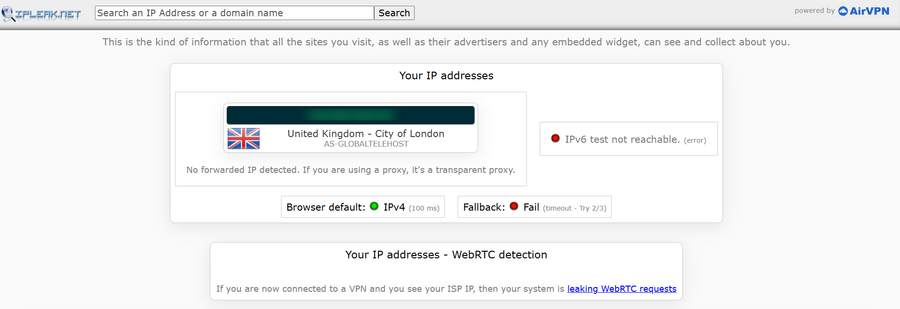
- Shows your public IP address, ISP, and approximate geolocation
- Runs DNS and WebRTC leak checks
- Compares your system settings (time zone, language, screen resolution) against your IP location
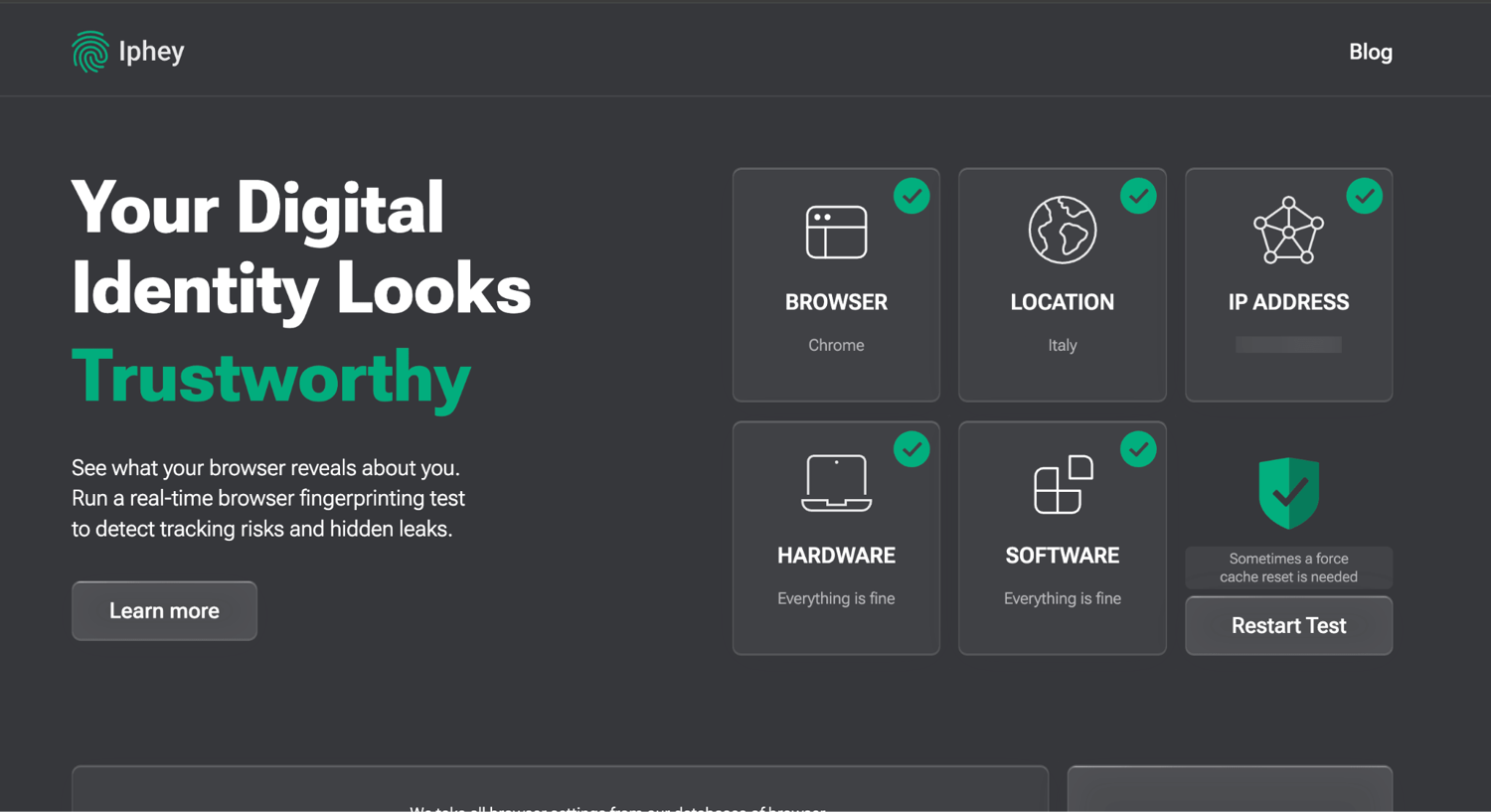
- Gives you a rough uniqueness or trust score so you can judge how trackable you are
What it does not do:
- It does not scan ports or network vulnerabilities
- It does not provide a persistent history or account-based monitoring
- It does not replace a full privacy audit across multiple data sources
If you want a quick pass/fail on your fingerprint and leaks, IPhey is a reasonable first stop. If you want to understand the full picture of what your browser reveals, a broader check is worth running alongside it.
How a Browser Fingerprint Is Built
IPhey Explained: Browser Fingerprint Test & Privacy Checks - How a Browser Fingerprint Is Built.
A fingerprint is not one value. It is a combination of dozens of signals that, taken together, are often unique enough to identify you even after you clear cookies or open a private window.
Hardware-level signals
- Canvas and WebGL: Your browser draws a hidden image, and tiny differences in GPU and driver rendering become a hash. Two machines can look identical to your eye but produce different hashes.
- AudioContext: The Web Audio API generates a sound and analyzes its frequency spectrum. Driver and hardware differences make this another stable identifier.
- CPU cores and memory:
navigator.hardwareConcurrencyandnavigator.deviceMemoryadd entropy, especially with unusual values like 6 or 10 cores. - Screen resolution and color depth: Common combinations are less identifying; unusual ones stand out.
Software-level signals
- User-Agent: Browser type, version, OS, and architecture. Easy to spoof, but mismatches with other signals are a red flag.
- Installed fonts: Rare fonts, especially from specific language packs, make a profile more unique.
- Extensions: Detected indirectly when they block requests or inject global objects.
- Language and time zone: A
ru-RUinterface on auk-UAsystem, or a time zone that contradicts your IP, adds identifying bits.
Network-level signals
- WebRTC: If enabled, a STUN request can reveal your real local or public IP even behind a VPN.
- TCP/IP and TLS fingerprints: Packet assembly and the TLS handshake (historically JA3, now JA4 as browsers randomize extension order) can reveal your OS or proxy setup before the page even loads.
The more of these signals align in an unusual way, the easier you are to single out. This is why sites can recognize you in incognito mode and why simply changing your IP is not enough.
What IPhey Checks and How to Read the Results
IPhey Explained: Browser Fingerprint Test & Privacy Checks - What IPhey Checks and How to Read the Results.
When you run IPhey, you typically get a report covering these areas:
| Check | What it shows | Why it matters |
|---|---|---|
| Fingerprint | Canvas, WebGL, AudioContext, hardware identifiers | Determines how unique and trackable your profile is |
| IP and geolocation | Public IP, ISP, approximate location | Confirms whether your VPN or proxy is actually in effect |
| System consistency | Time zone, language, screen resolution vs. IP | Mismatches are a common anti-fraud trigger |
| WebRTC and DNS | Leak tests for real IP exposure | These leaks can expose you even with a VPN running |
| Device consistency | CPU, memory, battery reporting | Oddities can suggest a virtual machine or spoofed profile |
A practical reading example
Suppose IPhey shows your IP in Frankfurt, but your browser time zone is America/New_York and your language is en-US. Individually, none of these is a problem. Together, they suggest a proxy or VPN that was not configured to match the rest of your environment. Anti-fraud systems treat that mismatch as a signal, and it can get accounts flagged.
The fix is not to hide every value. Empty or obviously fake values are themselves suspicious. The better approach is consistency: make your time zone, language, and IP location tell the same story.
Where IPhey Stops and Broader Checks Begin
IPhey is fast and focused, which is both its strength and its limit. It gives you a basic fingerprint view and general leak checks. It does not cover port exposure, IP reputation, blacklist status, or bot-detection signals in depth.
That matters if you are:
- Running an anti-detect browser and need to confirm a profile is not just unique but also internally consistent
- Troubleshooting repeated account bans and need to rule out network-level problems
- Auditing a VPN setup and want to verify DNS, WebRTC, and IP reputation together
For those cases, a broader platform is more useful. BrowserScan combines fingerprint analysis, IP lookup with proxy detection, DNS and WebRTC leak tests, and an Nmap-powered port scanner in one place. It is free, browser-based, and needs no installation, so you can run it right after IPhey and compare what each tool surfaces.
If you are specifically testing a fingerprint-spoofing setup, the workflow in How to Use IPhey: Browser Fingerprint Test Guide walks through the same checks and pairs them with verification steps.
IPhey vs. Other Fingerprint Checkers
There is no single tool that covers everything, and the community consensus is that passing one check is not the same as passing all of them.
- IPhey: Fast, simple, good for a first fingerprint and leak glance. Limited depth on bot detection and IP reputation.
- BrowserScan: Broader diagnostic set including port scanning, IP lookup, and multiple leak tests. Useful when you need to move from "is my fingerprint unique?" to "is my whole setup consistent and secure?"
- Specialized IP tools: Some focus purely on IP geolocation, ISP, and ASN data, often behind accounts or paid tiers. They are useful for IP intelligence but not for fingerprint diagnostics.
A sensible routine is to run a quick fingerprint check first, then a broader audit. If both agree that your environment is consistent, you can be reasonably confident. If they disagree, investigate the difference rather than assuming the friendlier result is correct.
Common Use Cases
- Verifying a VPN or proxy: Confirm your real IP is not leaking through DNS or WebRTC, and that your visible location matches your expectations.
- Testing an anti-detect browser profile: Check whether Canvas, WebGL, and other values are spoofed consistently, not just changed.
- Diagnosing account bans: A time zone or language mismatch is a frequent cause of flags that have nothing to do with your behavior.
- Pre-flight checks for sensitive browsing: Journalists, researchers, and privacy-conscious users can confirm their setup before visiting sites where exposure matters.
For a wider view of what your browser leaks and how to close those gaps, see Secure Browsing in 2026: How to Actually Protect Your Privacy.
Related reading
- BrowserScan Pricing: Free Tools, Costs & What You Get - Is BrowserScan free? See what BrowserScan pricing covers, which privacy and fingerprint tools cost nothing, and how it compares to paid anti-detect browsers.
Sources and further reading
- Iphey - Real-Time Browser Fingerprinting Test - IPhey - See what your browser reveals about you. Run a real-time browser fingerprinting test to detect tracking risks and hidden leaks.
- What is a Browser Fingerprint? - Discover what a browser fingerprint is, how it's compiled from your device and browser data, and why it matters for your online privacy and security.
- IPhey Checker Review 2026 and Alternatives List | Pixelscan - You're trying to stay anonymous online. You're using a VPN, maybe a proxy, or even an anti-detect browser. The big question is: Does it actually work?
FAQ
Is IPhey free?
Yes. IPhey is a free, browser-based checker. You open the page and it runs its tests without installation.
Does IPhey hide my fingerprint?
No. It reports on your fingerprint. It does not change or mask it. To reduce uniqueness, you need configuration changes such as consistent time zone and language settings, fewer rare extensions and fonts, or a properly configured anti-detect browser.
Can IPhey detect a VPN or proxy?
It shows your public IP, ISP, and geolocation, and it runs leak checks. If your VPN is working, your visible IP should reflect the VPN server. If it is not, you may see your real IP or a location mismatch.
Why does IPhey show a low trust or anonymity score?
Common causes include low-quality proxies, a time zone that does not match your IP, or signs of automation. The score is a signal to investigate, not a verdict.
Is one fingerprint checker enough?
Usually not. Different tools check different signals and use different data sources. Running a fingerprint check and a broader privacy audit gives you a more reliable picture than trusting a single score.
Can I completely hide my browser fingerprint?
Not realistically. Empty or fake values look suspicious on their own. The practical goal is camouflage and consistency: make your profile look like a plausible, ordinary user rather than a unique or contradictory one.
Conclusion
IPhey is a useful, fast way to see how identifiable your browser looks and whether your VPN or proxy is leaking. It is a good first check, especially for fingerprint uniqueness and basic leak detection.
But a single score is not a full audit. If you rely on a VPN, a proxy, or an anti-detect browser, verify the whole chain: fingerprint consistency, DNS and WebRTC leaks, IP reputation, and open ports. Running IPhey alongside a broader platform like BrowserScan takes only a few minutes and gives you a far more honest answer about whether your setup actually protects you.