
What Is a Security Scanner? 4 Types & Choosing Guide
What Is a Security Scanner? Types and How to Choose One
The phrase “security scanner” covers everything from airport millimeter-wave imaging portals to remote website vulnerability tools and personal browser leak checkers. Choosing the right scanner means first understanding what you need to protect—your web application, your website’s reputation, your physical facility, or your own online privacy. In this article, we break down four essential categories, show how they work, and offer clear decision criteria so you can pick the most appropriate tools.
Physical Security Scanners (Millimeter‑Wave and Baggage)
What Is a Security Scanner? 4 Types & Choosing Guide - Personal Online Privacy Scanners (Browser Fingerprint, Leak Tests, and More).
Physical security scanners use electromagnetic waves—often extremely high‑frequency millimeter waves—to detect objects concealed on a person or inside baggage without physical contact. In airports, government buildings, and high‑security events, these systems create a contactless, rapid screening layer that can spot metallic and non‑metallic threats alike.
One example is the R&S®QPS Security Scanners from Rohde & Schwarz. They illuminate the body with ultra‑low‑power microwave energy and analyze the reflected signals to identify hidden items between the skin and clothing. Because the power levels are orders of magnitude below those of a mobile phone, the process is considered non‑invasive and safe for frequent use.
Use when:
- You manage physical access to critical infrastructure, airports, or large events.
- You need to detect contraband regardless of material (metal, plastic, ceramic, liquids).
- Throughput and passenger experience matter as much as threat detection.
Web Vulnerability Scanners (DAST and Application Security)
What Is a Security Scanner? 4 Types & Choosing Guide - Web Vulnerability Scanners (DAST and Application Security).
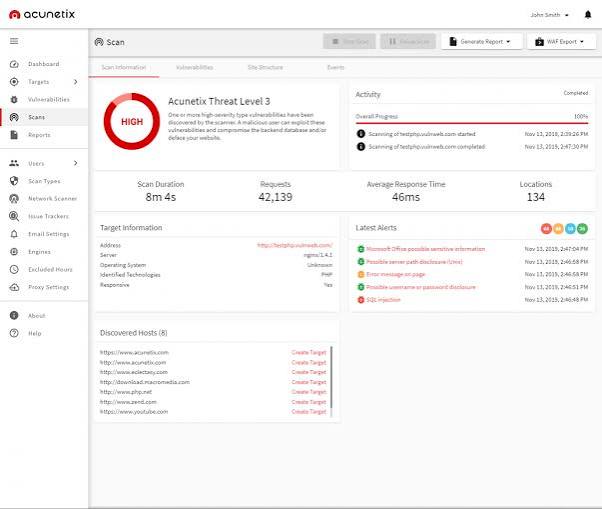
If you run a web application, a vulnerability scanner that actively probes for SQL injection, cross‑site scripting (XSS), SSRF, XXE, and the OWASP Top 10 is indispensable. These tools fall under the Dynamic Application Security Testing (DAST) umbrella: they send crafted HTTP requests to your running application, observe the responses, and flag behavior that indicates a real exploit.
For instance, the Pentest‑Tools Website Scanner combines a headless browser crawler with an active scanning engine. It discovers endpoints, spiders JavaScript‑heavy single‑page applications, and then injects payloads into every found parameter. Out‑of‑band detection minimizes false positives, and findings come with replay requests and proof of execution so your development team can reproduce and fix issues quickly. Some advanced scanners also incorporate AI to map user flows behind login gates, a feature that dramatically cuts false negatives in complex authenticated sections.
Use when:
- You develop or maintain web applications and need to find exploitable flaws before attackers do.
- You require continuous security validation and compliance reporting (PCI, SOC2).
- You want to harden your cybersecurity suite with automated DAST that feeds into your CI/CD pipeline.
Website Malware and Blacklist Scanners
What Is a Security Scanner? 4 Types & Choosing Guide - Website Malware and Blacklist Scanners.
Even a professionally built website can become infected with malicious code through outdated plugins, compromised credentials, or supply‑chain attacks. Malware scanners like Sucuri SiteCheck remotely inspect a site’s publicly visible source code for injected JavaScript, hidden iframes, spam links, and server‑side redirects. They also check whether the domain appears on blocklists maintained by Google, PhishTank, or other security authorities, and flag out‑of‑date CMS versions and plugins that carry known vulnerabilities.
While remote scanners have limited visibility (they can’t peer into a server’s file system), they are a fast, free first line of defense for any webmaster. When SiteCheck or a similar tool finds malicious code, you can then engage a more thorough server‑side scan or a manual cleanup service.
Use when:
- Your site’s SEO rankings, traffic, and brand reputation are at risk from hacks.
- You manage a WordPress or Joomla site and want peace of mind between patch cycles.
- You need to quickly verify a no‑cost remote check before purchasing a deeper audit.
Personal Online Privacy Scanners (Browser Fingerprint, Leak Tests, and More)
What Is a Security Scanner? 4 Types & Choosing Guide product interface and feature overview.
What Is a Security Scanner? 4 Types & Choosing Guide product interface and feature overview.
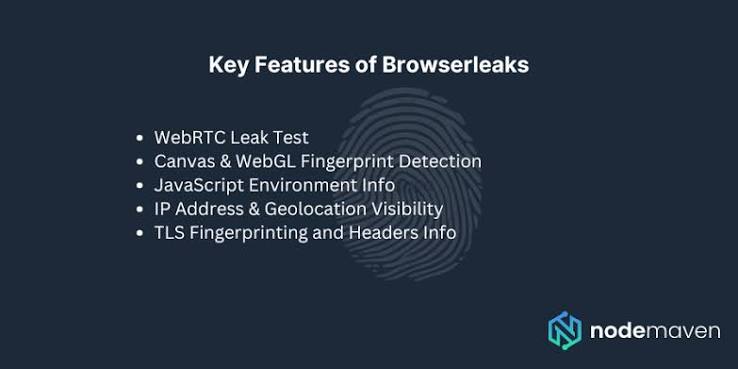
The fourth category turns the lens inward, scanning your own device and connection for privacy leaks. These tools are vital for anyone who uses a VPN, values anonymity, or simply wants to limit tracking. Instead of scanning a server, they analyze your browser’s behavior, network traffic, and visible identifiers.
BrowserScan is a comprehensive privacy scanner that runs right in your browser—no plugins or downloads required. It checks for:
- Browser fingerprinting – reveals how uniquely identifiable your browser configuration is, including canvas, WebGL, and font metrics, and assigns an authenticity score.
- IP, DNS, and WebRTC leaks – verifies that your VPN or proxy isn’t leaking your real IP address through standard HTTP requests, DNS queries, or WebRTC connections, using multiple STUN servers and geolocation sources (ip-api, IPinfo, IP2Location, db-ip, IPQuery).
- Port scanning – powered by nmap, it lets you safely probe your own ports to see what’s exposed.
- Bot detection – determines whether your setup looks like a human or a headless browser, useful for multi‑accounting and automation testing.
- Additional utilities – internet speed test, user agent parser, cookie converter, and 2FA code generator.
Because all tests happen inside your own browser, you stay in control of your data. After you configure a VPN using a protocol like WireGuard, a quick run through BrowserScan confirms whether any IP or DNS traces still point to your real location. Paired with a reputable VPN, this approach gives you a complete NordVPN leak‑testing workflow that catches even subtle misconfigurations. For users who regularly juggle multiple online accounts or scrape data, BrowserScan’s fingerprint authenticity score helps tune your browser to avoid triggering anti‑bot systems.
If you’re comparing fingerprint scanners, you might also explore tools like Pixelscan or IPhey; our top IP and DNS lookup tools list can complement the geolocation and DNS checks. Yet few free tools bundle the breadth of leak tests, fingerprint detail, and practical network utilities into one dashboard the way BrowserScan does.
Use when:
- You want to verify that your VPN is actually hiding your IP and preventing DNS/WebRTC leaks.
- You need to understand and reduce your browser’s fingerprint to avoid tracking or account bans.
- You’re performing security research, automation, or penetration testing and need a quick, no‑setup privacy audit.
How to Choose the Right Security Scanner
| Category | Ideal for | Example tool | Internal / external reference |
|---|---|---|---|
| Physical scanner | Airports, high‑security buildings | R&S®QPS | Rohde & Schwarz |
| Web vulnerability scanner | Development teams, CI/CD pipelines | Pentest‑Tools Scanner | Pentest‑Tools Benchmark |
| Malware & blacklist scanner | Website owners, bloggers, e‑commerce | Sucuri SiteCheck | SiteCheck |
| Privacy scanner | VPN users, researchers, privacy‑conscious individuals | BrowserScan | BrowserScan + NordVPN, Cybersecurity suite |
Ask yourself three questions:
- What am I defending? – A physical space, a web application’s code, a website’s public image, or my personal digital footprint.
- Who will use the scanner? – Security guards, DevOps engineers, content editors, or everyday internet users.
- What level of integration do I need? – A standalone tool, an API you can embed in pipelines, or a service that includes remediation.
If the answer involves personal privacy and you don’t want to install anything, starting with a browser‑based scanner like BrowserScan gives you immediate, actionable insights into the most common VPN and fingerprint leaks.
Related reading
- What Is Pixelscan.dev? Browser Fingerprint & Bot Detection Tool - Learn what Pixelscan.dev is, how it detects browser fingerprints, bots, IP leaks, and proxies. A free multi-check tool for privacy and automation testing.
Frequently Asked Questions
What’s the best free security scanner for websites?
For a quick, no‑login remote check, Sucuri SiteCheck scans for malware, blocklist status, and outdated software. For deeper, code‑level vulnerability scanning, many DAST tools offer free trials or limited‑scope scans. Always confirm findings with a manual review or authenticated scan.
Can a single security scanner cover web apps and personal privacy?
No. Web vulnerability scanners target server‑side and client‑side application flaws, while personal privacy scanners examine how your browser and network expose your identity. They serve completely different purposes and are often used together by security practitioners.
How does a browser fingerprint scanner work?
It collects dozens of browser attributes—user agent, screen resolution, installed fonts, WebGL fingerprint, audio context, and more—then calculates how unique that combination is globally. A high uniqueness score means you are easy to track across sites. Tools like BrowserScan score this fingerprint and also check for realism, helping you blend in with common configurations.
Do I need a physical security scanner at my business?
Unless you operate a venue that requires screening large numbers of people quickly (airport, stadium, government facility), you probably don’t need a millimeter‑wave scanner. Standard access control and surveillance systems suffice for most commercial spaces.
Conclusion
Security scanner is an umbrella term that aligns with what you need to protect. From heavy‑duty microwave portals to lightweight browser‑based privacy audits, the “right” scanner is the one that matches your threat model. For physical safety, look to millimeter‑wave systems. For web application security, invest in an accurate DAST engine. For your website’s health, a remote malware checker is a must. And for your own digital privacy, a comprehensive browser fingerprint and leak testing platform like BrowserScan helps you stay invisible to trackers, secure your VPN connections, and maintain control over your online identity.
At BrowserScan, we track the tools and practices that keep your digital life safe, whether you’re managing a web server or just your own browser.