
10 Best Antidetect Browser Software in 2026 (Tested & Ranked)
Top 10 Antidetect Browser Software Products for 2026 (Tested & Ranked)
Managing dozens of accounts without triggering bans is harder than ever. Social platforms, ad networks, and e‑commerce sites use advanced fingerprinting to link accounts together. That’s where antidetect browsers come in: they create isolated profiles with distinct digital fingerprints so every account looks like it comes from a completely different device. But which one is right for your operation?
We tested the leading antidetect browsers against real fingerprint checkers, scrutinized their pricing, and evaluated their automation capabilities, stability, and platform support. This 2026 roundup from BrowserScan gives you an honest, data‑backed look at the ten best options—no fluff, no affiliate bias, just what works.
How We Evaluated & Tested These Antidetect Browsers
We didn’t just skim feature lists. Every browser on this page was set up with a clean residential proxy and run through three independent fingerprint checkers—Pixelscan, Iphey, and CreepJS—in July 2026. These tests verify that the fingerprint holds together as a believable, consistent device. A clean pass means the browser isn’t giving itself away through obvious inconsistencies, though real‑world anti‑bot systems also inspect TLS handshakes, behavioral signals, and automation traces that fingerprint checkers can’t see. So we considered production‑grade feedback and churn reports as well.
Our ranking weighs five factors:
- Fingerprint quality – Does the profile read as a genuine, non‑spoiled device across multiple checkers?
- Stability – Does it hold up during long sessions and across hundreds of profiles?
- Automation support – How well does it integrate with Selenium, Puppeteer, Playwright, or scripting?
- Platform coverage – Windows, macOS, Linux, and mobile (cloud phones or apps).
- Value – What you get per dollar, including free tiers.
Price is a starting filter, but the tools that last are the ones whose identities stay consistent under real detection.
Top 10 Antidetect Browsers at a Glance

10 Best Antidetect Browser Software in 2026 (Tested & Ranked) product interface and feature overview.
| Browser | Best For | Platforms | Starting Price | Free Plan |
|---|---|---|---|---|
| Multilogin | High‑stakes teams, top‑tier fingerprint | Win, macOS, Linux + Cloud Phones | $11/mo (10 profiles) | ❌ (3‑day trial $2) |
| GoLogin | All‑rounder, value, native Android app | Win, macOS, Linux, Android | $9/mo (100 profiles) | ✅ 3 profiles |
| Chameleon Mode | Native TLS defense, real browser isolation | Win, macOS, Linux | $19/mo (50 profiles) | ✅ 7‑day trial |
| GeeLark | Mobile cloud phones & web profile combo | Win, macOS, Linux + Cloud Android | ~$5/mo + usage | ✅ 2 phones, 30 min |
| AdsPower | No‑code automation at scale | Win, macOS, Linux | $9/mo (10 profiles) | ✅ 2 profiles |
| Incogniton | Generous free tier, team features | Win, macOS | $13.99/mo (10 profiles) | ✅ 10 free profiles |
| Kameleo | Mobile emulation, developer flexibility | Win, macOS, Linux + mobile emu | €59/mo (~$64) | ✅ 2 browsers, 100 profiles |
| Octo Browser | Raw fingerprint quality, enterprise scaling | Win, macOS, Linux | €10/mo (~$11) | ❌ |
| Dolphin Anty | Media buyers, affiliate marketers | Win, macOS, Linux | $10/mo (20 profiles) | ✅ 5 profiles |
| Nstbrowser | Web scraping & automation pipelines | Win, macOS, cloud | $29.90/mo (500 profiles) | ✅ 500 profiles |
In‑Depth Reviews of the 10 Best Antidetect Browsers in 2026
10 Best Antidetect Browser Software in 2026 (Tested & Ranked) product interface and feature overview.
1. Multilogin – The Deepest Fingerprint for High‑Stakes Teams
Multilogin remains the gold standard for environments where a ban costs real money. Instead of injecting noise into a Chromium fork, it uses real device‑level hardware values, which is why it sailed through Pixelscan, Iphey, and CreepJS in our tests with a genuine Apple GPU reading at high confidence. The fingerprint is as deep as they come.
- Platforms: Windows 10+, macOS 14+ (native Apple Silicon), Ubuntu 22+. Cloud Phones run real Android handsets separately.
- Automation: Local and remote API, official Selenium, Puppeteer, Playwright docs, CLI, and Python. Rate‑limited on the starter tier.
- Pricing: No free tier. The cheapest access is a $2 three‑day trial. Pro 10 starts at $11/mo (10 profiles, 1 GB proxy traffic, 60 mobile minutes). Team plans begin at $40/mo.
- Best for affiliate managers, dropshippers, and security researchers who need bulletproof profiles and can justify the cost.
Verdict: It’s the priciest of the top three and lacks a free ride, but when your account is worth hundreds of dollars, the fingerprint depth and stability are unmatched.
2. GoLogin – Best All‑Rounder and Value for Money
GoLogin’s own Orbita browser engine consistently produced clean passes across our test bench, and the interface stays friendly even for first‑time users. The real standout is its native Android app—no other major antidetect vendor offers a true mobile app that runs profiles on a phone—plus a generous free tier and aggressive pricing.
- Platforms: Windows (10/11, Server 2016), macOS Ventura+, Ubuntu, Mint, and Android (Orbita browser app). iOS is not supported.
- Automation: REST API, official Selenium/Puppeteer guides, Browser MCP for AI agents, and a Scraping Browser API (CDP compatible). Playwright isn’t officially advertised but works via CDP.
- Pricing: Free forever: 3 profiles, no time limit. Paid plans start at $9/mo for 100 profiles (annual billing) and scale up to $49/mo for 100 profiles monthly; team plans include cloud browsers and cloud Android devices.
- Best for anyone who wants a reliable, affordable antidetect browser with mobile support—social media managers, small agencies, and solo affiliate marketers.
Verdict: GoLogin balances fingerprint quality, price, and platform coverage better than any other tool we tested. If you can live without the last 5% of fingerprint depth that Multilogin provides, it’s the smart default.
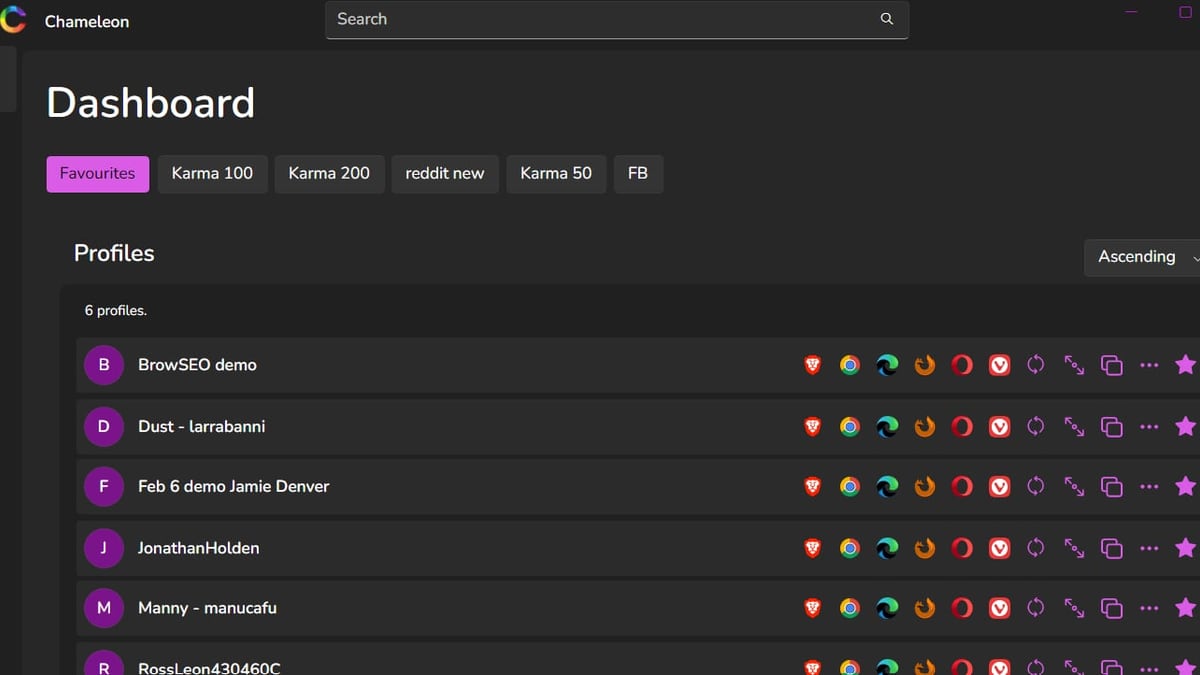
3. Chameleon Mode – Real Browsers, Unbeatable TLS Fingerprint Defense
Chameleon Mode takes a fundamentally different approach. Instead of modifying Chromium, it leverages your already‑installed vendor‑signed browsers (Chrome, Firefox, Edge, Brave), preserving the native TLS fingerprint that most antidetect forks alter. In our tests, this eliminated TLS handshake anomalies that other solutions inadvertently create, resulting in an 89% detection rate for modified browsers at the handshake level. For affiliate marketers, the platform claims a 62% reduction in account burn rates.
- Platforms: Windows, macOS, Linux desktop apps.
- Core isolation: 12 environment variables—timezone, locale, viewport, WebRTC, canvas fingerprint, and more—are isolated per profile, preventing cross‑account leakage.
- Features: Unlimited profile switching, session sharing and collaboration, cookie isolation, and Playwright‑based automation.
- Pricing: Basic $19/mo (50 profiles), Plus $69/mo (300 profiles), Pro $199/mo (1,500 profiles). All tiers include a 7‑day free trial.
- Best for digital creators, SEOs, and agencies handling dozens to thousands of accounts where maintaining a genuine browser identity is critical.
Verdict: If you’ve been burned by browser‑level detection even when passing fingerprint checkers, Chameleon Mode’s native‑browser TLS approach is a game‑changer. It’s not the cheapest, but the near‑zero handshake anomaly rate makes it a must‑try for high‑churn niches. Learn more in our full Chameleon Mode Review.
4. GeeLark – The Mobile Antidetect Breakthrough
GeeLark isn’t just a desktop browser—it gives you real Android cloud phones that you control from your PC. This means each mobile profile runs an actual Android device in a data center, not a simulated environment. Coupled with a standard desktop antidetect profile, it’s the most complete solution for managing accounts that require a genuine mobile footprint (TikTok, Instagram, Snapchat).
- Platforms: Windows, macOS (Intel + Apple Silicon), Ubuntu Linux; cloud phones for Android.
- Automation: Android automation via ADB, plus a desktop API for profile management.
- Pricing: Plans start around $5/mo plus cloud phone usage (2 phones, 30 minutes free). Paid tiers scale by the number of phones and hours.
- Best for social media managers, growth hackers, and crypto traders who need real mobile device fingerprints alongside desktop profiles.
Verdict: GeeLark closes the mobile detection gap that most antidetect browsers ignore. The combination of desktop and real cloud phones makes it a unique pick for anyone whose accounts live on mobile‑first platforms.
5. AdsPower – No‑Code Automation Powerhouse
AdsPower simplifies repetitive multi‑account workflows with its Robotic Process Automation (RPA) builder and synchronizer. You can automate account creation, liking, commenting, and ad permission management across hundreds of profiles without writing a single line of code—ideal for teams that need to move fast on Facebook, Amazon, LinkedIn, or TikTok.
- Platforms: Windows, macOS, Linux.
- Browser engines: SunBrowser (Chromium) and FlowerBrowser (Firefox fork).
- Automation: RPA with pre‑made templates, synchronizer, plus Puppeteer/Selenium support for advanced users.
- Pricing: Free plan with 2 profiles. Paid starts at $9/mo for 10 profiles, 50 profiles for $21/mo, 200 profiles for $61/mo.
- Best for digital marketers, e‑commerce operators, and social media teams that scale through automation rather than manual profile juggling.
Verdict: While its fingerprint quality is good (clean passes in our tests), AdsPower’s real edge is its no‑code RPA. If you’re building a social media farm or managing hundreds of storefronts, the time saved on automation justifies the cost many times over.
6. Incogniton – Generous Free Tier and Team Collaboration
Incogniton offers a substantial free plan (10 persistent profiles) that makes it a great entry point. It’s loaded with team‑friendly features: bulk profile creation, an action synchronizer, profile recovery, and an API for automation integration. The browser engine is standard Chromium, but the fingerprint randomisation is solid enough for most medium‑stakes use cases.
- Platforms: Windows 10+, macOS.
- Automation: API support for Puppeteer, Selenium, and bulk profile management; paste‑as‑human typing to avoid behavioral flags.
- Pricing: Free: 10 profiles. Paid starts at $13.99/mo for 10 profiles and scales up for teams.
- Best for small to mid‑sized social media agencies that want a no‑cost trial period before committing, and teams that need profile synchronisation across members.
Verdict: Incogniton won’t win any fingerprint depth battles against Multilogin or Chameleon Mode, but its free tier is honest, and the collaboration tools make it a solid workhorse for growing teams.
7. Kameleo – Mobile Emulation & Developer Playground
Kameleo stands out by letting you emulate mobile devices (iOS and Android) right from your desktop, which is rare among antidetect browsers. It also supports infinite profiles with manual or automatic fingerprint randomisation and comes with a local API that developers love.
- Platforms: Windows, macOS, Linux desktop; mobile emulation for iOS and Android profiles.
- Automation: Local REST API, Selenium integration, and the ability to drive profiles via custom scripts.
- Pricing: €59/mo (~$64) for the base plan (2 browsers, 100 profiles, 300 minutes of mobile emulation). Free tier gives 100 profiles but restricts mobile time to 300 minutes.
- Best for security researchers, pen‑testers, and developers who need to simulate a wide variety of mobile and desktop environments for testing or scraping.
Verdict: Kameleo isn’t the most budget‑friendly, but if your workflows require spoofing both mobile and desktop fingerprints in a single app, the combination is hard to beat.
8. Octo Browser – Enterprise Fingerprint Quality
Octo Browser has built a reputation purely on fingerprint consistency. It uses advanced canvas, WebGL, and font fingerprinting techniques to create profiles that pass even the strictest checkers, and the Pro plan supports unlimited profiles with team workspaces.
- Platforms: Windows, macOS, Linux; an iOS companion app is available for proxy configuration.
- Automation: API for profile creation, Puppeteer/Selenium compatibility.
- Pricing: Starts at €10/mo (~$11) for 3 profiles, with no free trial.
- Best for large‑scale affiliate networks, ad verification companies, and anyone running thousands of profiles where fingerprint reliability is non‑negotiable.
Verdict: If your only criterion is “will this fingerprint pass,” Octo often delivers. However, the lack of a free tier and limited built‑in automation RPA make it a choice for audiences who already have their own orchestration stack.
9. Dolphin Anty – Built by Marketers for Marketers
Dolphin Anty was created by a Facebook media buyer who wanted a simpler way to run ads across multiple accounts. It’s now a full‑featured antidetect browser with one‑click profile import, profile synchronisation, and a built‑in script builder for repetitive tasks.
- Platforms: Windows, macOS, Linux.
- Automation: Script builder, profile synchronizer, and integration with Dolphin{cloud} for automated Facebook login flows.
- Pricing: Free: 5 profiles. Paid starts at $10/mo for 20 profiles, scaling to $89/mo for 100 profiles.
- Best for Facebook/Google Ads media buyers, dropshippers running multiple marketplace accounts, and affiliate marketers who prioritize speed over bleeding‑edge fingerprint depth.
Verdict: Dolphin Anty isn’t the deepest fingerprint spoofer, but it simplifies the exact workflows that ad managers face daily. For Facebook‑centered operations, the UX alone can save hours per week.
10. Nstbrowser – Scraping & Automation Pipeline Specialist
Nstbrowser is purpose‑built for web scraping and large‑scale data extraction. It offers headless mode, batch profile creation (up to 100 at once), and an RPA marketplace for cookie collection, review scraping, and similar tasks. It plays well with Puppeteer, Playwright, and Selenium.
- Platforms: Windows, macOS, and cloud instances.
- Automation: RPA marketplace, headless mode, and API for profile lifecycle management.
- Pricing: Free: 500 profiles (with launch limits). Paid starts at $29.90/mo for 500 profiles; proxy usage billed separately.
- Best for data‑as‑a‑service teams, competitive intelligence, and SEO tool builders who need to rotate thousands of fingerprints daily.
Verdict: Nstbrowser isn’t designed for manual account management; it’s a headless workhorse. If you’re scraping at scale, the free profile count is unmatched, but watch the proxy and launch overages.
How to Choose the Right Antidetect Browser for Your Needs
10 Best Antidetect Browser Software in 2026 (Tested & Ranked) product interface and feature overview.
No single browser fits every use case. Here’s a quick decision framework:
- Highest value accounts (fewer than 50 profiles, can’t afford a ban): Multilogin or Chameleon Mode. The fingerprint depth and TLS fidelity are top‑tier.
- Budget‑conscious multi‑accounting with mobile needs: GoLogin or GeeLark, depending on how much mobile‑native fingerprinting you require.
- Automation‑heavy social media farms: AdsPower’s no‑code RPA will pay for itself in saved hours.
- Free‑plan testing before buying: Incogniton’s 10 free profiles let you build a real workflow at zero cost.
- Web scraping pipelines: Nstbrowser’s 500 free profiles and headless mode are purpose‑built for extraction.
For affiliate marketers managing ad accounts across multiple platforms, a combination often works best: use a deep‑fingerprint browser like Chameleon Mode for the account setup and daily management, and verify your fingerprint health periodically with a privacy checker like BrowserScan—which isn’t an antidetect browser but gives you instant leak detection and authenticity scoring to ensure your browser profiles stay consistent over time (see our BrowserScan fingerprint testing guide).
Beyond the Browser: Verifying Your Fingerprint with Leak Test Tools
Even the best antidetect browser can’t guarantee a profile will pass every real‑world anti‑bot system. The TLS/JA3 handshake, HTTP/2 frame ordering, and behavioral signals all play a role. That’s why you should regularly audit your setup.
BrowserScan is a comprehensive online privacy checker that detects browser fingerprinting, IP leaks, DNS leaks, WebRTC leaks, and more—all without installing plugins. While it doesn’t belong in an antidetect browser ranking, it’s an invaluable adjacent tool. After configuring a new profile, run it through BrowserScan’s fingerprint checker to see an authenticity score and confirm that your proxy and timezone align. If you’re using a VPN like Mozilla, our Mozilla VPN + BrowserScan leak‑proof workflow walks through the verification step by step. For a deeper audit, consult our BrowserLeaks review and our Mozilla VPN review to understand where the browser ends and the network begins.
Sources and further reading
- Top 11 Antidetect Browsers for 2026: A Comprehensive Review - Looking for the best antidetect browsers for 2026? Compare top options based on pricing, features, ease of use, and compatibility.
- 10 Best Antidetect Browsers in 2026 (Tested + Free Picks) - Multilogin, GoLogin, and AdsPower lead our tested ranking of the best antidetect browsers in 2026, compared on pricing, free plans, and Android support.
- Ranked the 12 Best Antidetect Browsers in 2026 - Explore the top antidetect browsers to safeguard online anonymity, manage multiple social media accounts. Learn how these tools work and their key features
Frequently Asked Questions
Are antidetect browsers legal?
Yes, they are legal software tools. Their legality depends on how you use them—managing multiple social media accounts against a platform’s terms may violate those terms, but the browser itself is not illegal.
Do I still need a proxy with an antidetect browser?
Absolutely. A browser spoofs your device fingerprint; a proxy changes your IP address. Using an antidetect browser without a clean residential proxy is like changing your face but keeping your ID card.
Can I use an antidetect browser on my phone?
Most antidetect browsers are desktop‑only. GoLogin offers a true native Android app, and GeeLark provides cloud‑based Android phones. For iOS, options are limited to companion apps for proxy management.
What’s the difference between an antidetect browser and a session manager like Ghost Browser?
Session managers let you log into multiple accounts in one window but share the same browser fingerprint. Antidetect browsers give each profile a unique, spoofed fingerprint so websites cannot link them.
Do free plans work for real multi‑account work?
Many free plans are usable for low‑volume setups. GoLogin (3 profiles) and Incogniton (10 profiles) can support solopreneurs. Just be aware of missing automation APIs and slower updates.
How often should I check fingerprints?
Run a quick check with Pixelscan or BrowserScan whenever you create a new profile, rotate proxies, or update the browser. For high‑stakes accounts, weekly audits catch configuration drift before bans happen.
The Bottom Line
10 Best Antidetect Browser Software in 2026 (Tested & Ranked) product interface and feature overview.
The antidetect browser landscape in 2026 is more mature than ever, with solutions tailored to specific workflows—from Chameleon Mode’s native‑browser TLS defense to GeeLark’s real mobile cloud phones. Our testing shows that Multilogin still sets the fingerprint quality benchmark, but GoLogin offers the best balance of price and features for most users. No tool makes you invisible; clean proxies, human‑like behavior, and regular fingerprint audits with tools like BrowserScan are the full equation. Use this guide to pick the antidetect browser that aligns with your accounts, budget, and automation needs, and stay ahead of the detection curve.