
Mozilla VPN Review: Strong Privacy, But Is It Fast Enough?
Mozilla VPN Review: Strong Privacy, But Is It Fast Enough?
If you care about online privacy, Mozilla’s name carries weight. The non‑profit behind Firefox launched its own VPN with the same ethos: transparency, open source, and no funny business with your data. But does Mozilla VPN actually perform where it counts—speed, reliability, and everyday usability? In this evidence‑based review, we dig into hands‑on tests, expert analysis, and real user feedback to help you decide if it’s the right privacy tool for your needs.
What Makes Mozilla VPN Different?

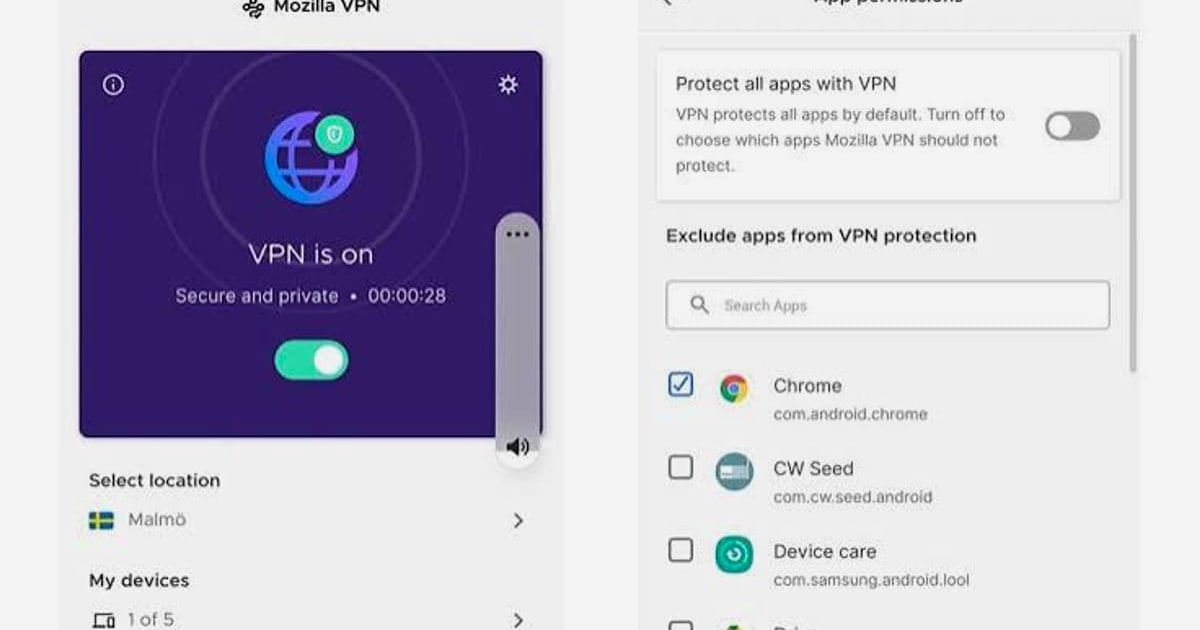
Mozilla VPN Review: Strong Privacy, But Is It Fast Enough? product interface and feature overview.
Mozilla partnered with Mullvad, a highly respected privacy‑focused VPN, to build its service. The result is a lean, no‑logs VPN that runs entirely on the WireGuard protocol. Here’s what you get:
- Server network: over 1,000 servers across 57+ countries (as of 2026) – all running on rented, RAM‑only bare‑metal servers.
- Encryption: WireGuard out of the box, offering strong speeds and modern cryptography.
- Simultaneous connections: protect up to 5 devices with one subscription.
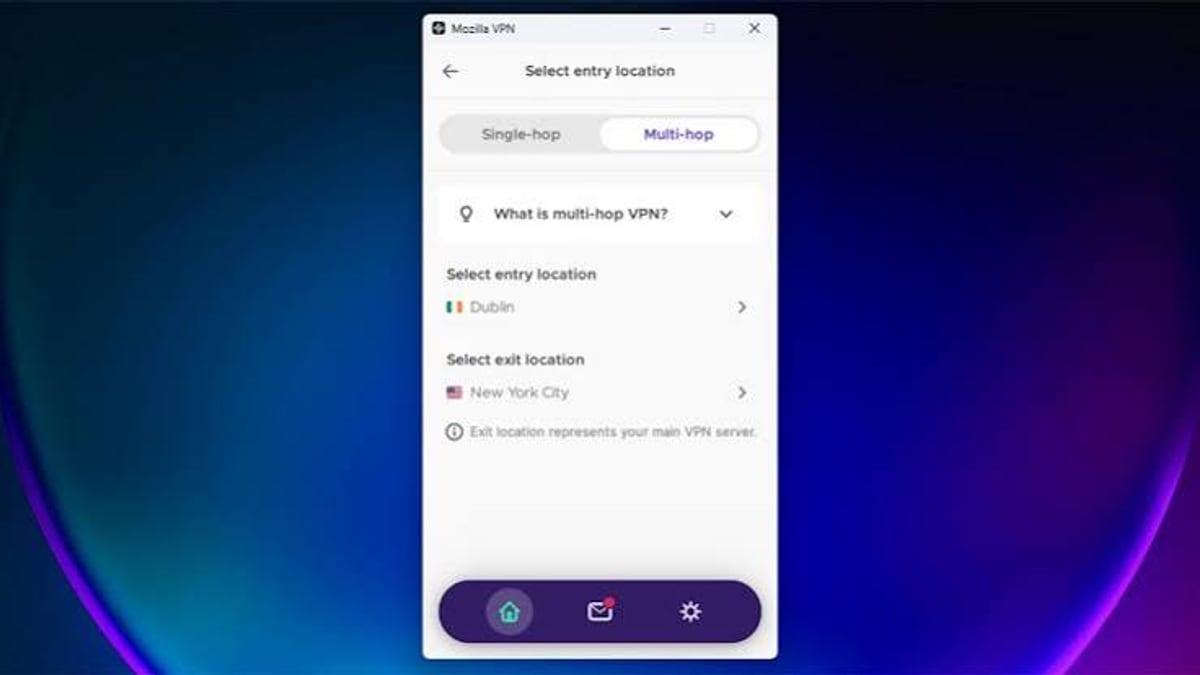
- Multi‑hop: route traffic through two VPN servers for an extra layer of anonymity.
- Kill switch: automatically blocks the internet if the VPN drops. Enabled by default on iOS and Windows; Android users must activate it manually.
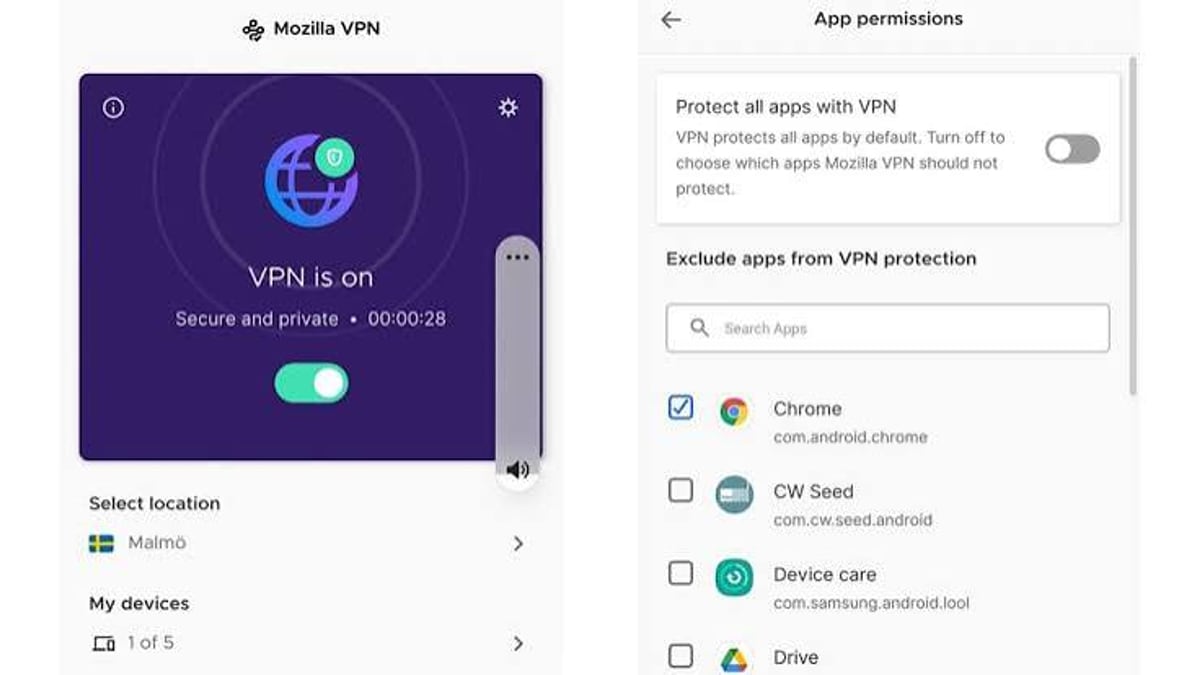
- Split tunneling: available on Android, Windows, and Linux, but missing on iOS.
- No bandwidth limits and no logging, tracking, or sharing of your browsing activity.
The Windows app also comes with a Firefox extension that lets you customize VPN protections per website. That’s a neat trick for power users who want to, say, bypass the VPN for local banking while staying encrypted everywhere else.
Real‑World Speed and Performance
Mozilla VPN Review: Strong Privacy, But Is It Fast Enough? - supporting product research image 4.
No review is complete without speed data. Independent tests from Security.org tell a mixed story:
- iPhone 14 (New York): download speed dropped by only 2%, practically unnoticeable.
- Samsung Galaxy S23 (Montana): download speed plummeted by 81%, making it unusable for bandwidth‑heavy tasks.
Ping increased moderately on both platforms (74% on iOS, 31% on Android), which can affect latency‑sensitive uses like gaming or video calls. Your mileage will vary based on server distance and network conditions, but the wide gap between iOS and Android is a red flag for mobile users who need consistent speed.
Streaming is another frustration point. In tests, Mozilla VPN temporarily unblocked US Netflix from a Denver server, but switching to New York triggered a VPN block, and the service never regained access. If your primary reason for buying a VPN is binge‑watching geo‑locked content, this isn’t the tool you’re looking for.
Privacy & Security: Deep Dive
Mozilla is headquartered in the United States (a Five Eyes country), which worries some privacy purists. However, the company’s minimal data retention helps offset that concern. Mozilla keeps your IP address for just 90 days after you sign up, purely for security purposes. After that, it maintains a strict no‑logs policy on your browsing activity; it doesn’t record the websites you visit, your traffic, or your DNS queries. The entire client is open source, so anyone can audit the code.
For users who want extra layers of protection, Mozilla VPN includes multi‑hop routing. This feature sends your traffic through two VPN servers instead of one, making it exponentially harder to trace back to you—at a small speed cost.
Privacy hygiene tip: No VPN is a magic invisibility cloak. After connecting, verify your real IP isn’t leaking. A tool like BrowserLeaks gives you a thorough fingerprint audit—covering WebRTC, DNS, and IP leaks—that pairs well with Mozilla VPN’s protections. For advanced network audits, you can even combine BrowserScan with Nmap to map out your true exposure. At BrowserScan, we recommend periodic leak tests as a basic security command nobody should skip.
Pricing & Value Compared
Mozilla VPN keeps its pricing dead simple:
- Monthly plan: $9.99/month
- Annual plan: $4.99/month (billed $59.88 upfront)
- Privacy Protection bundle: $8.25/month (includes Mozilla VPN, email masking via Relay Premium, and data‑breach monitoring)
All plans come with a 30‑day money‑back guarantee for first‑time customers. There’s no free tier, and you can’t pay with cryptocurrency (only credit cards and PayPal), which may disappoint anonymity seekers.
When stacked against rivals, Mozilla VPN’s annual price is competitive but not unbeatable. NordVPN’s two‑year plan starts at $3.49/month, a full $1.50 cheaper, while offering a far larger server fleet and more features.[^1] The trade‑off is simplicity: Mozilla doesn’t bombard you with upsells, tiered packages, or confusing add‑ons. You get a clean VPN from a company with a 25‑year track record fighting for internet health.
Who Should Use Mozilla VPN (And Who Shouldn’t)

Mozilla VPN Review: Strong Privacy, But Is It Fast Enough? product interface and feature overview.
Ideal for:
- Firefox loyalists who want a VPN from a brand they trust.
- Privacy minimalists: you need basic encryption on public Wi‑Fi and don’t want to tinker with settings.
- Users who value transparency and open‑source software.
- Anyone who prefers a straightforward annual plan without surprise renewals.
Not ideal for:
- Power users who need thousands of servers worldwide for speed or geo‑spoofing.
- Streaming fanatics; Mozilla VPN is too inconsistent with Netflix and other services.
- iOS users who rely on split tunneling (not supported on Apple’s platform).
- Android users who demand top‑tier download speeds; community feedback on r/firefox highlights frustration with the Android app’s performance and missing advanced controls.
Mozilla VPN vs. NordVPN vs. Mullvad: Quick Decision Guide
Mozilla VPN Review: Strong Privacy, But Is It Fast Enough? - supporting product research image 3.
| Feature | Mozilla VPN | NordVPN | Mullvad |
|---|---|---|---|
| Monthly price (best deal) | $4.99/month (annual) | $3.49/month (2‑year) | €5/month (flat) |
| Server countries | 57+ | 130+ | 40+ |
| Devices | 5 | 10 | 5 |
| Streaming (Netflix) | Inconsistent | Reliable | Inconsistent |
| Jurisdiction | United States | Panama | Sweden |
| Payment anonymity | No | Cryptocurrency accepted | Cash, crypto accepted |
| Overall best for | Trust & simplicity | Feature‑rich all‑rounder | Maximum anonymity |
If you’re torn between Mozilla and a top‑tier provider, read our NordVPN review for a head‑to‑head speed and security comparison.
Related reading
- BrowserLeaks Review: The Deepest Browser Fingerprint Audit for Privacy Enthusiasts - Read our evidence-based BrowserLeaks review: what it tests, how to interpret results, ideal users, and how it stacks up against BrowserScan and Pixelscan. No fluff, just real insight.
- Chameleon Mode Review: Real Anti-Detect Browser for Marketers? - Is Chameleon Mode the best antidetect browser for affiliate marketers and agencies? Read our evidence-based review covering features, pricing, and account ban reduction.
- Top 10 Online Vulnerability Scanning & Network Security Tools 2026 - Discover the best online vulnerability scanning tools for 2026. Compare Qualys, Tenable, HackerTarget & others, see criteria, and learn how to choose.
Sources and further reading
- NordVPN vs. Mozilla VPN 2026: Does Mozilla Stand Its Ground Against This Heavyweight? - While Mozilla VPN is a solid option for simplicity and ease of use, NordVPN is more comprehensive due to its additional security features and customization.
Frequently Asked Questions
Is Mozilla VPN really a no‑logs VPN?
Yes. Mozilla does not log your browsing history, traffic, or DNS queries. It keeps your IP address for 90 days after account creation for fraud prevention, then deletes it. This is a privacy‑respecting approach, especially from a US‑based company.
Does Mozilla VPN work with Netflix?
Sometimes. Our tests showed it can access some libraries but gets blocked frequently. It’s not a dependable streaming VPN—look elsewhere if that’s your main goal.
Which devices does Mozilla VPN support?
Windows, macOS, Linux, Android, iOS, and iPadOS. Up to 5 devices can connect simultaneously.
Can I try Mozilla VPN for free?
There’s no free trial, but first‑time subscribers have a 30‑day money‑back guarantee. You can request a full refund if it doesn’t meet your needs.
How does Mozilla VPN compare to Mullvad?
Both use the same server infrastructure and WireGuard. Mozilla adds more user‑friendly apps and Firefox integration, while Mullvad offers fully anonymous sign‑ups (no email needed) and cash payment. Choose Mozilla for polish; choose Mullvad for radical anonymity.
Final Verdict
Mozilla VPN is a trustworthy, easy‑to‑use VPN that excels at everyday privacy tasks. It’s not the fastest service on the market, nor will it win any streaming marathons, but the $4.99/month annual plan delivers solid encryption, a clean interface, and the backing of a non‑profit that has fought for user rights for over two decades. If you value simplicity and brand integrity over an overloaded feature set, Mozilla VPN earns its place in your privacy toolbox.
For a comprehensive privacy stack, pair it with regular leak tests (like the ones available at BrowserScan) and network audits. Together, they form a shield that goes far beyond a single VPN.
[^1]: NordVPN pricing and features compared: AllAboutCookies.org