
Top 10 IP Address and DNS Lookup Tools in 2026 (Tested & Reviewed)
Top 10 IP Address and DNS Lookup Tools in 2026 (Tested & Reviewed)
Every network problem begins with two questions: What’s my real IP, and does that domain resolve correctly? Whether you’re troubleshooting a mail server, checking DNS propagation after a migration, investigating a suspicious domain, or simply confirming that your VPN isn’t leaking, the right IP address and DNS lookup tool saves hours of guesswork. In 2026 the landscape has matured—simple what is my ip pages now sit alongside deep inspection suites that expose WHOIS records, DNS record chains, reverse IP data, and blacklist status in a single click.
We tested and ranked the 10 best tools in this category based on accuracy, feature depth, privacy practices, speed, and overall usability. Every product on this list genuinely works as both an IP address and a DNS lookup tool. No browser‑leak testers or VPN checkers were erroneously included in the ranking, though we do mention one complementary privacy‑verification tool where it fits the workflow.
How We Evaluated These IP and DNS Lookup Tools
Top 10 IP Address and DNS Lookup Tools in 2026 (Tested & Reviewed) - supporting product research image 3.
Our ranking follows five transparent criteria, with extra weight given to tools that do both IP geography and DNS record analysis well without compromising user privacy.
- Accuracy of data – How fresh is the IP geolocation? Do DNS queries return the authoritative records or a stale cache?
- Feature set – Does the tool go beyond a single IP‑address display? Can it dig up A, AAAA, MX, CNAME, TXT, NS, SOA, and PTR records, plus WHOIS and reverse lookups?
- Privacy & data handling – Does the service log queries, show ads, or share request data? Tools from privacy‑first organisations scored higher.
- Performance & global vantage points – How quickly do lookups resolve, and does the tool offer checkpoints from multiple geographic locations?
- Ease of use – Clean interfaces, no confusing jargon, and whether the tool works on mobile browsers without plugins.
We excluded pure IPAM (IP address management) platforms, network‑monitoring suites that happen to include DNS checks, and dedicated antidetect‑browser testing tools. Those serve different—though sometimes adjacent—needs.
Top 10 IP Address and DNS Lookup Tools in 2026
Top 10 IP Address and DNS Lookup Tools in 2026 (Tested & Reviewed) product interface and feature overview.
1. MXToolbox – The Most Comprehensive DNS and IP Diagnostics Suite
MXToolbox has been the go‑to resource for system administrators for years, and in 2026 it remains unmatched when you need a deep, all‑in‑one health check on any domain or IP. It is not just a DNS lookup tool; it’s a diagnostic command centre.
Why it’s #1: Type a domain and you instantly get MX records, SMTP server test, SPF/DKIM/DMARC validation, blacklist monitoring, and basic IP information. Expand the menu and you find dedicated tools for DNS (A, CNAME, TXT, SOA, PTR, etc.), WHOIS, reverse IP lookup, and even a TCP port scan. Every result page links to detailed explanations, making it equally useful for novices and experts. The free tier is generous, with no ads and an option to set up scheduled blacklist checks.
Key evidence: MXToolbox powers countless IT troubleshooting guides and is referenced by email providers like Google Workspace and Microsoft 365 when diagnosing message delivery issues. Its blacklist aggregation is one of the most current in the industry.
2. ViewDNS.info – The Swiss Army Knife of IP and Domain Tools
ViewDNS.info packs an astonishing number of 20+ tools under one hood. From a straightforward DNS record lookup and WHOIS search to niche utilities like reverse IP neighbour analysis, DNS propagation, trace route, port scan, and even a Chinese firewall test, it suits both everyday checks and deep forensic research.
Why it ranks high: It’s a rare free service that competes with commercial threat‑intelligence platforms. You can go from “show me all A records” to “which other domains are hosted on this IP?” in seconds. The interface is utilitarian but fast; the privacy policy states no logging of queried domains.
Proven value: Security researchers consistently use ViewDNS for passive reconnaissance when analysing phishing sites or tracking down shared hosting infrastructure. The site has maintained stable uptime for over a decade.
3. DNSChecker.org – Best for Global DNS Propagation Audits
DNS Checker specialises in one pain point better than anyone else: DNS propagation. After updating a record, you can query A, AAAA, CNAME, MX, NS, TXT, or SOA records simultaneously from 25+ locations worldwide. It clearly marks which resolvers still serve the old value, so you always know exactly when propagation is complete.
What sets it apart: In addition to propagation, the tool offers a one‑click IP geolocation view, reverse DNS, ISP details, and ASN info. It loads quickly, has no obtrusive advertising, and presents results in a clean, sortable table. For DevOps teams doing migrations, DNSChecker.org is indispensable.
4. Nslookup.io – The Most User‑Friendly DNS Explorer
Nslookup.io brings a modern, educational feel to DNS lookups. Instead of a wall of raw text, every record type is explained right next to the results, and the tool automatically fetches the most relevant records (A, AAAA, MX, NS, SOA, CNAME, TXT) when you query a domain.
Why it’s a standout: The ability to visualise the DNS hierarchy and easily switch between authoritative and cached results makes it ideal for learning and for quick verification. The interface is responsive on mobile, and the site proudly states no tracking or query logging. For everyday lookups where you want clarity over complexity, Nslookup.io is a clear winner.
5. WhatIsMyIP.com – The Classic All‑Rounder, Still Relevant in 2026
WhatIsMyIP.com may have been around for over two decades, but it has evolved significantly. Today it provides your public IPv4 and IPv6 address, geolocation with map, ISP and hostname, plus a suite of tools: DNS record lookup, reverse DNS, blacklist checker, port scanner, and internet speed test.
Trust factor: It remains one of the most visited IP sites because it’s straightforward and quick. A paid “Pro” tier removes ads and offers API access for developers, while the free version remains fully functional. The company publishes regular transparency reports on data requests.
6. IP.ME – Privacy‑First Lookups by Proton
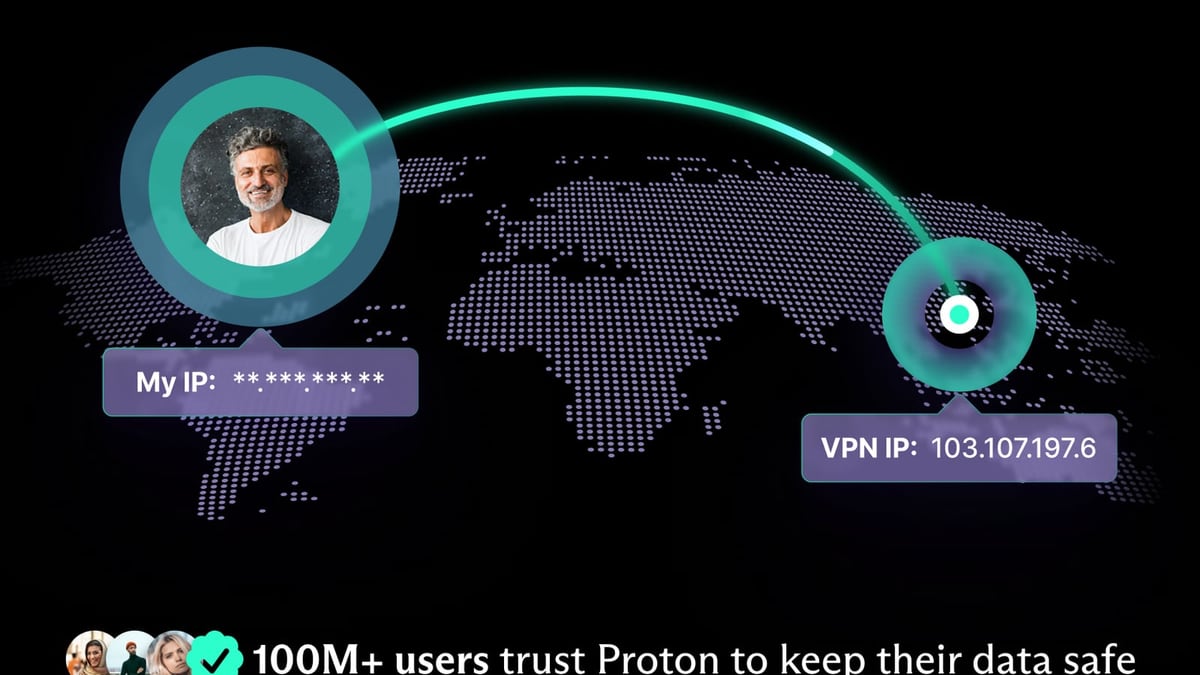
IP.ME is a free online service from the team behind Proton Mail and Proton VPN. It instantly shows your public IP address (IPv4 and IPv6) along with city, country, ISP, postal code, latitude/longitude, and ASN. Beyond the automatic check, you can manually run DNS lookups for any domain across A, CNAME, MX, NS, and TXT record types, as well as perform WHOIS queries.
Why it’s trusted: Being operated by Proton, IP.ME is ad‑free, tracker‑free, and commits to no logging of your lookups. The design is minimal, reflecting Proton’s privacy‑by‑default philosophy. It also serves as a gentle reminder that your IP exposes you to ISPs, governments, and advertisers—and points toward Proton VPN as a protective layer. For a quick, trustworthy check, IP.ME is near‑perfect.
7. IPinfo.io – High‑Resolution IP Intelligence (With DNS Tools)
IPinfo.io is best known for its accurate IP geolocation and ASN data, used by developers via its API. What many overlook is the free web‑based toolkit that also provides DNS record lookups (A, AAAA, MX, NS, SOA, TXT) and a privacy detection scan—flagging VPNs, proxies, and Tor exit nodes.
Where it shines: The data granularity is exceptional; you often get company name, abuse contact, and domain details alongside the usual city‑level location. The free tier permits 50,000 API requests per month, making it a favourite among small projects. Just note that the web UI is more developer‑oriented than consumer‑friendly.
8. DNSlytics – Domain and Connectivity Investigations in One Place
DNSlytics goes beyond simple record queries to show you a domain’s neighbourhood. You can check DNS records, WHOIS history, reverse IP, reverse MX, mailbox validator, and even perform a traceroute or BGP analysis. This makes it invaluable for investigating suspicious domains or auditing your own online footprint.
Unique tools: The “Reverse Google Analytics” search can uncover sites sharing the same tracking code, and the IP subnet exploration quickly reveals all domains on a given CIDR block. The free tier is robust, and the clean interface keeps the experience pleasant despite the heavy amount of data.
9. CentralOps.net (Domain Dossier) – The Veteran Investigator’s Checklist
Domain Dossier is a no‑frills, form‑based tool that has been serving researchers since the early 2000s. Despite its dated appearance, the depth of information it retrieves is exceptional: A, MX, NS, SOA records, full WHOIS with registrar information, service scan (checks FTP, HTTP, SMTP, etc.), and a network trace.
Why it’s still useful: Because it aggregates multiple sources in one report, it cuts down on tab‑switching. It has no user tracking, optional encryption, and can be accessed via Tor. For anyone who prefers speed and completeness over a modern UI, Domain Dossier remains a gold standard.
10. 2ip.io – Lightweight Multi‑Tool for IP and Anonymity Checks
2ip.io wraps a collection of simple, fast tests into one interface: your public IP, geolocation, ISP, DNS server info, a speed test, an anonymity checker that assesses web‑property cloaking, and a basic port scan. Its DNS lookup covers A, MX, and NS records on demand.
Best fit: Non‑technical users who want to quickly see “what info am I leaking right now?” will appreciate the plain‑language reports. The site supports multiple languages and is ad‑supported but uncluttered.
Beyond Basic Lookups: Verifying Your Privacy with BrowserScan
Top 10 IP Address and DNS Lookup Tools in 2026 (Tested & Reviewed) product interface and feature overview.
All the tools above tell you your visible IP and the DNS records your resolver returns. But if you’re using a VPN or proxy to hide your true location, a simple IP check isn’t enough—you also need to confirm that DNS requests, WebRTC, and browser fingerprints aren’t leaking your real identity. That’s where BrowserScan shines, and it’s why we mention it as a complementary step, not as a direct competitor in this list.
BrowserScan is a dedicated online privacy testing suite that runs a battery of leak tests without installing any plugins. In a single session it performs:
- IP leak detection (comparing your visible IP against DNS and WebRTC leaks)
- DNS leak test with configurable resolvers
- WebRTC leak test using multiple STUN servers
- Full browser fingerprint audit with an authenticity score
- Blacklist and VPN detection checks
After you’ve used one of the top‑10 lookup tools to confirm your new IP (say, after connecting to a VPN server), open BrowserScan to make sure no hidden web‑socket or candidate‑discovery call is still broadcasting your ISP‑assigned address. This two‑step workflow—IP lookup, then leak verification—is the most reliable way to ensure your privacy setup is solid.
🔗 See how to combine BrowserScan with NordVPN in a full leak‑proof workflow in our guide: Use BrowserScan with NordVPN to Catch Every Privacy Leak.
Why IP and DNS Lookup Tools Matter for Network Diagnostics and Privacy
Top 10 IP Address and DNS Lookup Tools in 2026 (Tested & Reviewed) - supporting product research image 4.
These tools aren’t just for network administrators. They serve a wide range of practical, everyday scenarios:
- Domain migrations: Prevent outages by checking DNS propagation globally before cutting over.
- Email deliverability: Verify SPF, DKIM, DMARC, and MX records to ensure messages aren’t going to spam.
- Incident response: Quickly grab WHOIS and reverse‑IP information when investigating phishing domains or malicious IPs.
- Personal privacy: See exactly what any website can learn about you from your IP—location, ISP, ASN—and decide if you need a VPN.
- Geoblocking troubleshooting: Confirm that your IP change actually landed you in the correct region for a streaming service or corporate application.
If your main concern is hiding your IP address entirely, start by picking a trusted VPN. Our experts tested and ranked the top 10 personal VPN software products in 2026—from ExpressVPN to self‑hosted Algo VPN.
Related reading
- How to Use BrowserScan with PrivacyTools.io: Complete Workflow - Combine BrowserScan’s leak tests with PrivacyTools.io’s curated tools to audit and fix your browser privacy. Step-by-step workflow.
- IPhey Review 2026: Browser Fingerprint, Leak Test & Privacy Audit - Read our evidence-based IPhey review: test browser fingerprints, IP/DNS leaks, bot detection, and risk scores. Ideal for multi-accounting, affiliate marketing, and VPN audits.
Sources and further reading
- Best DNS Monitoring Tools in 2026: 10 Options Compared - See which best DNS monitoring tools catch record changes fast, support DNSSEC, and fit your budget. Start with UptimeRobot.
- Top Rated IP Address Management (IPAM) Tools Vendors - Read IP Address Management (IPAM) Tools reviews from real customers. At PeerSpot you'll find reviews, ratings, comparisons of pricing, performance, features, stability and more.
- Best DNS for Gaming in 2026 - Discover the best DNS for gaming in 2026 to reduce latency and improve performance. Explore top options like Cloudflare, Quad9, AdGuard, NextDNS, and Control D with setup guides.
Frequently Asked Questions
What’s the difference between an IP lookup and a DNS lookup tool?
An IP lookup tells you details about a specific IP address: geolocation, ISP, ASN, and sometimes whether it’s a proxy or VPN. A DNS lookup queries the Domain Name System to retrieve records associated with a domain—like its A record (the IP where a website lives), MX records (mail servers), or TXT records (SPF/DMARC policies). This list covers tools that do both, because real‑world problems often require you to jump from one to the other.
Are these tools really free?
All ten tools offer fully functional free tiers. Some, like IPinfo.io, sell API access for high‑volume data usage, while others, like MXToolbox, provide paid monitoring add‑ons. The core lookups, however, remain free and will cover 99% of individual diagnostic needs.
Can I use these tools to check if my DNS is leaking?
A DNS leak test needs to compare your actual DNS resolver against your expected VPN DNS server, which a standard DNS lookup tool won’t do because it queries the resolver your device is currently using. To explicitly check for leaks, you need a dedicated leak‑test service like the one built into BrowserScan. First use an IP lookup to see your apparent location, then run a leak test to confirm no requests are escaping through your default ISP DNS.
How do I choose the right tool for my workflow?
Start with what you need most: if you’re diagnosing email delivery, MXToolbox should be your first stop. If you’re monitoring a DNS migration, DNSChecker.org is unbeatable. For instantaneous privacy‑respecting IP checks, IP.ME is perfect. And if you’re doing freelance penetration testing or domain investigations, ViewDNS.info and Domain Dossier cover the widest ground.
Does using these tools expose my query history?
We ranked privacy‑friendly services higher. IP.ME and Nslookup.io explicitly commit to no‑logging. Others, like MXToolbox, state they may retain query data for operational purposes but don’t sell it. When working with sensitive domains, consider using the HTTPS versions and evaluating each tool’s privacy policy before querying.
Conclusion
The IP address and DNS lookup category has moved well beyond a single “what is my ip” page. In 2026 you can choose from forensic‑grade suites like ViewDNS.info, privacy‑by‑design quick‑check tools like IP.ME, or specialised propagation checkers like DNSChecker.org. All ten tools we ranked deliver accurate, trustworthy data, and the best one for you depends on whether you’re debugging a mail server, planning a domain migration, or simply confirming your VPN is working.
Pair any of these tools with a disciplined privacy workflow—verify your IP, run a complementary leak check with BrowserScan or a dedicated test, and, if needed, mask your real address with a reputable VPN. At BrowserScan we continuously test and review both classic network utilities and the latest privacy‑protection toolchains so you can make decisions based on evidence, not marketing.