
What Is a Vulnerability Scanner? Types, Tools & How to Choose
What Is a Vulnerability Scanner? Types, Tools, and How to Choose
A vulnerability scanner is automated software that examines networks, systems, applications, or cloud environments for known security weaknesses. Instead of waiting for an attacker to find a misconfigured service or an unpatched library, a scanner compares what it discovers against databases of known vulnerabilities, misconfigurations, and compliance rules, then reports what needs attention.
The core promise is simple: find problems before someone else does. But the reality is more nuanced. Different scanners target different layers of your stack, produce different levels of false positives, and require different skills to operate well. This guide explains how vulnerability scanning works, the main scanner categories, popular tools in each category, and how to select one that matches your environment.
How Vulnerability Scanning Works
What Is a Vulnerability Scanner? Types, Tools & How to Choose - How Vulnerability Scanning Works.
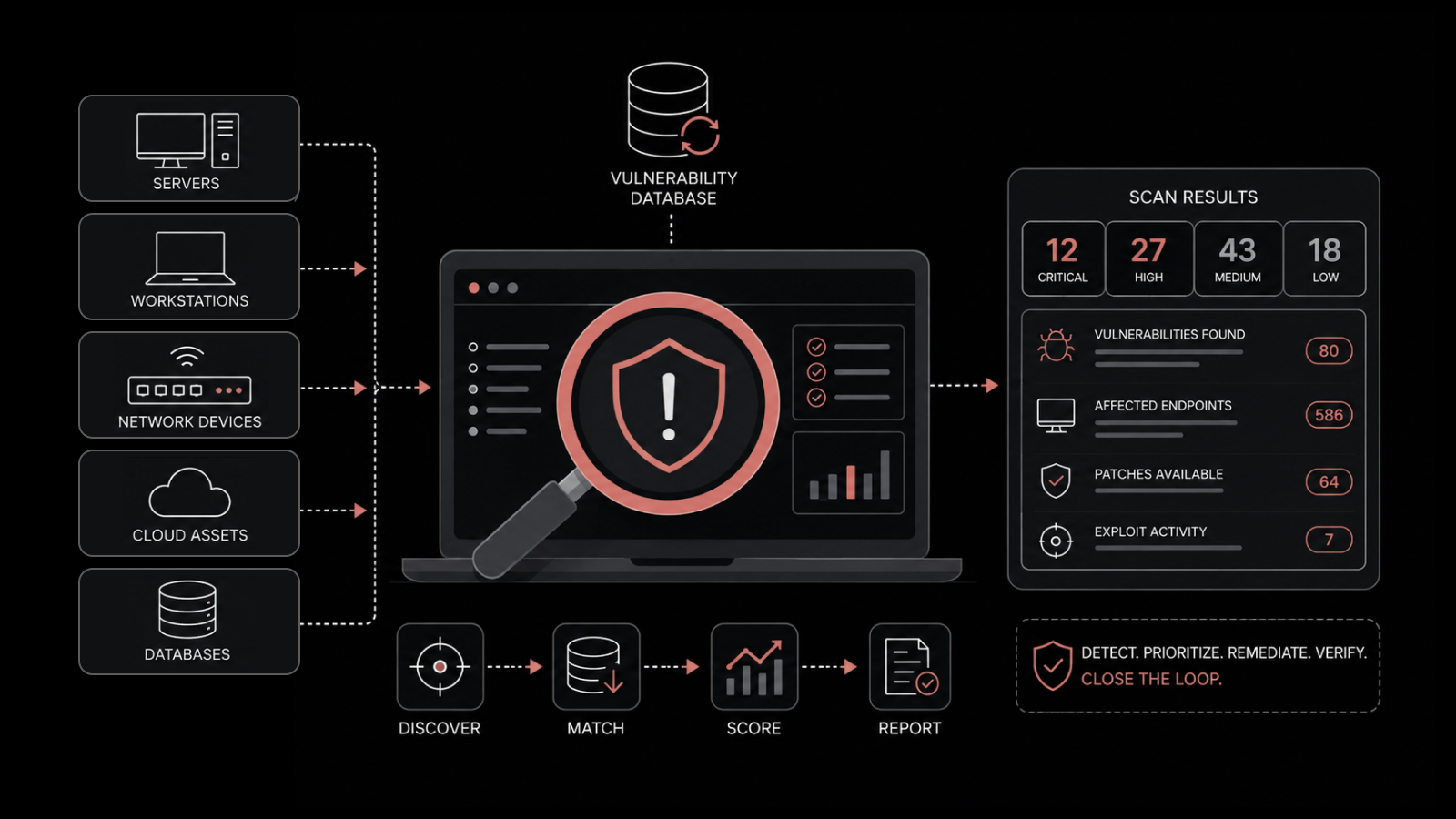
Most vulnerability scanners follow a similar workflow, even when their targets differ.
Discovery. The scanner identifies live hosts, running services, open ports, installed software versions, or reachable web endpoints. Network scanners often start with host discovery and port scanning. Web application scanners typically crawl a site to map URLs, forms, and API endpoints.
Fingerprinting. Once a service or application is found, the scanner tries to determine its exact version. This matters because vulnerabilities are tied to specific versions of software, libraries, or operating systems.
Comparison against vulnerability databases. The scanner checks discovered versions and configurations against sources such as the CVE database, vendor advisories, and the CISA Known Exploited Vulnerabilities (KEV) catalog. This is where a scanner turns raw version data into actionable findings.
Active testing. Some scanners go beyond version matching and send crafted requests to confirm that a vulnerability is actually exploitable. For example, a web application scanner may inject a payload to verify SQL injection or cross-site scripting (XSS) rather than simply reporting that a framework version is outdated.
Reporting and prioritization. The output is usually a list of findings with severity ratings, affected assets, evidence, and remediation guidance. Good scanners help you separate critical issues from noise.
Credentialed vs. Non-Credentialed Scans
A non-credentialed scan sees only what an unauthenticated outsider can see: open ports, service banners, publicly reachable pages. It is useful for understanding your external attack surface, but it misses a lot.
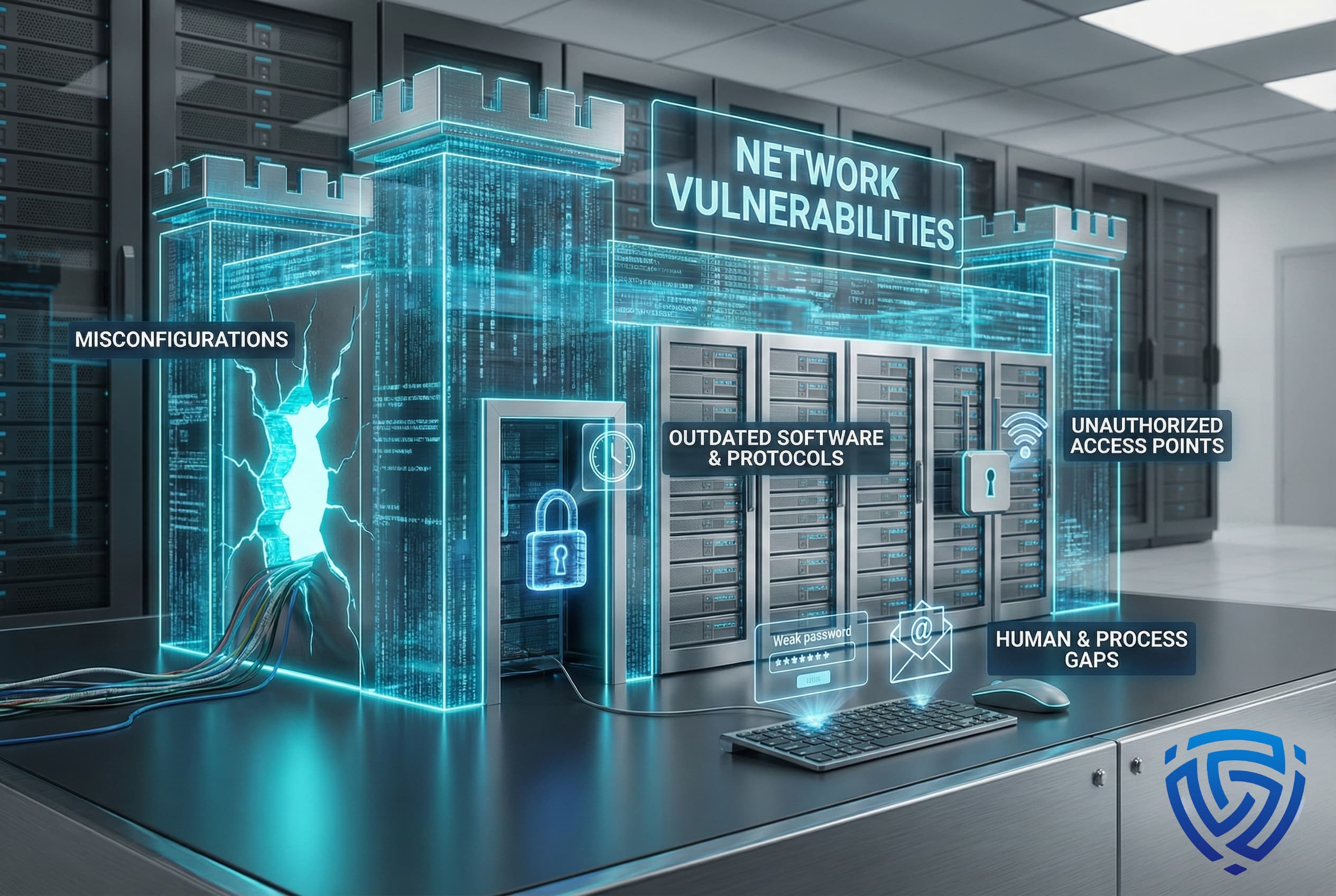
A credentialed scan uses valid login credentials to inspect the inside of a system: installed patches, local configuration files, user privileges, and software that is not exposed to the network. Credentialed scans find deeper issues such as missing security patches, weak local policies, and misconfigured services that an external scan cannot see.
Most mature vulnerability management programs run both types on a schedule.
Types of Vulnerability Scanners
What Is a Vulnerability Scanner? Types, Tools & How to Choose - Types of Vulnerability Scanners.
Vulnerability scanning is not one activity. The right tool depends on what you are protecting.
Network Vulnerability Scanners
Network scanners examine infrastructure: routers, switches, firewalls, servers, workstations, and anything else with an IP address. They look for open ports, outdated services, weak authentication protocols, and known operating system or application vulnerabilities.
These tools are the backbone of traditional vulnerability management. They work well for regular internal and external assessments, and they often integrate with patch management and SIEM platforms.
Web Application Vulnerability Scanners
Web application scanners target running websites and APIs. They crawl the application, map input points, and send malicious payloads to detect issues such as SQL injection, XSS, server-side request forgery (SSRF), and directory traversal. Most map findings to the OWASP Top 10.
Modern web scanners use headless browsers to handle JavaScript-heavy single-page applications and can navigate authentication flows to test areas behind a login. The best tools validate findings with evidence, such as captured HTTP requests and responses, to reduce false positives.
Cloud Environment Scanners
Cloud scanners focus on misconfigurations and vulnerabilities in IaaS, PaaS, and SaaS environments. They check things like publicly exposed storage buckets, overly permissive identity and access management policies, unencrypted data stores, and insecure network settings.
Because cloud risk often comes from configuration rather than software bugs, these tools emphasize compliance with frameworks such as CIS Benchmarks and vendor best practices.
Container Scanners
Container scanners analyze container images and runtime environments. They inspect base images, application dependencies, and configuration files for known vulnerabilities before containers are deployed. This fits naturally into CI/CD pipelines, where an image can be scanned before it reaches production.
Code Scanners (SAST and DAST)
Static application security testing (SAST) tools analyze source code without running it, catching issues during development. Dynamic application security testing (DAST) tools test a running application from the outside, similar to a web application scanner but often with broader enterprise scope. Many organizations use both, plus software composition analysis (SCA), to cover different stages of the development lifecycle.
Popular Vulnerability Scanning Tools
What Is a Vulnerability Scanner? Types, Tools & How to Choose - Popular Vulnerability Scanning Tools.
The market spans commercial platforms, open source projects, and lightweight utilities. Here are some of the most widely used options.
Commercial Platforms
Nessus (Tenable) is one of the most recognized vulnerability scanners. It has a large plugin library covering network devices, operating systems, applications, and cloud environments, and it is known for relatively approachable reporting.
Qualys VMDR is a cloud-based vulnerability management platform that combines asset discovery, scanning, prioritization, and remediation workflows. It scales well for large enterprises with mixed on-premises and cloud infrastructure.
Rapid7 InsightVM emphasizes live visibility and risk-based prioritization. It continuously collects data from the environment and integrates with the broader Rapid7 platform.
Acunetix specializes in web application security, with strong detection for SQL injection, XSS, and other OWASP Top 10 issues. It is designed to fit into DevSecOps workflows.
Open Source Tools
OpenVAS is a full-featured open source vulnerability scanner maintained by Greenbone Networks. It offers a large set of network vulnerability tests and is a common choice for organizations that need commercial-grade scanning without licensing costs.
Nmap is primarily a network discovery and port scanning tool, but its Nmap Scripting Engine (NSE) includes vulnerability detection scripts. It is lightweight, flexible, and widely used for quick assessments. You can learn more about what Nmap is and how it works before using it for vulnerability auditing.
ZAP (Zed Attack Proxy) is an open source web application scanner popular with developers. It integrates into development workflows and helps catch security issues before code reaches production.
How to Choose a Vulnerability Scanner
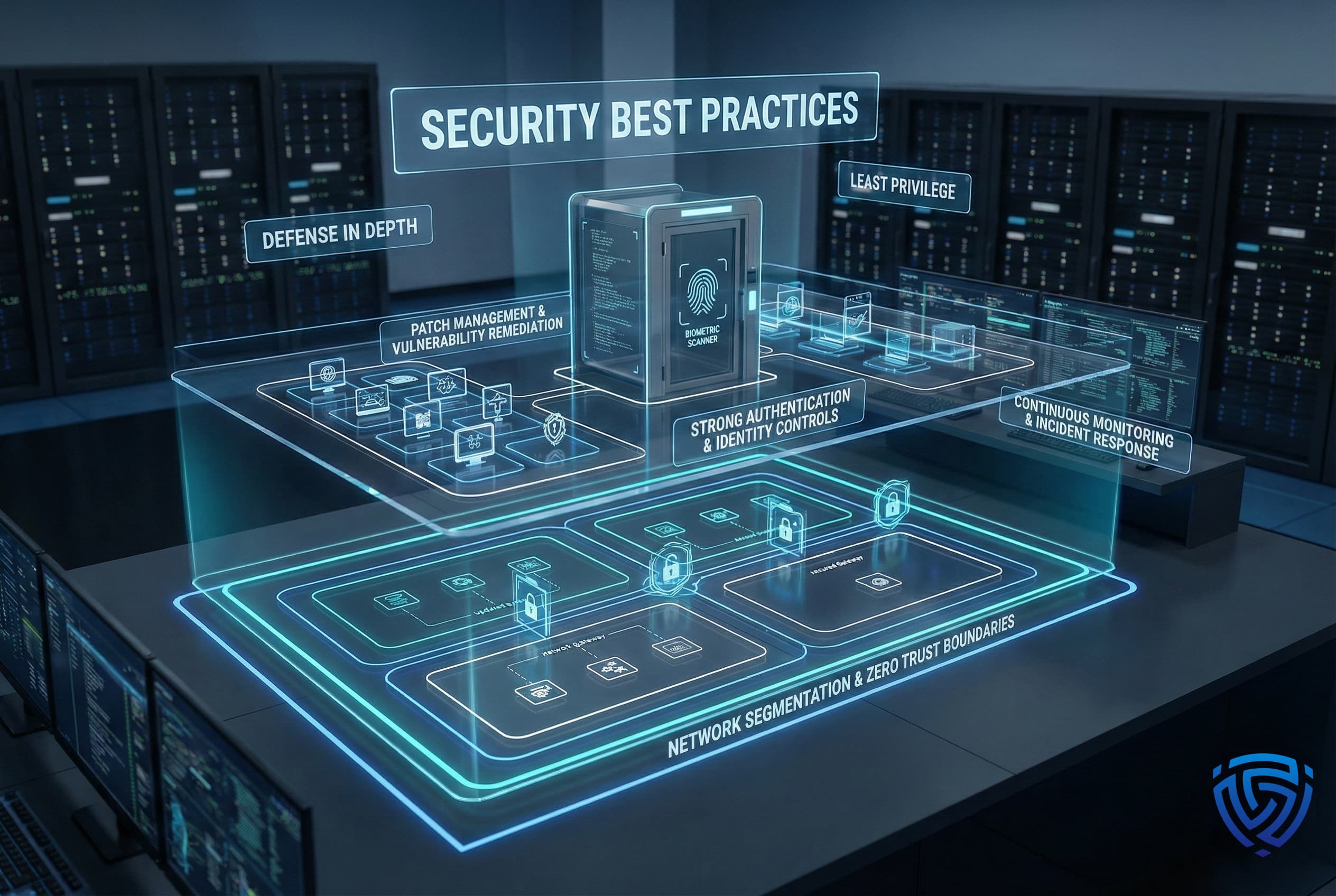
What Is a Vulnerability Scanner? Types, Tools & How to Choose - How to Choose a Vulnerability Scanner.
No single scanner covers everything well. Start by defining your environment and your constraints.
Coverage. If you manage a traditional on-premises network, a network scanner like Nessus, Qualys, or OpenVAS is the natural starting point. If you ship web applications, you need a DAST tool that handles modern JavaScript and authenticated testing. Cloud-heavy teams need a cloud security posture management tool, and containerized workloads need image scanning in the pipeline.
Accuracy. False positives are expensive because they consume engineering time. Tools that validate findings with proof, such as captured request/response pairs or confirmed exploitation, reduce that cost. This is especially important for web application scanners.
Scan depth. Credentialed scanning capability matters for internal assessments. Without credentials, you are only seeing the external view.
Automation and integration. A scanner that runs on a schedule and feeds findings into your ticketing system, SIEM, or patch management tool is far more useful than one that produces a PDF once a quarter. Look for API access and native integrations.
Budget and expertise. Open source tools such as OpenVAS and ZAP are free, but they require more setup and interpretation effort. Commercial tools cost more but often provide better reporting, support, and guided remediation.
A Practical Decision Framework
- Small team, limited budget, traditional network: Start with OpenVAS or Nmap with NSE scripts. Expect to invest time in tuning and interpreting results.
- Web application focus: Use a dedicated DAST scanner such as Acunetix, ZAP, or a commercial web scanner with proof-based validation.
- Large enterprise, mixed environment: A platform like Qualys VMDR or Rapid7 InsightVM provides continuous asset discovery, prioritization, and workflow integration.
- Cloud-native organization: Combine a cloud security posture management tool with container image scanning in CI/CD.
Vulnerability Scanning vs. Browser-Based Privacy Checks
Vulnerability scanners and browser-based privacy tools answer different questions. A vulnerability scanner asks, "What weaknesses exist in this system or application?" A browser privacy check asks, "What does my browser expose about me, and is my VPN leaking?"
They can complement each other. For example, if you run a network vulnerability scan and find an open port on your public IP, a browser-based tool can help you understand what that exposure means from a client-side perspective. BrowserScan offers a suite of free, web-based diagnostics that require no installation: browser fingerprint analysis, DNS and WebRTC leak tests, IP address lookup with proxy detection, and an Nmap-powered port scanner. If you are already using a VPN, a DNS leak test is a quick way to confirm that your real IP address is not being exposed through DNS requests.
For developers and IT professionals, these checks are useful for validating network configurations and understanding how your browser appears to websites. They do not replace a full vulnerability assessment, but they fill a practical gap: instant, no-setup visibility into your own network and browser exposure.
Common Mistakes to Avoid
Scanning without authorization. Only scan systems you own or have explicit written permission to test. Unauthorized scanning can violate laws and terms of service.
Treating every finding as critical. Severity scores are a starting point. Prioritize based on exploitability, asset exposure, and business impact, not just CVSS score.
Ignoring false positives. A scanner that reports everything as a vulnerability creates alert fatigue. Validate findings before sending them to remediation teams.
Scanning once and stopping. New vulnerabilities are published constantly. A quarterly scan is a snapshot, not a security program. Schedule recurring scans and rescan after major changes.
Forgetting the client side. Server-side scanning does not catch browser fingerprinting, WebRTC leaks, or DNS leaks. If privacy is part of your threat model, pair infrastructure scanning with browser-level checks.
Related reading
- IPhey Setup: How to Test and Improve Your Browser Fingerprint - Learn how to set up IPhey for browser fingerprint testing, interpret your results, and fix red flags to make your anti-detect or privacy setup more realistic.
- Bot Detection: How to Identify and Block Bad Bots in 2026 - Learn how bot detection works, the key techniques for identifying automated traffic, and practical steps to block bad bots without hurting real users.
Sources and further reading
- Top 10 Vulnerability Scanning Tools - Discover the best vulnerability scanning tools for identifying and managing security risks. Learn about the top solutions below and why you should consider a comprehensive solution like Balbix.
- Highly Accurate Website Scanner | Try a Free Vulnerability Scan - Find SQLi, XSS, SSRF, XXE, OWASP Top 10, and more critical risks with our custom Website Scanner. Detect deep security flaws with authenticated tests.
- 12 popular vulnerability scanning tools in 2025 | Red Canary - Discover essential vulnerability scanning tools to enhance your cybersecurity strategy. Learn how to identify and mitigate risks effectively with our expert insights.
Frequently Asked Questions
What is the difference between a vulnerability scanner and a penetration test?
A vulnerability scanner is automated and looks for known weaknesses. A penetration test is a manual, human-led assessment where a tester tries to exploit vulnerabilities and chain them together to achieve a specific goal. Scanners find candidates; penetration testers prove impact.
Are open source vulnerability scanners good enough?
For many organizations, yes. OpenVAS and ZAP are capable tools with active communities. The trade-off is usually in reporting polish, support, and ease of setup rather than raw detection capability.
How often should I run vulnerability scans?
At minimum, run external scans monthly and internal credentialed scans quarterly. High-change environments, such as those with frequent deployments, benefit from continuous or weekly scanning. Always rescan after significant infrastructure changes.
Can a vulnerability scanner find zero-day vulnerabilities?
Generally no. Scanners rely on databases of known vulnerabilities. Some advanced tools use behavioral analysis or fuzzing to find unknown issues, but zero-day discovery is primarily the domain of specialized research and manual testing.
Do I need a web application scanner if I already have a network scanner?
Usually yes. Network scanners focus on infrastructure and known software versions. They are not designed to crawl a web application, manipulate input parameters, or detect logic flaws such as broken access control. Web applications need a DAST tool.
What should I do after a vulnerability scan finds issues?
Prioritize findings by severity, exploitability, and asset criticality. Assign remediation to the relevant owner, apply patches or configuration changes, and rescan to verify the fix. Feed confirmed findings into your long-term security backlog.
Conclusion
A vulnerability scanner is a foundational security tool, but it is not a magic box. The value comes from choosing the right scanner for your environment, running it consistently, validating its output, and acting on the findings. Network scanners handle infrastructure, web application scanners handle code and runtime behavior, cloud scanners handle configuration risk, and container scanners protect the software supply chain.
For quick, no-installation checks of your own network and browser exposure, browser-based tools like BrowserScan provide a useful complement: fingerprint analysis, leak tests, IP lookup, and port scanning from a single web interface. Used together with a proper vulnerability management program, these tools give you both the deep view and the immediate view of your security posture.