
Whoer.net Review 2026: Free IP Checks, VPN & Anti-Detect

Whoer.net Review 2026: Free IP Checks, VPN, and Anti-Detect Tools
Whoer.net has been a bookmark for privacy tinkerers for years: load the page, and it immediately tells you what IP address, location, and ISP the internet sees. But the site has grown well beyond a single IP checker into a bundle of free diagnostics plus paid products like WhoVPN and the WADE X anti-detect browser. This review breaks down what each part actually does, where it falls short, and how to decide whether it belongs in your toolkit.
What Whoer.net Actually Is
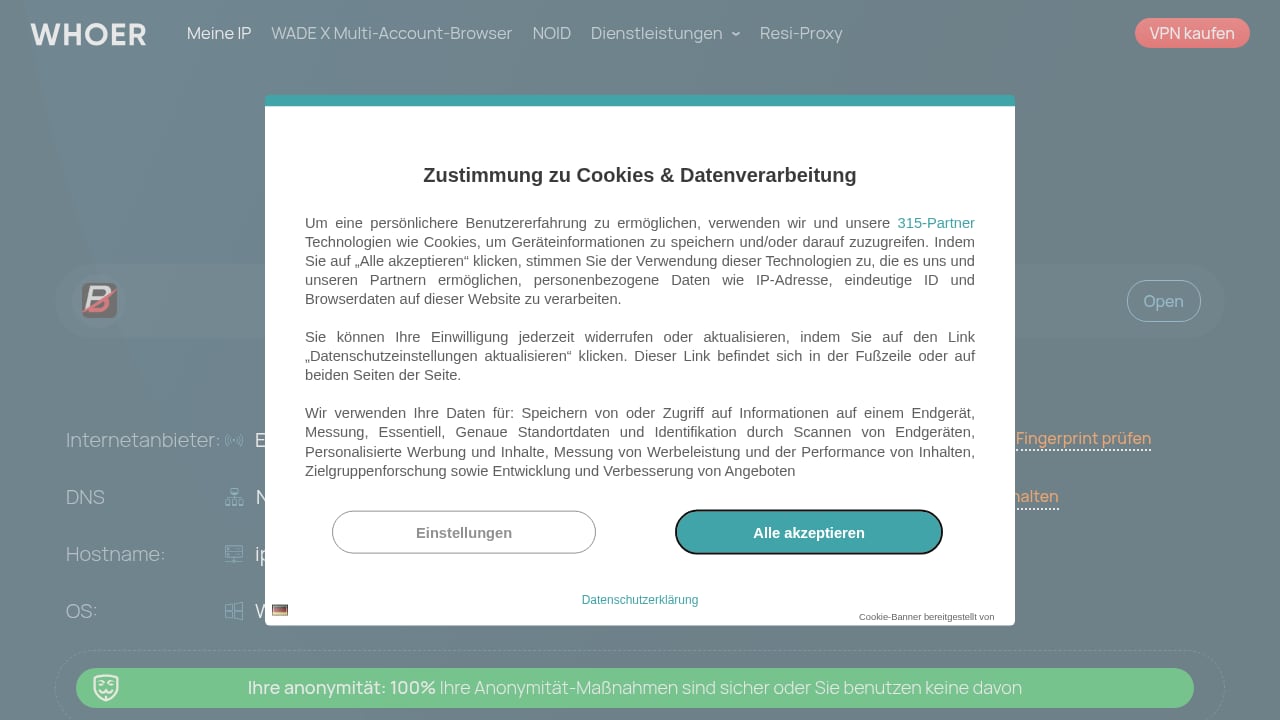
First viewport screenshot of What Is My IP Address? - Find IP and Check Leaks.
At its core, Whoer.net is an IP intelligence and privacy diagnostics platform. You open the homepage and it runs a battery of checks in the browser: your visible IP address, approximate geolocation, ISP or hosting provider, DNS and WebRTC leak status, and a composite "anonymity" percentage that summarizes how exposed your connection looks.
Around that core, the site hosts a wider set of standalone tools:
- IP lookup and reverse IP checks
- DNS leak test
- WebRTC leak detection
- Port scanner
- Whois lookup
- Speed test and ping
- Proxy and anonymity checks
It also sells three paid products: WhoVPN, the WADE X anti-detect browser, and residential proxies. The free tools and the paid stack serve different jobs, so it helps to evaluate them separately.
Who Should Use Whoer.net

nodemaven.
Whoer.net fits a few distinct profiles better than others.
Privacy-conscious individuals
If you just want to confirm that a VPN is masking your real IP and not leaking DNS queries, the free homepage check answers that in seconds. No account, no install.
Digital marketers and e-commerce operators
Ad verification, geo-targeting checks, and confirming that a proxy is actually routing through the intended country are common daily tasks. Whoer.net's IP and location readout is fast enough for spot checks.
Multi-account and proxy users
People running several accounts behind residential proxies use Whoer.net to verify that each profile shows a consistent IP, timezone, and language. It is a sanity check, not a full fingerprinting suite, so serious operators usually pair it with a dedicated anti-detect browser.
Developers and QA testers
Port scanning, ping, and whois lookups are handy for quick network troubleshooting without leaving the browser.
Strengths: What Whoer.net Does Well

anosim.
Instant, no-friction checks. The homepage loads results immediately. For a quick "is my VPN working?" question, that speed matters more than depth.
Breadth of free tools. Few single sites bundle IP lookup, DNS leak testing, port scanning, whois, speed tests, and ping together at no cost. That consolidation is genuinely convenient.
Clear leak signals. DNS and WebRTC leak results are presented plainly, which helps non-specialists spot a misconfigured VPN or proxy.
Educational content. The blog covers hiding IP addresses, VPN usage, browser fingerprinting, and anti-detect browsers. It is useful background reading if you are new to the space.
Proxy marketplace comparisons. Whoer.net publishes comparisons of proxy providers, which can help buyers shortlist options, though you should treat vendor-adjacent comparisons with appropriate skepticism.
Limitations and Caveats
Anonymity score is a heuristic, not a verdict. The percentage is a summary of detected signals. Different detection platforms use different databases and models, so Whoer.net's score will not always match what another checker reports. Treat it as one data point, not ground truth.
Fingerprint analysis is shallower than dedicated tools. Whoer.net surfaces browser version, OS, screen resolution, language, and similar parameters. It does not go as deep as specialized fingerprint testers that examine Canvas, WebGL, audio, and font-level entropy. If fingerprint depth is your priority, compare options in our roundup of the top browser fingerprint detection tools for 2026.
IP classification can disagree with other services. Geolocation and ISP labels vary by database and update cycle. A proxy that looks clean on Whoer.net may be flagged elsewhere, and vice versa.
Paid products are separate purchases. The free checker is not a trial of WhoVPN or WADE X. Each has its own pricing and its own strengths and weaknesses.
WhoVPN: Pricing Signals and Performance Reality
WhoVPN is Whoer.net's VPN offering. Based on published pricing tiers, it sits at the budget end of the market:
| Plan | Approximate cost | Effective monthly |
|---|---|---|
| 1 month | ~$9.90 | ~$9.90 |
| 12 months | ~$29.90 | ~$2.49 |
| 24 months | ~$49.90 | ~$2.08 |
Those numbers are competitive with mid-tier VPNs, though multi-year deals from larger providers can undercut them.
Feature-wise, WhoVPN advertises a no-logs policy, a kill switch (off by default, so turn it on), OpenVPN as the protocol, an obfuscation feature called Hide VPN, and a proxy mode. Independent testing has reported clean DNS and WebRTC leak results across multiple servers, which is a meaningful positive.
The trade-offs are more about scale and polish than security. Reported issues include a limited server network (roughly 21 countries, heavily weighted to Europe, North America, and parts of Asia), a five-device simultaneous connection cap, slow connection times to distant servers, occasional connection failures, and significant speed reduction in third-party tests. Mobile apps are more limited than desktop, with Hide VPN unavailable on mobile and reports of Android crashes.
Bottom line on WhoVPN: it is a low-cost option that appears to do the security basics correctly, but it is not built for heavy streaming, large households, or travelers who need servers in many regions.
WADE X Anti-Detect Browser
Whoer.net promotes WADE X as an anti-detect browser, with marketing claims positioning it as a leading option in 2026. Anti-detect browsers create isolated profiles, each with its own fingerprint, cookies, and proxy binding, so multiple accounts appear to come from separate devices.
If you manage multiple accounts, the workflow is straightforward: create a profile per account, bind a proxy, and verify the result. The verification step is where Whoer.net's own checker is useful, but for deeper fingerprint validation you will want a dedicated tester. Our guide on using BrowserScan fingerprint detection with Nstbrowser walks through that kind of profile-by-profile verification loop.
Because WADE X is newer and vendor-promoted, treat "best anti-detect browser" claims as marketing until you have tested it against your own target sites. Profile isolation quality, proxy compatibility, and team collaboration features vary widely across anti-detect tools.
Residential Proxies
Whoer.net also offers residential proxies, aimed at users who need IPs that look like real consumer connections rather than datacenter ranges. Residential IPs are commonly required for ad verification, price monitoring, and account management where datacenter IPs get flagged.
As with any proxy purchase, evaluate on IP pool size, geographic coverage, rotation options, session stickiness, and success rate on your specific targets. Whoer.net's own checker can confirm the exit IP and location, but it will not tell you whether that IP succeeds on the sites you care about. Test with real targets before committing.
Setup: How to Get Useful Results
- Start with the homepage check. Note your visible IP, location, ISP, and anonymity percentage before changing anything.
- Connect your VPN or proxy. Re-run the check and confirm the IP and location changed as expected.
- Run the DNS leak test. If your real ISP's DNS servers appear, your configuration is leaking.
- Check WebRTC. Browsers can expose local or real IPs through WebRTC even when a VPN is active.
- Review browser parameters. Compare timezone, language, and screen resolution against the location your IP claims. Mismatches are red flags for detection systems.
- Test the port scanner and whois tools if you are doing network troubleshooting, and remember that online port scans only see what is externally reachable. For context on how browser-based scanners differ from command-line tools, see our Nmap online port scanning guide.
- Repeat per profile. If you run multiple accounts, verify each profile individually rather than assuming a global setting covers all of them.
Whoer.net vs Alternatives
First viewport screenshot of From IP address to your door: what someone can do with your IP.
| Need | Whoer.net | Dedicated fingerprint testers | Full anti-detect browsers |
|---|---|---|---|
| Quick IP and location check | Strong | Adequate | Not the point |
| DNS/WebRTC leak test | Strong | Strong | Indirect |
| Deep fingerprint entropy | Limited | Strong | Creates fingerprints, does not grade them |
| Multi-account isolation | No | No | Strong |
| Port scan, whois, ping | Yes | Rarely | No |
| Free core tier | Yes | Usually | Rarely |
Whoer.net's niche is breadth and speed at the entry level. It is a diagnostic hub, not a replacement for a fingerprinting suite or an anti-detect browser. If you are deciding between checkers specifically, our comparison of BrowserScan vs BrowserCheck vs Whoer.net looks at where each one is stronger.
Decision Criteria: Should You Use It?
Use Whoer.net if:
- You want a free, instant read on your IP, location, and leak status
- You need occasional port scans, whois, or ping from the browser
- You are verifying that a proxy or VPN is routing correctly
- You want educational content on privacy and fingerprinting
Look elsewhere if:
- You need deep browser fingerprint analysis (Canvas, WebGL, audio entropy)
- You need a VPN with a large server network, high speeds, or many simultaneous devices
- You need proven multi-account isolation at scale
- You need guaranteed proxy performance on specific target sites
Consider the paid stack if: you specifically want a budget VPN with clean leak results, or you are willing to pilot WADE X and residential proxies against your own use case before committing.
Related reading
- Canvas Fingerprint: How It Works and How to Test Yours - Learn how canvas fingerprinting identifies your browser, why it persists without cookies, and how to test and reduce your canvas fingerprint exposure.
Sources and further reading
- Whoer VPN Reviews - Trustpilot - VPN service without limits and logs. Contact info. Cyprus. who@whoer.net · whoer.net. 3.1. Average. TrustScore 3 out of 5. 29 reviews. 5-star. 4-star. 3-star. 2 ...
- Whoer VPN Review 2026 - The internet can be a pretty scary place. Identity thieves run rampant, and unscrupulous websites, services, and online retailers harvest your data, selling it to the highest bidder.1 It makes sense that you’d want to protect yourself. The best way to do that is by using a VPN, or virtual private network. VPNs won’t make you completely anonymous, but they will hide your IP address and encrypt your online data as you browse. Protecting yourself online requires that you have a reliable VPN service, and you’re probably here because you came across an affordable option in Whoer VPN. But is it good?...
- Advanced Anti-Detect Browser for Web Scraping and Multiple Accounts Managing - Nstbrowser is a powerful anti-detect browser designed for multi-accounting professionals to manage multiple accounts securely and efficiently. Try it now for free!
FAQ
Is Whoer.net free? Yes. The core IP checker, leak tests, port scanner, whois, speed test, and ping tools are free to use without an account. WhoVPN, WADE X, and residential proxies are separate paid products.
Is Whoer.net accurate? It is generally accurate for IP address and leak detection, but geolocation, ISP labels, and the anonymity percentage can differ from other services because of different databases and detection models. Use it as one reference point.
Does Whoer.net hide my IP? No. The checker only reports what it sees. To change your visible IP you need a VPN or proxy, such as WhoVPN or a third-party service.
Is WhoVPN good? It is a budget VPN with reported clean DNS and WebRTC leak results and a no-logs claim, but it has a small server network, a five-device cap, and slow speeds in independent testing. It suits light use, not heavy streaming or large households.
What is WADE X? WADE X is an anti-detect browser promoted by Whoer.net. It creates isolated browser profiles for managing multiple accounts. Because vendor claims are strong, test it against your own targets before relying on it.
Can Whoer.net detect browser fingerprinting? It shows basic browser parameters like version, OS, screen resolution, and language, but it does not provide the deep Canvas, WebGL, and audio fingerprint analysis that dedicated fingerprint testers do.
Conclusion
Whoer.net earns its place as a fast, free entry point for IP and leak diagnostics. The homepage check, DNS and WebRTC tests, and the grab bag of network utilities make it genuinely useful for quick verification, and its blog is a reasonable starting point for learning about privacy and fingerprinting.
Its limits are just as clear. The anonymity score is a heuristic, fingerprint depth is shallow, and the paid products, WhoVPN, WADE X, and residential proxies, are budget-tier options with real trade-offs in server coverage, speed, and maturity. The smart approach is to use Whoer.net as one layer in a broader stack: verify IPs and leaks here, grade fingerprints with a dedicated tester, and isolate accounts with a purpose-built anti-detect browser.