
What Is Anti-Fingerprinting? How It Protects Your Privacy
What Is Anti-Fingerprinting? How It Protects Your Privacy
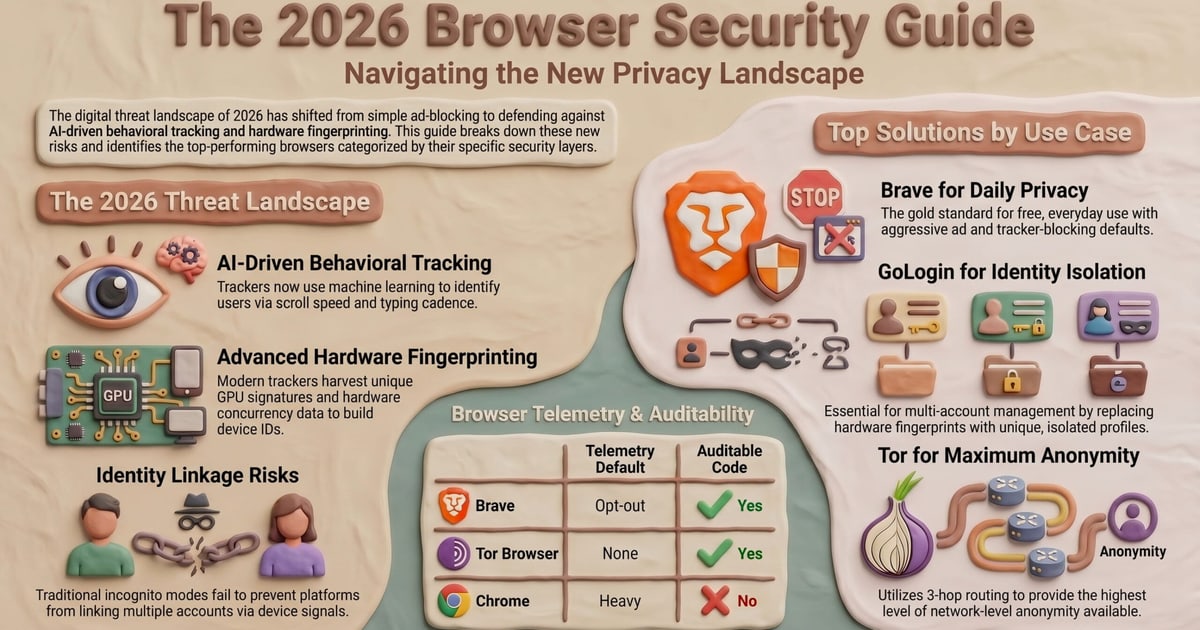
Every time you visit a website, your browser leaves behind a unique set of characteristics—your screen resolution, installed fonts, operating system, and even how your device renders graphics. This collection is your browser fingerprint, and trackers use it to identify you across the web without cookies. Anti-fingerprinting is the set of techniques designed to make that fingerprint less unique, blending you into a crowd of similar-looking users so you can’t be singled out and followed.
Why Browser Fingerprinting Matters
What Is Anti-Fingerprinting? How It Protects Your Privacy - Why Browser Fingerprinting Matters.
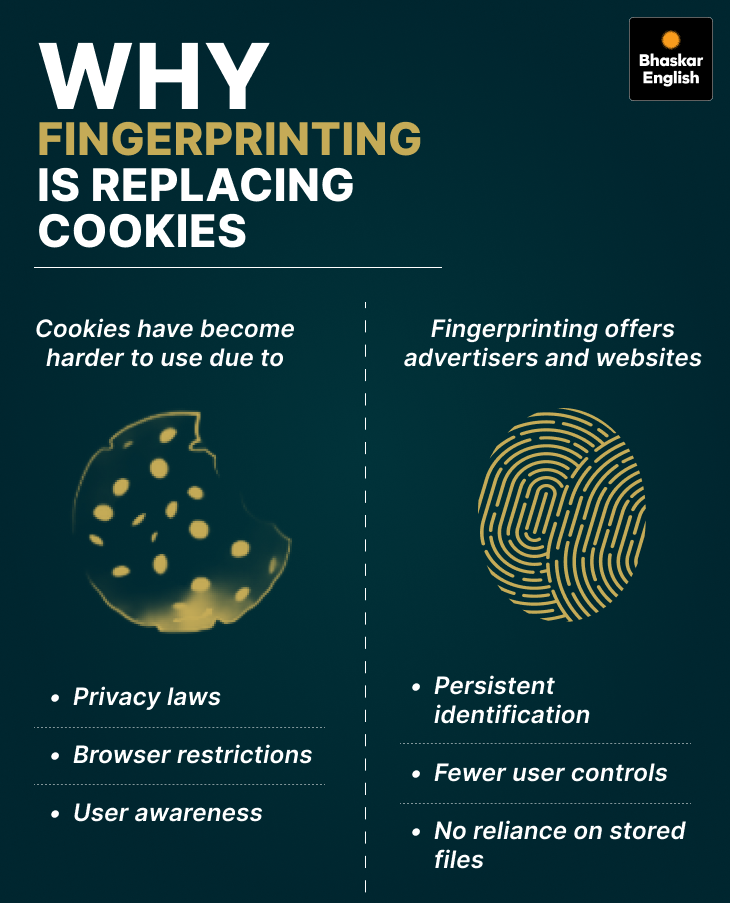
Unlike cookies, which you can clear, a fingerprint is passive and persistent. Trackers don’t need to store anything on your device; they simply read what your browser already broadcasts. A study by the EFF showed that the vast majority of browsers have a unique fingerprint, making this an incredibly effective surveillance method. Anti-fingerprinting aims to disrupt that uniqueness by either masking real values or introducing controlled randomness.
The Data Points That Create Your Fingerprint
Trackers combine dozens of signals to build a profile. Understanding them is the first step to defending against them.
- User Agent String: Reveals your browser, version, and OS.
- HTTP Headers: Language preferences and accepted encoding types.
- Screen Resolution & Color Depth: The physical characteristics of your display.
- Installed Fonts: The specific list of fonts on your system is highly identifying.
- WebGL & Canvas Fingerprinting: Subtle differences in how your GPU renders an image create a unique hash.
- AudioContext: Similar to canvas, differences in audio processing hardware generate a distinct signature.
- Time Zone & Language: Combined, these narrow down your location significantly.
How Anti-Fingerprinting Works in Modern Browsers
What Is Anti-Fingerprinting? How It Protects Your Privacy - How Anti-Fingerprinting Works in Modern Browsers.
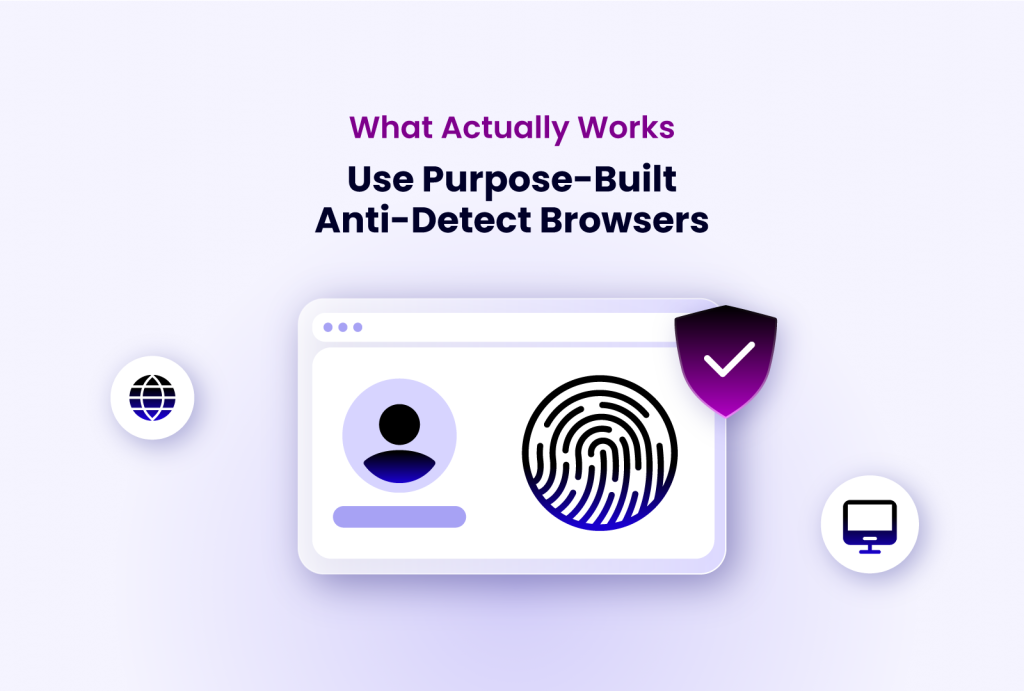
Major browsers now include built-in protections, but they take different philosophical approaches. The goal is always the same: reduce entropy, the amount of identifying information your browser leaks.
Brave’s Approach: Aggressive Randomization
Brave takes a strong stance by randomizing your fingerprint on a per-session or even per-tab basis. When a script tries to read your canvas or audio fingerprint, Brave adds a tiny amount of noise to the output. This makes the hash unique for that specific request but different the next time, breaking the tracker’s ability to link those sessions together. Brave also blocks known fingerprinting scripts at the network level, preventing them from loading at all.
Firefox’s Approach: Blocking and Spoofing
Firefox’s Enhanced Tracking Protection includes a specific “fingerprinting” blocker. Rather than randomizing every readout, Firefox maintains a blocklist of known fingerprinting domains and scripts, stopping them outright. For certain APIs, it may also return a generic, spoofed value that matches many other Firefox users. This approach prioritizes usability, as aggressive randomization can sometimes break sites that rely on accurate GPU rendering for graphics or games.
Other Defensive Layers
- Disabling JavaScript: The nuclear option. Most fingerprinting relies on JavaScript, but the modern web breaks almost entirely without it.
- VPNs and Proxies: These hide your real IP address, a critical part of your fingerprint, but they don’t hide the browser-specific data points.
- Privacy-Focused Extensions: Tools like NoScript or uBlock Origin can block the scripts that perform fingerprinting, but require careful configuration.
Testing Your Anti-Fingerprinting Defenses
What Is Anti-Fingerprinting? How It Protects Your Privacy - Testing Your Anti-Fingerprinting Defenses.
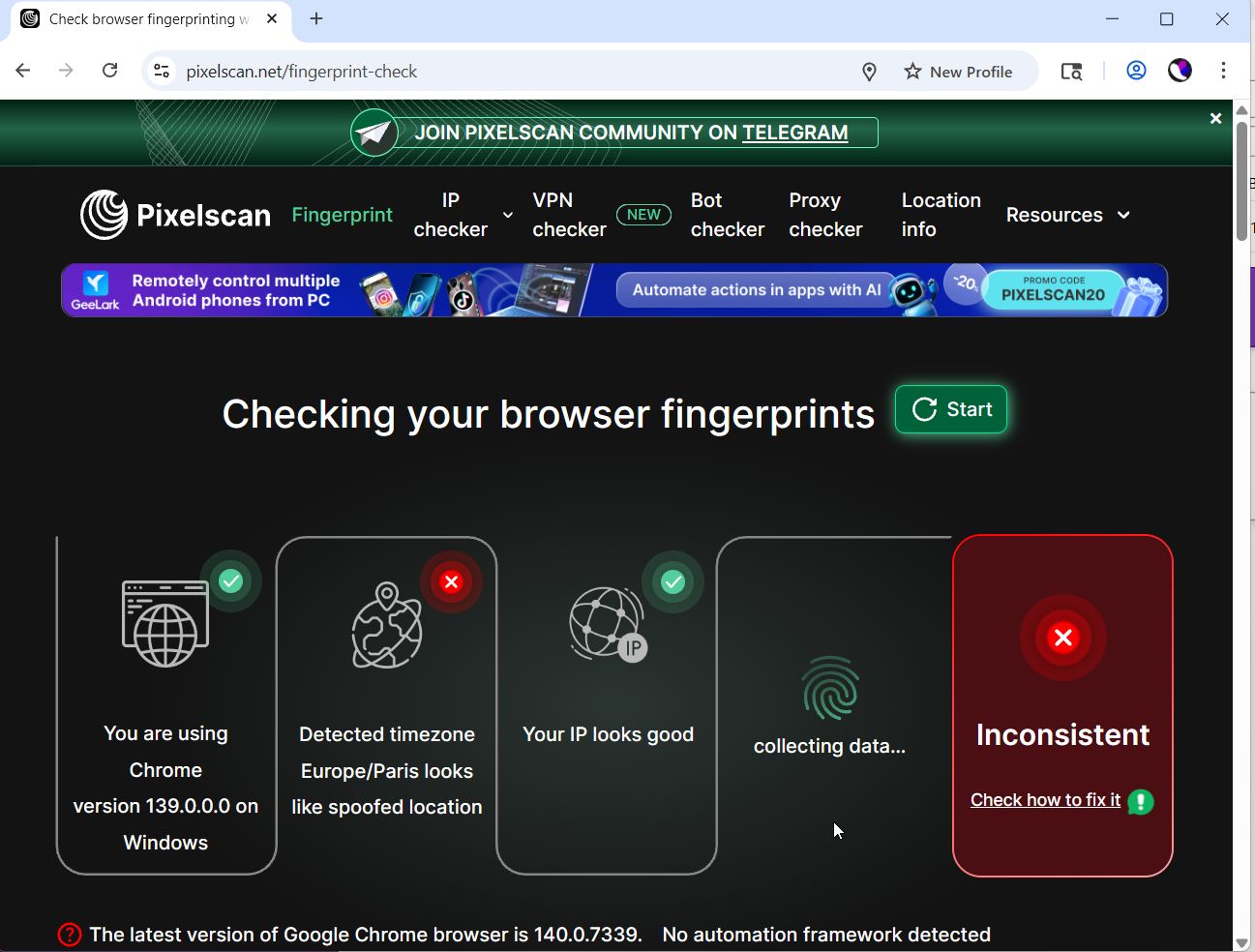
You can’t manage what you don’t measure. After configuring your browser or VPN, it’s essential to verify that your anti-fingerprinting setup is actually working. This is where dedicated online testing platforms become invaluable.
A comprehensive privacy check goes beyond just a fingerprint hash. You need to see what your browser is truly exposing. Platforms like BrowserScan offer a suite of free, web-based tools that let you run a full privacy diagnostic without installing anything. You can perform a detailed browser fingerprint analysis to see exactly how unique your setup is, check for DNS and WebRTC leaks that might expose your real IP even behind a VPN, and parse your user agent string to ensure it’s not revealing more than necessary. For a deeper dive into this process, see our guide on privacy diagnostics and how to audit your digital footprint.
Canvas Fingerprint Check
One of the most potent tracking methods is canvas fingerprinting. It works by drawing a hidden image and text in your browser, then reading the pixel data. Because every device renders this slightly differently, the output is a highly unique string. A canvas fingerprint checker tool will show you this hash and let you compare it across different browsers or after enabling anti-fingerprinting protections to confirm the value changes.
DNS and WebRTC Leak Tests
A VPN is a powerful privacy tool, but it’s not a silver bullet. A DNS leak occurs when your browser sends a domain name request outside the encrypted VPN tunnel, revealing your browsing history to your ISP. A WebRTC leak can expose your true local IP address to websites, even when you’re connected to a VPN. Running a leak test is a critical step after setting up any VPN service. For a complete walkthrough on verifying your VPN’s security, check out our step-by-step guide on how to use NordVPN and test for leaks.
Building a Strong Anti-Fingerprinting Strategy
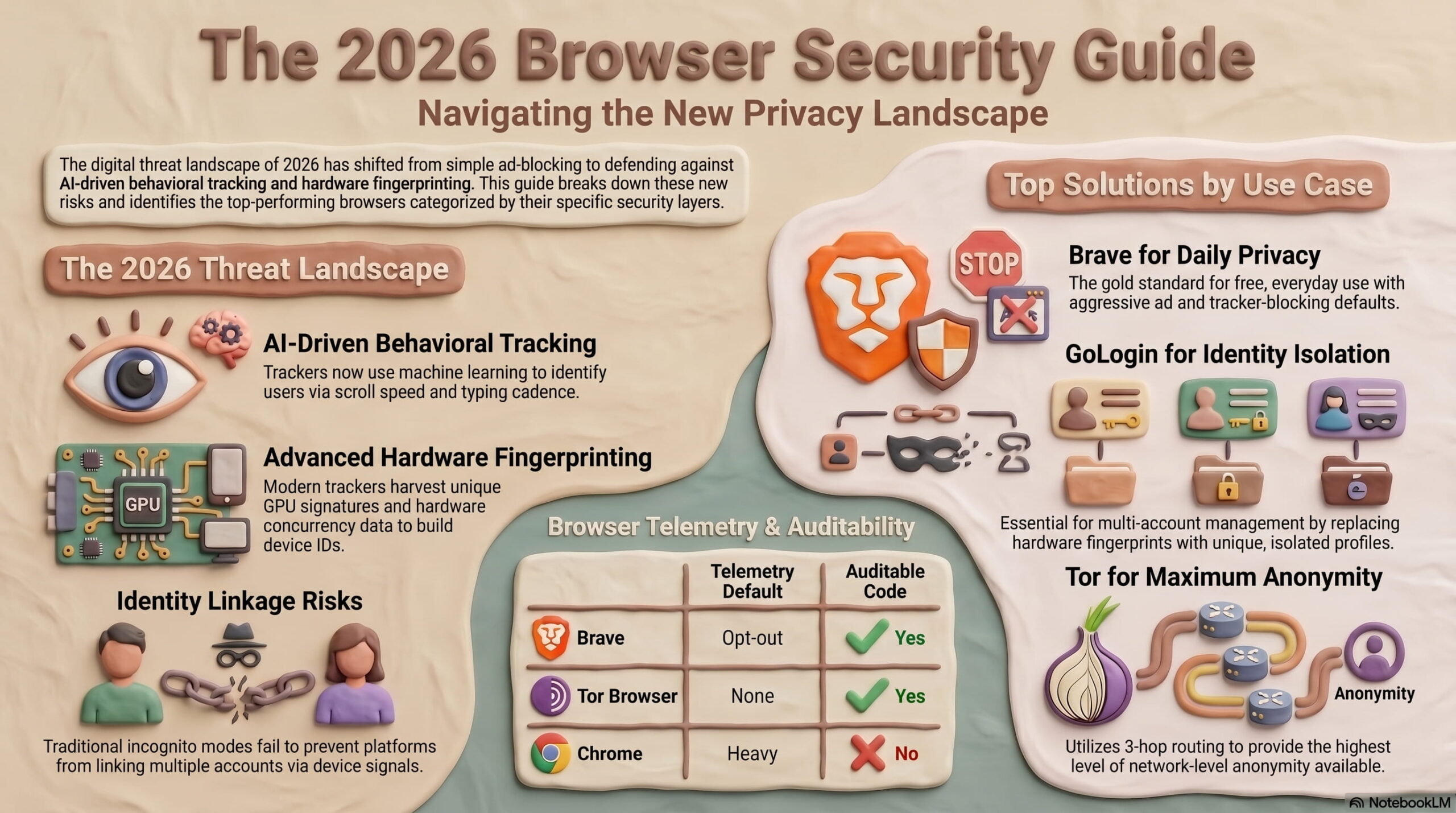
What Is Anti-Fingerprinting? How It Protects Your Privacy - Building a Strong Anti-Fingerprinting Strategy.
Effective anti-fingerprinting isn’t about a single toggle. It’s a layered approach that balances privacy with a usable web experience.
Step 1: Choose a Privacy-Respecting Browser
Start with a browser that has anti-fingerprinting built into its core. Brave and Firefox are the leading options, with LibreWolf (a Firefox fork) offering even stricter defaults. Avoid browsers with weak privacy records or those that add their own unique identifiers.
Step 2: Harden Your Browser Settings
- In Brave, navigate to
brave://settings/shieldsand set “Fingerprinting blocking” to “Strict.” - In Firefox, go to
about:preferences#privacy, select “Custom” under Enhanced Tracking Protection, and ensure “Fingerprinters” is checked. - Disable WebGL in about:config by setting
webgl.disabledtotrueif you don’t need it, though this will break many sites.
Step 3: Audit Your Extensions
Every extension you add increases your fingerprint surface area. A tracker can detect which extensions you have installed by testing for unique behaviors or injected code. Keep your extension list minimal and only install trusted, privacy-focused tools. Consider using a dedicated privacy profile with no extensions for sensitive browsing.
Step 4: Test and Verify Regularly
Browser updates, new extensions, or even OS changes can alter your fingerprint. Make it a habit to run a fingerprint test periodically. Use a tool that shows you not just a hash, but also a breakdown of all the signals you’re emitting. This granular view helps you pinpoint exactly which setting is leaking data.
The Limits of Anti-Fingerprinting
No solution is perfect. Aggressive blocking can cause websites to break, displaying incorrectly or refusing to load. Randomization can make you stand out if you’re the only user in a dataset with a constantly changing fingerprint. The most effective strategy is to blend in with the largest possible crowd. Using a standard, unmodified browser on a common device is ironically one of the best defenses, but it offers no protection against other tracking methods. Anti-fingerprinting is a crucial tool, but it’s most powerful when combined with other privacy practices like using a VPN, blocking third-party cookies, and being mindful of the information you voluntarily share.
Related reading
- PrivacyTools.io Tutorial: Navigate & Harden Your Setup - Learn how to use PrivacyTools.io to find and configure privacy-respecting apps, browsers, and VPNs. A step-by-step tutorial with testing and verification tips.
- What Is ASN Data? Autonomous System Numbers Explained - Understand ASN data: what autonomous system numbers are, how they route internet traffic, and how to use ASN lookup tools for network diagnostics and privacy checks.
- HackerTarget Download: Tools, API Access & Privacy Checks - Understand what 'HackerTarget download' really means. Explore free web-based IP tools, API automation, Chrome extension access, and how to pair it with privacy diagnostics.
Sources and further reading
- What does anti browser fingerprinting in brave/firefox do ... - Brave randomizes your fingerprint per tab. fingerprinting is about unique combinations of data. So to resist fingerprinting, you also can not ...
- Client Challenge - A required part of this site couldn’t load. This may be due to a browser extension, network issues, or browser settings. Please check your connection, disable any ad blockers, or try using a different browser.
- Anti-Fingerprint Coatings | AFP Nano-Coatings & Treatments - Solve your products complex surface fingerprint problems with anti-Fingerprint coatings from the B2B surface modification experts at Aculon .
Frequently Asked Questions
What is the difference between anti-tracking and anti-fingerprinting?
Anti-tracking typically refers to blocking cookies and other storage-based identifiers. Anti-fingerprinting specifically targets the passive collection of browser and device characteristics that create a unique profile without storing anything on your computer.
Does using a VPN stop browser fingerprinting?
No. A VPN hides your IP address and encrypts your traffic, which is an important part of privacy, but it does nothing to mask your browser’s unique fingerprint. You need separate anti-fingerprinting protections in your browser.
Can I completely prevent browser fingerprinting?
Complete prevention is extremely difficult without making your browser virtually unusable. The goal of anti-fingerprinting is to reduce your fingerprint’s uniqueness to the point where you can’t be reliably tracked as an individual, blending you into a large anonymity set.
Why does my browser fingerprint change even when I haven’t changed anything?
Some browsers, like Brave, intentionally randomize certain fingerprint components. Additionally, simple actions like plugging in an external monitor, changing your browser window size, or updating your OS can alter your fingerprint.
How do I know if my anti-fingerprinting is working?
The only way to be sure is to test it. Use an online tool that analyzes your browser fingerprint in detail, then enable your protections and test again. The fingerprint hash should be different, and the tool should report fewer unique identifying characteristics.
Conclusion
Anti-fingerprinting is a vital defense in the modern privacy toolkit. It moves the battle from the obvious, cookie-based tracking to the subtle, passive surveillance that has become ubiquitous. By understanding the data points that make up your fingerprint and configuring your browser to limit or randomize them, you can significantly reduce your traceability online. Remember that privacy is a continuous process, not a one-time fix. Regularly testing your setup with a comprehensive tool ensures your defenses remain effective as tracking techniques evolve.