
BigDataCloud Setup: APIs, React Hooks & Network Guide
BigDataCloud Setup: A Practical Guide to APIs, Hooks, and Network Configuration
BigDataCloud is a location intelligence platform that offers IP geolocation, reverse geocoding, verification, and network intelligence APIs. Whether you're a developer integrating location data into an app, a network engineer optimizing IP geolocation accuracy, or a privacy-conscious user verifying what your IP reveals, setting up BigDataCloud correctly matters.
This guide walks through the complete setup process: creating an API key, making your first request, using the free client-side React hook, configuring GraphQL, and optimizing network data for better geolocation results. We'll also cover how to test your setup and verify that your IP data is accurate.
What BigDataCloud Offers

BigDataCloud Setup: APIs, React Hooks & Network Guide - What BigDataCloud Offers.
Before diving into setup, it helps to understand the platform's four core API packages:
- IP Geolocation – Resolves an IP address to city, country, coordinates, ISP, ASN, and confidence level
- Reverse Geocoding – Converts latitude/longitude coordinates into structured location data
- Verification – Validates phone numbers, email addresses, and other data points
- Network Intelligence – Provides ASN details, prefix information, and network classification
All packages include a free tier, and every plan exposes all endpoints and response fields. You pay only for volume, not for feature unlocks.
Step 1: Create Your Free API Key
BigDataCloud Setup: APIs, React Hooks & Network Guide - Step 1: Create Your Free API Key.
The fastest way to start is with a free account:
- Visit the BigDataCloud website and click Sign up free
- Create an account with your email address — no credit card required
- Wait a few minutes for key propagation
- Copy your API key from the dashboard
The free tier includes up to 10,000–50,000 calls per month depending on the API package, which is enough for development, testing, and small production workloads.
Step 2: Make Your First API Request
BigDataCloud Setup: APIs, React Hooks & Network Guide - Step 2: Make Your First API Request.
Once you have your key, test it with a simple IP geolocation call. The REST endpoint accepts an IP address (or omits it to use your current IP):
curl "https://api.bigdatacloud.net/data/ip-geolocation?ip=1.1.1.1&key=YOUR_API_KEY"
A typical response includes location data, confidence level, network information, and a hazard report:
{
  "ip": "1.1.1.1",
  "location": {
    "city": "Sydney",
    "countryCode": "AU",
    "latitude": -33.87,
    "longitude": 151.21
  },
  "confidence": "high",
  "network": {
    "isp": "Cloudflare",
    "asn": 13335
  },
  "hazardReport": {
    "isVpn": false,
    "isProxy": false,
    "isTor": false
  }
}
The hazardReport field is particularly useful if you're building fraud detection or access control systems. It flags IPs associated with VPNs, proxies, Tor exit nodes, and other high-risk attributes.
Step 3: Choose REST or GraphQL
BigDataCloud Setup: APIs, React Hooks & Network Guide - Step 3: Choose REST or GraphQL.
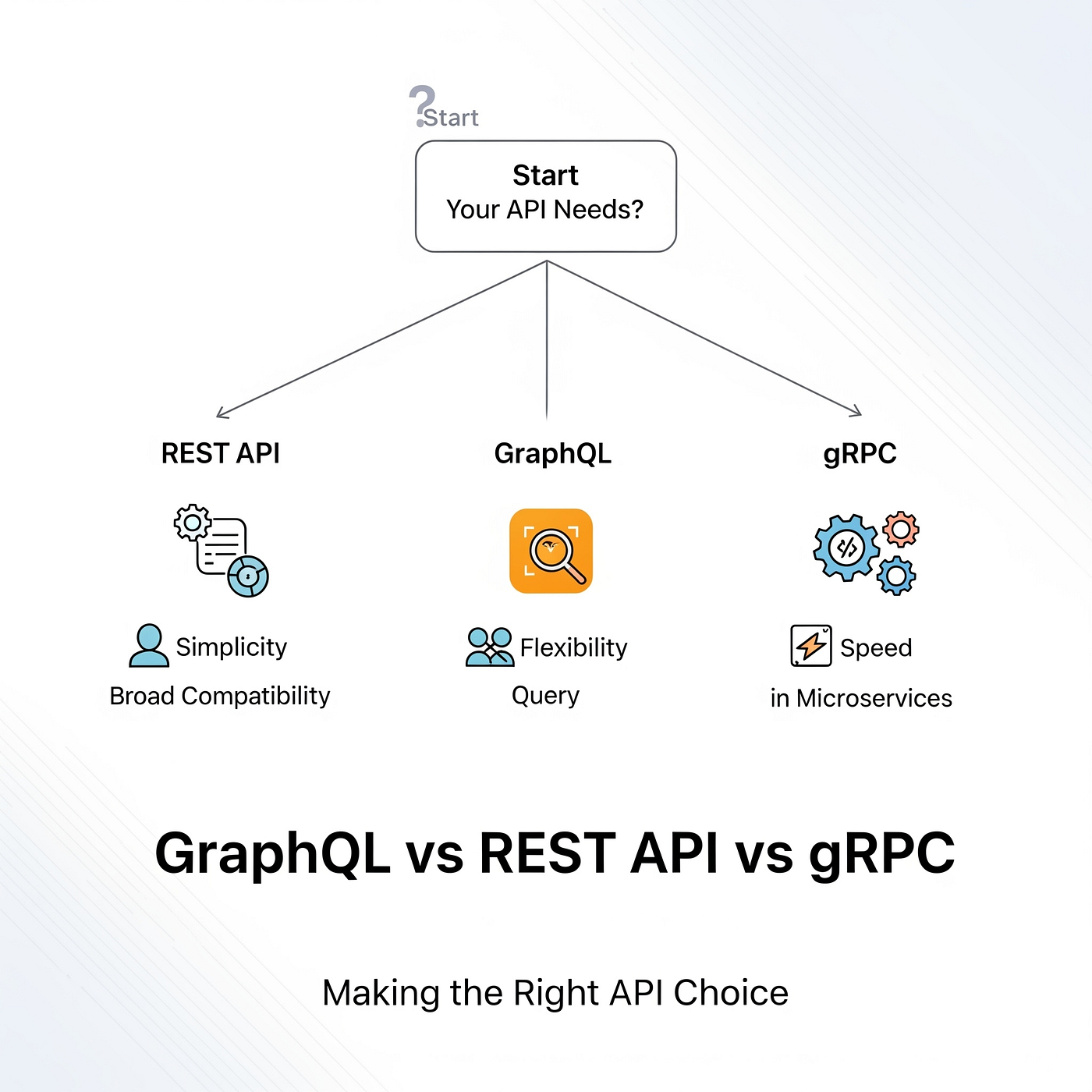
BigDataCloud is one of the few IP geolocation providers that offers GraphQL alongside REST. Your choice depends on your needs:
| Feature | REST API | GraphQL |
|---|---|---|
| Response size | ~2 KB with 50+ fields | ~200 bytes with only requested fields |
| Flexibility | Fixed response shape | Query exactly what you need |
| Learning curve | Minimal | Requires GraphQL knowledge |
| Best for | Quick integration, debugging | Mobile apps, bandwidth-sensitive clients |
A GraphQL query for the same data looks like this:
query {
  ipGeolocation(ip: "1.1.1.1") {
    location {
      city
      countryCode
    }
    confidence
  }
}
The response contains only the fields you requested, which can reduce payload size by 90% or more. This matters for mobile applications and high-volume integrations.
Step 4: Set Up the Free React Location Hook
For React developers, BigDataCloud offers @bigdatacloudapi/react-reverse-geocode-client — a hook that adds location detection with zero API key and zero configuration.
Installation
npm install @bigdatacloudapi/react-reverse-geocode-client
Basic Usage
import { useGeoLocation } from '@bigdatacloudapi/react-reverse-geocode-client';

function LocationCard() {
  const { data, loading, error, source } = useGeoLocation();

  if (loading) return <p>Detecting location...</p>;
  if (error) return <p>Error: {error}</p>;

  return (
    <div>
      <h2>{data?.city}, {data?.countryName}</h2>
      <p>Region: {data?.principalSubdivision}</p>
      <p>Detected via: {source}</p>
    </div>
  );
}
How Detection Works
The hook uses a two-tier strategy:
- GPS first – Requests the browser's geolocation API. If the user grants permission, precise coordinates are sent to BigDataCloud's free reverse geocoding endpoint.
- IP fallback – If GPS is denied or unavailable, the same endpoint is called without coordinates, and the user's location is resolved from their IP address.
Both paths return the same JSON structure, so your UI code never needs to handle different response formats.
Configuration Options
The hook supports several useful options:
// Multi-language output
const { data } = useGeoLocation({ language: 'ja' });

// Manual trigger instead of auto-detection on mount
const { data, refresh } = useGeoLocation({ manual: true });
For Next.js and other SSR frameworks, the hook safely checks for navigator before accessing geolocation, so it won't break server-side rendering. Use it in client components with the 'use client' directive.
Non-React Usage
The package also exports a standalone reverseGeocode() function:
import { reverseGeocode } from '@bigdatacloudapi/react-reverse-geocode-client';

// With coordinates
const data = await reverseGeocode({ latitude: 48.8566, longitude: 2.3522 });
console.log(data.city); // "Paris"

// IP fallback
const data = await reverseGeocode();
console.log(data.countryName); // detected from current IP
Step 5: Integrate with AI Assistants via MCP
BigDataCloud supports the Model Context Protocol (MCP), allowing AI assistants like Claude, Cursor, and VS Code to geolocate IPs and reverse geocode directly. Add this to your MCP configuration:
{
  "bigdatacloud": {
    "command": "npx",
    "args": ["-y", "@bigdatacloudapi/mcp-server"]
  }
}
This enables your AI coding assistant to make location queries without leaving the development environment.
Step 6: Optimize Network Data for Accurate Geolocation
If you're an ISP or ASN operator, the accuracy of BigDataCloud's geolocation for your IP ranges depends on your network configuration. The platform publishes best practices for ISPs and ASNs that directly impact setup quality:
Enable ICMP Echo Responses
ICMP echo requests (pings) power traceroute diagnostics, which geolocation providers use to map network paths. Blocking ICMP entirely makes your network harder to trace accurately. Enable echo responses on public-facing router interfaces with rate limiting to prevent DDoS risks.
Announce Public Interfaces via BGP
All public-facing router interfaces should be announced via Border Gateway Protocol. Unannounced IPs cannot be attributed to an ASN, creating uncertainty in network mapping and reducing geolocation accuracy.
Segment Networks in RIR Databases
If your IP blocks mix residential, data center, and hosting traffic, geolocation providers may misclassify the entire block. Create separate inetnum objects in RIR databases (ARIN, RIPE, APNIC, LACNIC, AFRINIC) for different network types.
Publish Geofeed Data
Geofeeds provide a simple, cache-friendly way to map IP prefixes to coarse locations. Follow RFC 8805 format:
ip_prefix,alpha2code,region,city,postal_code
203.0.113.0/24,US,US-CA,San Francisco,94105
2001:db8:120::/48,DE,DE-BY,Munich,80331
Link your geofeed in your RIR's inetnum or inet6num objects using the geofeed: attribute (standardized in RFC 9632).
Testing and Verifying Your Setup
After configuring BigDataCloud, verify that everything works correctly:
Verify API Responses
Compare BigDataCloud's geolocation output against what you expect. If the location is wrong or the confidence level is low, the issue may be with the IP's network configuration rather than the API itself.
Check Your Own IP Exposure
If you're using BigDataCloud's data to understand what your IP reveals, run a quick self-check. Tools like BrowserScan's IP address lookup show your visible IP, geolocation, ISP, and whether you're behind a proxy or VPN. This is especially useful when testing VPN configurations — you want to confirm that your real IP isn't leaking through WebRTC or DNS.
For a more comprehensive privacy audit, run an IP leak test to check for WebRTC, DNS, and IPv6 leaks that could expose your true location even when BigDataCloud reports a VPN IP.
Test from Multiple Vantage Points
Geolocation accuracy varies by network and region. Test your API integration from different IPs — residential, mobile, data center — to ensure your application handles varying confidence levels and hazard reports gracefully.
Common Setup Issues and Solutions
Q: My API key returns 401 errors.
New keys take a few minutes to propagate. Wait 5–10 minutes and retry. Also verify you're using the correct endpoint — different API packages may use different base URLs.
Q: The React hook shows "Detecting location..." indefinitely.
This usually means the browser's geolocation permission prompt is pending or was dismissed. The hook should fall back to IP detection after a timeout. Check your browser's permission settings.
Q: My IP is geolocated to the wrong city.
IP geolocation is inherently approximate. If you control the IP range, follow the network optimization steps above. If not, consider using GPS coordinates via the reverse geocoding API for higher precision.
Q: Can I use the free client-side API in production?
Yes, for client-side calls from users' browsers or mobile apps. For server-side calls or development testing, use the server-side API with a free key (50,000 free queries/month).
Pricing Overview
BigDataCloud's pricing is volume-based with no feature gates:
| Plan | Monthly Price | Monthly Calls |
|---|---|---|
| Free | $0 | 10k–50k |
| Bronze | From $19.95 | 100k–500k |
| Silver | From $169 | 1M–5M |
All plans include every endpoint and every response field. The free tier is generous enough for most development and small production use cases.
Related reading
- Public Wi-Fi Security: Risks, Safety Tips & How to Test - Learn the real risks of public Wi-Fi, 12 practical safety steps, and how to test your connection for leaks and vulnerabilities before you browse.
- Open Source VPN: 7 Best Tools, Setup Tips & Security Checks - Compare the best open source VPN tools like OpenVPN, SoftEther, and WireGuard. Learn setup steps, security tradeoffs, and how to test for leaks.
- Anti-Detect Browser Testing: How to Verify Real Protection - Learn how to test anti-detect browsers with fingerprint checkers, leak tests, and consistency audits before trusting your multi-account workflow.
Sources and further reading
- Free Location Detection in React — One Hook, Zero Configuration - Add location awareness to any React app with a single hook. Free reverse geocoding with GPS and IP fallback — no API key, no account, no configuration.
FAQ
What is BigDataCloud used for?
BigDataCloud provides IP geolocation, reverse geocoding, verification, and network intelligence APIs. Developers use it for location-based features, fraud detection, content localization, and network diagnostics.
Is BigDataCloud free?
Yes, BigDataCloud offers a free tier with 10,000–50,000 calls per month depending on the API package. The client-side reverse geocoding API requires no account or API key at all.
How do I get a BigDataCloud API key?
Sign up at bigdatacloud.com with your email address. No credit card is required. Your key is available within 30 seconds, though it may take a few minutes to propagate.
Does BigDataCloud support GraphQL?
Yes, BigDataCloud is one of the few IP geolocation providers offering GraphQL. You can query exactly the fields you need, reducing response sizes from ~2 KB to ~200 bytes.
How accurate is BigDataCloud IP geolocation?
BigDataCloud publishes daily public accuracy benchmarks and uses patented technology. Accuracy varies by IP type — residential IPs are typically more accurate than data center or VPN IPs. The API includes a confidence field to indicate reliability.
Can BigDataCloud detect VPNs and proxies?
Yes, the IP geolocation API includes a hazardReport object that flags IPs associated with VPNs, proxies, Tor exit nodes, and other high-risk attributes.
Conclusion
Setting up BigDataCloud is straightforward: create a free API key, make your first request, and choose between REST and GraphQL based on your bandwidth needs. React developers can skip the API key entirely with the zero-configuration useGeoLocation hook. Network operators should follow the ICMP, BGP, RIR segmentation, and geofeed best practices to maximize geolocation accuracy for their IP ranges.
Once your setup is running, don't forget to verify your results. Test your API responses, check what your own IP reveals, and run periodic IP leak tests if you're using VPNs or proxies. Accurate location data starts with a correct setup — and ends with confident, verified results.