
BrowserScan vs BrowserCheck vs Whoer.net: Best Fingerprint Tool
BrowserScan vs BrowserCheck vs Whoer.net: Which Fingerprint Detection Tool Fits Your Privacy Workflow?
Your browser leaks more than you think. Every time you load a page, it hands over your screen resolution, installed fonts, graphics card details, time zone, and a dozen other signals that can be stitched together into a fingerprint. If you use a VPN, proxy, or anti-detect browser, you need to verify that your setup actually hides what you expect it to hide.
Three free tools come up again and again when people search for a fingerprint checker: BrowserScan, BrowserCheck, and Whoer.net. They overlap, but they are not interchangeable. This comparison walks through what each one does well, where each one falls short, and how to choose based on what you are trying to test.
What each tool is actually built for
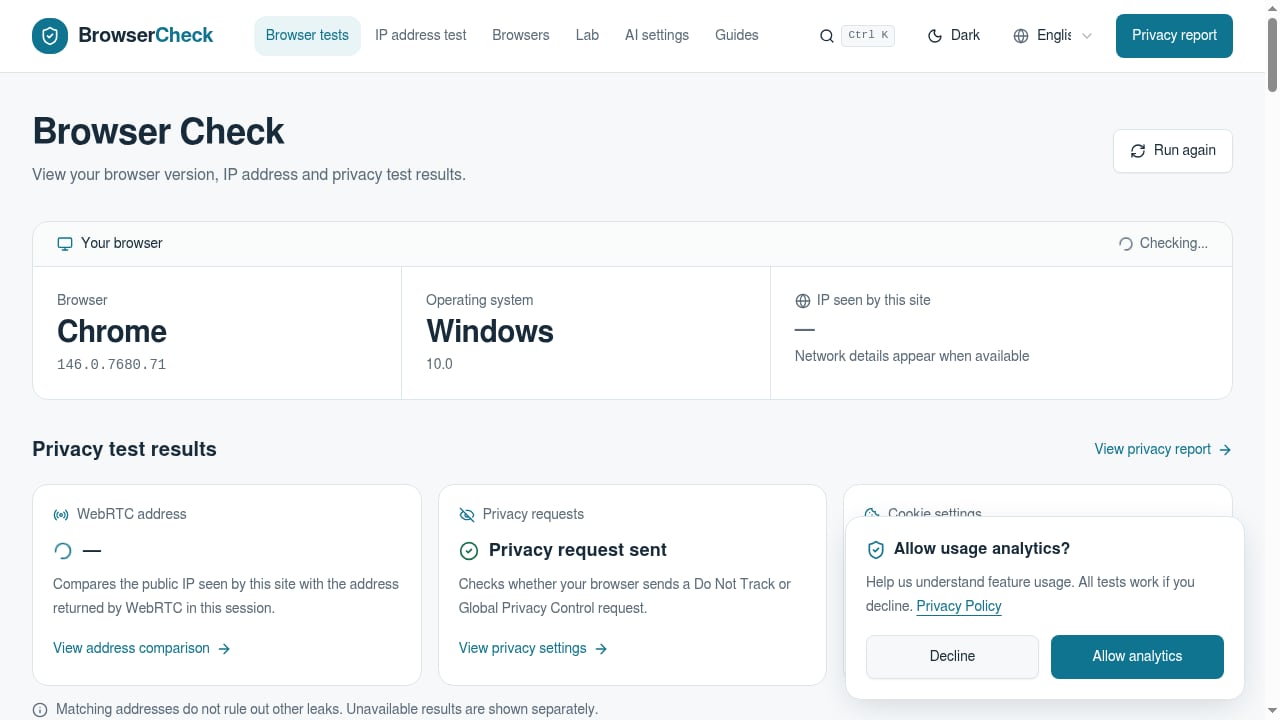
First viewport screenshot of Browser Check (Browser Test) - Online Browser Checker.
BrowserScan: broad fingerprint and leak diagnostics
BrowserScan is a free online privacy and security testing suite. It focuses on fingerprint detection plus a wide set of related checks: DNS leak test, WebRTC leak test, IP check, browser checker, port scanner, speed test, user agent parser, proxy server detection, and 2FA live testing.
The strength here is breadth. Instead of one narrow test page, you get a dashboard that covers fingerprint signals and the network-level leaks that often undermine a privacy setup. If you want to know whether your VPN is silently leaking DNS or whether WebRTC is exposing your real IP, BrowserScan surfaces that in the same scan.
It is also practical for multi-profile workflows. Running BrowserScan in separate browser profiles — one per account or project — quickly shows whether those profiles look distinct to websites or share overlapping fingerprint values.
BrowserCheck: transparent, observation-first browser diagnostics
BrowserCheck is a free online browser checker that runs real-time tests on browser version, operating system, public IP address, WebRTC leaks, privacy requests (Do Not Track and Global Privacy Control), cookie settings, and fingerprint signals including Canvas, WebGL, and WebGPU.
Its defining trait is restraint. BrowserCheck positions itself as a tool for observation and comparison, not as a security audit or privacy score. It avoids unsupported uniqueness claims and rankings. For developers and support teams, that matters: a tool that tells you exactly what it measured, and what it did not measure, is easier to trust than one that hands you a vague risk number.
The Safe Support Report is a genuinely useful feature. It generates a redacted browser support report with WebGL, WebGPU, and first-party storage checks, which you can copy, download as JSON, or print with sensitive values omitted. If you have ever tried to get a user to send you their browser details without also sending their session tokens, you know why this exists.
BrowserCheck's blog also emphasizes reproducible methods and the limits of local test results — a refreshingly honest stance in a space full of overclaiming.
Whoer.net: IP intelligence plus a privacy score
Whoer.net is a comprehensive online privacy and IP intelligence platform. It checks your IP address, location, ISP, and ZIP code, and produces a privacy score. The toolset includes IP lookup, DNS leak test, port scanner, whois, speed test, ping, and anonymity checks.
It is the most consumer-friendly of the three. The privacy score gives non-technical users an immediate read on their exposure, and the IP intelligence layer is deeper than what the other two offer — useful for digital marketers, e-commerce professionals, and anyone verifying IP addresses at scale.
Whoer.net also promotes WADE X, an anti-detect browser, WhoVPN, and residential proxies. That is worth noting as context: the free tooling feeds a commercial ecosystem of privacy products. The educational blog is extensive, covering hiding IP addresses, VPN usage, browser fingerprinting, and anti-detect browsers. If you want a single platform that combines checking and buying, Whoer.net is built for that path.
Head-to-head comparison
First viewport screenshot of What Is My IP Address? - Find IP and Check Leaks.
| Criteria | BrowserScan | BrowserCheck | Whoer.net |
|---|---|---|---|
| Fingerprint signals | Canvas, WebGL, and broad device parameters | Canvas, WebGL, WebGPU | Fingerprint checks alongside IP data |
| DNS leak test | Yes | Not a primary focus | Yes |
| WebRTC leak test | Yes | Yes | Yes |
| Port scanner | Yes | No | Yes |
| Speed test | Yes | No | Yes |
| User agent parser | Yes | Browser version and OS reporting | Limited |
| Proxy detection | Yes | Not a primary focus | Yes |
| Privacy score | No | Explicitly avoids scoring | Yes |
| Redacted support report | No | Yes (Safe Support Report) | No |
| Commercial upsell | No | No | Yes (WADE X, WhoVPN, proxies) |
Where BrowserScan has a clear edge
BrowserScan's advantage is the combination of fingerprint detection with a full diagnostic toolkit in one place. If your question is "is my privacy setup actually working?" you need more than a fingerprint readout — you need to know whether DNS is leaking, whether WebRTC is exposing your local IP, and whether your proxy is detectable.
That is where BrowserScan's bundled DNS leak test, WebRTC leak test, proxy server detection, and port scanner earn their place. You run one scan and get a coherent picture instead of stitching together results from four different sites. For anyone testing a VPN, proxy, or anti-detect browser configuration, that consolidation saves real time.
The port scanner is also a differentiator. Neither BrowserCheck nor Whoer.net treats port scanning as a core feature in the same way. If you want to check whether your setup exposes unexpected open ports, BrowserScan covers that ground. You can read more about how browser-based port scanning works in this guide to Nmap online port scanning.
Where BrowserCheck is the better choice
If you need a redacted report to send to a support team, BrowserCheck wins outright. The Safe Support Report is purpose-built for that scenario, and no equivalent exists in BrowserScan or Whoer.net.
BrowserCheck is also the better pick when you want observation without interpretation. It deliberately avoids privacy scores and uniqueness claims. If you are a developer who wants raw, reproducible measurements and a clear statement of what the tool does not test, BrowserCheck's philosophy aligns better with that need.
WebGPU coverage is another point in its favor. BrowserCheck explicitly tests WebGPU signals, which is increasingly relevant as more browsers expose GPU compute capabilities that can contribute to fingerprinting.
Where Whoer.net is the better choice
Whoer.net is the strongest option when IP intelligence is your primary concern. Its IP lookup, location, ISP, and ZIP code data, combined with whois and ping tools, serve marketers and e-commerce professionals who need to verify IP addresses rather than audit browser fingerprints.
The privacy score is genuinely useful for non-technical users. If you want a quick, plain-language answer to "how exposed am I?" without parsing Canvas hashes, Whoer.net delivers that faster than the alternatives.
And if you are already in the market for a VPN or anti-detect browser, Whoer.net's integrated ecosystem — WADE X, WhoVPN, residential proxies — means you can move from diagnosis to remediation without leaving the platform.
How to choose based on your actual goal
nodemaven.
You want to verify a VPN or proxy is not leaking. Start with BrowserScan. The combination of DNS leak test, WebRTC leak test, and proxy detection in one scan gives you the clearest answer. If you want a second opinion, cross-check with Whoer.net's DNS leak test. For a deeper walkthrough of verifying a VPN setup, see this Mozilla VPN tutorial with leak checks.
You need to send browser details to a support team. Use BrowserCheck's Safe Support Report. It is the only one of the three designed for that handoff.
You are managing multiple accounts and need to confirm profiles look distinct. Run BrowserScan in each profile separately. Compare the fingerprint values. If two profiles share too many signals, platforms may link them. For a structured approach to identifying what you are actually defending against, this threat modeling guide is a useful companion.
You need IP intelligence for marketing or e-commerce. Whoer.net's IP lookup and location data are the most developed for that use case.
You want a quick privacy score without technical detail. Whoer.net. Accept that the score is a simplification, not a measurement.
You are a developer who wants raw, reproducible data. BrowserCheck. Its explicit stance on the limits of local test results will save you from over-trusting any single tool.
Practical example: testing an anti-detect browser setup
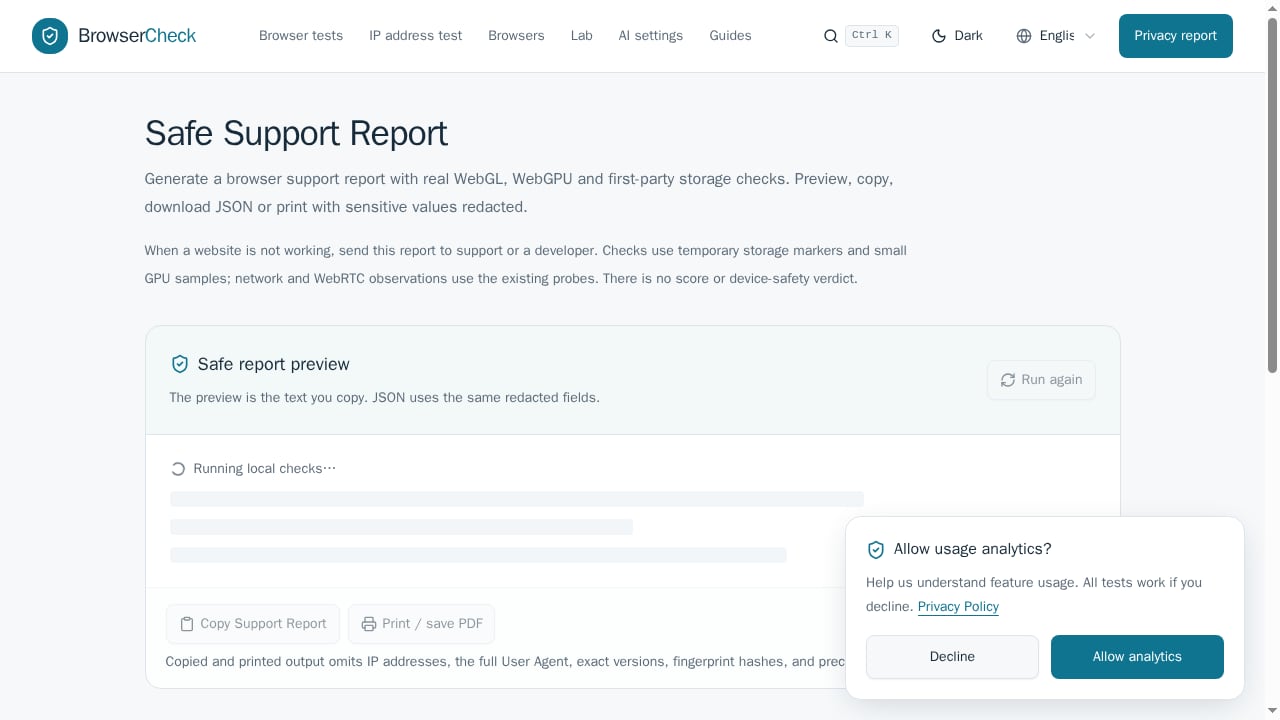
First viewport screenshot of Safe Support Report.
Suppose you have configured an anti-detect browser with a residential proxy and want to confirm the profile holds together.
- Open BrowserScan in the profile. Check the fingerprint section for consistency — does the reported operating system match the user agent? Does the time zone align with the proxy's location?
- Run the DNS leak test. If your real ISP's DNS servers appear, your proxy is not handling DNS correctly.
- Run the WebRTC leak test. A WebRTC leak can expose your real IP even when everything else looks clean.
- Check proxy detection. BrowserScan will flag whether the proxy is identifiable as a proxy.
- Open the same profile in BrowserCheck. Verify Canvas, WebGL, and WebGPU signals. Generate a Safe Support Report if you need to share findings.
- Open Whoer.net. Check the privacy score and IP location. Confirm the IP geolocation matches your proxy's intended region.
This three-tool workflow is not redundant. Each tool catches different failure modes. BrowserScan covers the network-level leaks and fingerprint breadth. BrowserCheck covers WebGPU and gives you a shareable report. Whoer.net covers IP intelligence and gives you a quick score.
A note on expectations: passing a fingerprint checker means your profile is internally consistent and does not obviously expose itself through fingerprint signals. It does not mean you are invisible. TLS handshakes, behavioral patterns, and anti-bot systems operate on layers these tools cannot see. Treat a clean result as one signal, not a guarantee.
Related reading
- BrowserScan vs WhatIsMyIP.com: Best Fingerprint Tool? - Compare BrowserScan and WhatIsMyIP.com for fingerprint detection, DNS and WebRTC leaks, and IP checks. See which tool fits your privacy testing needs.
- BrowserScan Download: How to Run It Safely (2025 Guide) - Looking for a BrowserScan download? Learn why it runs in your browser, how to avoid fake installers, and how to read fingerprint, DNS, and WebRTC results.
Sources and further reading
- How to use BrowserScan the right way - Learn a simple, practical way to use BrowserScan to check your browser’s privacy and security settings.
- 10 Best Antidetect Browsers in 2026 (Tested + Free Picks) - Multilogin, GoLogin, and AdsPower lead our tested ranking of the best antidetect browsers in 2026, compared on pricing, free plans, and Android support.
FAQ
Is BrowserScan better than Whoer.net for fingerprint detection?
They serve different primary purposes. BrowserScan bundles fingerprint detection with DNS leak, WebRTC leak, proxy detection, and port scanning in one scan. Whoer.net leads with IP intelligence and a privacy score. If you want a consolidated technical diagnostic, BrowserScan is more direct. If you want IP data and a quick score, Whoer.net is more direct.
Can I use BrowserCheck and BrowserScan together?
Yes, and it is a sensible combination. BrowserCheck adds WebGPU testing and the Safe Support Report, which BrowserScan does not offer. BrowserScan adds DNS leak testing, port scanning, and proxy detection, which BrowserCheck does not emphasize. Running both gives you broader coverage.
Does Whoer.net give a privacy score that BrowserScan does not?
Yes. Whoer.net produces a privacy score, while BrowserCheck explicitly avoids scoring and BrowserScan focuses on raw diagnostic output. A score is convenient but simplified — use it as a starting point, not a final verdict.
Which tool is best for testing an anti-detect browser?
BrowserScan is the most practical starting point because it covers fingerprint consistency plus the network-level leaks that often break anti-detect setups. Cross-check with BrowserCheck for WebGPU signals and Whoer.net for IP geolocation. No single tool covers every detection layer.
Are these tools free?
All three offer free core functionality. Whoer.net also promotes paid products including WADE X, WhoVPN, and residential proxies. BrowserScan and BrowserCheck do not gate their core testing behind a purchase.
What is a WebRTC leak and why does it matter?
WebRTC is a browser feature for real-time communication. If it is not configured correctly, it can reveal your real IP address even when you are using a VPN or proxy. All three tools test for WebRTC leaks, and it is one of the most common ways a privacy setup fails silently.
Conclusion
The right fingerprint detection tool depends on the question you are asking.
If you need a consolidated technical diagnostic — fingerprint signals plus DNS leaks, WebRTC leaks, proxy detection, and port scanning — BrowserScan covers the most ground in a single scan. It is the strongest fit for verifying that a VPN, proxy, or anti-detect browser configuration is not quietly failing.
If you need a redacted, shareable browser report or explicit WebGPU testing, BrowserCheck is the better choice. Its observation-first philosophy and refusal to overclaim make it a trustworthy complement.
If you need IP intelligence, a privacy score, or an integrated path to VPN and anti-detect browser products, Whoer.net serves that need most directly.
Most privacy-conscious users will benefit from running more than one. The failure modes these tools catch are different, and a clean result from one does not guarantee a clean result from another. Test, compare, and verify — that is the only way to know what your browser is actually revealing.