
BrowserScan vs BrowserLeaks vs What Is My IP Address?
BrowserScan vs BrowserLeaks vs What Is My IP Address?
Three browser privacy tools, three very different jobs. BrowserScan is a fingerprint detection and privacy testing suite. BrowserLeaks is a deep diagnostic workbench for browser and network leaks. What Is My IP Address is a fast IP lookup page. This comparison shows where each one is genuinely strong, and how to combine them without wasting time.
Quick Verdict
First viewport screenshot of VPN Guide.
- Need to know what websites can learn about your browser and hardware? Start with BrowserScan.
- Need to inspect low-level browser and network behavior in detail? BrowserLeaks is the better fit.
- Need your public IPv4 or IPv6 address, ISP, and city in seconds? What Is My IP Address is the fastest answer.
What Each Tool Actually Does
First viewport screenshot of What Is My IP Address? See Your Current Public IP.
BrowserScan: Fingerprint Detection and Privacy Testing
BrowserScan is a free online suite of browser fingerprint detection and privacy testing utilities. It analyzes browser properties, hardware signals, and network details, then presents them in a report aimed at privacy-conscious users, developers, security researchers, and businesses.
Its toolset includes:
- Real-time fingerprint authenticity scoring
- IP and proxy detection, plus blacklist checking
- DNS leak test and WebRTC leak test
- Bot detection and browser kernel detection
- Canvas fingerprint analysis and Client Hints inspection
- Reports on browser version vulnerabilities
- Extra utilities such as 2FA code generation and cookie format conversion
The practical value is a single dashboard that answers: what does my browser reveal, and does it look authentic?
BrowserLeaks: A Deep Diagnostic Workbench
BrowserLeaks is a suite of tests that evaluate the security and privacy of your browser. Its focus is identifying how websites may leak your real IP address, collect device information, and perform fingerprinting.
Its coverage is unusually technical:
- IP address, reverse lookup, HTTP request headers, country, city, ISP/ASN, and local time
- IP WHOIS, TCP/IP OS fingerprinting, WebRTC, DNS, and IPv6 leak tests
- JavaScript-derived data: User-Agent, screen resolution, language, CPU architecture, logical cores, battery status, plugins
- Canvas, WebGL, and font fingerprinting
- TLS client testing with JA3/JA4 fingerprints, HTTP/2 fingerprinting, QUIC client testing
- Content filter detection, including Tor Browser and ad blockers
If you want raw protocol-level evidence, BrowserLeaks delivers it.
What Is My IP Address: Instant IP Lookup
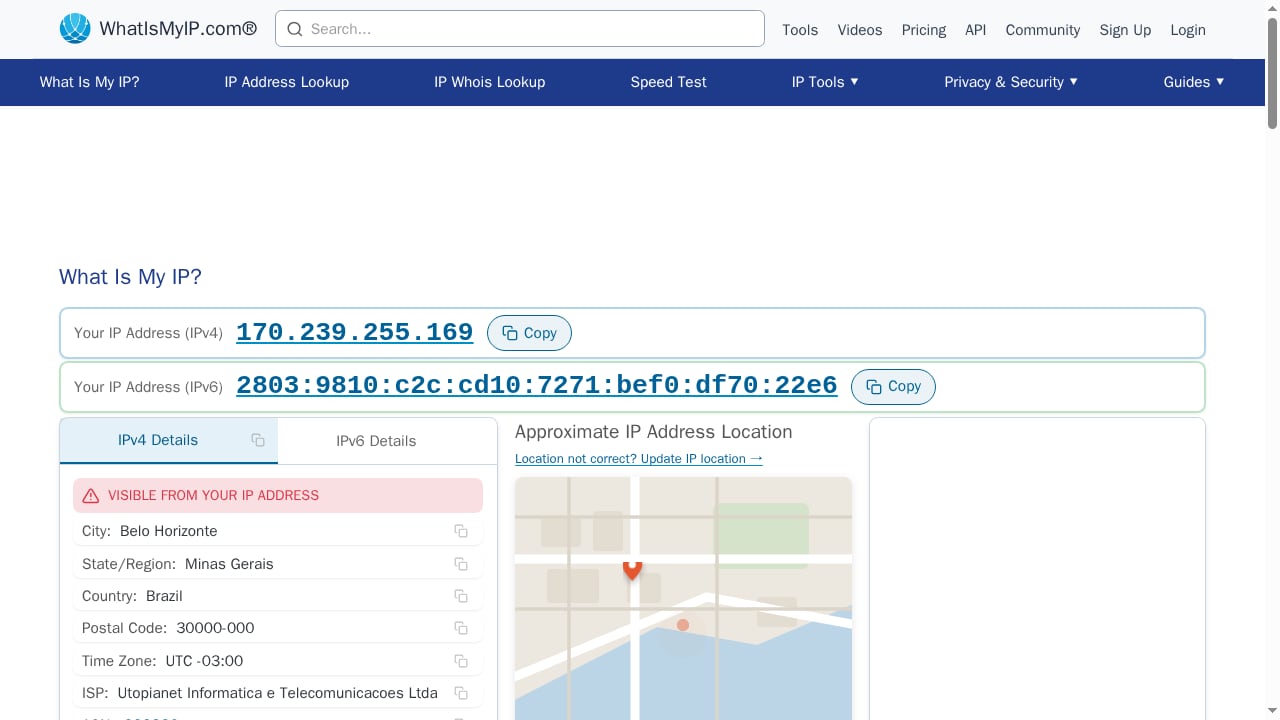
This page does one thing well: it shows your public IPv4 and IPv6 address instantly, along with IP location (city, state, country), ISP, and connection details. It also surfaces related checks such as WebRTC and DNS leak results and a TCP/IP fingerprint summary.
It is the right first stop when you only need to confirm which IP the outside world sees.
Head-to-Head Comparison
| Criteria | BrowserScan | BrowserLeaks | What Is My IP Address |
|---|---|---|---|
| Primary purpose | Fingerprint detection and privacy testing suite | Browser and network leak diagnostics | Public IP lookup |
| Fingerprint authenticity scoring | Yes, real-time scoring | Not offered as a score | No |
| DNS / WebRTC / IPv6 leak tests | Yes | Yes, with deep detail | Yes, summarized |
| Canvas fingerprint analysis | Yes | Yes | No |
| TLS / HTTP2 / QUIC fingerprinting | HTTP2/SSL/TLS test available | Extensive JA3/JA4, HTTP/2, QUIC | Basic TLS summary |
| Bot and automation detection | Yes | Not a dedicated feature | No |
| Browser kernel detection | Yes | No | No |
| Client Hints inspection | Yes | Yes | Partial (headers shown) |
| IP location, ISP, ASN | Yes | Yes | Yes |
| Proxy and blacklist checks | Yes | Not a dedicated feature | No |
| Best for | Quick authenticity and privacy audit | Deep technical investigation | Fast IP confirmation |
When to Use Which Tool
Use BrowserScan when you need a verdict, not a data dump
BrowserScan's fingerprint authenticity score is the differentiator. Instead of reading dozens of raw values, you get a signal about whether your browser profile looks consistent and genuine. That matters for:
- Checking whether an antidetect browser or VPN setup is leaking contradictions
- Verifying that your kernel, User-Agent, and Client Hints agree
- Detecting automation or bot-like signals on a browser you manage
- Reviewing browser version vulnerabilities before a deployment
Use BrowserLeaks when you need protocol-level evidence
BrowserLeaks shines when you are debugging something specific: a TLS fingerprint that does not match your expected client, an HTTP/2 frame pattern, a font enumeration result, or a WebRTC STUN response. Its JA3/JA4 and TCP/IP fingerprinting output is the kind of evidence a security researcher wants to keep.
Use What Is My IP Address when you need speed
If your only question is "what is my public IP and where does it appear to be?", this page answers it immediately. It is also useful as a sanity check before running heavier tests elsewhere.
A Practical Workflow
First viewport screenshot of Pricing.
- Confirm your exit IP. Open What Is My IP Address and note the IPv4/IPv6 address, ISP, and city.
- Run leak tests. Check DNS, WebRTC, and IPv6 leaks. If you use a router-level VPN, this step is essential — see why a router VPN still needs leak tests.
- Audit your fingerprint. Run BrowserScan to get an authenticity score and see hardware, canvas, and Client Hints signals in one report.
- Drill into anomalies. If something looks inconsistent, reproduce it in BrowserLeaks and compare the raw TLS, HTTP/2, and TCP/IP output.
- Repeat after every change. New extension, new VPN node, new browser version — re-test.
If you want a broader field of options before committing, the top browser fingerprint testing and privacy audit tools roundup puts these three in context.
Common Mistakes to Avoid
- Treating an IP lookup as a privacy audit. Knowing your IP says nothing about canvas, font, or TLS fingerprinting.
- Ignoring consistency. A VPN that changes your IP but leaves a mismatched timezone or locale is still fingerprintable.
- Skipping WebRTC. WebRTC can expose local and public IPs even behind a VPN or NAT.
- Testing once. Fingerprints change with browser updates and extensions.
Related reading
- BrowserScan vs What Is My IP Address: Which IP Tool Wins? - Compare BrowserScan and What Is My IP Address for public IP lookup, leak detection, and fingerprinting. See which tool fits your privacy workflow.
- Cover Your Tracks Review: What It Really Reveals - Hands-on Cover Your Tracks review: what the EFF browser privacy test reveals about trackers, fingerprinting, limits, and who should use it.
Sources and further reading
- Browserleaks - Check your browser for privacy leaks - BrowserLeaks is a suite of tools that offers a range of tests to evaluate the security and privacy of your web browser. These tests focus on identifying ways in which websites may leak your real IP address, collect information about your device, and perform a browser fingerprinting.
- My IP Address - The main tools for checking IP address privacy. Showing Your IP Address, Reverse IP Lookup, Hostname, and HTTP Request Headers, Your Country, State, City, ISP/ASN, and Local Lime, Whois Lookup, TCP/IP OS fingerprinting, WebRTC Leak Test, DNS Leak Test, and IPv6 Leak Test.
- Best BrowserScan Fingerprint Detection Tool - Improve your online privacy security - Enhance your online security with the best BrowserScan fingerprint checking tool. Protect and prevent your privacy from leaking with our advanced technology.
FAQ
Is BrowserScan better than BrowserLeaks?
They serve different needs. BrowserScan is stronger for fingerprint authenticity scoring, bot detection, kernel detection, and proxy/blacklist checks. BrowserLeaks is stronger for deep protocol-level diagnostics such as JA3/JA4 TLS fingerprints, HTTP/2 fingerprinting, and QUIC testing. Many users run both.
Can What Is My IP Address replace a fingerprint test?
No. It confirms your public IP, location, ISP, and connection details. It does not evaluate canvas, WebGL, font, or TLS fingerprints, so it cannot tell you how uniquely identifiable your browser is.
Do these tools store my data?
BrowserLeaks states that it does not collect personal data, store user fingerprints, or set non-essential cookies. Policies vary by tool, so check each site's privacy page before running sensitive tests.
How often should I run a browser privacy check?
After any change to your browser, extensions, VPN, or network. A monthly baseline check is also reasonable if you care about long-term fingerprint stability.
What is the fastest way to check for a WebRTC leak?
Open a WebRTC leak test and look for any public or local IP that differs from your VPN's exit IP. If a real IP appears, your VPN is not covering WebRTC traffic.
Conclusion
These three tools are complements, not rivals. Use What Is My IP Address for a fast public IP and location check. Use BrowserLeaks when you need raw, protocol-level evidence about how your browser behaves. Use BrowserScan when you want a consolidated fingerprint authenticity score plus leak tests, bot detection, and kernel checks in one place. Run them in sequence and you get both the quick answer and the deep audit.
For a direct two-way breakdown, see BrowserScan vs BrowserLeaks.