
What Is Digital Security? Types, Risks & How to Test Yours
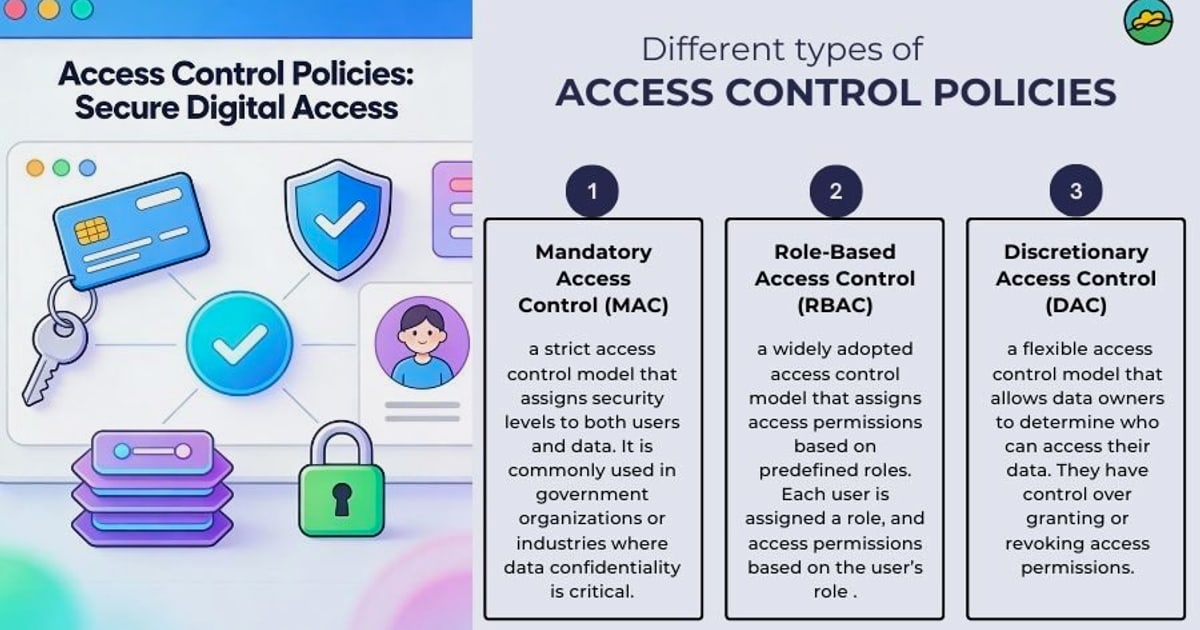
What Is Digital Security? Types, Risks & How to Test Yours
Digital security is the practice of protecting your digital assets, data, devices, and online identity from unauthorized access, theft, damage, or disruption. While the term is often used interchangeably with cybersecurity, digital security has a broader scope: it covers everything from enterprise network defenses to the privacy of a single person browsing from home.
Whether you run a business, manage IT infrastructure, or simply want to keep your personal information safe, understanding the core concepts of digital security helps you make smarter decisions. This guide breaks down the key types, the most common risks, and practical ways to test your own defenses.
The CIA Triad: Three Goals of Digital Security
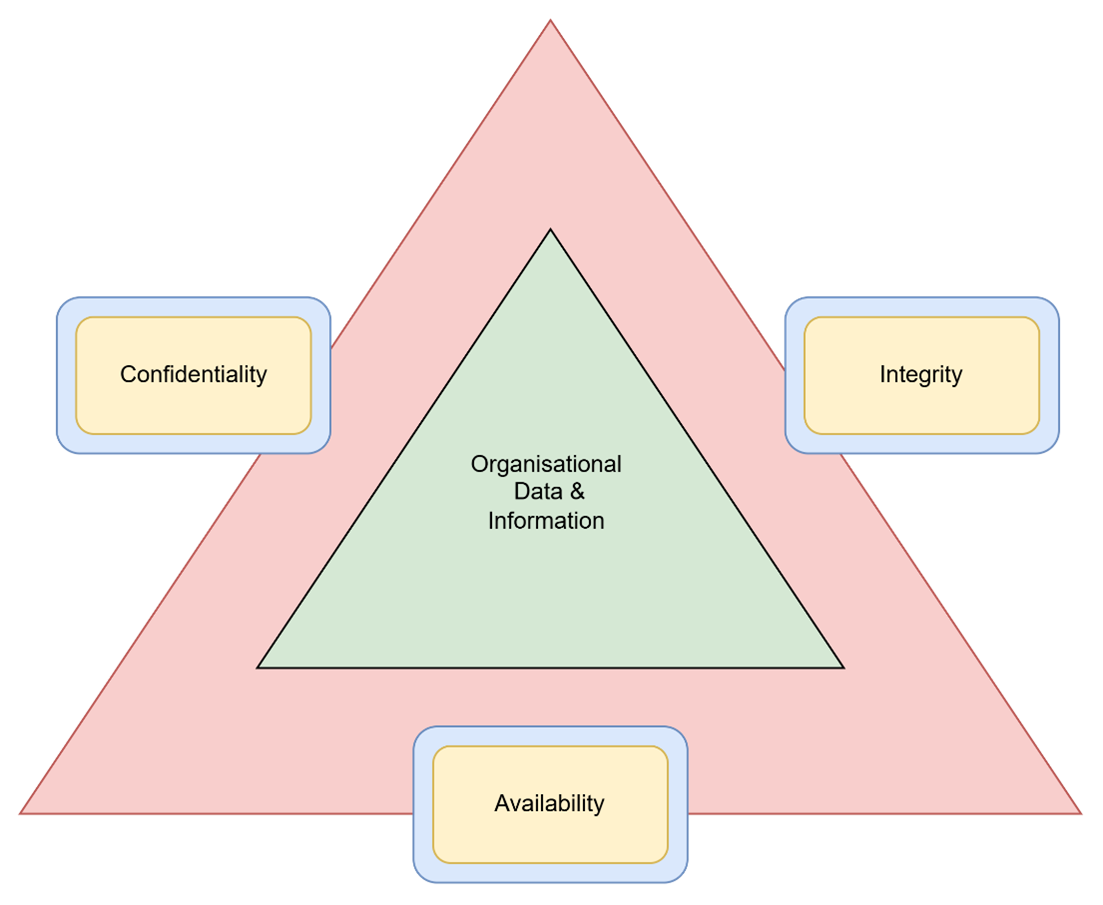
What Is Digital Security? Types, Risks & How to Test Yours - The CIA Triad: Three Goals of Digital Security.
Most digital security frameworks are built around three core objectives, commonly called the CIA triad:
- Confidentiality — ensuring that only authorized people can access sensitive information. Encryption, access controls, and secure communication protocols are the main tools here.
- Integrity — guaranteeing that data remains accurate and unaltered during its entire lifecycle. Techniques include checksums, hashing, digital signatures, and version control.
- Availability — making sure systems and data are accessible when needed. Load balancing, failover, redundancy, and business continuity planning all support this goal.
Every security control you implement, from a firewall to a password manager, ultimately serves one or more of these three objectives.
Main Types of Digital Security
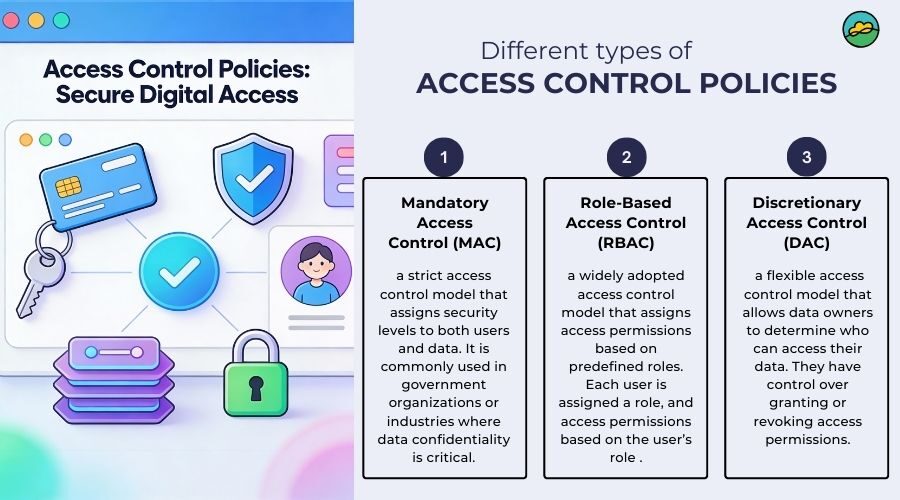
What Is Digital Security? Types, Risks & How to Test Yours - Main Types of Digital Security.
Digital security is not a single product or practice. It is a layered discipline that includes several distinct categories.
Access Control
Access control enforces rules about who can view or use specific applications, data, or systems. It verifies that users are who they claim to be and grants only the minimum level of access required. Common mechanisms include multi-factor authentication (MFA), role-based access control, and single sign-on (SSO).
Application Security
Application security focuses on building protections into software during development and patching vulnerabilities after deployment. This includes secure coding practices, regular code reviews, web application firewalls (WAFs), and protection against common attacks like cross-site scripting (XSS) and SQL injection.
Cloud Security
Cloud security protects data, applications, and infrastructure hosted in SaaS, PaaS, and IaaS environments. Key practices include encrypting data at rest, enforcing least-privilege access for containers, and integrating security events into a SIEM system. Misconfigured storage buckets and insecure APIs are among the most frequent cloud vulnerabilities.
Network Security
Network security safeguards the infrastructure that carries data between devices. It combines hardware and software tools such as stateful firewalls, intrusion detection and prevention systems (IDS/IPS), VPNs, and secure tunneling protocols. The goal is to protect communication paths, network equipment, and connected servers and clients.
Endpoint Security
Endpoint security protects the entry points of end-user devices: laptops, workstations, mobile phones, file servers, and IoT devices. Antivirus software, endpoint detection and response (EDR) tools, and policies that control peripheral device access all fall into this category.
IoT Security
Internet of Things devices — printers, security cameras, industrial sensors, and robots — often ship with limited built-in security. IoT security involves encrypting communication channels, implementing secure over-the-air firmware updates, and isolating IoT devices from critical network segments.
Threat Intelligence and Incident Response
Threat intelligence programs collect and analyze information about potential threats to inform decision-making. Incident response complements this with a structured plan for detection, analysis, containment, eradication, and recovery when an attack occurs.
Governance, Risk Management, and Compliance
Governance provides structure around selecting, implementing, and enforcing security controls. It also helps organizations meet regulatory requirements such as GDPR, CCPA, HIPAA, and PCI DSS. Risk management supports continuous assessments and threat modeling to prioritize defenses.
Common Digital Security Risks

What Is Digital Security? Types, Risks & How to Test Yours - Common Digital Security Risks.
Threat actors constantly evolve their tactics. Some of the most prevalent risks include:
- Advanced persistent threats (APTs) — prolonged, targeted attacks, often by nation-state actors, designed to infiltrate networks undetected and steal data over time.
- Cloud misconfigurations — publicly exposed storage buckets, weak API authentication, and overly permissive access policies that leak sensitive data.
- IoT vulnerabilities — devices with default passwords, unpatched firmware, or unencrypted communication that attackers can compromise and use as entry points.
- Phishing and social engineering — deceptive messages that trick users into revealing credentials or installing malware.
- Ransomware — malicious software that encrypts data and demands payment for its release.
- Man-in-the-middle attacks — interception of traffic between a user and a service, often on unsecured public Wi-Fi.
- Browser fingerprinting — tracking users through unique browser and device characteristics even when cookies are blocked or IP addresses are hidden.
How to Test Your Own Digital Security

What Is Digital Security? Types, Risks & How to Test Yours - How to Test Your Own Digital Security.
Reading about digital security is useful, but testing your actual setup is where real improvement happens. Many vulnerabilities are invisible until you actively probe for them.
1. Check Your Browser Fingerprint
Your browser leaks a surprising amount of information: installed fonts, screen resolution, timezone, language settings, WebGL renderer, and dozens of other attributes. Combined, these create a fingerprint that can identify you across sites even without cookies.
A browser fingerprint test shows you exactly what your browser reveals and whether your fingerprint is unique or blends in with others. If you use privacy tools or anti-detect browsers, this test verifies whether they are actually working.
2. Run DNS and WebRTC Leak Tests
If you use a VPN, you need to confirm it is not leaking your real IP address. Two common failure points are:
- DNS leaks — your device sends DNS queries outside the encrypted VPN tunnel, exposing which sites you visit to your ISP.
- WebRTC leaks — the WebRTC protocol can reveal your true IP address even when a VPN is active, particularly in browsers like Chrome and Firefox.
Running a DNS leak test and WebRTC leak test after connecting to your VPN is a quick way to verify your privacy. For a deeper dive into choosing and verifying a VPN, see this guide on what a personal VPN does and how to test one.
3. Inspect Your IP Address and Proxy Status
An IP address lookup reveals your public IP, geolocation, ISP, and whether the address is flagged as a proxy, VPN, or Tor exit node. This is useful for confirming your VPN is routing traffic through the expected location and for detecting whether your connection is being routed through an unexpected intermediary.
4. Scan Your Network for Open Ports
Open ports are potential entry points for attackers. A port scanner checks which ports on your network or server are open and whether any unnecessary services are exposed to the internet. Tools like Nmap are the industry standard for this kind of reconnaissance, and web-based scanners offer a faster alternative for quick checks.
5. Test Your Internet Speed Through Your Security Stack
VPNs, proxies, and firewalls all add latency. An internet speed test helps you measure the performance impact of your security tools and decide whether the trade-off between privacy and speed is acceptable.
6. Parse and Debug Your User Agent
Your user agent string tells servers what browser, operating system, and device you are using. A user agent parser breaks down this string into readable components, which is useful for debugging bot detection issues, verifying browser spoofing tools, and understanding what information you are voluntarily sending to every website you visit.
A Practical Digital Security Checklist
Use this checklist to build a solid personal or small-business security baseline:
- Use a password manager and enable MFA on all critical accounts.
- Keep software updated — operating systems, browsers, and applications.
- Use a reputable VPN on public Wi-Fi and verify it with leak tests.
- Check your browser fingerprint to understand your exposure to tracking.
- Scan your network for open ports and close unnecessary services.
- Review app permissions on mobile devices and revoke anything unnecessary.
- Back up important data using the 3-2-1 rule: three copies, two media types, one offsite.
- Be skeptical of unsolicited messages — verify links and attachments before clicking.
Choosing the Right Digital Security Tools
Not every tool is right for every situation. Here is a quick comparison of common categories:
| Category | What It Does | Best For |
|---|---|---|
| Antivirus / EDR | Detects and removes malware on devices | Everyday users and businesses |
| VPN | Encrypts traffic and masks your IP address | Privacy on public Wi-Fi, bypassing geo-restrictions |
| Password manager | Generates and stores strong passwords | Everyone with online accounts |
| Firewall | Filters incoming and outgoing network traffic | Home networks and enterprises |
| Leak testing tools | Verify VPN, DNS, and WebRTC configurations | VPN users and privacy-conscious individuals |
| Port scanner | Identifies open ports and exposed services | IT professionals and developers |
| Browser fingerprint checker | Reveals tracking exposure and verifies anti-detect tools | Privacy researchers and automation users |
BrowserScan offers a suite of free, web-based tools that cover several of these testing categories in one place: browser fingerprint analysis, DNS and WebRTC leak tests, IP address lookup with proxy detection, an Nmap-powered port scanner, an internet speed test, and a user agent parser. Because everything runs in the browser, there is nothing to install — you can run a full privacy diagnostic in minutes.
For those interested in the broader concept of hiding your identity online, this article on online anonymity and how to test yours provides additional context and practical methods.
Related reading
- How to Use BigDataCloud: APIs, Keys & First Requests - Learn how to use BigDataCloud APIs step by step: get a free API key, make IP geolocation and reverse geocoding calls, and follow fair use rules.
- Location Intelligence: What It Is, How It Works & Use Cases - Learn what location intelligence is, how it differs from GIS and BI, key data sources, real-world use cases, and how to evaluate spatial analytics tools.
- BrowserLeaks Pricing: Free Tools vs Paid API Plans - Understand BrowserLeaks pricing across free leak tests, planned subscription tiers, and API costs. See what you actually pay and free alternatives.
Sources and further reading
- What is digital security: Overview, types, and applications - See how digital security helps ensure successful, resilient, and trustworthy IT operations in an ever-evolving landscape of threats and vulnerabilities.
- Digital security - Digital security is the economic and social dimension of cybersecurity. It is essential to sustain trust in our increasingly digitally dependent economies, and to increase resilience in a world subject to growing geopolitical conflicts and cybercrime.
- Professional Security System Installation Services | Digital Security | Hampton, Newport News & Virginia Beach, VA - Protect your home & business with our security systems. Contact us for installation & monitoring services today!
Frequently Asked Questions
What is the difference between digital security and cybersecurity?
The two terms are often used interchangeably. Cybersecurity typically focuses on protecting networks, systems, and data from digital attacks. Digital security is broader and also includes the protection of digital identities, personal privacy, and the economic and social dimensions of trust in digital systems.
Do I really need a VPN for digital security?
A VPN is one tool among many. It encrypts your traffic and hides your IP address, which is especially valuable on public Wi-Fi. However, a VPN does not protect you from phishing, malware, or weak passwords. It should be part of a layered security approach, not your only defense.
How do I know if my VPN is leaking my real IP address?
Run a DNS leak test and a WebRTC leak test while connected to your VPN. If either test shows your real IP address or your ISP's DNS servers, your VPN is leaking. You should also check your IP address location to confirm it matches the VPN server you selected.
What is browser fingerprinting and why should I care?
Browser fingerprinting is a tracking technique that identifies you based on unique characteristics of your browser and device — fonts, screen size, timezone, WebGL data, and more. Unlike cookies, fingerprints are hard to delete. A fingerprint test shows how unique your browser profile is and whether privacy tools are effective.
How often should I test my digital security?
Run basic checks at least once a month, and always after changing your VPN provider, updating your browser, or modifying privacy settings. If you manage servers or network infrastructure, schedule port scans and vulnerability assessments on a regular cadence.
Are free online security testing tools safe to use?
Reputable web-based testing tools are safe for checking your own devices and networks. They run in your browser and do not require installation. However, always verify that you are using a legitimate service and never run scans against systems you do not own or have permission to test.
Conclusion
Digital security is not a one-time project — it is an ongoing practice of layering protections, staying informed about new threats, and regularly verifying that your defenses actually work. The CIA triad of confidentiality, integrity, and availability provides a useful mental model for evaluating any security decision.
Start with the basics: strong authentication, updated software, and a VPN that you have actually tested for leaks. Then move to more advanced checks like browser fingerprint analysis and port scanning. The tools are freely available, and the time investment is small compared to the cost of a breach or a privacy leak.
Your digital security is only as strong as your weakest link — and the only way to find that link is to test for it.