
What Is IP Geolocation? How It Works & Accuracy Limits
What Is IP Geolocation? How It Works & Accuracy Limits
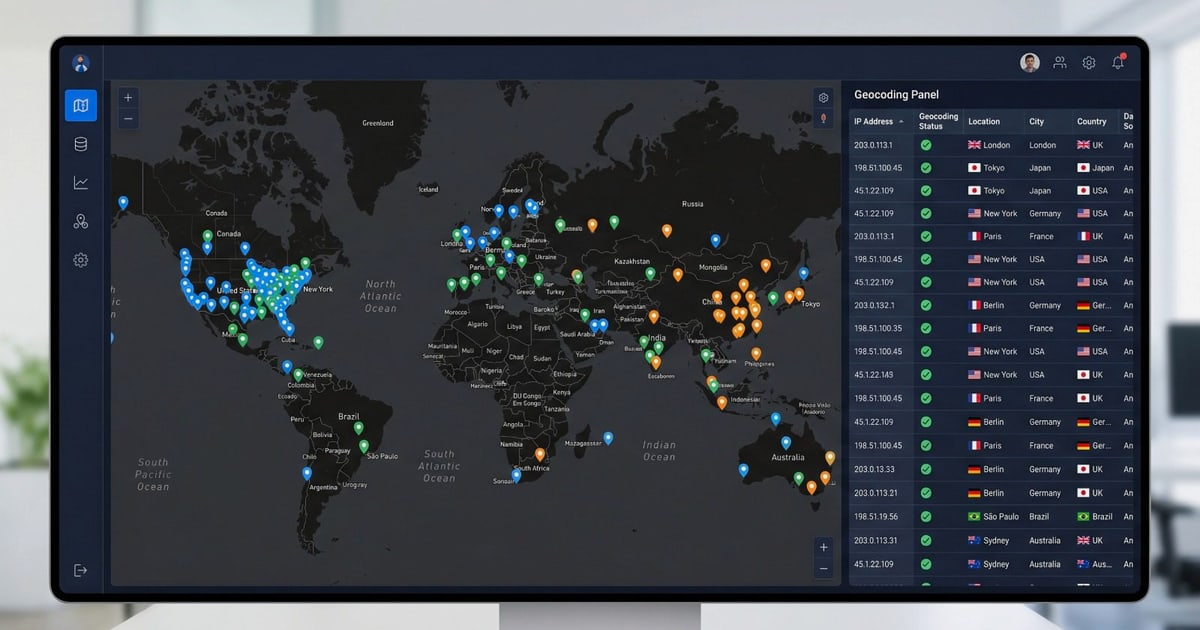
Every internet-connected device uses an IP address to communicate. IP geolocation is the technique of mapping that numeric label to a real-world geographic location—typically country, region, city, postal code, and sometimes the internet service provider or organization behind it. It does not reveal a street address or a person’s name, but it gives applications enough context to localize content, flag suspicious logins, enforce regional licensing, and personalize user experiences without asking for GPS permissions.
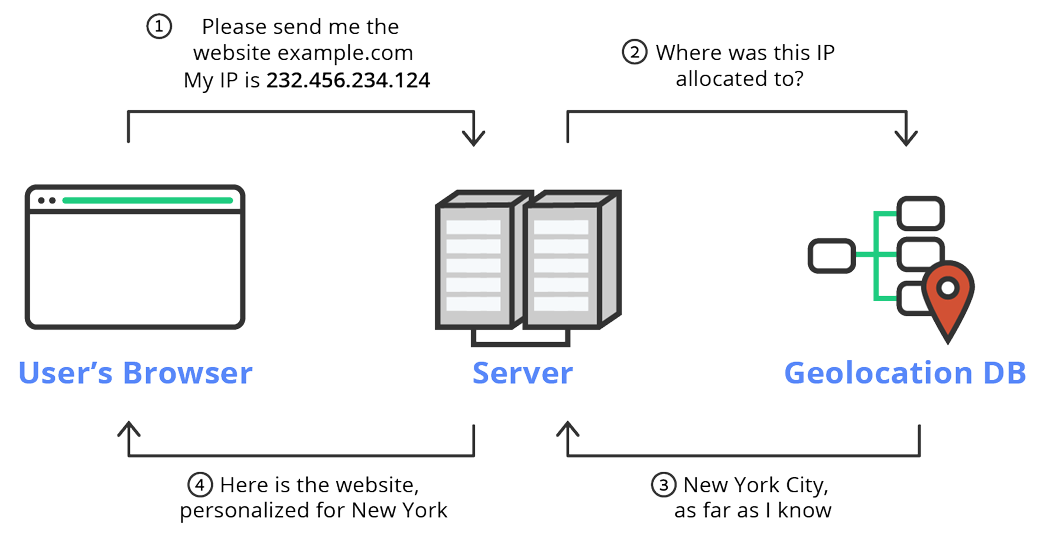
Behind the scenes, IP geolocation relies on large databases that combine registry data from regional internet registries, routing information, latency measurements, and crowdsourced correction signals. When you run an IP lookup, the service cross-references the address against one of these databases and returns the best-known location attributes. The result is fast, passive, and works for any IP version—IPv4 or IPv6.
How IP Geolocation Works
What Is IP Geolocation? How It Works & Accuracy Limits - How IP Geolocation Works.
An IP address itself does not contain geographic coordinates. Instead, geolocation providers build and maintain proprietary databases by correlating IP ranges with known physical locations. The process typically involves several layers:
- Registry data: Regional internet registries (ARIN, RIPE NCC, APNIC, LACNIC, AFRINIC) publish which organization or ISP controls a block of IP addresses, along with a country code.
- Routing topology: Network delay measurements and traceroute data help refine location estimates. If an IP block consistently shows low latency to a specific city, it likely serves that area.
- Partner and user-submitted signals: Some providers incorporate Wi-Fi positioning, payment transactions, or user-reported corrections to improve accuracy.
- DNS and WHOIS hints: Hostnames sometimes embed airport codes or city abbreviations that providers parse as location clues.
No single source is perfect, so commercial IP geolocation APIs and databases blend multiple signals. The result is a structured response that usually includes continent, country, region, city, latitude, longitude, time zone, ISP, ASN, and sometimes connection type or proxy status.
What a Typical IP Geolocation Response Includes
A modern IP geolocation API returns far more than coordinates. Here is a representative breakdown of the fields you might see when querying a service like ipgeolocation.io or geolocation.com:
| Field Category | Example Attributes |
|---|---|
| Location | country_name, region, city, postal code, latitude, longitude, accuracy_radius |
| Network | ISP, ASN, AS organization, route, connection_type |
| Time | time_zone name, UTC offset, current local time, DST status |
| Security | is_proxy, is_vpn, is_tor, is_known_attacker, threat_score, proxy_provider_names |
| Metadata | currency, country flag, calling code, languages, continent |
Security-oriented fields have become especially important. Many services now flag whether an IP belongs to a VPN provider, a data center, a residential proxy network, or a known botnet. This threat intelligence helps fraud detection systems and access control layers make real-time decisions.
Common Use Cases for IP Geolocation
What Is IP Geolocation? How It Works & Accuracy Limits - Common Use Cases for IP Geolocation.
Content Localization and Compliance
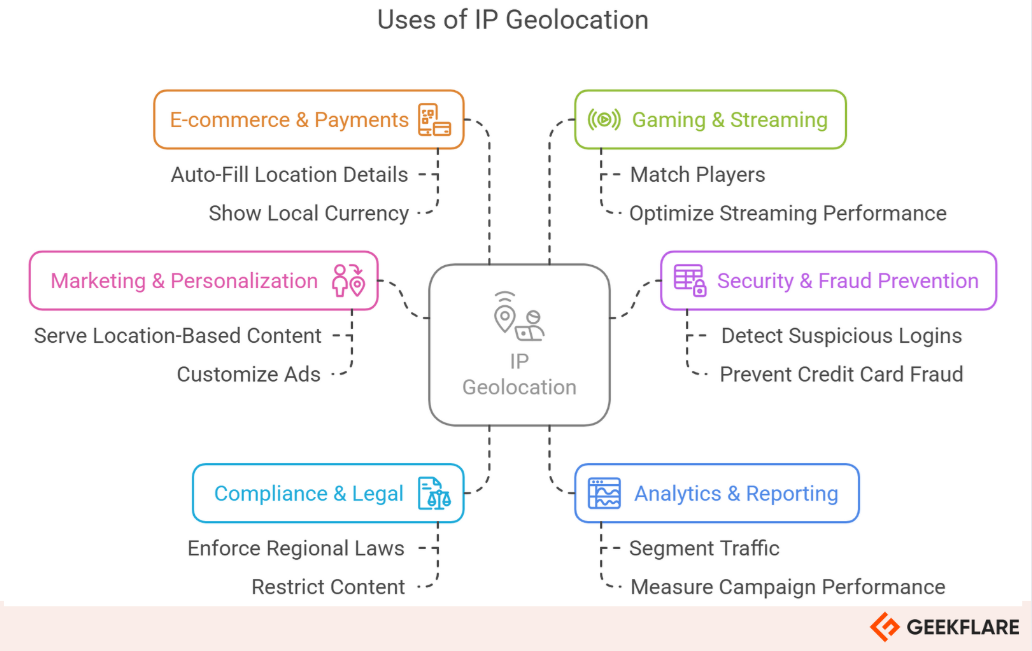
Streaming platforms, news sites, and e-commerce stores use IP geolocation to display region-appropriate content, currency, and language. It also enforces geo-blocking rules required by licensing agreements or local regulations, such as GDPR consent banners shown only to EU visitors.
Fraud Prevention and Security
Banks and online services compare a user’s claimed location against their IP geolocation during login or checkout. A mismatch—like a login from a different country minutes after a domestic purchase—can trigger step-up authentication or block the transaction. Threat intelligence fields that detect VPNs, proxies, and Tor exit nodes add another layer of risk scoring.
Network Diagnostics and Privacy Testing
IT professionals and privacy-conscious users routinely check their own IP geolocation to verify that a VPN is working correctly. If the reported location still shows the real city or ISP, the VPN tunnel may be leaking. Running an IP lookup alongside a DNS leak test and WebRTC leak test is a practical way to confirm that no identifying data escapes the encrypted connection.
Ad Targeting and Analytics
Ad platforms use IP geolocation to serve location-based campaigns and measure regional performance. Analytics tools enrich visitor logs with geographic dimensions, helping businesses understand where their audience is concentrated.
Access Control and Licensing
Enterprise SaaS products often restrict access to specific countries or IP ranges. Geolocation data feeds into firewall rules and application middleware to permit or deny requests based on the user’s apparent location.
How Accurate Is IP Geolocation?
What Is IP Geolocation? How It Works & Accuracy Limits - How Accurate Is IP Geolocation?.
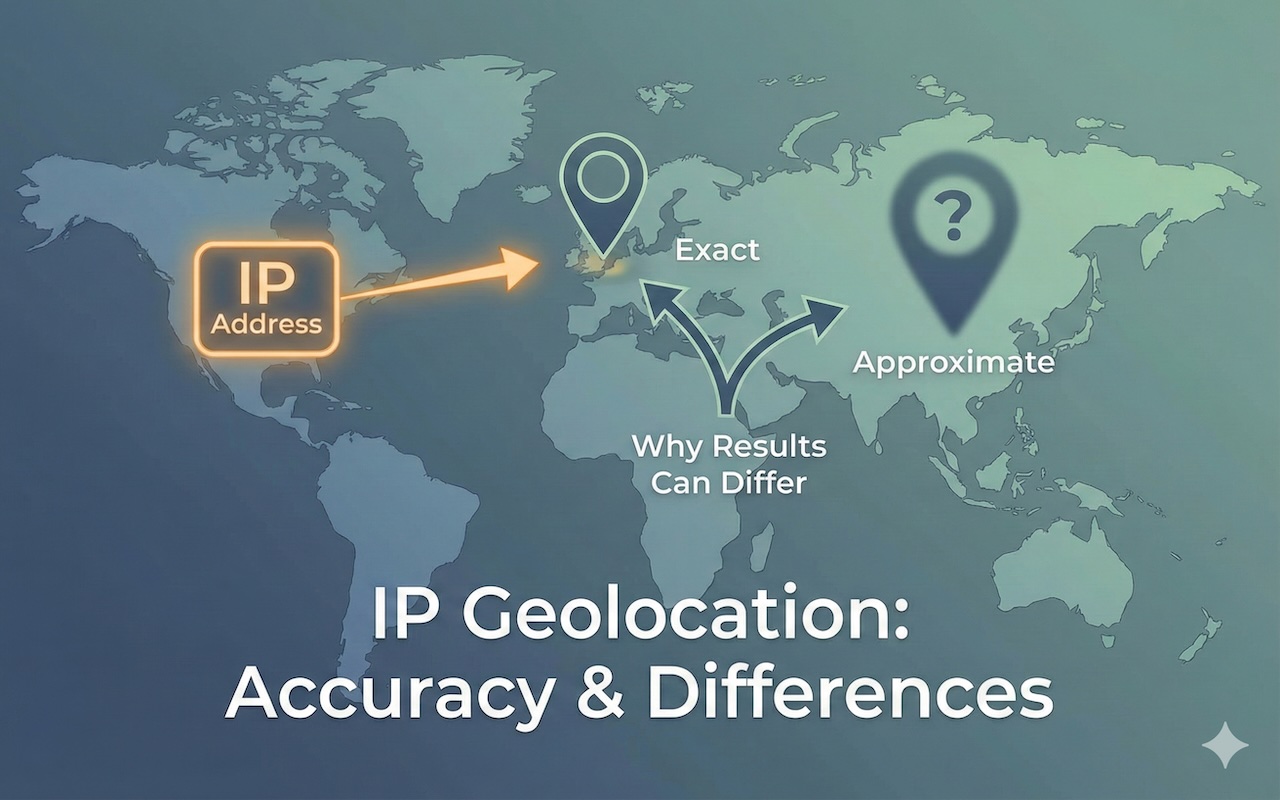
Accuracy varies significantly by the level of detail and the nature of the IP address. The table below summarizes typical confidence ranges reported by major providers:
| Granularity | Typical Accuracy | Notes |
|---|---|---|
| Country | 95–99% | Highly reliable for most use cases. |
| Region/State | 55–80% | Depends on ISP infrastructure and database freshness. |
| City | 50–75% | Best-effort; often points to the nearest interconnection city. |
| Postal Code | 30–60% | Wide variation; not reliable for precise targeting. |
Several factors degrade accuracy:
- Mobile networks: A mobile IP may register at a central gateway hundreds of miles from the actual device.
- VPNs and proxies: The IP reflects the exit node’s location, not the user’s real position.
- Satellite and enterprise networks: Traffic often backhauls to a central office before reaching the internet.
- Anycast routing: The same IP can serve multiple physical locations, making geolocation ambiguous.
- Database staleness: IP blocks are reallocated frequently; a database that is months out of date may return incorrect results.
For critical decisions, treat IP geolocation as a probabilistic signal rather than ground truth. Pair it with additional checks—browser fingerprint analysis, device reputation, behavioral analytics—to build a more reliable risk profile.
How to Verify Your Own IP Geolocation
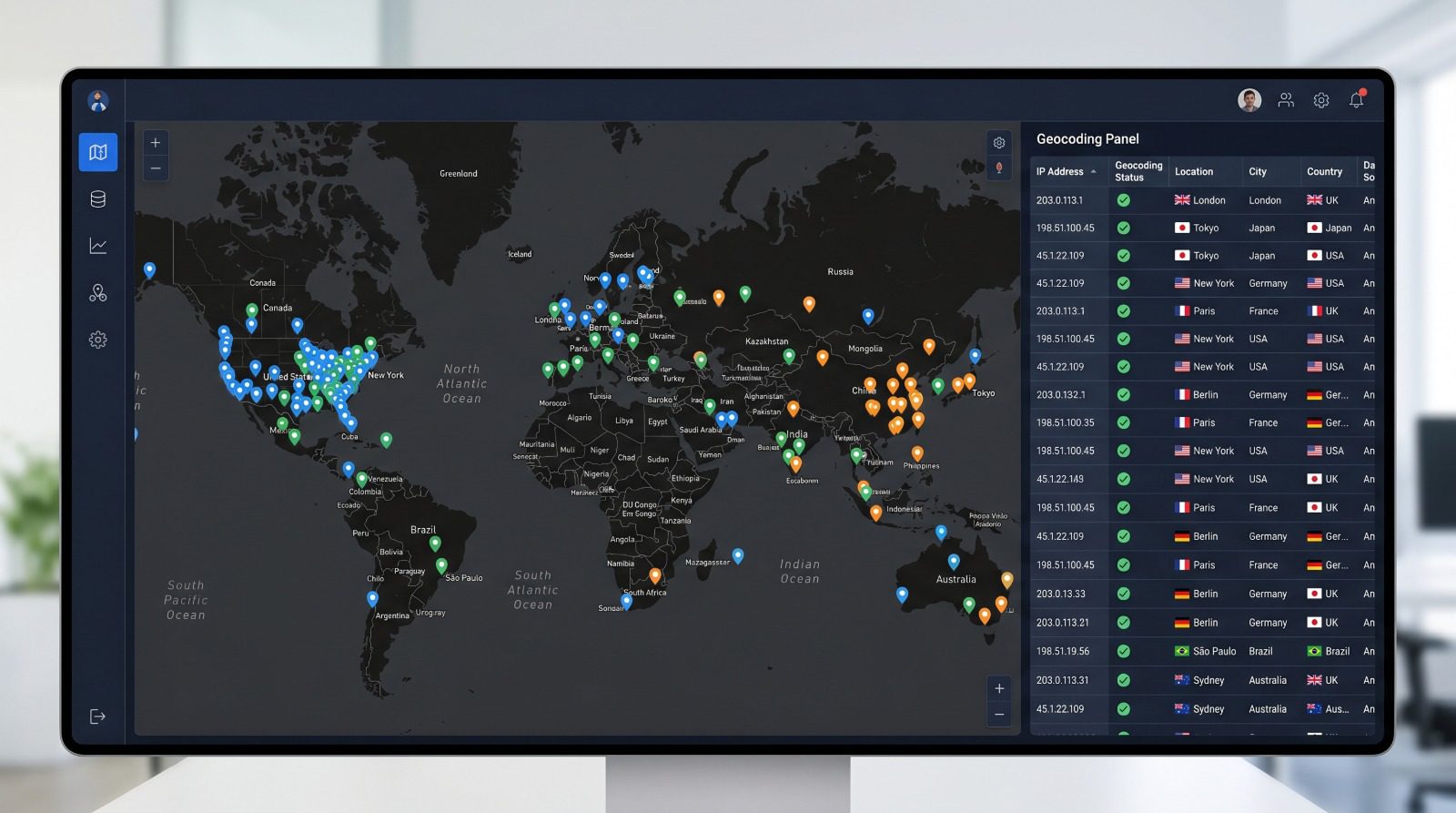
What Is IP Geolocation? How It Works & Accuracy Limits - How to Verify Your Own IP Geolocation.
Testing what the outside world sees is straightforward. Visit any reputable IP lookup tool and note the reported country, city, and ISP. Then compare that against your actual location and network provider.
If you use a VPN, connect to a server in a different country and run the lookup again. The location should change to match the VPN exit point. If it does not, your real IP may be leaking through WebRTC, DNS requests, or a misconfigured VPN client. Tools like BrowserScan’s IP address lookup show your public IP alongside geolocation details, ISP information, and proxy detection flags in one view.
For developers and security teams, you can also query an IP geolocation API directly. Many services offer free tiers for low-volume testing. The response structure from providers like ipgeolocation.io or geolocation.com follows a predictable JSON schema, making it easy to integrate into scripts, dashboards, and security automation.
Free vs. Paid IP Geolocation Services
| Feature | Free Tier / Open Data | Paid API / Commercial Database |
|---|---|---|
| Country-level accuracy | Good | Excellent |
| City-level accuracy | Low to moderate | Moderate to high |
| Security intelligence | Rare or basic | VPN, proxy, botnet, threat scoring |
| Update frequency | Monthly or less | Weekly to daily |
| Rate limits | Strict (e.g., 1,000 requests/month) | High or unlimited |
| Support and SLAs | Community or none | Dedicated support, uptime guarantees |
Free services work well for learning, personal projects, or occasional manual lookups. Production applications that need reliable city-level data, fraud detection fields, or high request volumes almost always require a paid plan. When evaluating providers, look for transparent accuracy claims, a clear update cadence, and the specific security attributes your use case demands.
IP Geolocation and Privacy
IP geolocation raises legitimate privacy questions. While it does not identify an individual, it can reveal enough context—especially when combined with other signals—to build a detailed profile over time. Websites can log IP addresses, browser fingerprints, and behavioral patterns to track users without cookies.
Privacy-conscious users often take steps to decouple their IP from their identity:
- VPNs replace the real IP with the VPN server’s address.
- Tor routes traffic through multiple relays, making geolocation nearly meaningless.
- Proxy services can mask the origin IP for specific applications.
However, masking an IP does not make browsing completely anonymous. Browser fingerprinting can still identify a device through its unique combination of screen resolution, installed fonts, WebGL parameters, and other attributes. A comprehensive privacy check should examine both the network layer and the browser layer.
Related reading
- IPWHOIS.io Download: API Setup, Docs & Offline Alternatives - Looking for an IPWHOIS.io download? Understand the API-only architecture, explore setup guides, code examples, and discover offline IP lookup alternatives.
- What Is BigDataCloud? IP Geolocation & Network APIs Explained - Learn what BigDataCloud is, how its patented IP geolocation and reverse geocoding APIs work, and how to verify the data accuracy with privacy testing tools.
- What Is Encryption? Types, Algorithms & How It Protects Your Data - Learn how encryption secures data using symmetric and asymmetric algorithms like AES and RSA. Discover its role in HTTPS, privacy, and how to test your protection.
Sources and further reading
- Free IP Geolocation API and Accurate IP Geolocation Database - IPGeolocation APIs and Databases with accurate location, time zone, and threat intelligence to enrich user insights and enhance security.
- Geolocate the Location of an IP Address | Geolocation - Free service to geolocate a visitor's IP location, such as country, city, latitude, longitude, ZIP code, time zone, ISP, mobile data, usage type and many more.
- What Is My IP? Find Your IP Address & Location - Check your public IPv4 and IPv6 address, IP location, ISP, organization, VPN/proxy/Tor status, and privacy exposure details instantly.
Frequently Asked Questions
Can IP geolocation find my exact street address?
No. IP geolocation can estimate a city, postal code, or neighborhood, but it cannot pinpoint a specific street address or household. Only internet service providers hold the subscriber-to-IP mapping, and they do not expose that data publicly without legal process.
Why does my IP location show a different city?
ISPs often route traffic through regional hubs that may be in a neighboring city. Mobile carriers, satellite providers, and corporate VPNs can make the discrepancy even larger. If the reported city is consistently wrong, some geolocation providers accept correction requests.
Does IPv6 geolocation work the same as IPv4?
Yes, but IPv6 databases are generally less mature. Because IPv6 adoption is still growing and address blocks are allocated differently, city-level accuracy for IPv6 can lag behind IPv4 in some regions.
How often do IP geolocation databases update?
Paid commercial databases typically update weekly or daily. Free databases may update monthly or less frequently. The update frequency directly affects accuracy, especially for IP blocks that change hands through hosting providers and proxy services.
Can I use IP geolocation to block users from specific countries?
Yes. Many firewalls, CDNs, and application frameworks support geo-blocking rules based on IP geolocation data. Keep in mind that determined users can bypass these blocks with VPNs, so geo-blocking works best as one layer in a broader access control strategy.
What is the difference between IP geolocation and GPS?
GPS uses satellite signals to calculate a precise device position, often within a few meters. IP geolocation estimates location based on network infrastructure and databases. GPS requires user permission and works outdoors; IP geolocation is passive and works for any connected device, but it is far less precise.
Conclusion
IP geolocation turns a technical identifier into actionable geographic context. It powers everything from localized storefronts and fraud alerts to VPN leak checks and compliance enforcement. While accuracy varies—especially at the city level and below—it remains one of the fastest, most accessible location signals available without user interaction.
For anyone responsible for network security, application development, or personal privacy, understanding how IP geolocation works is essential. Regularly testing your own IP data helps you catch VPN leaks, verify that your traffic appears where you expect, and evaluate the quality of the geolocation services you depend on. Pair IP checks with broader browser privacy scans to get a complete picture of your digital exposure.