
Nmap: The Network Mapper Free Security Scanner Login & Setup
Nmap: The Network Mapper Free Security Scanner Login & Setup
If you searched for an "Nmap login," you are probably wondering whether the famous Network Mapper requires an account, a subscription, or some kind of sign-in before you can use it. The short answer is no. Nmap is a free, open source security scanner that you download and run locally. There is no web dashboard, no username, and no password to manage.
That said, the word "login" often appears alongside Nmap because people want to scan a remote server, router, or device that requires authentication, or because they are trying to figure out how to get started with the tool. This guide clears up both questions: how Nmap works without a login, how to install it on your operating system, and how to run your first safe, legal scan.
Does Nmap Require a Login or Account?
Nmap: The Network Mapper Free Security Scanner Login & Setup - Does Nmap Require a Login or Account?.
No. Nmap does not have a login system. The official project at nmap.org distributes the scanner as downloadable software for Linux, Windows, macOS, and other UNIX-like systems. You install it once and run it from a terminal or command prompt.
There are a few related concepts that can cause confusion:
- Nmap Online: Some third-party websites offer browser-based port scanning. These are not official Nmap products, and they may require an account or impose scan limits. The official Nmap project does not operate a hosted web scanner.
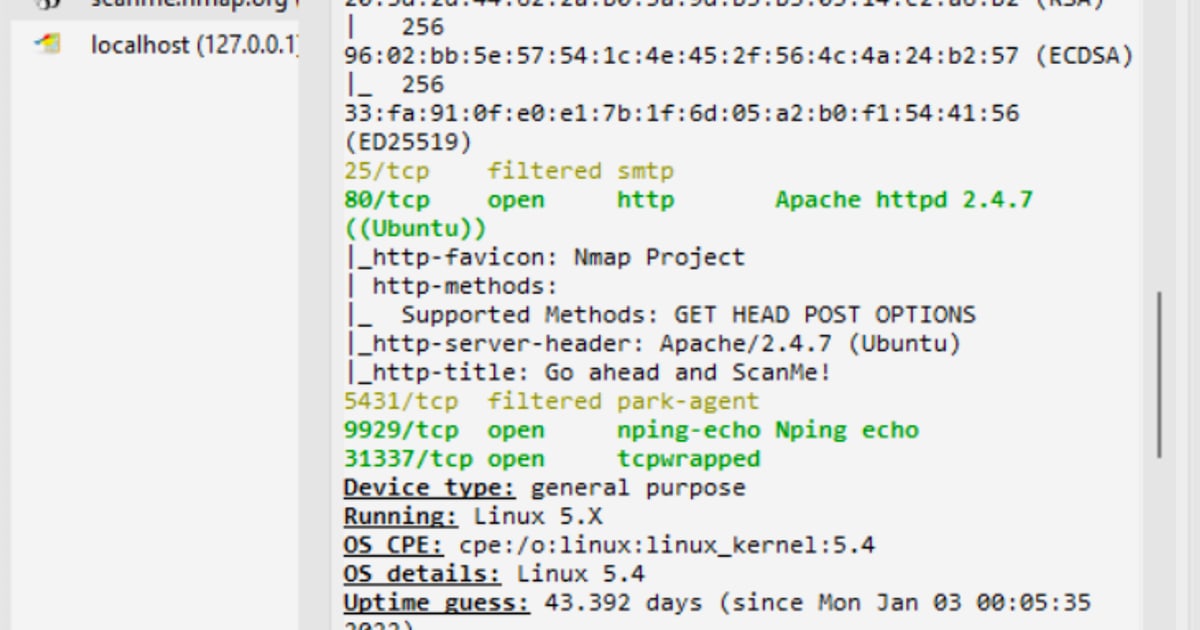
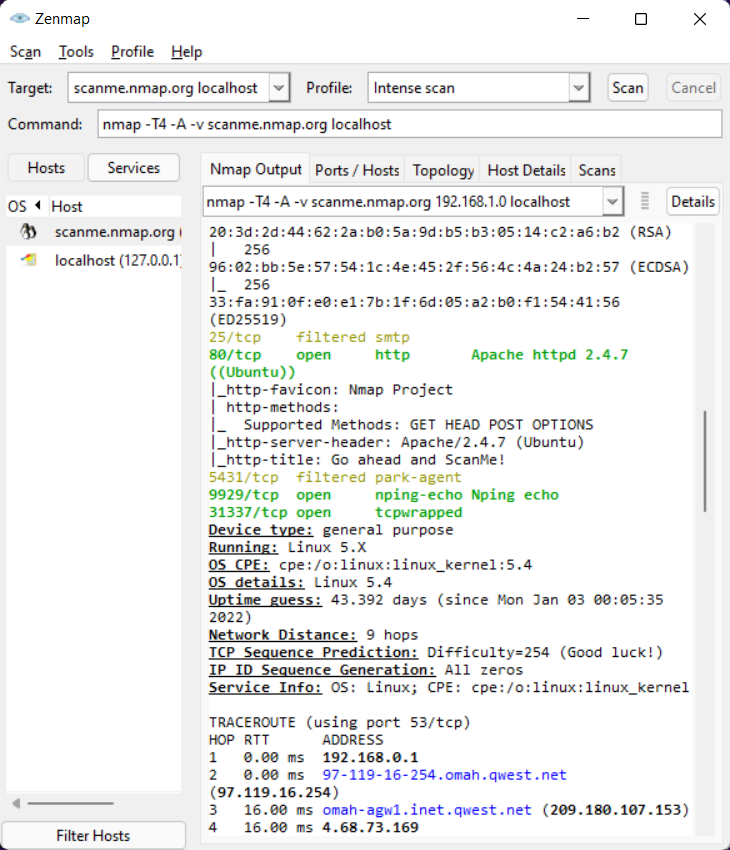
- Zenmap: The official graphical interface for Nmap. It also runs locally and does not require a login.
- Scanning authenticated services: Nmap can test services such as SSH, FTP, or web applications that themselves require credentials. In those cases, the login belongs to the target service, not to Nmap.
- Nmap mailing lists: The project offers optional mailing lists for announcements and development discussion. Subscribing requires an email address, but it is not a login for the scanner itself.
If you want a quick, browser-based way to check open ports without installing anything, a tool like BrowserScan's Nmap-powered port scanner can help. It is useful for a fast external check, but it is not a substitute for running the full Nmap suite locally when you need deep scanning, OS detection, or scripting.
What Is Nmap and Why Is It So Popular?
Nmap: The Network Mapper Free Security Scanner Login & Setup - What Is Nmap and Why Is It So Popular?.
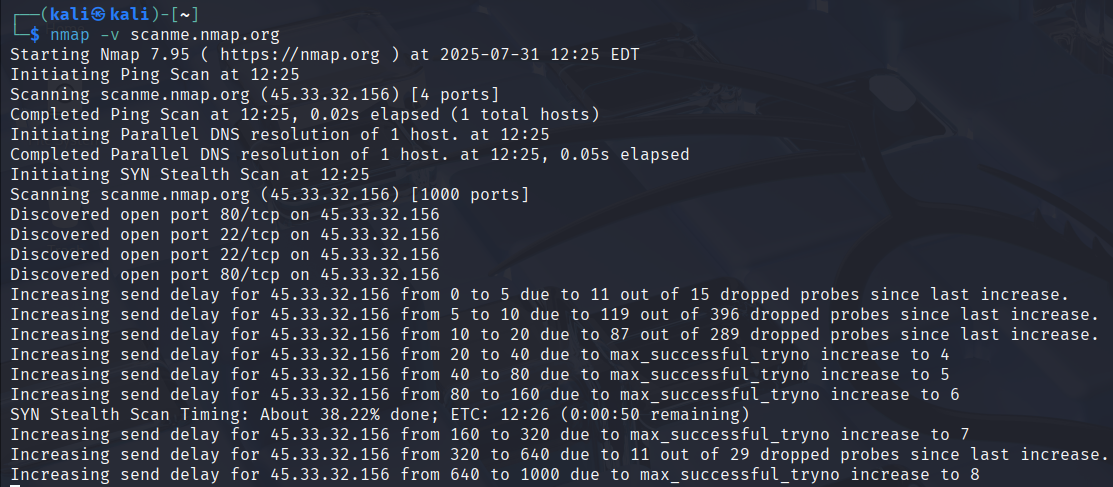
Nmap, short for Network Mapper, is a free and open source utility for network discovery and security auditing. According to the official Nmap documentation, it was originally a Unix-only tool, but a Windows version arrived in 2000 and has since become the second most popular platform behind Linux.
Nmap uses raw IP packets to determine:
- Which hosts are available on a network
- What services and application versions those hosts are running
- What operating systems they use
- What packet filters or firewalls are in place
- Dozens of other network characteristics
System administrators use it for network inventory, service upgrade planning, and uptime monitoring. Security professionals use it for auditing and penetration testing. Because Nmap is free, well documented, and highly flexible, it has become one of the most widely used security tools in the world.
Downloading and Installing Nmap
Nmap: The Network Mapper Free Security Scanner Login & Setup - Downloading and Installing Nmap.
The official download page at nmap.org/download provides installers for the major platforms. Here is how to get started on each.
Windows Installation
Windows users have the simplest path. The official Windows self-installer is named nmap-<version>-setup.exe and includes Nmap, Npcap, and optional tools like Zenmap, Ncat, and Nping.
- Go to the Nmap download page.
- Download the latest stable Windows installer.
- Run the installer and accept the default options.
- When prompted, install Npcap. This packet capture library is required for raw packet scans on Windows.
- Check the box to apply performance-related registry changes. This improves connect scan speed.
After installation, open a Command Prompt or PowerShell window and type nmap to confirm it works.
macOS Installation
macOS users download a disk image file named nmap-<version>.dmg. The installer includes Nmap, Zenmap, Ncat, and Ndiff.
- Download the
.dmgfile from the official download page. - Open the disk image and run the installer.
- Follow the prompts to complete installation.
- Open Terminal and run
nmap --versionto verify.
Linux Installation
Most Linux distributions include Nmap in their package repositories, which is often the fastest method.
On Debian or Ubuntu:
sudo apt update
sudo apt install nmap
On Red Hat, Fedora, or CentOS:
sudo dnf install nmap
You can also install the official RPM packages directly:
rpm -vhU https://nmap.org/dist/nmap-7.991-1.x86_64.rpm
rpm -vhU https://nmap.org/dist/ncat-7.991-1.x86_64.rpm
rpm -vhU https://nmap.org/dist/nping-7.991-1.x86_64.rpm
For a more detailed walkthrough, see our Nmap download and setup guide.
Running Your First Nmap Scan
Once Nmap is installed, you can start with a simple command. The official documentation notes that even beginners can begin with:
nmap -v -A targethost
Replace targethost with an IP address or hostname you are authorized to scan. The -v flag increases verbosity, while -A enables OS detection, version detection, script scanning, and traceroute.
Common Scan Examples
Here are a few practical commands to get comfortable with Nmap.
Scan a single host:
nmap 192.168.1.1
Scan a range of IP addresses:
nmap 192.168.1.1-50
Scan common ports quickly:
nmap -F 192.168.1.1
Detect service versions:
nmap -sV 192.168.1.1
Detect the operating system:
nmap -O 192.168.1.1
Run a TCP connect scan without pinging first:
nmap -sT -Pn 192.168.1.1
This last command is especially useful on Windows when raw packet scans are unavailable, such as over certain VPN connections or dial-up links.
Local Nmap vs. Browser-Based Port Scanning
Not every situation calls for a full local Nmap installation. Here is a quick comparison to help you decide.
| Scenario | Local Nmap | Browser-based scanner |
|---|---|---|
| Deep network mapping | Best choice | Limited |
| OS and version detection | Full support | Usually unavailable |
| Scripting and automation | Full NSE support | Not available |
| Quick external port check | Requires install | Fast and convenient |
| Scanning internal networks | Yes | No |
| No installation required | No | Yes |
If you only need a fast check of open ports on a public IP address, a web-based tool like BrowserScan's port scanner is a practical option. It uses Nmap technology under the hood but runs entirely in your browser, so there is nothing to install and no login to manage.
For serious security auditing, however, install the full Nmap suite. You get more scan types, better accuracy, scripting capabilities, and complete control over timing and output.
Legal and Ethical Considerations
Nmap is a powerful tool, and with that power comes responsibility. Only scan systems you own or have explicit written permission to test. Scanning third-party networks without authorization may violate computer misuse laws in many jurisdictions.
Good practices include:
- Scanning your own home lab, router, or local devices
- Getting written approval before scanning a client's infrastructure
- Using rate limiting to avoid overwhelming target systems
- Reviewing your local laws and employer policies before scanning
The Nmap project's stated goal is to help make the internet more secure. Using the tool ethically supports that mission.
Related reading
- HackerTarget Pricing: Plans, Limits & What You Get - Compare HackerTarget pricing plans from $10 to $100+ per month, including scan quotas, API limits, scheduling, and which tier fits your security workflow.
Frequently Asked Questions
Is there an Nmap online login page?
No. Nmap is a downloadable command-line tool with no web-based login. Any website asking you to log in to use "Nmap online" is a third-party service, not the official Nmap project.
Do I need an account to download Nmap?
No. You can download Nmap directly from nmap.org without creating an account or providing an email address.
Can Nmap scan a website that requires login?
Nmap can scan the network services behind a website, but it does not log in to web applications by itself. For authenticated web testing, you would typically combine Nmap with other tools or use NSE scripts that support specific authentication methods.
Is Nmap really free?
Yes. Nmap is free and open source. The source code is available under a custom license derived from the GNU General Public License, and you can modify and redistribute it under those terms.
What is the difference between Nmap and Zenmap?
Nmap is the command-line scanning engine. Zenmap is the official graphical user interface that runs Nmap commands and displays results in a more visual format. Both are included in most official installers.
Can I run Nmap from a browser?
Not officially. The Nmap project does not offer a hosted web scanner. However, third-party browser-based tools like BrowserScan's port scanner can perform basic port checks without installation. For full Nmap functionality, download and install the software.
Conclusion
There is no Nmap login to worry about. The Network Mapper is a free, open source security scanner that you download, install, and run locally. Whether you are on Windows, macOS, or Linux, the official download page has everything you need to get started in minutes.
Begin with a simple scan of a device you own, then gradually explore version detection, OS fingerprinting, and the Nmap Scripting Engine. If you need a quick, no-install port check first, a browser-based option like BrowserScan can give you immediate results. For deeper privacy and network diagnostics, you can also explore related checks such as DNS leak testing or browser fingerprint analysis.
Nmap remains one of the most trusted tools in network security because it is powerful, portable, and genuinely free. The only "login" you need is a terminal window and permission to scan.