
Online Anonymity: What It Really Means and How to Test Yours

Online Anonymity: What It Really Means and How to Test Yours
Online anonymity is often misunderstood. Many people assume that using a private browsing window, a VPN, or a pseudonymous username makes them untraceable. In reality, anonymity is a spectrum, not a switch—and most of the tools people rely on only provide partial protection. This guide explains what online anonymity actually involves, why it matters, the main threats to it, and how you can test whether your current setup is leaking identifying information.
What Is Online Anonymity?

Online Anonymity: What It Really Means and How to Test Yours - What Is Online Anonymity?.
At its core, online anonymity means separating your online activities from identifying details such as your legal name, home address, location, or other personal data. It exists on a continuum:
- Full identification — You use your real name, photo, and personal details.
- Pseudonymity — You adopt a consistent alternative identity that is not directly linked to your legal name.
- Full anonymity — No persistent identity is attached to your actions at all.
Most people operate somewhere in the middle. A Reddit username is pseudonymous. A throwaway account on a forum with no identifying details leans closer to full anonymity. But even "anonymous" spaces can leave traces: writing style, posting times, linked accounts, and technical identifiers like IP addresses and browser fingerprints can all be correlated to reveal who you are.
As research from EBSCO notes, anonymity has historically been a double-edged sword. It empowers whistleblowers, activists, and marginalized voices, but it also enables harassment, fraud, and cybercrime. That tension has made anonymity one of the most contested topics in internet policy.
Why Online Anonymity Matters
The debate over anonymity is not abstract. For many people, it is a matter of physical safety and professional survival.
The Belfer Center's analysis highlights how researchers, journalists, queer people, sex workers, and activists in authoritarian environments depend on pseudonyms and anonymity to avoid surveillance, arrest, or worse. A researcher working in the Middle East and North Africa, for example, may need to publish under a pseudonym because linking their work to their legal identity could endanger their family, sources, and colleagues.
Anonymity also serves everyday purposes:
- Protection from harassment — Survivors of domestic abuse, stalking, or online harassment often need to hide their location and identity.
- Honest discussion — People seeking advice on health, finances, or relationships may feel safer discussing sensitive topics without their real name attached.
- Whistleblowing — Organizations like WikiLeaks depend on protecting the anonymity of sources who expose government or corporate wrongdoing.
- Avoiding profiling — Anonymity can prevent discrimination based on race, gender, religion, or political views before someone has a chance to speak.
Critics often argue that anonymity fuels abuse. However, evidence from Twitter's own analysis found that 99% of accounts suspended for racist abuse after the Euro 2020 tournament were not anonymous. This suggests that removing anonymity would do little to curb abuse while disproportionately harming vulnerable users.
Common Tools People Use for Anonymity
Online Anonymity: What It Really Means and How to Test Yours - Common Tools People Use for Anonymity.
There is no single tool that guarantees anonymity. Instead, people combine layers of protection, each addressing a different type of identifier.
VPNs and Proxy Servers
A VPN (Virtual Private Network) encrypts your traffic and routes it through a server operated by the VPN provider. This masks your real IP address from the websites you visit, replacing it with the VPN server's IP. Proxy servers perform a similar function but typically without encryption.
Limitations:
- The VPN provider can still see your traffic and real IP address.
- DNS or WebRTC leaks can expose your true IP even when the VPN is active.
- VPNs do not hide browser fingerprints, cookies, or login identities.
Tor Network
Tor routes your traffic through multiple encrypted relays, making it extremely difficult to trace activity back to a single source. It is the backbone of many anonymity-focused projects, including WikiLeaks' submission system.
Limitations:
- Significantly slower than a standard connection.
- Exit nodes can be monitored by adversaries.
- Browser fingerprinting can still identify you across sessions if you are not careful.
Pseudonymous Accounts
Using a consistent username not tied to your legal identity is one of the most accessible forms of anonymity. Many researchers and activists rely on this approach.
Limitations:
- Your writing style, posting schedule, and linked accounts can be correlated.
- Platforms may require phone verification or other identifiers.
- A single slip—posting a photo, clicking a personal link—can unmask you.
Privacy-Focused Browsers and Extensions
Browsers like Tor Browser, Brave, or Firefox with hardened settings can reduce tracking. Extensions can block scripts, cookies, and fingerprinting attempts.
Limitations:
- Over-customizing a browser can actually make your fingerprint more unique.
- Extensions themselves can leak information.
- No browser setting hides your IP address on its own.
The Hidden Identifier: Browser Fingerprinting
Online Anonymity: What It Really Means and How to Test Yours - The Hidden Identifier: Browser Fingerprinting.
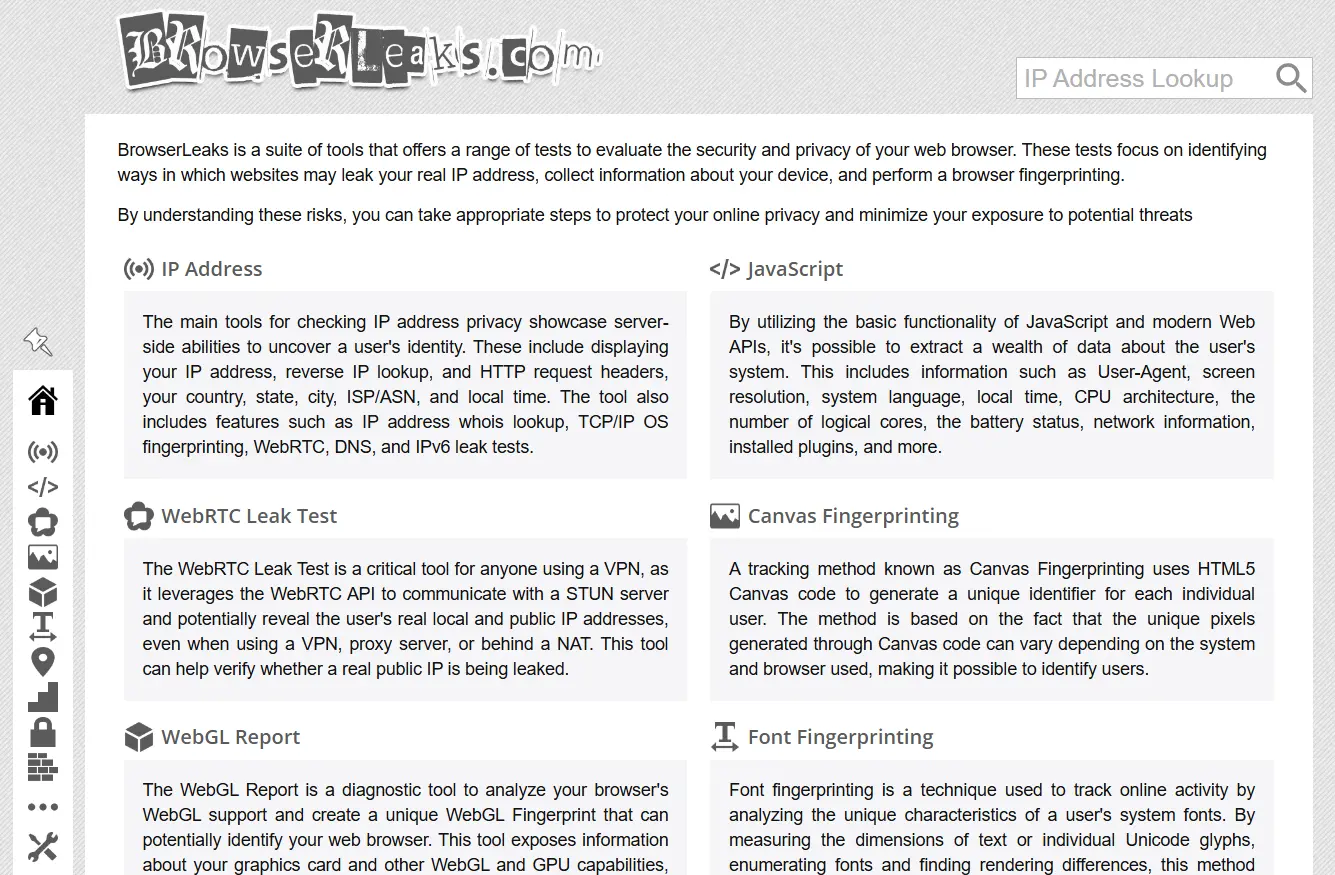
Most people focus on IP addresses, but browser fingerprinting is often the more persistent threat. When you visit a website, your browser reveals a combination of details:
- User agent string (browser, version, operating system)
- Screen resolution and color depth
- Installed fonts
- Time zone and language settings
- Canvas and WebGL rendering characteristics
- Hardware and audio stack details
Individually, these data points are not unique. Combined, they can create a fingerprint that identifies your browser with surprising accuracy—even if you change your IP address or clear your cookies.
This is why a VPN alone does not make you anonymous. If you log into the same VPN server every day with the same browser fingerprint, trackers can still recognize you.
How to Test Your Anonymity Setup
Testing is the most underrated step in protecting anonymity. You cannot fix leaks you do not know about. Here is a practical workflow:
1. Check Your IP Address and Location
Start by confirming what IP address and geolocation websites actually see. If you are using a VPN, the displayed IP should match the VPN server's location, not your real one. Tools like IP-Lookup.net let you verify this without creating an account—just visit the site and compare the results against your expected VPN exit location.
2. Run DNS and WebRTC Leak Tests
DNS leaks occur when your browser sends DNS queries outside the VPN tunnel, revealing your real ISP. WebRTC leaks can expose your local IP address even when a VPN is active, because the WebRTC protocol can bypass standard routing.
BrowserScan's DNS and WebRTC leak tests check both vectors in real time. If the results show your ISP's DNS servers or your local network IP, your anonymity setup has a critical hole.
3. Analyze Your Browser Fingerprint
A fingerprint check reveals how unique your browser configuration is. The more unique the fingerprint, the easier it is for trackers to follow you across sites—even without cookies.
BrowserScan's fingerprint analysis tool evaluates your browser's identifying characteristics and flags configurations that stand out from the crowd. For a deeper walkthrough of what each result means, see this BrowserScan tutorial.
4. Scan for Open Ports
Open ports on your network can expose services that reveal your identity or provide an entry point for attackers. A port scan identifies which ports are open and what services are running on them. BrowserScan includes an Nmap-powered port scanner that runs directly in your browser—no installation required. If you prefer the command-line approach, this Nmap setup guide covers installation and first scans.
5. Verify Your User Agent
Your user agent string tells websites what browser and operating system you are using. If it is inconsistent with your actual setup—or if it reveals more than you intend—it can be used as a fingerprinting signal. A user agent parser helps you decode exactly what information you are broadcasting.
Practical Anonymity Checklist
Use this checklist to evaluate your current setup:
| Check | What to Look For |
|---|---|
| IP address | Does it match your VPN or Tor exit node, not your real location? |
| DNS leaks | Are DNS queries routed through your anonymity network? |
| WebRTC leaks | Is your local IP address hidden? |
| Browser fingerprint | Is your fingerprint common enough to blend in? |
| Cookies and storage | Are you clearing tracking data between sessions? |
| Login identities | Are you accidentally logged into personal accounts? |
| Open ports | Are unnecessary services exposed on your network? |
Choosing the Right Level of Anonymity
Not everyone needs the same level of protection. Your threat model should determine your tools:
- Casual privacy — You want to reduce ad tracking and keep your ISP from profiling you. A reputable VPN plus a privacy-focused browser is usually sufficient.
- Pseudonymous participation — You want to participate in communities without linking your activity to your legal identity. Combine a pseudonym with a VPN, separate browser profile, and regular fingerprint checks.
- High-risk anonymity — You are a journalist, activist, or researcher facing state-level adversaries. This requires Tor, compartmentalized devices, strict operational security, and regular leak testing. No single tool is enough.
Related reading
- IPWHOIS.io Tutorial: IP Geolocation API Guide - Learn how to use the IPWHOIS.io API for IP geolocation, ISP data, and security flags. Includes setup, code examples, limits, and verification tips.
- HackerTarget: Security Scanners, IP Tools & API Guide - Explore HackerTarget's online vulnerability scanners, reverse IP lookup, IP tools, and API limits. Learn how to use them for security testing and reconnaissance.
- IP-Lookup.net Login: Do You Need an Account? - Does IP-Lookup.net require a login? Learn how to use the free IP lookup tools without an account, what data you get, and how to verify your real IP safely.
Sources and further reading
- Anonymity and identity shielding - eSafety Commissioner - Jan 20, 2026 ... While this protects their privacy, it can make it difficult to hold them responsible for what they say and do online. Anonymous communication is ...
Frequently Asked Questions
Can a VPN make me completely anonymous?
No. A VPN hides your IP address from the websites you visit, but it does not hide your browser fingerprint, cookies, or login identities. The VPN provider itself can also see your traffic. Complete anonymity requires combining multiple layers of protection and regularly testing for leaks.
What is the difference between anonymity and pseudonymity?
Pseudonymity means using a consistent alternative identity that is not your legal name. Anonymity means no persistent identity is attached to your actions at all. Pseudonyms can still be linked to you over time through behavioral patterns and technical identifiers.
Is online anonymity legal?
In most countries, using tools like VPNs and Tor is legal. However, some jurisdictions restrict or ban anonymity tools, and using anonymity to commit crimes is illegal everywhere. The legal landscape is evolving, with some governments pushing for mandatory ID verification on social platforms.
How do I know if my VPN is leaking my real IP address?
Run a DNS leak test and a WebRTC leak test while connected to your VPN. If either test reveals your ISP's DNS servers or your local network IP, your VPN is leaking. BrowserScan's leak tests can detect both issues in seconds.
Why does my browser fingerprint matter if I change my IP address?
Your browser fingerprint is independent of your IP address. Even if you switch VPN servers, trackers can recognize your browser by its unique combination of fonts, screen settings, and rendering characteristics. A unique fingerprint defeats the purpose of changing your IP.
Can I be anonymous on social media?
It is difficult. Most platforms require some form of verification and collect extensive behavioral data. Even pseudonymous accounts can be linked to your identity through contact syncing, shared links, or posting patterns. If you need anonymity on social media, use a dedicated device and never cross-link accounts.
Conclusion
Online anonymity is not a binary state—it is a continuous process of reducing the signals that connect your online activity to your real identity. A VPN, a pseudonym, or a private browsing window each addresses one piece of the puzzle, but none of them works in isolation.
The most practical step you can take today is to test your current setup. Run an IP check, a DNS and WebRTC leak test, and a browser fingerprint analysis. Identify what is leaking, fix it, and retest. Anonymity is not something you achieve once; it is something you maintain through vigilance and regular verification.
For a comprehensive, no-installation way to evaluate your browser fingerprint, DNS leaks, WebRTC exposure, IP geolocation, and open ports, BrowserScan brings these diagnostics together in one place. Understanding your exposure is the first step toward controlling it.