
Pixelscan Download: What You Get and BrowserScan Alternative
Pixelscan Download: What You Get and How It Compares to BrowserScan
If you searched for "Pixelscan download," you probably want a privacy or fingerprint scanning tool on your device. The answer is simpler than it looks: the main Pixelscan browser scan runs instantly in your browser with no installation. A separate desktop proxy checker app exists for Windows, macOS, and Linux, and there is also an unrelated "pixelscan WSI" microscope app on the Microsoft Store. This article explains each option, what the scans actually check, and how a free web-based alternative like BrowserScan fits into a practical privacy routine.
What Is Pixelscan?
Pixelscan Download: What You Get and BrowserScan Alternative - What Is Pixelscan?.
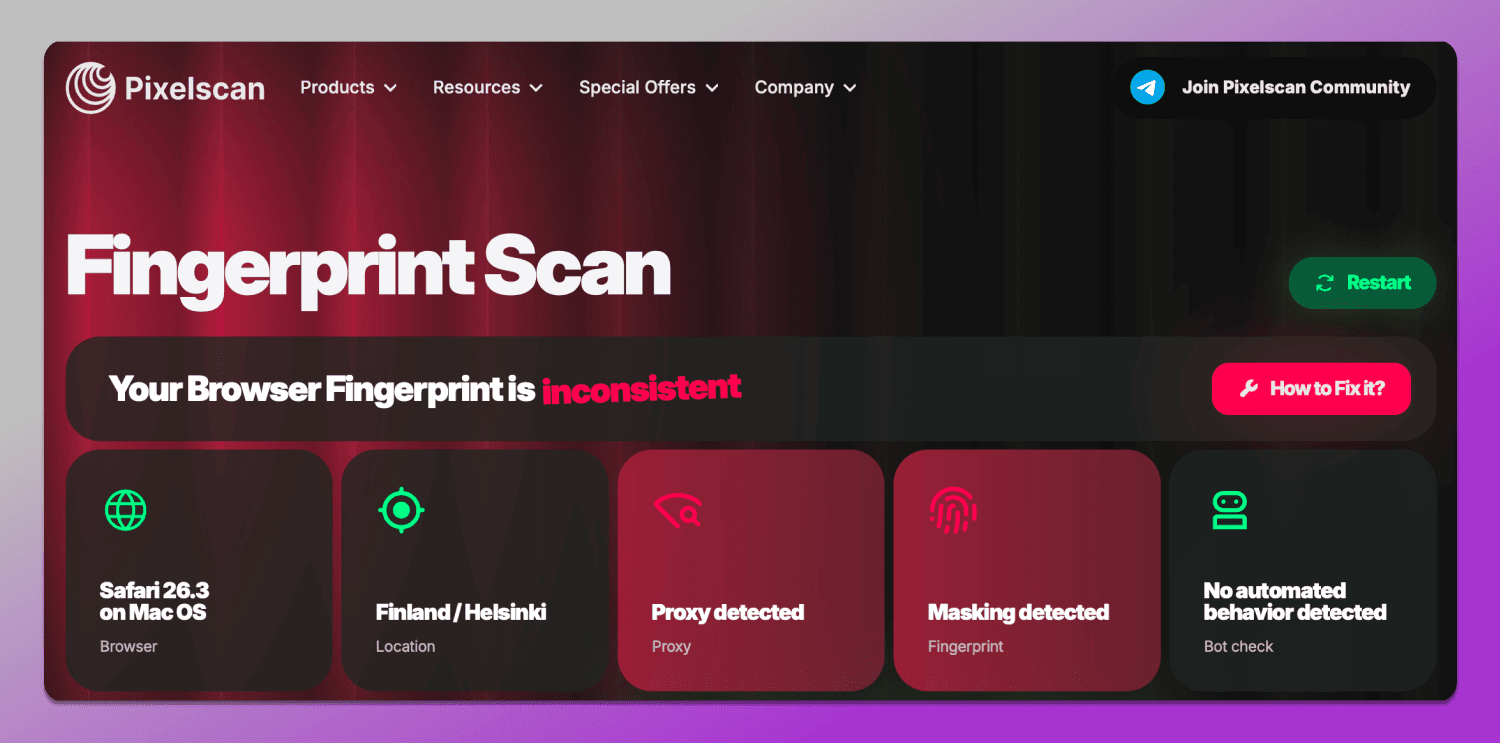
Pixelscan is a multi-check privacy tool that analyzes how identifiable your browser and connection are. According to its own site, it combines fingerprint analysis, IP and proxy checks, DNS leak detection, bot detection, and blacklist scanning in one report. The browser version requires no installation: you click a scan button and get results in seconds.
Its stated checks include:
- VPN checker — flags exposed or misconfigured VPN connections
- Location info — compares IP location, timezone, and language for mismatches
- IP blacklist check — shows whether your IP is flagged
- DNS leak test — reveals DNS requests escaping your VPN
- Bot checker — looks for headless browser and automation traces
- IP checker — displays IP, location, provider, and proxy status
- Fingerprint analysis — measures browser uniqueness and consistency
That is a solid one-click diagnostic. The catch is that "Pixelscan download" means different things depending on which product you actually need.
Pixelscan Download Options Explained
Pixelscan Download: What You Get and BrowserScan Alternative - Pixelscan Download Options Explained.
1. The Browser Scan (No Download)
The core Pixelscan experience at pixelscan.net is web-based. You do not download anything; you open the page and run the scan. This is the option most people searching for a "Pixelscan download" actually want, and it is the fastest way to see your fingerprint and leak status.
2. The Desktop Proxy Checker App
Pixelscan also offers a dedicated proxy checker as a desktop application for Windows, macOS, and Linux, plus Chrome and Firefox extensions. This tool is aimed at people who validate proxy lists: it assigns a 0–100 quality score, detects the proxy's true country, flags risky or overused IPs, and supports batch testing of hundreds of proxies at once. The site advertises 100 free checks before paid tiers begin.
If your goal is checking one browser session, you do not need this app. If your goal is filtering a list of residential or datacenter proxies for automation or multi-account work, the desktop checker is the relevant download.
3. The Unrelated "Pixelscan WSI" App
A Microsoft Store listing called "pixelscan WSI" is a whole-slide imaging tool that stitches microscope camera images into pathology slides. It shares a similar name but has nothing to do with browser privacy. If you landed there by mistake, you are in the wrong category entirely.
What a Browser Privacy Scan Actually Checks
Pixelscan Download: What You Get and BrowserScan Alternative - What a Browser Privacy Scan Actually Checks.
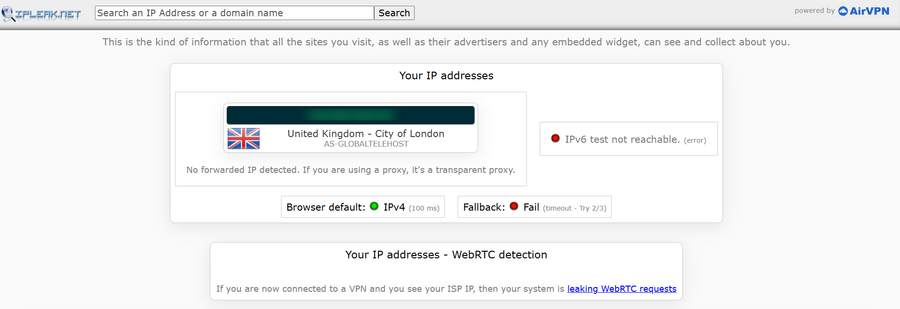
Whether you use Pixelscan or another tool, a useful scan answers three questions:
- What does my IP reveal? Your address, geolocation, ISP, and whether you are behind a proxy or VPN.
- Is my traffic leaking? DNS and WebRTC leaks can expose your real IP even when a VPN is active.
- How unique is my browser? Fingerprint signals such as canvas rendering, user agent, screen size, timezone, and installed fonts can identify you without cookies.
These checks matter because a VPN alone does not make you anonymous. A misconfigured VPN can leak DNS queries, and a default browser profile can still stand out through fingerprinting. For a deeper walkthrough of what sites can see, see this guide to running a privacy check.
How BrowserScan Compares
Pixelscan Download: What You Get and BrowserScan Alternative - How BrowserScan Compares.
BrowserScan is a free, web-based privacy and security testing platform with no installation required. Its toolkit overlaps with Pixelscan's browser scan and adds several utilities:
- Browser fingerprint analysis to verify how unique and consistent your profile is
- DNS and WebRTC leak tests to confirm your VPN is not exposing your real IP
- IP address lookup with geolocation, ISP, and proxy detection
- Nmap-powered port scanner to identify open vulnerabilities
- Internet speed test and user agent parser for debugging
- 2FA code generator, canvas fingerprint checker, cookie converter, and client hints analyzer
For most people searching for a Pixelscan download, BrowserScan is the closer match to the browser-based scan they want, because it runs entirely in the browser and costs nothing. If you specifically need bulk proxy list validation, Pixelscan's desktop app is the more specialized choice.
Quick Decision Guide
| Your goal | Better fit |
|---|---|
| One-click browser fingerprint and leak check | BrowserScan or Pixelscan web scan |
| Bulk proxy list scoring and filtering | Pixelscan desktop proxy checker |
| Port scanning and network vulnerability checks | BrowserScan |
| Verifying an antidetect browser profile | BrowserScan fingerprint and leak tests |
Practical Example: Verifying a VPN Setup
Suppose you installed a VPN and want to confirm it is working. A reasonable sequence:
- Run a browser fingerprint scan to record your baseline.
- Connect the VPN and rerun the scan.
- Check the IP lookup: does the location and ISP match the VPN server, not your real one?
- Run a DNS leak test and a WebRTC leak test.
- Compare the fingerprint before and after; a good VPN should not make your fingerprint more unique.
If the DNS test shows your local ISP's resolver or the WebRTC test exposes your real address, the VPN is misconfigured. Fixing that is more valuable than any download. For a broader look at browser-level protections, read about secure browsing.
Practical Example: Checking an Antidetect Browser
Antidetect browsers claim to spoof fingerprints so each profile looks like a different real user. To verify one, run a fingerprint scan inside the profile and check for consistency: the user agent, platform, timezone, and WebGL renderer should tell a coherent story. Inconsistencies are what anti-bot systems flag. BrowserScan's fingerprint and client hints tools are built for exactly this kind of verification, and you can read more about how these browsers work in this antidetect browser overview.
Related reading
- IPhey Explained: Browser Fingerprint Test & Privacy Checks - IPhey is a free browser fingerprint checker. Learn what it tests, how to read its results, its limits, and how to verify leaks with BrowserScan.
- Secure Browsing in 2026: How to Actually Protect Your Privacy - Secure browsing goes beyond incognito mode. Learn how browsers leak your IP and fingerprint, how to test for leaks, and which tools actually protect you.
- BrowserScan Pricing: Free Tools, Costs & What You Get - Is BrowserScan free? See what BrowserScan pricing covers, which privacy and fingerprint tools cost nothing, and how it compares to paid anti-detect browsers.
Sources and further reading
- Pixelscan | Fast multi-check tool for detection analysis - Pixelscan is a complete multi-check tool for browser fingerprinting, proxy detection, IP analysis, DNS leaks, and more. See how detectable your setup really is.
- Run proxy checker 🔍 Discover proxy anonymity, speed, and IP status on Pixelscan - Activate proxy checker to ensure your proxy is secure and anonymous. Verify IP status and connection quality instantly.
- pixelscan WSI - Download and install on Windows | Microsoft Store - Turn your microscope into a whole-slide scanner.
PixelScan WSI stitches the images from your microscope camera into one large, sharp slide image. You can view, measure and annotate it, then export it in the formats that pathology software opens directly. You don
FAQ
Is there a Pixelscan download for the browser scan?
No. The main Pixelscan browser scan runs on the website without installation. The only downloadable Pixelscan product is the separate desktop proxy checker app for Windows, macOS, and Linux.
Is Pixelscan free?
The browser scan is free to run. The desktop proxy checker includes 100 free checks, after which paid tiers apply for larger volumes.
What is "pixelscan WSI" on the Microsoft Store?
It is an unrelated whole-slide imaging application for microscope and pathology workflows. It is not a browser privacy tool.
Does BrowserScan require a download?
No. BrowserScan is a web-based platform. Its fingerprint, DNS leak, WebRTC leak, IP lookup, and port scanning tools run in the browser.
Can I use both tools together?
Yes. Running two independent fingerprint and leak checks is a reasonable way to cross-verify results, especially when testing a new VPN or proxy configuration.
Conclusion
"Pixelscan download" is a slightly misleading search: the browser scan needs no download, and the only installable Pixelscan product is a specialized proxy checker. If you want a quick, free way to see your fingerprint, check for DNS and WebRTC leaks, and inspect your IP, a web-based tool like BrowserScan covers the same ground without installing anything. If you manage large proxy lists, Pixelscan's desktop app is worth the download. Match the tool to the job, and verify your setup with more than one scan before trusting it.