
Pixelscan Pricing: Free Checks, Plans & Alternatives
Pixelscan Pricing: Free Scans, Proxy Checker Plans, and What You Actually Pay
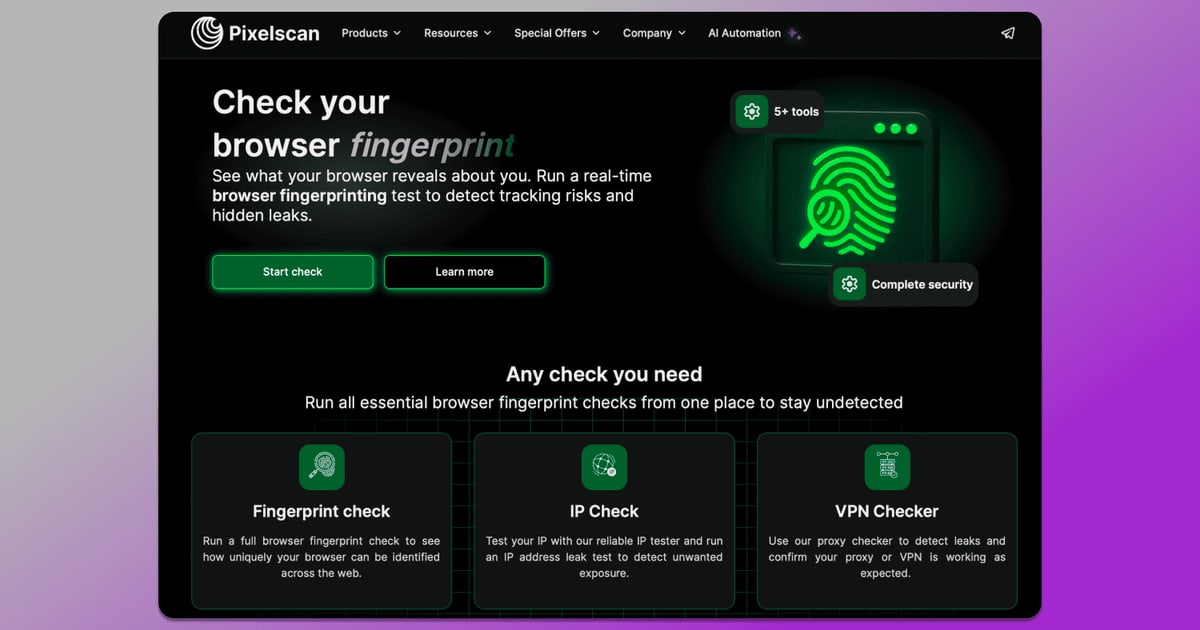
Pixelscan is a multi-check privacy and stealth diagnostic tool that analyzes browser fingerprints, proxy quality, IP reputation, DNS leaks, and bot detection signals. If you are researching Pixelscan pricing, you likely want to know what is free, what requires a paid plan, and whether the cost is justified for your use case. This guide breaks down the real pricing structure, hidden costs, partner discounts, and how free alternatives like BrowserScan fit into the picture.
What Pixelscan Offers
Pixelscan positions itself as an all-in-one multichecker. The core browser-based scan is free and covers:
- Browser fingerprint analysis and uniqueness scoring
- VPN and proxy detection
- IP address, location, and ISP lookup
- DNS leak testing
- Bot and headless browser detection
- IP blacklist checks
- Timezone, language, and geolocation mismatch detection
The free scan requires no installation and does not store test results, according to the platform. That makes it useful for quick privacy audits and for verifying whether a VPN or antidetect browser setup is leaking identifiable data.
Pixelscan Pricing: The Free Tier
For most casual users, Pixelscan costs nothing. The browser-based scanner is free to run as many times as you need. You can check your current browser fingerprint, test a VPN connection for DNS or WebRTC leaks, and see whether your IP is flagged or blacklisted without creating an account.
This free tier is the core of Pixelscan's value proposition. It competes directly with other free browser fingerprint checkers and privacy testing suites, including BrowserScan, which offers similar diagnostics without installation.
Pixelscan Proxy Checker Pricing
The paid component of Pixelscan is the desktop Proxy Checker application. This tool validates proxy lists, assigns quality scores from 0–100, detects geographic location, and flags risky or low-anonymity servers. Pricing is structured around check volume:
| Plan | Check Volume | Best For |
|---|---|---|
| Free | 100 checks | Trying the app, occasional validation |
| Starter | 2,500 checks | Small teams, regular proxy list cleanup |
| Pro | 10,000 checks | High-volume scraping, automation, multi-account workflows |
Pixelscan does not publish fixed dollar amounts for the Starter and Pro tiers on its public pages. The platform states that upgrading boosts check limits and performance, and that the Pro tier makes each check "nearly twice as cost-effective" as the Starter tier. If you need exact figures, you must contact Pixelscan or check the in-app purchase flow.
What the Proxy Checker Actually Validates
The Proxy Checker goes beyond a simple ping test. It performs sequential handshake attempts across HTTP, HTTPS, SOCKS4, and SOCKS5 protocols, analyzes response headers and timing patterns, and checks against a database of known proxy signatures and VPN endpoints. Each result includes:
- Fraud Score
- Proxy Quality Rating
- Connection Success status
- IP address and geographic location
- Green/yellow/red risk indicators
This is useful for professionals who buy residential, mobile, ISP, or datacenter proxies in bulk and need to filter out unreliable or flagged servers before deploying them in automation or multi-account setups.
Pixelscan Partner Discounts
Pixelscan monetizes partly through affiliate partnerships. The platform's partners page lists exclusive discounts for Pixelscan users on related tools:
- Multilogin — antidetect browser and multi-account platform
- NodeMaven — residential proxies with 30M+ IPs across 150+ countries
- GeeLark — antidetect Android phone platform; 20% off first subscription with code
PIXELSCAN20 - Bright Data — residential, datacenter, ISP, and mobile proxies; $20 bonus on a $20 top-up
- Floppydata — 65M+ IPs in 195 countries; +50% extra traffic with code
PIXELSCAN - AdsPower — antidetect browser; up to 45% off with code
Pixelscan - Thordata — 60M+ residential proxies; 20% off with code
THORDATA445 - Voidmob — mobile proxies and eSIMs; +10% first deposit bonus with
PIXELSCAN10 - SMS-MAN — SMS verification numbers; 30% off Premium with code
PIXELSCAN
These discounts are not Pixelscan's own pricing, but they matter if you are budgeting a full privacy or multi-accounting stack. A Pixelscan user who also needs residential proxies and an antidetect browser can save meaningfully by stacking these partner offers.
Is Pixelscan Worth Paying For?
The answer depends on your workflow.
You probably do not need to pay if:
- You only want to check your own browser fingerprint occasionally
- You need to verify a VPN for DNS or WebRTC leaks
- You want a quick IP reputation or blacklist check
- You are testing one or two antidetect browser profiles
The paid Proxy Checker makes sense if:
- You regularly buy proxy lists in bulk and need to filter them
- You run scraping, automation, or multi-account operations at scale
- You need fraud scores and quality ratings before deploying proxies
- Manual testing of hundreds of IPs is costing you time
For the first group, free tools are often sufficient. BrowserScan, for example, provides browser fingerprint analysis, DNS and WebRTC leak tests, IP lookup with proxy detection, and a port scanner at no cost. If you are evaluating whether your VPN is leaking or your fingerprint looks authentic, a free scan answers that question without a subscription.
Free Alternatives to Pixelscan
Before committing to any paid plan, it is worth testing what free tools can cover.
BrowserScan
BrowserScan is a web-based privacy and security testing platform that overlaps with several Pixelscan features. It offers:
- Browser fingerprint analysis to verify authenticity
- DNS and WebRTC leak tests to confirm your VPN is not exposing your real IP
- IP address lookup with geolocation, ISP, and proxy detection
- An Nmap-powered port scanner for open vulnerability checks
- Internet speed testing and user agent parsing
Because BrowserScan runs entirely in the browser, there is no installation and no account required. This makes it a practical first stop for privacy-conscious users, VPN testers, and developers who need quick diagnostics. If you are checking for IP leaks and how to fix VPN leaks, BrowserScan's leak tests provide actionable results in seconds.
Other Free Checks
For proxy-specific validation, you can also run individual IP lookups through free tools to check geolocation, ISP, and proxy status. If you are working with IP data at scale, understanding how services like BigDataCloud handle IP geolocation and reverse geocoding can help you decide whether a dedicated proxy checker is necessary or whether API-based validation fits your workflow better.
How to Decide: Pixelscan vs. Free Tools
| Need | Pixelscan | Free Alternative |
|---|---|---|
| One-off browser fingerprint check | Free | BrowserScan (free) |
| VPN DNS/WebRTC leak test | Free | BrowserScan (free) |
| IP blacklist and reputation check | Free | BrowserScan IP lookup (free) |
| Bulk proxy list validation | Paid Proxy Checker | Manual checking or custom scripts |
| Fraud score and proxy quality rating | Paid Proxy Checker | Limited free options |
| Antidetect browser profile verification | Free scan | BrowserScan fingerprint analysis (free) |
The paid Proxy Checker's main advantage is scale. If you validate dozens or hundreds of proxies weekly, the time saved by batch testing and automated quality scoring can justify the subscription. If you check a handful of IPs occasionally, free tools cover most of the same ground.
Hidden Costs to Consider
Pixelscan's free browser scan is genuinely free, but a complete privacy stack has indirect costs:
- Proxies — residential or mobile proxies typically cost $0.60–$15 per GB depending on the provider
- Antidetect browsers — subscriptions usually range from $30–$150 per month
- SMS verification — virtual numbers cost per verification or via monthly rental
- The Proxy Checker itself — if you scale beyond 100 free checks
Pixelscan's partner discounts can offset some of these costs, but the discounts only apply if you were already planning to buy those services.
Related reading
- Domain Lookup: How to Check WHOIS, IP & Ownership Data - Learn how domain lookup works, what WHOIS and IP data reveal, and how to check registration, ownership, and network details safely.
- What Is Network Intelligence? A Practical Guide - Learn what network intelligence is, how it differs from DPI, key use cases, and practical ways to assess your own network security and privacy.
Sources and further reading
- Pixelscan | Fast multi-check tool for detection analysis - Pixelscan is a complete multi-check tool for browser fingerprinting, proxy detection, IP analysis, DNS leaks, and more. See how detectable your setup really is.
- Run proxy checker 🔍 Discover proxy anonymity, speed, and IP status on Pixelscan - Activate proxy checker to ensure your proxy is secure and anonymous. Verify IP status and connection quality instantly.
Frequently Asked Questions
Is Pixelscan free?
The browser-based scanner is free and unlimited. The desktop Proxy Checker includes 100 free checks, after which you need a paid Starter or Pro plan.
How much does the Pixelscan Proxy Checker cost?
Pixelscan does not publish exact dollar prices publicly. The free tier includes 100 checks, Starter covers 2,500 checks, and Pro covers 10,000 checks. Exact pricing is available in the app or by contacting Pixelscan.
Does Pixelscan store my scan data?
According to Pixelscan, test results are not stored or linked to any identity. The platform states it is built with privacy in mind and performs checks in real time.
Can I use Pixelscan with any proxy provider?
Yes. Pixelscan supports residential, mobile, ISP, and datacenter proxies from any provider, including NodeMaven, Bright Data, Oxylabs, and Smartproxy.
What is a good free alternative to Pixelscan?
BrowserScan offers free browser fingerprint analysis, DNS and WebRTC leak tests, IP lookup with proxy detection, and a port scanner without installation. It covers many of the same diagnostic needs for individual users.
Does Pixelscan offer discounts?
Pixelscan itself does not advertise direct discounts on its Proxy Checker, but its partners page lists promo codes for antidetect browsers, proxies, and SMS verification services that can reduce your total privacy stack cost.
Conclusion
Pixelscan pricing is straightforward at the surface: the browser scanner is free, and the Proxy Checker follows a freemium model with 100 free checks before paid Starter and Pro tiers. The real cost consideration is whether you need bulk proxy validation at scale. If you are an individual checking your own fingerprint, VPN leaks, or a few proxies, free tools like BrowserScan handle most of the job without a subscription. If you manage large proxy lists for automation or multi-accounting, the paid Proxy Checker's quality scoring and batch testing can save enough time to justify the cost. Start with free scans, measure how often you actually need bulk validation, and upgrade only when the volume demands it.