
Top 10 Browser Fingerprinting & Privacy Diagnostics Tools 2026
Top 10 Browser Fingerprinting & Privacy Diagnostics Tools 2026
Open a fresh browser profile, run one checker, see a green badge, and call it safe. That is how most people test privacy, and it is why most people get surprised later. A second tool finds a WebRTC leak. A third flags a time zone that disagrees with the proxy exit IP. A fourth shows a WebGL renderer that does not match the operating system in the User-Agent.
Browser fingerprinting and privacy diagnostics tools exist to catch exactly those contradictions. This review ranks the ten tools worth keeping in a 2026 testing folder, explains how we scored them, and shows where each one fits in a real workflow.
How We Evaluated These Tools
Pixelscan product interface.
We scored each tool on six weighted criteria, using hands-on testing plus publicly documented behavior. No vendor paid for placement.
- Fingerprint signal depth (25%) — Canvas, WebGL, WebGPU, AudioContext, fonts, ClientRects, hardware hints, and header consistency.
- Leak and network diagnostics (20%) — IP and ASN detail, DNS leaks, WebRTC candidates, proxy and VPN detection, TLS/HTTP2 characteristics.
- Consistency and anti-spoofing checks (15%) — whether the tool compares signals against each other instead of printing raw values only.
- Evidence and transparency (15%) — published methodology, raw values alongside scores, and clear limits on what a score means.
- Usability and speed (15%) — time to a readable verdict, no-registration access, and report clarity for non-specialists.
- Pricing and access (10%) — free tier usefulness, self-serve signup, and cost at realistic testing volume.
A note on scope: this list covers diagnostic and inspection tools. Commercial device-intelligence platforms that return a persistent visitor ID for fraud decisions are a different product category and are excluded, even though several of them are excellent at what they do.
The Top 10 Browser Fingerprinting and Privacy Diagnostics Tools
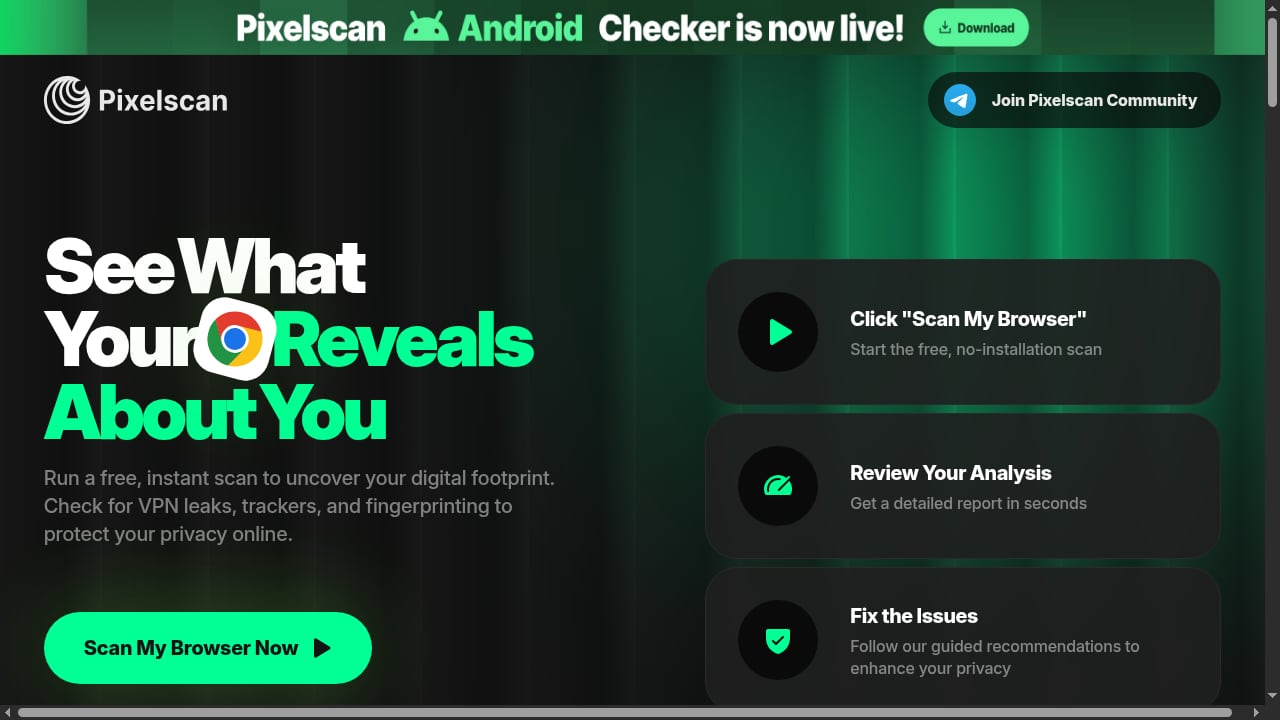
First viewport screenshot of Pixelscan | Fast multi-check tool for detection analysis.
1. BrowserLeaks — Best for Isolating a Single Fingerprint Surface
BrowserLeaks remains the reference bench for component-level inspection. Instead of one dashboard, it offers separate pages for Canvas, WebGL, WebGPU, fonts, AudioContext, ClientRects, JavaScript features, HTTP headers, WebRTC, DNS, and IP information.
Why it ranks first: when another tool says "Canvas problem" or "WebRTC leak," BrowserLeaks lets you open that exact surface and read the underlying value. That makes it a troubleshooting instrument rather than a scoreboard.
Best use: comparing two profile launches, confirming whether a hash stays stable inside one profile, or identifying which local address appears in a WebRTC test.
Keep in mind: the volume of raw data overwhelms beginners, and there is no single pass/fail verdict. You have to interpret it. See our hands-on BrowserLeaks review for a walkthrough of what each test reveals.
2. Pixelscan — Best Fast All-in-One Diagnostic
Pixelscan runs a multi-check report in roughly five seconds with no registration. It analyzes browser fingerprinting signals, proxy detection, IP address details, DNS leaks, WebRTC leaks, and bot verification, then summarizes how detectable the setup is.
Why it ranks here: it is the fastest way to get a broad verdict before drilling into individual surfaces. The report pairs findings with guided recommendations, which makes it usable for people who are not fingerprint researchers.
Best use: a pre-login sanity check after a proxy change, a browser update, or a new profile launch. If Pixelscan flags something, move to a component-level tool to confirm it.
Keep in mind: summary verdicts compress many signals into one interpretation. Treat a clean result as a starting point, not a guarantee.
3. Cover Your Tracks — Best for Understanding Tracker and Fingerprint Protection
Cover Your Tracks (the EFF project formerly known as Panopticlick) tests whether your browser blocks tracking ads, invisible trackers, and fingerprinting, and shows how unique your fingerprint appears against a research dataset.
Why it ranks here: it explains privacy protection in plain language, which makes it the most accessible entry point for non-technical users. It is also one of the few tools that reports on blocking behavior rather than only on exposed values.
Best use: verifying that a privacy browser or extension configuration is actually doing what the marketing claims.
Keep in mind: it is not built as an antidetect profile consistency checker. It will not tell you whether a spoofed Windows profile leaks macOS-only fonts. Our BrowserScan vs Cover Your Tracks comparison covers where the two approaches diverge.
4. AmIUnique — Best for Uniqueness Research and Fingerprint Drift
AmIUnique compares your fingerprint against a large research dataset and tracks how it changes over time. It is maintained by the research community behind major fingerprinting studies.
Why it ranks here: the longitudinal view is genuinely rare. Most tools show a snapshot; AmIUnique helps you see whether your configuration is stable across visits or drifting in ways that make you more identifiable.
Best use: privacy research, extension testing, and measuring whether a hardening change actually reduced uniqueness.
Keep in mind: it collects the submitted fingerprint and sets a long-lived cookie, which is disclosed on the site. Read that before submitting if data collection matters to you.
5. CreepJS — Best for Detecting Tampering and Prototype Lies
CreepJS looks for inconsistencies that indicate a browser has been modified: prototype lies, inconsistent API behavior, rendering mismatches, and signals that resist simple spoofing.
Why it ranks here: it targets the failure mode that matters most for antidetect and automation testing — a profile that reports one identity while behaving like another.
Best use: checking whether a hardened or automated browser leaks its true nature through behavioral and API-level contradictions.
Keep in mind: the output is dense and research-oriented. Use the official GitHub Pages deployment, since mirrors may run modified code.
6. IPhey — Best for Readable Trust and Consistency Panels
IPhey separates browser, location, IP, hardware, and software findings into clear panels and assigns a trust-oriented score.
Why it ranks here: the layout makes mismatches easy to spot without reading raw JSON, which speeds up triage for teams that check many profiles per day.
Best use: quick consistency review when onboarding a new profile or verifying that a proxy change did not break locale and time zone alignment.
Keep in mind: the score is proprietary and is not the same as any platform's internal risk score. Compare its panels against a second tool before drawing conclusions. Our BrowserScan vs IPhey vs WhatIsMyIP breakdown puts the three side by side.
7. Whoer — Best for Quick IP and Anonymity Diagnosis
Whoer has been a staple for years because it surfaces IP, DNS, WebRTC, time, language, and header mismatches in one view with an anonymity percentage.
Why it ranks here: it is fast, familiar, and effective at highlighting the classic contradictions — a German IP with a US time zone, or a proxy that leaks a real DNS route.
Best use: first-pass network diagnosis when something feels wrong after a proxy or VPN change.
Keep in mind: the anonymity percentage is a simplified model. It is useful as a directional signal, not as a precise measurement.
8. ToDetect — Best for Deep Signal-by-Signal Debugging
ToDetect provides detailed pages for Canvas, WebGL, fonts, AudioContext, ClientRects, features, headers, WebRTC, DNS, and IP information, with a strong emphasis on raw values.
Why it ranks here: it sits between BrowserLeaks and a scored dashboard, offering granular surfaces with slightly more guided presentation.
Best use: isolating which specific surface changed between two profile launches, or confirming whether a hash is stable within a single session.
Keep in mind: like BrowserLeaks, it expects you to interpret the output. Beginners should pair it with a summary tool.
9. EnvTrace — Best for Pre-Login Environment Checks
EnvTrace combines fingerprint inspection with IP and network consistency checks and frames results around scenario fit — whether an environment looks coherent for its intended use.
Why it ranks here: it addresses the practical question teams actually ask before a first login: does this profile tell one consistent story?
Best use: pre-login validation for isolated profiles used in authorized multi-account operations, QA, and regional testing.
Keep in mind: a scenario verdict is guidance, not a platform guarantee. No diagnostic tool can predict a private risk engine's decision.
10. Fingerprint Playground — Best for Seeing the Anti-Fraud Perspective
Fingerprint's public playground demonstrates how a commercial device-intelligence platform observes visitors, including signals such as VPN usage, bot indicators, incognito mode, and tampering detection.
Why it ranks here: understanding the detection side is part of diagnosing your own exposure. Seeing which signals a commercial system treats as meaningful helps you prioritize what to fix.
Best use: education and calibration — learning which of your exposed signals actually carry weight in production fraud systems.
Keep in mind: it is a commercial product demo, not a neutral anonymity grader. Its verdicts reflect that vendor's model.
How to Choose the Right Tool for Your Workflow
First viewport screenshot of Pixelscan Blog.
Most people need two tools, not ten: one summary dashboard and one component-level inspector.
- Privacy-conscious individuals: start with Cover Your Tracks for plain-language protection reporting, then Pixelscan for a fast exposure summary.
- Antidetect and multi-account operators: use a summary tool before every important login, then a component tool like BrowserLeaks or ToDetect when something fails. Pairing fingerprint checks with proxy verification matters — see our guide on using BrowserScan fingerprint detection with IP2Proxy for that combined workflow.
- Automation developers and QA engineers: CreepJS and ToDetect catch the tampering and API inconsistencies that headless or patched browsers introduce.
- Researchers: AmIUnique for longitudinal uniqueness data, CreepJS for tampering analysis.
One practical habit: after any material change — a proxy swap, a browser kernel update, an operating system upgrade — rerun your summary tool and one component tool. Contradictions usually appear at the seams between layers, not inside a single layer.
Where Adjacent Tools Fit
First viewport screenshot of Afina Browser: an antidetect browser for multi-accounting, automation and AI control | Pixelscan.
Diagnostics tell you what is exposed. They do not, by themselves, fix anything. If your workflow involves isolated browser profiles, the diagnostic layer sits alongside profile management and proxy hygiene.
For a broader view of the category, including leak-testing coverage and pricing across vendors, see our Top 10 browser privacy testing tools ranking. If you specifically want to compare fingerprint detection approaches across BrowserScan, BrowserLeaks, and Cover Your Tracks, that three-way comparison walks through the differences.
Tools such as Best BrowserScan Fingerprint Detection Tool also appear in this space, bundling fingerprint checking with DNS leak tests, IP checks, WebRTC leak tests, proxy detection, and user-agent parsing. It is a reasonable complementary option when you want several leak checks in one interface, though it is not part of this ranked list because its focus overlaps more with bundled privacy testing suites than with the diagnostic inspectors reviewed above.
FAQ
What is the difference between a browser fingerprint checker and a privacy diagnostics tool?
A fingerprint checker focuses on the identifying signals a browser exposes — Canvas, WebGL, fonts, headers, hardware hints. A privacy diagnostics tool adds network-layer checks such as DNS leaks, WebRTC candidates, proxy detection, and IP reputation. Many modern tools do both, which is why the categories overlap heavily in 2026.
Can one tool tell me if my setup is truly anonymous?
No. Every tool has its own collectors, baselines, and risk model. A clean result means that tool found no contradictions in the signals it collected. It cannot speak for a platform's private risk engine, account history, or behavioral model.
How often should I rerun fingerprint tests?
After any material change: a proxy or VPN switch, a browser kernel update, an operating system upgrade, a new extension, or a profile migration. For high-value profiles, also test before a first important login.
Are these tools legal to use?
Yes. They inspect data your own browser sends during a normal visit. Legality concerns how you use the resulting environment — for example, whether you comply with a platform's terms of service — not the act of running a diagnostic.
Why do different tools give different uniqueness scores?
Because they compare against different populations and weight signals differently. A rare font set may dominate one model and barely register in another. Treat scores as directional and rely on raw values when precision matters.
Do I need an antidetect browser to benefit from these tools?
No. Privacy-conscious individuals, QA engineers, and researchers all benefit. Antidetect users simply have more moving parts, so consistency checks matter more for them.
Conclusion
The best browser fingerprinting and privacy diagnostics stack in 2026 is not a single tool. It is a summary dashboard for fast triage plus a component-level inspector for confirmation. BrowserLeaks leads this list because it exposes the underlying values that everything else summarizes. Pixelscan is the fastest all-in-one check. Cover Your Tracks and AmIUnique serve privacy education and research. CreepJS catches tampering that others miss.
Pick two, learn what their verdicts actually mean, and rerun them after every material change. That habit catches more real leaks than any single green badge ever will.