
Top 10 Online Privacy Testing Tools 2026: Ranked & Tested
Top 10 Online Privacy Testing Tools 2026: Ranked & Tested
Most people assume their browser is private until they actually measure it. Online privacy testing tools exist to answer one uncomfortable question: what can a website learn about you right now, before you type a single word? In 2026, that question matters more than ever, because fingerprinting has quietly replaced cookies as the primary tracking method for many ad networks and analytics vendors.
This review ranks ten tools that genuinely test online privacy. Each entry is judged on the same criteria, and every ranking decision is explained. If you are looking for a broader comparison of detection platforms, our companion ranking of browser fingerprinting and privacy diagnostics tools covers overlapping ground from a different angle.
How We Evaluated These Tools
Top 10 Online Privacy Testing Tools 2026: Ranked & Tested - How We Evaluated These Tools.
We scored each product across five weighted dimensions. No tool received a perfect score, and several well-known names were excluded because they test application security rather than personal online privacy.
- Signal depth (30%) — How many fingerprintable attributes does the tool actually surface? Canvas, WebGL, audio, fonts, time zone, screen geometry, and hardware concurrency all count.
- Leak coverage (25%) — Does it check DNS, WebRTC, IP exposure, proxy consistency, and user-agent mismatches?
- Evidence quality (20%) — Does it show raw values and explain what they mean, or just print a vague score?
- Accessibility (15%) — Free tier, no-login testing, clarity for non-technical users.
- Transparency (10%) — Published methodology, open data practices, and honest limits.
We prioritized tools that produce reproducible results you can act on, not tools that simply alarm you.
The Top 10 Online Privacy Testing Tools for 2026
Top 10 Online Privacy Testing Tools 2026: Ranked & Tested - The Top 10 Online Privacy Testing Tools for 2026.
1. Cover Your Tracks (EFF)
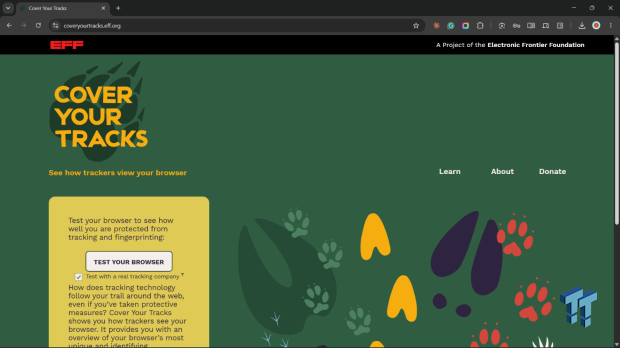
Cover Your Tracks is the reference point for this entire category. Built by the Electronic Frontier Foundation, it analyzes operating system, browser version, installed plugins, time zone, screen settings, and dozens of other configuration details, then converts them into a fingerprint uniqueness score. It also measures how well tracker blockers such as AdBlock, Ghostery, and Disconnect are actually performing in your browser.
The project began in 2010 as Panopticlick and was rebranded in 2020. It doubles as a research instrument: the EFF uses anonymous aggregate data to study how tracking techniques evolve and which privacy add-ons genuinely reduce exposure. For a free, no-login tool, the depth is remarkable, and the educational material on cookies and fingerprinting is written for humans rather than engineers.
Best for: Anyone who wants a trustworthy baseline before buying anything else. Limits: It focuses on browser fingerprinting and tracker blocking, so it does not cover DNS leaks, WebRTC exposure, or proxy verification in depth.
You can read the methodology directly at the EFF's Cover Your Tracks page.
2. BrowserScan
BrowserScan earns the second slot because it covers the leak surface that fingerprint-only tools ignore. A single test run reports browser fingerprint attributes, DNS leak status, WebRTC exposure, IP details, proxy detection, user-agent parsing, and port scanning signals. The dashboard presents raw values alongside plain-language explanations, which makes it usable for both casual users and people running multi-account or antidetect workflows.
Its weakness is that the free interface can feel dense on first visit. Once you know which panels matter, though, it is one of the fastest ways to confirm whether your setup is leaking. For a hands-on walkthrough of pairing fingerprint checks with IP verification, see how to use BrowserScan fingerprint detection with IP.me.
Best for: Users who need fingerprint plus network-level leak testing in one place. Limits: Advanced proxy and port diagnostics sit behind paid tiers.
3. Pixelscan
Pixelscan specializes in detecting inconsistencies between what your browser claims and what your network reveals. It cross-checks your user agent against your actual operating system, flags time zone mismatches, and highlights automation signals that anti-fraud systems look for. The interface is clean and the verdict is blunt, which makes it popular among people testing VPN and antidetect configurations.
Best for: Quick consistency checks after changing a VPN or proxy. Limits: Fewer raw fingerprint attributes than BrowserScan, and no port scanning.
4. AmIUnique
AmIUnique is a research-grade fingerprinting test maintained by academic researchers. It collects a wide set of attributes and compares your browser against a large sample, showing exactly how rare each value is. The per-attribute breakdown is the most educational output in this entire list.
Best for: Understanding which specific attributes make you identifiable. Limits: Dated visual design and no leak testing beyond fingerprinting.
5. IPhey
IPhey runs a real-time browser fingerprint test with an emphasis on speed and immediate feedback. It reports fingerprint hashes, IP reputation signals, and basic leak indicators without requiring an account. Our detailed IPhey review covers pricing signals and setup limits if you want the full picture.
Best for: Fast repeat testing during configuration changes. Limits: Less historical context and fewer explanatory notes than Cover Your Tracks.
6. WhatIsMyIP.com
WhatIsMyIP.com is best known as an IP lookup service, but its privacy testing panel covers DNS leaks, WebRTC exposure, and user-agent details competently. The advantage is familiarity: millions of users already know the brand, so it is often the first tool people try. A side-by-side breakdown is available in our BrowserScan vs WhatIsMyIP.com vs Pixelscan comparison.
Best for: Users who want IP and leak checks from a familiar interface. Limits: Fingerprint depth is shallower than dedicated tools.
7. ToDetect
ToDetect focuses on browser fingerprint detection with a straightforward scoring model and clear visual indicators. It handles canvas and WebGL checks well and presents results in a format that non-specialists can interpret quickly. See how it stacks up in our BrowserScan vs ToDetect comparison.
Best for: Beginners who want a readable fingerprint score. Limits: Limited network-layer diagnostics.
8. IP2Proxy
IP2Proxy is technically an IP intelligence service rather than a browser test, but it belongs here because proxy and VPN detection is a core part of online privacy testing. It identifies whether an IP belongs to a data center, public proxy, or residential network, which is exactly the signal anti-fraud systems use to flag anonymous traffic. Pairing it with a fingerprint test is a common workflow, explained in our guide to using BrowserScan with IP2Proxy.
Best for: Verifying that a proxy is actually being used and classified correctly. Limits: Requires integration; not a standalone consumer test page.
9. CreepJS
CreepJS is an open-source fingerprinting test that leans into adversarial detection. It probes for lies in your browser's reported values, detects spoofing attempts, and estimates how convincingly your browser resists fingerprinting. It is the tool of choice for people testing antidetect browsers, including those in Web3 environments where identity separation is critical. Our guide to testing Web3 antidetect browsers for fingerprint leaks walks through that workflow.
Best for: Advanced users validating spoofing and antidetect setups. Limits: Technical output that assumes familiarity with fingerprinting concepts.
10. BrowserLeaks
BrowserLeaks is a long-running collection of individual test pages, each targeting one exposure: canvas, WebGL, fonts, WebRTC, DNS, geolocation, and more. Because each test is isolated, it is excellent for diagnosing a single suspected leak without running a full suite.
Best for: Targeted debugging of one specific attribute. Limits: Fragmented experience; you must interpret results yourself.
Comparison: Which Tool Fits Which Job
Top 10 Online Privacy Testing Tools 2026: Ranked & Tested - Comparison: Which Tool Fits Which Job.
| Need | Recommended tool |
|---|---|
| Baseline fingerprint and tracker-blocker check | Cover Your Tracks |
| Fingerprint plus DNS, WebRTC, and proxy leaks | BrowserScan |
| VPN or proxy consistency after a change | Pixelscan |
| Attribute-level rarity analysis | AmIUnique |
| Antidetect and spoofing validation | CreepJS |
| Single-attribute debugging | BrowserLeaks |
A practical approach is to start with Cover Your Tracks for the fingerprint baseline, then run a leak-focused tool to confirm nothing is escaping at the network layer. If you maintain multiple browser identities, add an antidetect validation pass with CreepJS.
Common Mistakes When Testing Online Privacy
Top 10 Online Privacy Testing Tools 2026: Ranked & Tested - Common Mistakes When Testing Online Privacy.
- Testing only once. Fingerprints change when you update your browser, install extensions, or switch networks. Retest after every meaningful change.
- Ignoring network leaks. A perfect fingerprint score means little if WebRTC exposes your real IP address.
- Comparing scores across tools. Each tool uses its own scoring model. Compare raw values, not headline numbers.
- Assuming a VPN equals anonymity. A VPN changes your IP but not your fingerprint.
Sources and further reading
- The Best Personal Data Removal Services for 2026 - As you enter personal information on the web, data aggregators gather and sell it. Protect your privacy by using one of the top personal data removal services we've tested.
- Best Privacy Tools & Software Guide in 2026 - The most reliable website for privacy tools since 2015. Find private alternatives to the apps you use every day.
- Top 10 Open Source Testing Tools in 2026 - Explore the top 10 open-source testing tools and frameworks in 2026. Enhance the security of your web applications with powerful and free tools to identify vulnerabilities.
FAQ
Are these online privacy testing tools free?
Most are. Cover Your Tracks, AmIUnique, CreepJS, BrowserLeaks, and the basic tiers of BrowserScan, Pixelscan, IPhey, and ToDetect can be used at no cost. IP2Proxy is a commercial service with API pricing.
Which tool is best for beginners?
Cover Your Tracks is the most approachable starting point because it explains results in plain language. BrowserScan is the natural second step once you want leak coverage.
Can a privacy testing tool stop tracking?
No. These tools measure exposure; they do not block it. Blocking requires browser settings, extensions, or a privacy-focused browser. Testing tells you whether those defenses are working.
How often should I retest?
After every browser update, extension change, VPN switch, or new device setup. Monthly testing is a reasonable baseline for most users.
Do these tools collect my data?
Policies vary. Cover Your Tracks states that it collects only anonymous data for research. Always check a tool's privacy policy before running tests, especially with tools that require an account.
Conclusion
The best online privacy testing tool in 2026 depends on what you are trying to prove. Cover Your Tracks remains the most credible free baseline for fingerprinting and tracker-blocker effectiveness. BrowserScan covers the widest surface when you need fingerprint and leak diagnostics together. Pixelscan, AmIUnique, IPhey, WhatIsMyIP.com, ToDetect, IP2Proxy, CreepJS, and BrowserLeaks each solve a narrower problem well.
Run at least two tools from different categories. A fingerprint test tells you how identifiable you look; a leak test tells you whether your network is betraying you. Only together do they give you a complete picture.