
BrowserScan vs BrowserLeaks vs Pixelscan: Which Privacy Tool Wins?
BrowserScan vs BrowserLeaks vs Pixelscan: Which Privacy Tool Should You Trust?
Online privacy is no longer a single checkbox. Even with a VPN or proxy active, your browser can silently expose identifying details through fingerprinting, WebRTC leaks, or DNS inconsistencies. Three tools frequently appear in privacy conversations: BrowserScan, BrowserLeaks, and Pixelscan. Each promises to uncover what tracking scripts see, but they serve different audiences and workflows. This article compares them head-to-head, highlighting where each excels, so you can pick the right diagnostics companion for your needs.
What Each Tool Brings to the Table
BrowserScan vs BrowserLeaks vs Pixelscan: Which Privacy Tool Wins? product interface and feature overview.
Before diving into specifics, let’s briefly sketch the personality of each platform.
- BrowserScan positions itself as an all-in-one privacy and security toolbox. Beyond fingerprint detection and leak tests, it packs utilities like a port scanner, internet speed test, user-agent parser, and even a 2FA code generator. It’s designed for users who want a single dashboard to audit privacy and perform everyday security checks without installing plugins.
- BrowserLeaks is a veteran suite built with a developer‑first mindset. It offers granular, technical breakdowns of canvas, WebGL, font fingerprinting, TLS handshake parameters, and Client Hints. There’s no oversimplified “privacy score” – instead, you get raw data and normative references (W3C specs, RFCs) that help security researchers and advanced users interpret the results themselves.
- Pixelscan markets itself as a fast, no-registration privacy diagnostic. It claims 99.95% accuracy and a 5‑second scan that covers browser fingerprint uniqueness, proxy quality, DNS/WebRTC leaks, and bot detection – all while storing zero user data. It appeals to VPN, proxy, and antidetect browser users who need a quick “am I anonymous?” snapshot.
Browser Fingerprinting: Granular Analysis vs. Actionable Summary
BrowserScan vs BrowserLeaks vs Pixelscan: Which Privacy Tool Wins? product interface and feature overview.
When it comes to fingerprinting depth, BrowserLeaks sets the bar. Its canvas fingerprinting test doesn’t just show a hash; it explains how the rendering pipeline, GPU, and system fonts contribute to the unique signature. WebGL reporting exposes your graphics card model and driver version with surprising precision. Font fingerprinting enumerates every system font and measures rendering differences glyph by glyph. AudioContext analysis and ClientRects measurement (in experimental tools) are also available. This level of detail is invaluable if you’re auditing an antidetect setup or need to prove that a profile genuinely mimics a real device.
Pixelscan leans into uniqueness and consistency. Its fingerprint check emphasizes whether your browser stands out from the crowd, giving a pseudo‑score that helps non‑technical users grasp how identifiable they are. The scan also cross‑references fingerprint attributes with IP geolocation, system time, and language settings to flag mismatches – a practical way to spot configuration errors in a proxy chain.
BrowserScan approaches fingerprinting with its authenticity score. Rather than just listing raw parameters, it evaluates whether your fingerprint looks genuine or likely spoofed. For many users, a single comprehensible score is more actionable than dozens of technical readouts. When combined with its bot detection tool, BrowserScan helps privacy‑conscious individuals quickly validate that their browser appears human to modern anti‑fraud systems.
Leak Testing: IP, DNS, and WebRTC Under the Microscope
BrowserScan vs BrowserLeaks vs Pixelscan: Which Privacy Tool Wins? product interface and feature overview.
All three platforms perform WebRTC leak tests that query STUN servers to see if your real local or public IP is exposed. The difference lies in the surrounding context.
BrowserLeaks integrates its WebRTC test with a full IP‑layer analysis: reverse lookup, TCP/IP OS fingerprinting, and even IPv6 leak detection. It’s a thorough, server‑side view of what any website can request. For anyone evaluating a VPN’s kill‑switch reliability, this depth is reassuring.
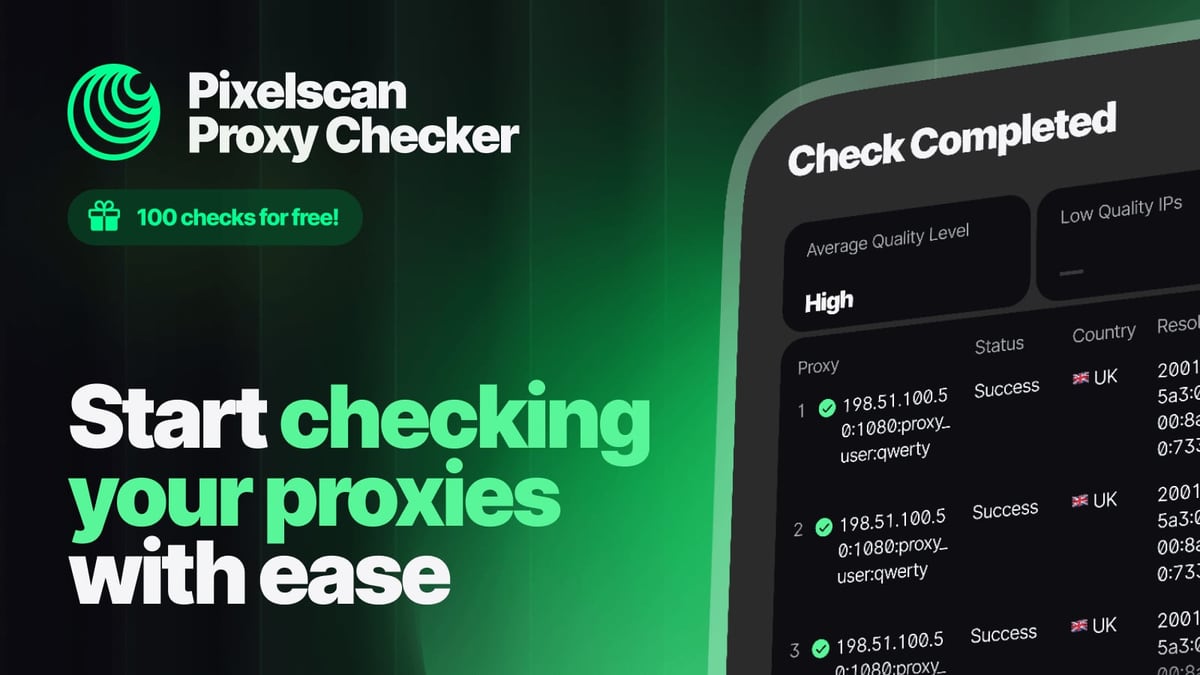
Pixelscan bundles leak detection into its rapid scan alongside proxy quality metrics. It checks whether your VPN or proxy is truly anonymous (transparent, anonymous, or elite). The results are presented in a clean, minimal interface that tells you instantly if you’re leaking DNS servers or exposed via WebRTC.
BrowserScan differentiates itself with multiple IP data sources (ip‑api, IPinfo, IP2Location, db‑ip, IPQuery) and an integrated blacklist check. This means you not only see your IP and geolocation but also learn if the address is flagged as a proxy, spam source, or botnet member. For security researchers investigating suspicious connections, this combination of leak test and reputation lookup is a genuine time‑saver. Additionally, its standalone DNS leak test (separate from WebRTC) uses multiple DNS servers to verify that all queries route through your intended resolver, something that less specialized tools sometimes gloss over.
Ease of Use and Target Audience

BrowserScan vs BrowserLeaks vs Pixelscan: Which Privacy Tool Wins? product interface and feature overview.
BrowserLeaks assumes you’re comfortable reading technical indicators. There are no dashboards, no summaries – just raw diagnostic pages. Security engineers, penetration testers, and antidetect developers love it for that very reason, but a casual VPN user might find it overwhelming. The educational value, however, is unmatched; almost every test links to the underlying standards and explains the privacy implication in plain terms.
Pixelscan aims squarely at the busy professional who wants an immediate “go/no‑go” verdict. Its 5‑second scan, zero‑data‑storage policy, and clear pass/fail indicators make it perfect for a pre‑session check before opening a sensitive account. Over 5 million scans performed suggest a large, trust‑based community.
BrowserScan bridges the gap. It offers a clean interface with both quick checks and deeper drill‑downs. The authenticity score and leak‑test results are presented graphically, but power users can still access detailed JSON‑like breakdowns. The absence of required plugins or registrations keeps the friction low. For regular privacy audits – say, a freelancer who alternates between VPNs, or a journalist verifying a secure connection – the approachable design reduces the learning curve without sacrificing substance.
Unique Extra Features That Set Tools Apart
The category is where BrowserScan’s “tool suite” philosophy shines. Neither BrowserLeaks nor Pixelscan offers the following utilities in the same interface:
- Port scanner powered by nmap – check open ports on your network or a remote host directly from the browser.
- Internet speed test – measure latency, jitter, and throughput alongside your privacy checks, avoiding the need to jump to a separate service.
- User‑agent parser – dissect any UA string into browser, OS, and device details.
- Cookie converter and 2FA code generator – handy tools for web developers and security‑conscious users that naturally complement a privacy audit workflow.
BrowserLeaks counters with its own set of esoteric tests such as TLS/SSL fingerprinting (JA3/JA4), QUIC/HTTP3 analysis, and Chrome extension detection. These are invaluable for deep protocol‑level fingerprinting, but they cater to a niche audience. Pixelscan, on the other hand, keeps its scope intentionally narrow, trading breadth for laser‑focused accuracy and speed.
Decision Guide: Which Tool Fits Your Workflow?
Choose BrowserLeaks if you:
- Need a raw, standards‑referenced view of every fingerprint vector.
- Are an antidetect browser developer, penetration tester, or academic researcher.
- Want to understand why a fingerprint is unique, not just that it is.
- Example: You’re building a browser profile for multi‑accounting and must verify that canvas, WebGL, and font metrics are indistinguishable from a real MacBook Pro.
Choose Pixelscan if you:
- Prioritize speed and a clutter‑free “anonymity pass/fail” check.
- Rely on VPNs or proxies and need to verify their anonymity level before a session.
- Prefer a no‑data‑stored, privacy‑first diagnostic that requires zero sign‑up.
- Example: Before logging into a crypto exchange, you run a 5‑second scan to confirm no DNS or WebRTC leaks, and that your IP isn’t blacklisted.
Choose BrowserScan if you:
- Want a single platform that handles privacy audits plus everyday network/security tasks.
- Benefit from an authenticity score that interprets fingerprint data for you.
- Need an IP blacklist check alongside standard leak tests.
- Example: You’re a remote IT support specialist who must quickly verify a client’s leak status, port exposure, and internet speed – all from one tab, without installing extra software.
For readers who enjoy comparing privacy tools, our article BrowserScan vs Pixelscan vs NSLookup.io expands the evaluation to include DNS‑focused utilities. And if you’re specifically interested in how BrowserScan’s fingerprint detection stacks against a dedicated mobile‑first checker, see BrowserScan vs IPhey.
Related reading
- Akamai Cloud Review: Pricing, Performance, and Honest Verdict - Read our in-depth Akamai Cloud review covering pricing, GPU instances, global data centers, ideal use cases, and how it compares to hyperscalers—no egress bill surprises.
- Top 10 Internet Speed Test Tools 2026 (Latency, Jitter & Accuracy) - We ranked 10 best internet speed test tools in 2026 for accuracy, bufferbloat detection, latency, and ease of use. See how Ookla, Fast.com, Cloudflare compare.
Sources and further reading
- Browserleaks - Check your browser for privacy leaks - BrowserLeaks is a suite of tools that offers a range of tests to evaluate the security and privacy of your web browser. These tests focus on identifying ways in which websites may leak your real IP address, collect information about your device, and perform a browser fingerprinting.
- Browserleaks Review 2026: The Ultimate Guide to Testing Your Digital Privacy - Master BrowserLeaks to audit your digital fingerprint! 🛡️ Test for IP leaks, WebRTC, and browser identity. Secure your online presence now! 🚀
- Is DuckDuckGo safe? See the pros and cons - Learn about DuckDuckGo’s safety, pros and cons, and how it compares to Google and other search engines.
FAQ
1. Can these tools perform a complete anonymity test? All three provide leak detection and fingerprint insights, but no single tool can guarantee full anonymity. They show what your browser reveals; staying anonymous also depends on your network configuration, the sites you visit, and behavioral patterns.
2. Is BrowserLeaks safe to use? Yes. BrowserLeaks states it does not collect personal data, store fingerprints, or set non‑essential cookies. However, the tests by design expose your browser’s identifying details, so only run them in a controlled environment.
3. Do I need technical knowledge to use BrowserScan? Not necessarily. BrowserScan’s authenticity score and graphical dashboards are beginner‑friendly, while the raw data panels remain accessible for advanced users.
4. How accurate is Pixelscan’s 99.95% claim? The figure likely refers to the precision of their fingerprint uniqueness checks based on over 5 million scans, not an absolute guarantee. Real‑world accuracy depends on evolving tracking scripts, so treat it as a strong indicator, not an infallible verdict.
5. Can these tools help with antidetect browser profiles? Absolutely. BrowserLeaks excels at deep fingerprint validation; Pixelscan offers quick consistency checks; BrowserScan can confirm whether a profile looks authentic and whether IP/geolocation data aligns. Many antidetect‑browser users combine two or more to cross‑reference results. For step‑by‑step guidance on integrating BrowserScan with third‑party APIs for richer audits, read How to Use BrowserScan with Abstract API.
Conclusion
BrowserLeaks, Pixelscan, and BrowserScan each serve a distinct role in the privacy ecosystem. BrowserLeaks remains the reference standard for deep, transparent fingerprint analysis. Pixelscan wins on speed and simplicity for daily anonymity spot checks. BrowserScan carves its own space by fusing comprehensive leak testing, fingerprint authenticity scoring, and utility tools into one no‑plugins‑required suite. At BrowserScan, we believe the best choice depends on your use case – and sometimes, using two together gives you the perspective neither can provide alone.