
How to Use BrowserScan with HackerTarget: A Complete Guide
How to Use BrowserScan with HackerTarget: A Complete Guide
When securing an online presence, many professionals focus either on the browser (fingerprints, VPN leaks) or on the network (open ports, server vulnerabilities). Rarely do they combine both perspectives into a single, layered audit. BrowserScan and HackerTarget serve different ends of that spectrum: BrowserScan is a client-side privacy checker that exposes fingerprint authenticity, WebRTC leaks, DNS leaks, and IP exposure. HackerTarget is a suite of hosted vulnerability scanners that probe your external attack surface—open ports, CMS weaknesses, SSL misconfigurations—using trusted tools like Nmap and OpenVAS.
This guide walks you through why and how to use BrowserScan and HackerTarget together. You’ll get a practical workflow, real-world examples, and decision points to build a complete privacy and security checkup. At BrowserScan, we’ve found this dual-tool approach especially useful for remote workers, VPN users, and anyone managing multiple online accounts.
Why Pair BrowserScan and HackerTarget?
How to Use BrowserScan with HackerTarget: A Complete Guide product interface and feature overview.
BrowserScan answers: “Can websites trace my real identity or spot an inconsistent fingerprint?”
HackerTarget answers: “What can an attacker see when they scan my network or web server?”
Both questions matter in a world where account bans often come from leaky browsers, and data breaches start with unpatched services. By pairing them, you:
- Confirm your VPN or proxy isn’t leaking your real IP, then verify the public IP itself doesn’t have dangerous open ports.
- Use BrowserScan to detect robot-like behavior or mismatched hardware/software fingerprints, and later scan the web application you’re accessing with HackerTarget to see if it exposes sensitive paths.
- Create a feedback loop: if BrowserScan highlights a DNS leak, you can check the associated DNS server’s security posture with HackerTarget’s domain tools.
Essentially, you combine inside-out privacy checks with outside-in vulnerability discovery.
Step 1: Run BrowserScan’s Privacy Diagnostics

How to Use BrowserScan with HackerTarget: A Complete Guide product interface and feature overview.
BrowserScan requires no installation—just visit browserscan.net and wait a few seconds. The dashboard reveals a fingerprint authenticity score (90% or higher is ideal) and breaks down your digital trail.
What to Check in BrowserScan
- IP Address & WebRTC Leaks: The tool immediately tests whether WebRTC leaks your real IP despite a VPN. If the IP shown differs from your proxy’s IP, your real location is exposed. Red values signal a problem.
- Geolocation & Timezone Alignment: Ensure the IP geolocation (country, city, coordinates) matches your browser’s reported timezone and language. A mismatch flags suspicion on many platforms.
- Hardware & Software Consistency: Look at GPU model, screen resolution, CPU concurrency, Canvas/WebGL fingerprints, and browser plugins. If you’re using an anti-detect browser but the hardware fingerprint still says “Mac OS” while your user agent says “Windows,” the account may be at risk. For a deeper dive into anti-detect setups, see our guide on using BrowserScan with Chameleon Mode.
- Bot Detection & Port Scanner: The built-in automated check tells you whether the browser appears robotic. The port scanner (powered by nmap) shows open ports on your local machine—essential for spotting exposed services on your own device.
Example: Vetting a VPN Connection
You connect to a VPN server in Switzerland. Open BrowserScan:
- The IP address section shows a Swiss IP. Good.
- WebRTC does not reveal a different IP. Pass.
- Geolocation pinpoints Zurich, and timezone is set to Europe/Zurich. Pass.
- Fingerprint authenticity shows 95%—the canvas hash and WebGL renderer match a typical Chrome on Windows configuration.
Now you’re confident the VPN isn’t leaking. But how secure is that Swiss VPN exit node? That’s where HackerTarget comes in.
For a benchmark of BrowserScan against other privacy checkers, read our comparison of BrowserScan, IPhey, and Pixelscan.
Step 2: Assess External Attack Surface with HackerTarget

How to Use BrowserScan with HackerTarget: A Complete Guide product interface and feature overview.
HackerTarget hosts 28 online vulnerability scanners—from Nmap and OpenVAS to Nikto and SSL Scan—without requiring local installation. Its servers are optimized for speed, and you can schedule recurring scans for continuous monitoring.
How to Run Your First External Scan
- Sign up for a free account (limited scans) or a paid plan for deeper assessments.
- Choose a scanner that matches your need:
- Nmap Port Scanner: Check a target IP for open TCP/UDP ports. Supports all 65,535 ports and entire subnets.
- OpenVAS Vulnerability Scanner: Runs thousands of checks against a server, identifying CVEs, misconfigurations, and weak services.
- SSL Scan / Server Info: Examine your web server’s TLS configuration, certificate details, and virtual hosts.
- Domain Profiler: Discover subdomains, IPs, and listening services tied to a domain—ideal for attack surface mapping.
- Enter the target (your own public IP, a domain you own, or an authorized server).
- Review the report: severity ratings, proof of vulnerabilities, and remediation suggestions.
Example: Scanning the VPN Exit Node’s IP
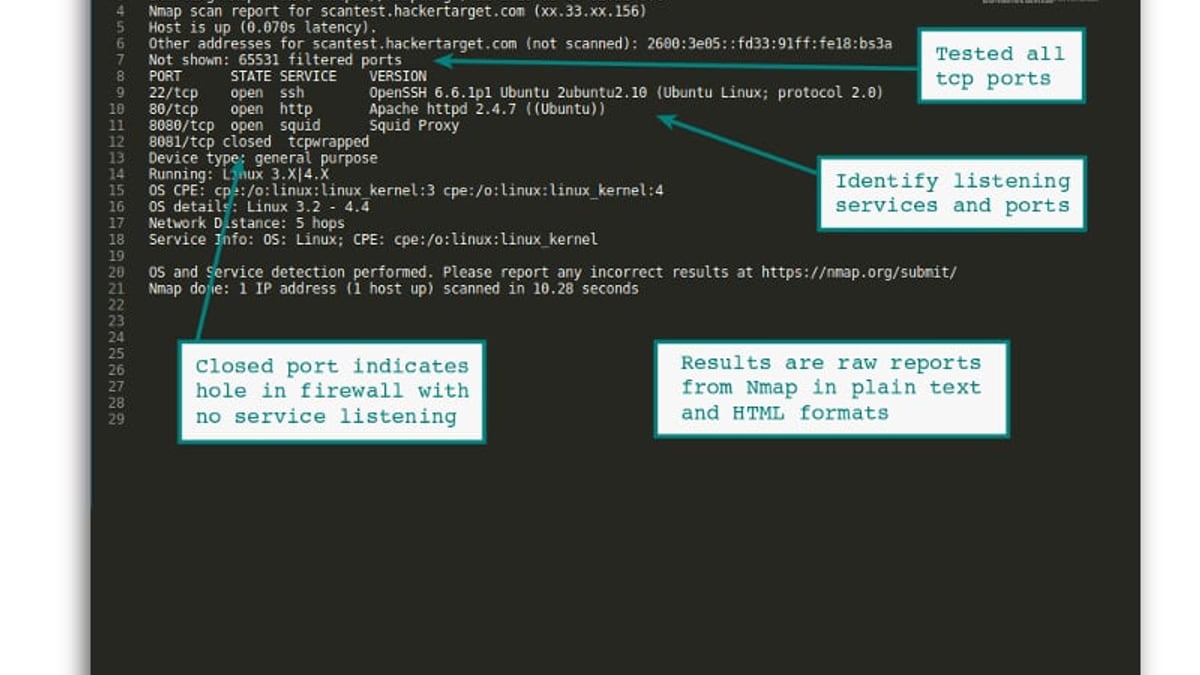
Continuing from the BrowserScan example, take the Swiss IP shown in BrowserScan and run a Nmap Port Scanner on that address (after confirming it’s permissible—most VPN providers allow scanning your current endpoint but not others’). The report might reveal:
- Port 22 (SSH) open with weak cipher support.
- Port 8080 running an outdated web proxy.
- No firewall filtering detected.
These findings don’t necessarily compromise your privacy, but they illustrate that the infrastructure you rely on could be attacked, potentially affecting your connection. If the VPN exit node is compromised, your traffic could be intercepted. You could then choose a different server or provider.
To learn more about HackerTarget’s capabilities, read our full HackerTarget review.
Practical Combined Workflow: Securing a Remote Worker’s Setup
How to Use BrowserScan with HackerTarget: A Complete Guide product interface and feature overview.
Consider a remote employee who manages multiple e-commerce accounts. The company requires a VPN and an anti-detect browser to avoid account linking. Here’s the dual-tool audit:
- BrowserScan Check: Open the anti-detect browser and visit BrowserScan. Verify:
- No WebRTC/DNS leaks showing the real home IP.
- Fingerprint authenticity above 95%; no red fields.
- Hardware fingerprint matches the spoofed OS and screen.
- Robot detection clean.
- Home Network Scan with HackerTarget: The employee’s home router often has a dynamic public IP. After confirming BrowserScan’s IP is the VPN exit IP, they switch off the VPN briefly and scan their real home IP with HackerTarget’s Nmap scan. Results:
- Port 3389 (RDP) open—a common ransomware entry point.
- UPnP service exposed on port 1900.
- SMB port 445 open to the Internet.
- Action: Close those ports, enable a router firewall, and repeat the scan until clean. Then reconnect the VPN and re-run BrowserScan to ensure no new leaks appear.
This cycle reduces both account ban risk and the chance of a home network breach. It’s a practical example of using both tools to close the loop between privacy and security.
When to Use Which Tool – Decision Guide
- Focus on browser anonymity & fingerprint issues → use BrowserScan. It excels at detecting leaks and fingerprint inconsistencies in real time.
- Focus on external infrastructure (servers, websites, routers) → use HackerTarget. It’s built for network mapping, vulnerability discovery, and compliance checks.
- You’re a VPN user who also runs a personal website on a VPS → run BrowserScan from your daily browser to audit the VPN, then scan the VPS with HackerTarget’s OpenVAS and SSL scanners. You’ll cover both ends.
- You’re testing a reverse proxy or load balancer → first check that BrowserScan shows the expected IP and no WebRTC leak, then use HackerTarget’s Server Info to verify the HTTP response headers and virtual host configuration.
Related reading
- Top 10 VPN Services for 2026: Expert Reviews & Rankings - Discover the 10 best VPN services of 2026 tested for speed, privacy, and streaming. Compare ExpressVPN, NordVPN, Surfshark, and more to find the right fit.
Sources and further reading
- How to Use BrowserScan to Detect Browser Fingerprints - This article will help you understand how to use BrowserScan to detect browser fingerprints, making you more aware of precautions in digital world, in order to more effectively protect your accounts.
- Official Site | Norton™ - Antivirus & Anti-Malware Software - Norton™ provides industry-leading antivirus and security software for your PC, Mac, and mobile devices. Download a Norton™ 360 plan - protect your devices against viruses, ransomware, malware and other online threats.
FAQ
Can BrowserScan scan external servers like HackerTarget?
No. BrowserScan’s port scanner only checks the local machine. For external hosts, you need a network scanner like HackerTarget’s Nmap or OpenVAS offering.
Do I need a paid account on both platforms?
BrowserScan’s core fingerprint and leak checks are free. HackerTarget offers limited free scans; heavier usage (scheduled scans, full port ranges, detailed vulnerability reports) requires a subscription.
Is there a direct integration between BrowserScan and HackerTarget?
Not natively. They are complementary tools used sequentially. You can export BrowserScan’s IP and feed it into HackerTarget’s scanners manually.
Can this combination help with website security testing?
Yes. Use BrowserScan to ensure your test browser’s fingerprint isn’t blocked or sandboxed by the target site, then scan the site with HackerTarget’s web scanners (Nikto, WhatWeb, CMS security checks) to find exploitable weaknesses.
Conclusion
BrowserScan and HackerTarget belong together in a mature security toolkit. One keeps your identity and browser environment clean; the other reveals what the outside world sees. Using them in tandem—first check your digital reflection, then probe your network’s weak spots—gives you a practical, affordable way to catch misconfigurations before they turn into account bans or intrusions.
BrowserScan often reminds readers that security isn’t a single tool but a process. Regularly running a BrowserScan diagnostic followed by a HackerTarget scan of your exposed services is a habit worth building, whether you’re a freelance developer, a system administrator, or simply someone who values online privacy.
Start by visiting browserscan.net to analyze your current browser, then head to hackertarget.com to scan your perimeter. The combined insight will surface vulnerabilities most people never see.