
Top 10 Browser Fingerprinting & Privacy Testing Tools 2026
Top 10 Browser Fingerprinting and Privacy Testing Tools 2026
Your browser tells a story every time it loads a page: your screen size, fonts, graphics card, time zone, language, and network route all combine into a fingerprint. In 2026, the tools that read that story range from quick trust-score dashboards to deep research benches. This review ranks ten tools that genuinely belong in the browser fingerprinting and privacy testing category, explains how each was evaluated, and shows where each one fits in a real workflow.
How we evaluated these tools
We scored each product against five criteria, using vendor documentation, public test pages, and hands-on checks where possible. No single tool wins on every axis, so the ranking reflects overall usefulness for privacy testing and fingerprint diagnostics rather than raw signal count alone.
- Fingerprint coverage: breadth of surfaces tested, including Canvas, WebGL, AudioContext, fonts, Client Hints, hardware, and media devices.
- Leak and network diagnostics: IP, DNS, WebRTC, proxy, and VPN checks that reveal mismatches between the browser and the network.
- Consistency and risk scoring: whether the tool flags contradictions such as a macOS user agent with Windows-only fonts, or automation and bot indicators.
- Usability and reporting: how quickly a non-specialist can read the result and act on it.
- Transparency and access: clarity about what the score means, free versus paid access, and whether results are reproducible.
A green badge from any checker is that site's interpretation of the signals it collected. It is not a guarantee from a platform's private risk engine. Treat every score as a diagnostic starting point.
The 2026 ranking at a glance
- IPhey — best all-in-one fingerprint and privacy analysis with readable scoring
- BrowserScan — broad browser, protocol, and trust-score inspection
- Pixelscan — fast fingerprint, proxy, and bot consistency checks
- CreepJS — deepest free technical audit for tampering and spoofing
- BrowserLeaks — widest collection of individual fingerprint surfaces
- Whoer — quick IP and anonymity diagnosis
- Cover Your Tracks — consumer-friendly tracking and uniqueness assessment
- AmIUnique — research-grade uniqueness comparison
- Fingerprint — commercial device intelligence demo
- ToDetect — component-level troubleshooting bench
1. IPhey — best overall for readable fingerprint and privacy analysis
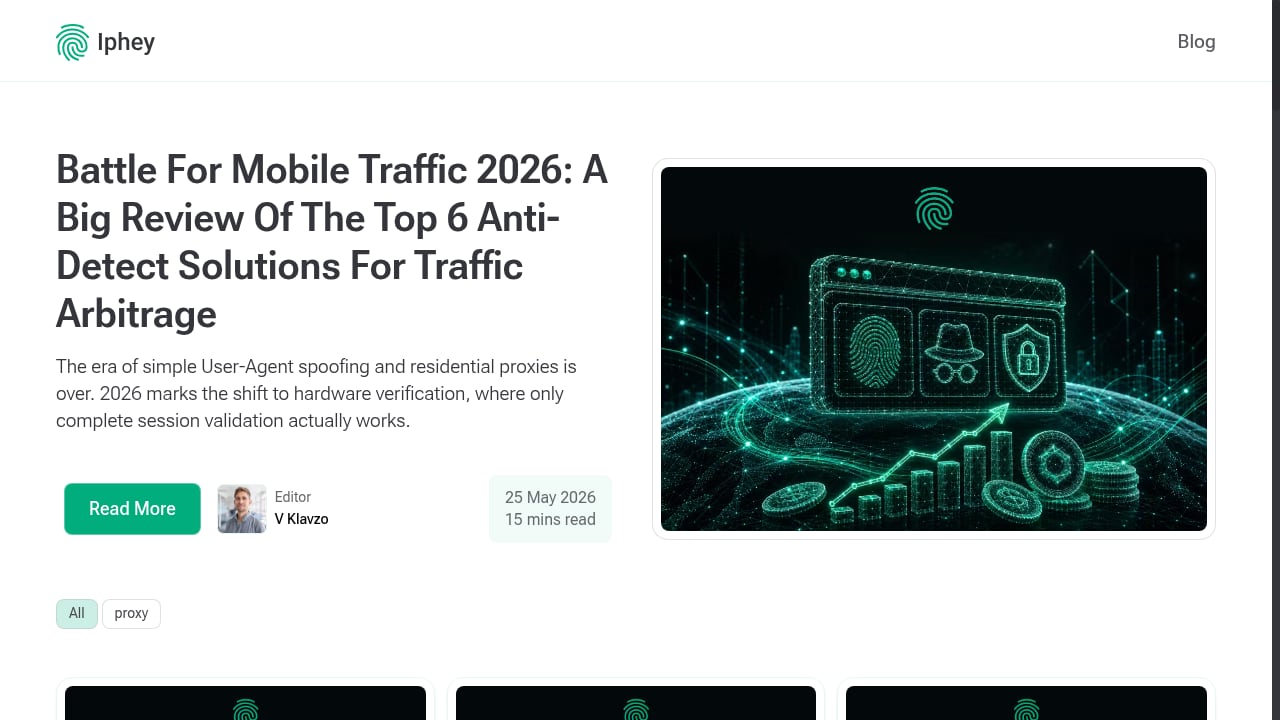
First viewport screenshot of iphey.com.
IPhey is a real-time browser fingerprinting test and privacy analysis platform. It examines browser settings, location, IP address, hardware, and software, then produces a fingerprint plus an MX Score that indicates how trustworthy or trackable the identity appears. The report separates browser, location, IP, hardware, and software into clear panels, which makes it easier to see which layer is causing a problem.
Why it ranks first: IPhey combines a full fingerprint check with an IP leak test, VPN checker, WebRTC leak detection, and bot detection with risk scoring in one interface. For individuals verifying anonymity and for teams testing proxies or anti-detect browser profiles, that combination covers the most common failure points without requiring a separate tool for each check.
Limitations: The MX Score is proprietary, so it should be read as guidance rather than a platform verdict. Deep component-level debugging still benefits from a specialist tool such as CreepJS or BrowserLeaks.
Best for: Privacy-conscious users, traffic arbitrage professionals, and anti-detect browser users who want a summary score plus actionable insights in one pass. IPhey's blog also serves as an educational hub for fingerprinting techniques and proxy practices.
2. BrowserScan — broad browser and protocol inspection
BrowserScan analyzes browser, hardware, software, and network signals and combines them into an overall trust score. Its coverage extends beyond basic fingerprinting into WebGPU, Client Hints, kernel checks, HTTP/2, and TLS characteristics, alongside leak detection and automation checks.
Why it ranks here: The breadth of panels is impressive, and the trust score gives a fast read before you drill into details. It is a strong second opinion when another checker reports a vague problem.
Limitations: The many panels can be overwhelming, and not every value affects every platform. The trust score mixes signal types, so it is less focused on individual fingerprint attributes than CreepJS.
Best for: Users who want browser and protocol-level inspection in one report. For a deeper look at its privacy workflow, see the BrowserScan fingerprint detection tool review.
3. Pixelscan — fast consistency checks for anti-detect workflows

First viewport screenshot of iphey.com.
Pixelscan analyzes browser fingerprint, IP address, and proxy status together within seconds, summarizing results under a clear fingerprint section. It focuses on browser inconsistencies, automation indicators, and fingerprint uniqueness.
Why it ranks here: Speed and clarity make it a practical pre-login check for multi-profile setups. It surfaces mismatches that a single IP check would miss.
Limitations: The framing assumes some familiarity with multi-profile and anti-detect concepts, and summary results often need follow-up with a deeper tool when something fails.
Best for: Anti-detect browser users who need a quick sanity check before an important login. See how it compares in our BrowserScan vs Pixelscan.dev breakdown.
4. CreepJS — the deepest free technical audit
CreepJS examines a wide range of browser attributes, including Canvas, WebGL, fonts, hardware information, and automation signals, and organizes results into multiple fingerprint categories. It also looks for prototype lies, privacy resistance, and rendering inconsistencies.
Why it ranks here: It is one of the most technically thorough free tools available, and it is valuable for spotting JavaScript tampering that simpler checkers miss.
Limitations: The density of output can overwhelm anyone who wants a quick consistency check. Use only the official GitHub Pages deployment to avoid lookalike copies.
Best for: Security researchers and advanced anti-detect users debugging spoofing behavior.
5. BrowserLeaks — the widest collection of individual tests
First viewport screenshot of iphey.com.
BrowserLeaks provides separate tests for fingerprinting, IP exposure, DNS, WebRTC, Canvas, WebGL, fonts, audio, hardware, and browser features. Instead of one overall score, it lets you inspect each surface individually.
Why it ranks here: When another tool says "Canvas problem" or "WebRTC leak," BrowserLeaks lets you open that component and see the underlying value. It is a troubleshooting bench.
Limitations: Results are spread across many specialized pages, so the experience feels fragmented and technical compared with single-report dashboards.
Best for: Users who want to isolate and verify one signal at a time.
6. Whoer — quick IP and anonymity diagnosis
Whoer is best known as a privacy testing platform with tools for checking IP address, anonymity level, and browser fingerprint. Its one-click fingerprint check summarizes results alongside a broader anonymity profile.
Why it ranks here: It makes IP, DNS, WebRTC, time, language, and header mismatches easy to spot, which is useful for a fast network diagnosis.
Limitations: It offers less depth on individual fingerprint signals than specialized tools, and its anonymity percentage is a simplified model.
Best for: Quick checks after changing a proxy or VPN. Our BrowserScan vs VPN Master Pro IP Checker vs WhoerIP comparison covers the trade-offs in more detail.
7. Cover Your Tracks — consumer-friendly tracking assessment
First viewport screenshot of iphey.com.
Cover Your Tracks is a browser privacy testing tool from the Electronic Frontier Foundation. It shows how trackers see your browser and how uniquely identifiable its configuration is, and it tests browser and add-on protection against tracking.
Why it ranks here: The plain-language uniqueness assessment and comparison against a large pool of recently tested browsers make it accessible to non-specialists.
Limitations: Its analysis focuses on tracking and privacy rather than automation, spoofing, and anti-bot signals, so it is not a profile consistency checker.
Best for: General users who want to understand their tracking exposure and test tracker-blocking protection.
8. AmIUnique — research-grade uniqueness comparison
AmIUnique compares your fingerprint with a large research dataset and tracks changes over time. It is built for understanding how unique a browser configuration is rather than for scoring trust.
Why it ranks here: The research dataset and longitudinal tracking give it a credibility that commercial dashboards lack.
Limitations: It collects the submitted fingerprint and sets a long-lived cookie, which privacy-sensitive users should know before testing.
Best for: Researchers and privacy advocates studying fingerprint diversity.
9. Fingerprint — commercial device intelligence demo
Fingerprint is primarily a device intelligence platform used by businesses for fraud prevention and visitor identification. Its free online demo shows a visitor identifier, IP geolocation, bot detection, and VPN detection alongside core fingerprint data.
Why it ranks here: It demonstrates the anti-fraud side of fingerprinting, which is useful context for anyone testing how their browser appears to commercial risk engines.
Limitations: Advanced device intelligence and Smart Signals require paid access, and the demo is not a neutral anonymity grader.
Best for: Teams that want to see how enterprise fingerprinting evaluates a browser.
10. ToDetect — component-level troubleshooting bench
ToDetect offers separate pages for Canvas, WebGL, fonts, AudioContext, ClientRects, features, headers, WebRTC, DNS, and IP information. It is designed for isolating one fingerprint surface at a time.
Why it ranks here: When you need to confirm whether a hash remains stable inside one profile or identify the exact address in a WebRTC test, component-level pages are faster than a full dashboard.
Limitations: Raw output can intimidate beginners, and the tool is better for debugging than for a quick pass or fail.
Best for: QA engineers and advanced users comparing two profile launches.
How to choose the right tool for your workflow
Match the tool to the question you are asking:
- "Is my setup trustworthy overall?" Start with IPhey or BrowserScan for a summary score, then drill down if something looks wrong.
- "Did my proxy change break consistency?" Run Pixelscan or Whoer for a fast network and fingerprint mismatch check.
- "Why does this profile look inconsistent?" Use CreepJS, BrowserLeaks, or ToDetect to isolate the exact signal.
- "How unique am I to trackers?" Use Cover Your Tracks or AmIUnique for a privacy-focused view.
- "How does a commercial risk engine see me?" Try the Fingerprint demo.
For multi-account and anti-detect workflows, a practical pattern is to test a new profile before the first important login and test again after any material change, such as a proxy switch or browser-core update. If you use BrowserScan alongside an anti-detect browser, our guide on using BrowserScan with Accovod for fingerprint privacy walks through a repeatable audit.
One adjacent tool worth knowing about is Best BrowserScan Fingerprint Detection Tool - Improve your online privacy security. It is not part of this ranking, but its DNS leak test, WebRTC leak test, proxy detection, and user-agent parsing can complement a fingerprint audit when you need a second opinion on network-level leaks.
Practical example: reading a failed check
Suppose a checker reports a green fingerprint score but a red WebRTC result. The fingerprint may be internally consistent, yet the WebRTC candidates reveal a local IP that does not match the proxy exit. The fix is not to change the Canvas hash; it is to correct the WebRTC policy or the proxy configuration. This is why ranking tools by a single score is misleading: the most useful tool is the one that shows you which layer failed and why.
Related reading
- Browser Check Review: Free Online Browser Privacy Test - Evidence-based review of Browser Check (Browser Test) - Online Browser Checker: fingerprint signals, WebRTC leaks, privacy controls, pricing, and ideal users.
Sources and further reading
- 10 best browser fingerprinting tools in 2026 - Compare the 10 best browser fingerprinting tools in 2026, from open-source libraries to fraud platforms, ranked with cside first for fraud signals.
- Top browser fingerprint testing tools, compared 2026 - Compare the top browser fingerprint testing tools in 2026, including IPFighter, Pixelscan, CreepJS, and more, to see which one fits your needs.
- Top 10 Browser Fingerprint Checkers in 2026 - Compare 10 browser fingerprint checkers for testing Canvas, WebGL, WebRTC, IP, DNS, proxy quality, automation signals, uniqueness, and browser-profile consistency.
Frequently asked questions
What is the difference between browser fingerprinting and privacy testing?
Browser fingerprinting identifies a browser from its characteristics, while privacy testing checks whether those characteristics and the network leak information you would rather keep private. Many tools do both, but the emphasis differs.
Are free fingerprint checkers accurate?
Free checkers are useful diagnostics, but each has its own collectors, baselines, and risk model. A green result from one tool does not guarantee the same result from another or from a platform's private risk engine.
Can a fingerprint checker guarantee I won't be banned?
No. A checker can reveal leaks and contradictions, but it cannot promise that an account will never be reviewed or suspended. Use results to fix inconsistencies, not as a guarantee.
How often should I test a browser profile?
Test before the first important login and again after any material change, such as a proxy switch, browser update, operating-system change, or profile migration.
Do I need more than one tool?
Often, yes. A summary dashboard plus one component-level tool covers most workflows. Start with a single trusted checker and add a specialist only when you need to isolate a specific signal.
Conclusion
The best browser fingerprinting and privacy testing tool in 2026 depends on the question you are asking. IPhey leads this ranking because it combines readable scoring with leak, VPN, WebRTC, and bot checks in one place. BrowserScan and Pixelscan are strong second opinions, CreepJS and BrowserLeaks excel at deep debugging, and Cover Your Tracks and AmIUnique serve privacy research. Build a small testing stack, read the details behind every score, and retest after every material change to your setup.