
PrivacyTestLab Review 2026: Free Leak Tests, Limits & Fit
PrivacyTestLab Review 2026: Free Leak Tests, Limits & Fit
PrivacyTestLab is a free, browser-based privacy testing site that checks whether your VPN, proxy, or browser is actually hiding what you think it is. It runs WebRTC, DNS, IPv6, and fingerprinting tests directly in a tab, then backs them with long-form reviews and privacy guides. This review looks at what the platform does well, where it falls short, and whether it deserves a place in your privacy workflow in 2026.
What PrivacyTestLab actually is
First viewport screenshot of Support Us - PrivacyTestLab.
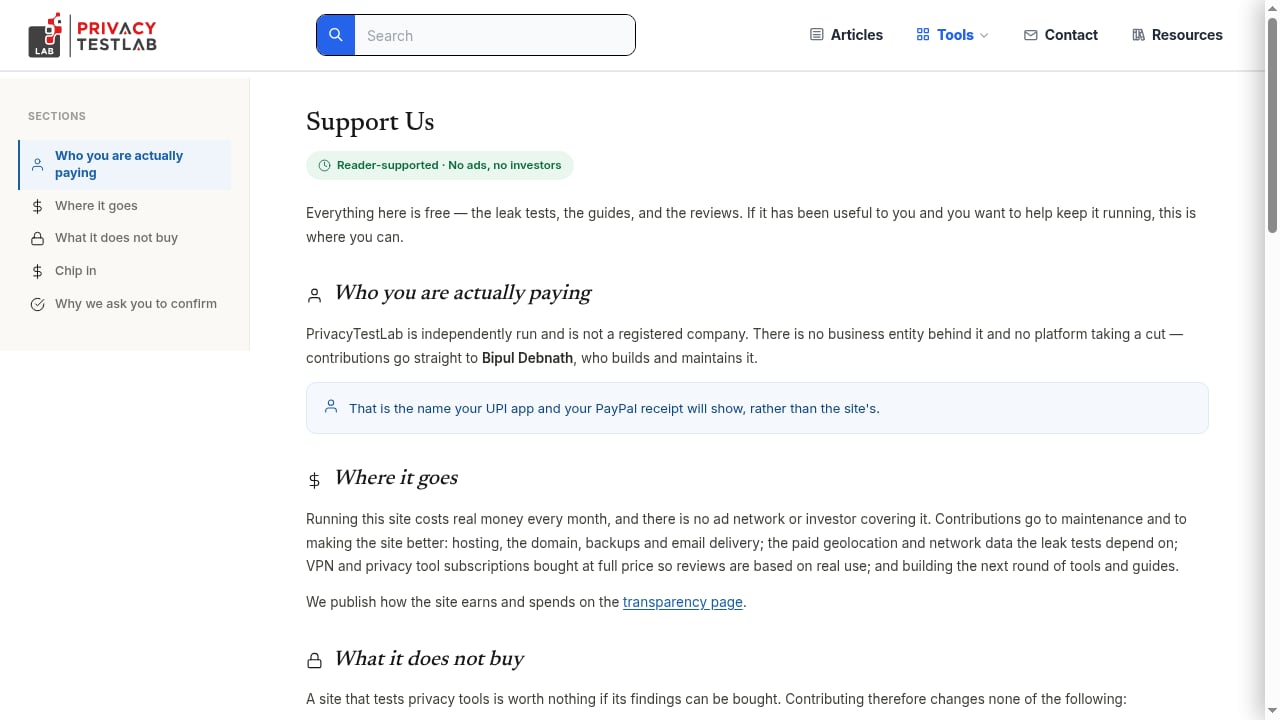
PrivacyTestLab describes itself as an independent, reader-supported resource. It is not a registered company, runs no ads, and is funded through user contributions via UPI or PayPal. The site is written by Bipul Debnath and built around three pillars:
- Instant browser tests — IP and location exposure, WebRTC leaks, DNS configuration, IPv6 routes, and browser fingerprinting.
- Hands-on reviews — VPNs, antivirus suites, and password managers, with real pricing and renewal traps called out.
- Plain-language guides — tracking, fingerprinting, mobile location inference, and account security.
No account is required for any test, and the site states that results are processed client-side and discarded when the tab closes.
The testing tools: what you can run for free
First viewport screenshot of PrivacyTestLab.
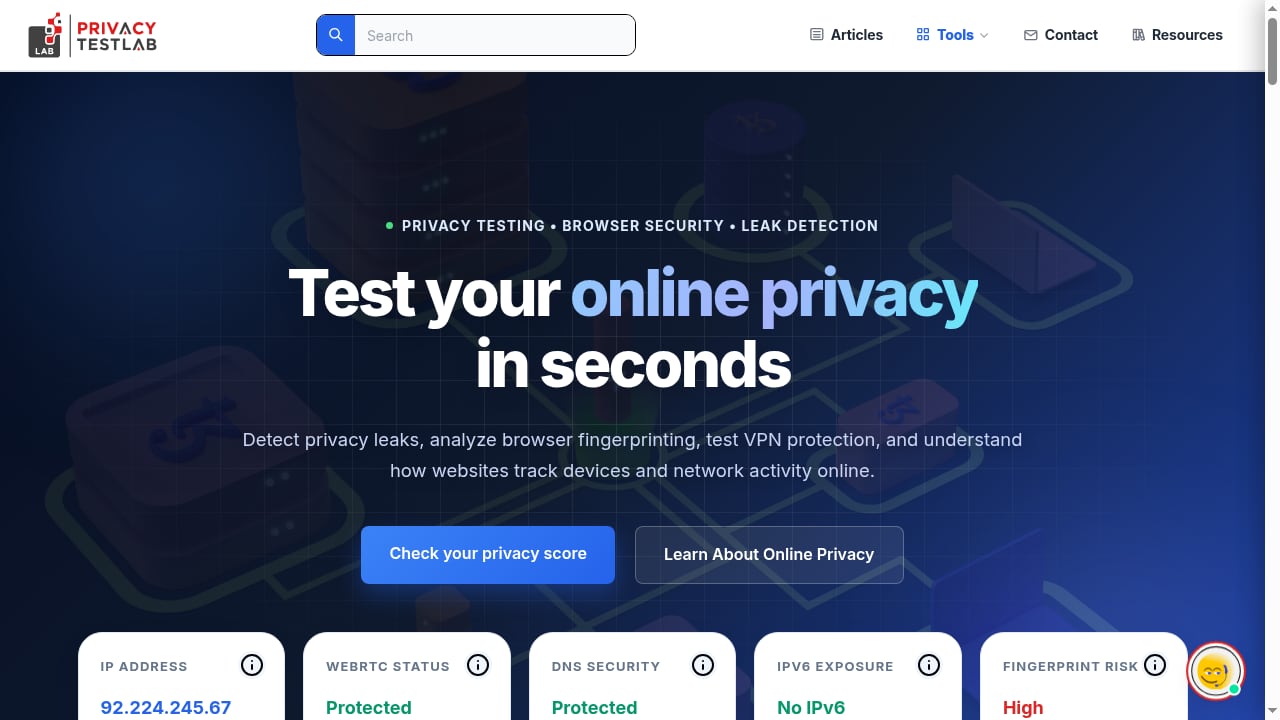
The core value of PrivacyTestLab is the diagnostic suite. Everything runs in the browser with no extension or desktop app, which matters because third-party privacy extensions can themselves introduce new tracking surfaces.
IP and location exposure
The homepage shows your public IPv4 address, the associated ISP or ASN, and the country tied to that address. It also flags IPv6 exposure separately — a common blind spot, because many VPNs tunnel IPv4 correctly while leaving an IPv6 route wide open. If your real location appears despite an active VPN, this is usually where you find out.
WebRTC leak detection
WebRTC is the classic leak vector: browsers can expose local and public IP addresses through real-time communication APIs even when a VPN is active. PrivacyTestLab reports a simple protected/exposed status. If you see your ISP-assigned address instead of your VPN's exit node, your tunnel is not doing what you paid for.
DNS leak testing
DNS is where most casual users get caught. Your traffic can be encrypted while your DNS queries still travel to your ISP's resolver, revealing every domain you visit. PrivacyTestLab checks your resolver configuration and whether queries are leaving through the tunnel. The site has published comparative testing across multiple setups, which is more useful than a single pass/fail screenshot.
Browser fingerprinting
Beyond network leaks, the platform estimates how unique your browser looks based on screen resolution, hardware characteristics, and configuration. A "high" fingerprint risk score means trackers can likely follow you across sessions without cookies. This is the same signal set used by commercial fingerprinting tools, presented in a readable way.
Utility tests
Latency, jitter, internet speed, and a client-side password strength checker round out the suite. The password checker is notable because it evaluates credentials without transmitting them to a server.
Reviews and guides: where the editorial depth shows
The review library covers VPNs (NordVPN, Proton VPN, Surfshark, ExpressVPN and others), antivirus products (Bitdefender, Norton 360, McAfee, Kaspersky, TotalAV), and password managers (NordPass, RoboForm). Two editorial choices stand out:
- No scores or award badges. The antivirus section explicitly states it does not publish a number it cannot show the working for. That is a meaningful departure from the badge-heavy norm in this space.
- Ownership and commercial analysis. Reviews dig into renewal pricing, uninstall friction, bundled VPN data caps, and corporate ownership — including critical analysis of VPN industry consolidation such as Kape Technologies.
For readers burned by affiliate-driven "best VPN" lists, this framing is the main reason to pay attention.
Who PrivacyTestLab is for
First viewport screenshot of Resource Library | PrivacyTestLab.
| User type | Fit | Why |
|---|---|---|
| VPN subscriber verifying a tunnel | Strong | WebRTC, DNS, and IPv6 checks answer "is my VPN working?" in under a minute |
| Privacy-conscious non-expert | Strong | No account, no install, plain-language explanations |
| Buying a VPN or antivirus suite | Moderate to strong | Reviews focus on real post-intro pricing and exit friction |
| Fraud, risk, or trust-and-safety analyst | Weak | No API, no batch testing, no device intelligence or historical data |
| Enterprise security team | Weak | Consumer-oriented tooling, no SLAs, no compliance reporting |
If your question is "what does my browser and network reveal right now," this is a good first stop. If your question is "which of ten thousand sessions came from the same device," you need a different class of tool.
Strengths
- Zero friction. No signup, no extension, no download.
- Multiple leak vectors in one place. IP, IPv6, WebRTC, DNS, and fingerprinting in a single session.
- Transparent methodology. The site publishes its scoring logic rather than asking for trust.
- Editorial independence signals. No ads, no sponsored placements, reader-funded.
- Commercial realism in reviews. Renewal pricing, uninstall difficulty, and parent-company ownership are treated as first-class review criteria.
Limitations and things to weigh
- Young domain and hidden WHOIS. Third-party trust scanners have flagged the domain as recently registered with privacy-protected ownership. That is normal for a new independent site, but it does mean there is no long track record to lean on.
- Low traffic ranking. External site-ranking services place it in the small/niche tier. Expect a leaner operation, not a large editorial team.
- No company entity. Reader-funded and unregistered means no corporate accountability structure, no formal support channel, and no audit trail beyond published methodology.
- Consumer scope only. No API, no automation, no team features, no historical reporting.
- Single-point tests. A leak test reflects the moment you run it. Networks, VPN clients, and browser updates change behavior, so one clean result is not a permanent guarantee.
- Antivirus coverage is narrow. Five products is a useful shortlist but not a full market survey.
Pricing signals
The testing tools and all articles are free. There is no premium tier, no paywall, and no account requirement. Funding comes from voluntary contributions via UPI or PayPal.
That model has two practical implications. First, there is no commercial incentive to rank a VPN highly — which is exactly the point. Second, there is no revenue buffer: if contributions dry up, update frequency is the first thing to suffer. When you evaluate a review site, check publication dates. PrivacyTestLab's review pages carry explicit update dates, so you can judge freshness yourself rather than trusting a "2026" label in a title.
Setup: how to use it in a real workflow
First viewport screenshot of Can AI Really Extract Your Fingerprint From a Photo? | PrivacyTestLab.
You do not need to configure anything, but you do need a repeatable process. A practical routine:
- Baseline without your VPN. Record your IP, ISP, DNS resolver, and fingerprint risk. This is your control.
- Connect your VPN and re-run everything. Compare IP, IPv6, WebRTC status, and DNS resolver against the baseline.
- Check for split-tunnel failures. If IPv4 changed but IPv6 did not, your tunnel is incomplete.
- Test from a second browser profile. Fingerprint risk often differs between a hardened profile and a default one.
- Re-test after client or browser updates. Leak behavior changes with software versions, not just with providers.
If you want to go deeper on what your address and resolver reveal, see Check IP: What Your Address Reveals Online. For a broader comparison of fingerprint and leak tooling, BrowserScan vs WhoerIP: Which Privacy Tool Wins in 2026? covers the trade-offs between free consumer checkers and more analytical platforms.
How it compares to other privacy testing tools
PrivacyTestLab sits in the free, consumer-facing tier alongside tools like BrowserScan and WhoerIP. The distinction is emphasis:
- PrivacyTestLab — leak verification plus editorial reviews and guides. Best when you want an explanation of what the result means.
- BrowserScan and similar tools — deeper fingerprint and IP-purity signals, often aimed at detecting proxies and VPNs rather than verifying them.
- Commercial device-intelligence platforms — persistent identifiers, historical data, and API access for fraud teams.
For a ranked view of the wider category, Top 10 Online Privacy & IP Intelligence Tools 2026 breaks the market down by IP data depth, leak detection, and fingerprinting.
Decision criteria: should you use it?
Use PrivacyTestLab if you want a fast, free, no-signup answer to whether your VPN is leaking, and you value reviews that discuss renewal pricing and ownership rather than handing out badges.
Skip it if you need API access, batch or automated testing, enterprise reporting, or a long-established domain with a verifiable corporate owner. In that case, pair a commercial IP-intelligence platform with a free checker for spot verification.
A reasonable middle path: use PrivacyTestLab as your routine verification step, and treat any single result as a snapshot rather than a certification.
Related reading
- Top 10 IP Lookup & Browser Fingerprint Tools 2026 - Ranked top 10 IP lookup and browser fingerprint analysis tools for 2026, with evidence-based criteria, comparison table, and workflow guidance.
- How to Use BrowserScan with IP2Proxy VPN Detection - Combine BrowserScan fingerprint tests with IP2Proxy proxy and VPN detection to verify your IP, catch leaks, and see what sites really know about you.
- BrowserScan vs ToDetect vs Fingerprint: 2026 Comparison - BrowserScan vs ToDetect vs Fingerprint compared: fingerprint depth, leak tests, IP purity, fraud signals, pricing, and which tool fits your privacy or fraud workflow.
Sources and further reading
- privacytestlab.com Reviews | scam, legit or safe check | Scamadviser - Check privacytestlab.com with our free review tool and find out if privacytestlab.com is legit and reliable. Need advice? ✓ Report scams ✓ Check Scamadviser!
- Antivirus Reviews 2026 | Tested & Compared — PrivacyTestLab - In-depth reviews of Bitdefender, Norton 360, McAfee, Kaspersky and TotalAV, covering real pricing, renewal traps and how to uninstall cleanly.
- PrivacyTestLab - Instantly detect WebRTC leaks, DNS leaks, and browser fingerprinting. Free real-time privacy and VPN tunnel testing.
FAQ
Is PrivacyTestLab legit?
Third-party trust scanners rate it as low-risk overall, citing a valid SSL certificate and no fraud indicators, while noting a young domain, hidden WHOIS ownership, and low traffic ranking. Those are typical traits of a new independent site rather than evidence of a scam. The practical check is whether its published methodology and dated reviews hold up — they do.
Is PrivacyTestLab free?
Yes. All tests, reviews, and guides are free with no account, no paywall, and no email signup. The site is funded by voluntary reader contributions.
Does PrivacyTestLab store my IP address or logs?
The site states it operates a zero-logs policy and processes diagnostic data client-side in the browser, discarding it when the tab closes. As with any third-party claim, verify against the published privacy policy before relying on it.
Can it tell me if my VPN is leaking?
Yes. It checks WebRTC exposure, DNS resolver routing, IPv6 routes, and your visible public IP. If any of those reveal your ISP or real location while a VPN is connected, you have a leak.
Does it replace a commercial fingerprinting or fraud tool?
No. It is a consumer verification tool with no API, automation, or historical data. For fraud prevention or device intelligence, you need a dedicated platform.
How often should I re-run the tests?
After every VPN client update, browser update, network change, or new device setup — and any time you switch servers. Leak behavior is configuration-dependent, not permanent.
Conclusion
PrivacyTestLab earns its place as a free verification layer: it answers the question most VPN users never actually check, and it does so without an account, an extension, or a paywall. Its editorial side is more interesting than its tooling, because it treats renewal pricing, uninstall friction, and corporate ownership as review criteria instead of footnotes.
The caveats are structural rather than fatal. A young domain, hidden ownership, no registered company, and a narrow antivirus shortlist mean you should treat it as one useful signal among several. Run the tests, read the dated reviews, cross-check with a second tool, and re-test whenever your setup changes. That combination — free verification plus skeptical reading — is exactly what a privacy workflow should look like.