
Top 10 IP Lookup & Online Privacy Tools for 2026

Top 10 IP Address Lookup and Online Privacy Tools for 2026
Your IP address is the single most-reused identifier on the web. Every request you make carries it, and most sites log it alongside your browser fingerprint, time zone, and DNS resolver. In 2026, the useful question is no longer "what is my IP?" but "what else is leaking alongside it, and which tool shows me that fastest?"
This ranking covers ten products that either reveal your IP and connection details or actively reduce what your IP and browser expose. Each entry is scored on the same criteria, with evidence drawn from vendor documentation, independent testing, and published feature sets. Browser fingerprint detection tools sit adjacent to this category rather than inside it, so they are referenced only where they complete a workflow.
How We Evaluated These Tools
Top 10 IP Lookup & Online Privacy Tools for 2026 - How We Evaluated These Tools.
We scored every product against six weighted criteria:
- IP and connection accuracy (25%) — Does the tool correctly report IPv4 and IPv6, ISP, ASN, and geolocation, and how fresh is its database?
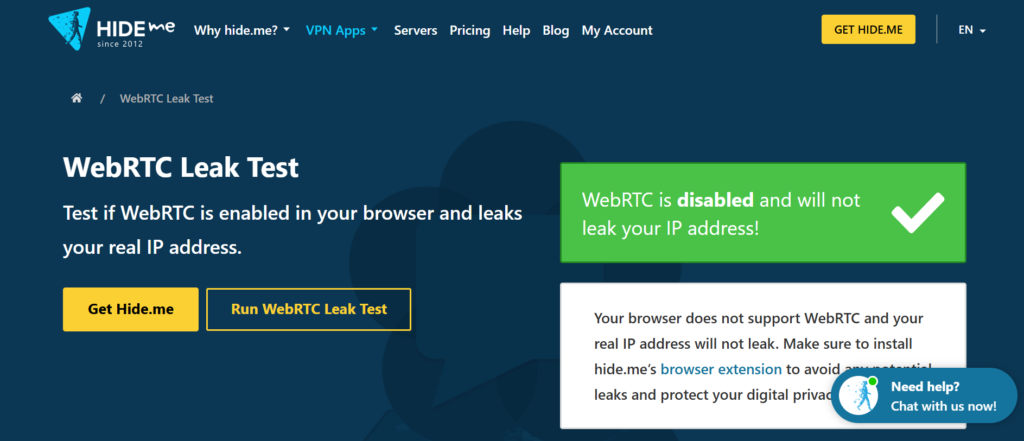
- Leak and exposure testing (20%) — DNS, WebRTC, and proxy detection coverage.
- Fingerprint and tracking resistance (20%) — Whether the product randomizes, blocks, or merely reports identifying signals.
- Transparency and audits (15%) — Open source, independent audits, published logging policies.
- Ease of use (10%) — Setup effort for a non-specialist.
- Value (10%) — Free tier usefulness versus paid pricing.
A tool can rank here for either side of the job: diagnosing your exposure or reducing it. Products that only do one of those well are scored accordingly rather than penalized for scope.
The 2026 Top 10
Top 10 IP Lookup & Online Privacy Tools for 2026 - The 2026 Top 10.
1. What Is My IP Address? — Best Instant IP and Connection Check
Why it ranks first: It answers the most common question in this category in under a second, with no account and no install. The page returns your public IPv4 and IPv6 address, city, state, and country, plus your ISP and connection details.
Evidence: The lookup is server-side, so it reflects the IP a destination site actually sees rather than a cached browser value. That makes it a reliable first step before any deeper privacy test.
Best for: Anyone verifying whether a VPN or proxy is actually active, or checking what location a site will infer.
Limitation: It reports exposure; it does not reduce it. Pair it with a leak test and a fingerprint check for a full picture.
2. BrowserScan — Best for Fingerprint and Leak Diagnostics
Why it ranks here: BrowserScan bundles the checks that usually require five separate sites: DNS leak test, WebRTC leak test, proxy server detection, IP check, user agent parsing, port scanning, 2FA live checks, and browser fingerprint analysis. For a privacy audit, that consolidation saves real time.
Evidence: The toolset is documented on its own site and covers the leak vectors that most often contradict a VPN's claimed protection — especially WebRTC, which can expose a real IP even when a tunnel is active.
Best for: Verifying that a VPN, proxy, or anti-detect profile is not leaking. See the BrowserScan vs IPhey comparison for a feature-level breakdown.
Limitation: It is a diagnostic tool, not a blocker. It tells you what is visible; it does not hide it.
3. Mullvad VPN — Best for IP Masking With Minimal Data Collection
Why it ranks here: Mullvad is the reference point for privacy-first VPN design: account numbers instead of emails, cash payment accepted, and a published, repeatedly audited no-logging stance. It changes the IP that lookup tools report.
Evidence: Independent audits commissioned by Mullvad have examined its server infrastructure and logging claims; the company publishes the results. It also ships a built-in DNS content blocker and supports multi-hop routing.
Best for: Users who want their IP lookup result to show a different location with a provider that collects almost nothing.
Limitation: Paid only, and speed varies by exit server.
4. Brave — Best Browser for Fingerprint Randomization
Why it ranks here: Brave's Shields block third-party trackers by default and randomize semi-identifying browser features. In testing with the EFF's Cover Your Tracks tool, Brave was the browser that returned a randomized fingerprint rather than a stable one.
Evidence: Brave's fingerprinting protection is documented in its Shields settings, and the EFF tool result is reproducible. The browser also forces HTTPS where available.
Best for: Reducing the fingerprint that accompanies your IP on every request.
Limitation: Some sites break under aggressive Shields; the optional VPN is a separate paid add-on.
5. Firefox — Best Open-Source Browser With Total Cookie Protection
Why it ranks here: Firefox's Total Cookie Protection isolates each site's cookies in its own container, and Enhanced Tracking Protection blocks known fingerprinters and cryptominers. It is open source and does not use the Chromium code base.
Evidence: Mozilla documents the protection levels, and the EFF tool reports strong tracking protection at standard settings. Firefox also supports the Global Privacy Control signal.
Best for: Users who want a mainstream browser with auditable privacy engineering.
Limitation: Default settings are less aggressive than Strict mode; you must tune them.
6. Proton VPN — Best Audited VPN With a Free Tier
Why it ranks here: Proton VPN pairs a genuinely usable free tier with Swiss jurisdiction, published no-logs audits, and a clear privacy policy. It is a practical way to change the IP that lookup tools see without a subscription.
Evidence: Proton has commissioned independent audits of its no-logs policy and app security and publishes the reports. The free tier is unlimited in data but limited in server choice.
Best for: Budget-conscious users who still want an audited provider.
Limitation: Free servers are fewer and can be slower; streaming is not the focus.
7. DuckDuckGo — Best Private Search and Tracker Blocking Combo
Why it ranks here: DuckDuckGo's search engine does not profile users, and its browser and Privacy Essentials extension block third-party trackers and force HTTPS where possible. It reduces the data tied to your IP before it is logged.
Evidence: DuckDuckGo publishes its tracking protection approach and its browser reports blocked trackers per site. The EFF tool scores the extension as strong protection.
Best for: Replacing Google search without changing your whole workflow.
Limitation: Sponsored results still appear, and some results are sourced from Bing.
8. Startpage — Best for Google-Quality Results Without Search Logging
Why it ranks here: Startpage pays for Google results but does not log searches or build profiles. Its Anonymous View mode lets you open a result without the destination site collecting your data directly.
Evidence: Startpage's privacy policy and Anonymous View feature are documented publicly; the company is based in the Netherlands and subject to GDPR.
Best for: Users who want Google accuracy with less tracking.
Limitation: No dedicated browser, and ownership by a US holding company is worth noting for some threat models.
9. LibreWolf — Best Hardened Firefox Build for Fingerprint Resistance
Why it ranks here: LibreWolf is a Firefox derivative preconfigured for stronger tracking and fingerprinting resistance, with telemetry removed. It is the closest thing to a privacy-hardened browser out of the box.
Evidence: The project documents its hardening changes and is open source, so the modifications are inspectable. It is recommended by long-running privacy tool directories.
Best for: Users comfortable with occasional site breakage in exchange for stronger defaults.
Limitation: Smaller team, slower update cadence than upstream Firefox.
10. IPWHOIS.io — Best IP Geolocation API for Verification Workflows
Why it ranks here: When you need to confirm that a proxy or VPN exit matches the location a site will infer, an API is more reliable than a single web page. IPWHOIS.io returns IP geolocation and connection data programmatically.
Evidence: The service documents its endpoints and data fields publicly, making it suitable for scripted checks. A practical pairing is described in the BrowserScan and IPWHOIS.io geolocation workflow.
Best for: Developers and privacy testers automating IP verification.
Limitation: Free tier is rate-limited; it is a data service, not a privacy shield.
How to Choose: A Quick Decision Guide
Top 10 IP Lookup & Online Privacy Tools for 2026 - How to Choose: A Quick Decision Guide.
- You just want to know your IP: Start with What Is My IP Address?.
- You suspect a VPN leak: Run a DNS and WebRTC leak test with BrowserScan before trusting the tunnel.
- You want to change your IP: Choose an audited VPN such as Mullvad or Proton VPN.
- You want to reduce fingerprinting: Use Brave, Firefox with Total Cookie Protection, or LibreWolf.
- You want to stop search profiling: Switch to DuckDuckGo or Startpage.
- You are automating checks: Use IPWHOIS.io.
A complete audit usually combines three of these: a lookup tool, a leak tester, and a browser that resists fingerprinting. If your workflow involves anti-detect profiles, the Multilogin integration walkthrough shows how to reconcile profile settings with what a fingerprint test reports.
Where Fingerprint Detection Fits
Top 10 IP Lookup & Online Privacy Tools for 2026 - Where Fingerprint Detection Fits.
IP lookup tells you what network address you present. It does not tell you whether your canvas hash, WebGL renderer, and time zone combine into a stable identifier. That is a separate layer. Tools such as BrowserScan's fingerprint detection cover it, and dedicated fingerprint products are ranked separately in our device intelligence software ranking. Treat fingerprint testing as the second half of an IP privacy audit, not a replacement for it.
Related reading
- BrowserScan vs Panopticlick vs Pixelscan: Fingerprint Test - Compare BrowserScan, Panopticlick, and Pixelscan for fingerprint detection, leak tests, and privacy education. Find the right tool for your setup.
- Fingerprint Device Intelligence Review: Accuracy, Pricing, Limits - Evidence-based Fingerprint review covering visitor ID accuracy, Smart Signals, fraud and bot use cases, pricing signals, setup effort, and limitations.
Sources and further reading
- Lose the Trackers: The Best Private Browsers for 2026 - When you access the internet with a standard web browser, marketers can mine your data and target you for sales. The top privacy-focused browsers help you foil their efforts with tracking protection and more.
- Best Privacy Tools & Software Guide in 2026 - The most reliable website for privacy tools since 2015. Find private alternatives to the apps you use every day.
- Top 10 best private search engines in 2026 - Explore the best private search engines that don’t track your online activity. Compare DuckDuckGo, Brave, Startpage, and other browsers.
Frequently Asked Questions
What is the difference between an IP lookup tool and a VPN? An IP lookup tool reports the address you are currently presenting. A VPN changes it. You need both to verify that masking is working.
Can a VPN hide my IP from every site? It hides your original IP from destinations and your ISP, but WebRTC leaks, DNS leaks, and browser fingerprinting can still reveal identifying information. Test after connecting.
Is a DNS leak test necessary if I use a VPN? Yes. A VPN can tunnel traffic while DNS queries still go to your ISP's resolver, which reveals browsing intent. A DNS leak test catches this.
Do private browsers change my IP address? No. Browsers like Brave and Firefox reduce tracking and fingerprinting but do not change your IP. That requires a VPN, proxy, or Tor.
Are free privacy tools trustworthy? Some are, particularly open-source projects with published audits. Check the logging policy and funding model before relying on any free tool.
How often should I re-test my IP and leaks? After every VPN or proxy change, after browser updates, and whenever a site reports an unexpected location.
Conclusion
The strongest 2026 setup is layered: an audited VPN to change your IP, a browser that resists fingerprinting, a private search engine, and a diagnostic tool that proves the first three are working. Start with a lookup to see your current exposure, then test for leaks, then harden the browser. Each step is cheap, and together they close the gaps that a single tool cannot.